

🎧 Listen to this article
Prefer to listen? An audio version of this article is available for accessibility and convenience.
Apple Watch Series 11 and WHOOP 5.0 are not competing products — they are built around fundamentally different philosophies of what tracking your health actually means. Apple Watch is a smartwatch that monitors your body as one of its many jobs. WHOOP is a health tracker whose entire existence is built around a single daily question: is your body ready to train today?
That sounds like a narrow distinction. It is not. The gap between “tracks your workout” and “tells you whether you should work out” shapes every design decision both companies made, from battery life to screen presence to subscription pricing. Understanding the difference helps you decide whether WHOOP belongs in your life alongside your Apple Watch, or whether you are solving a problem you do not actually have.
 Ad
AdWhat WHOOP 5.0 Actually Does
WHOOP 5.0 is organized around three metrics: strain, recovery, and sleep. There is nothing to tap. No display. No notifications. The device slides onto your wrist — or a bicep band, or a waistband, depending on how you prefer to wear it — and it collects physiological data continuously, reporting back each morning in the iPhone app.
The recovery score is the centerpiece. Every morning, the WHOOP app generates a number from 0 to 100 reflecting how fully your body has recovered from yesterday’s strain. That score draws from heart rate variability, resting heart rate, respiratory rate, and the quality of the previous night’s sleep — specifically how much time you spent in slow-wave and rapid eye movement sleep. A red score below 33 means your body is still under load from yesterday. A green score of 67 and above means you are prepared for high-intensity work. Anything yellow falls in between, and WHOOP recommends how hard you should push based on that number.
Heart rate variability is the metric that makes WHOOP genuinely useful for serious athletes. It is the variation in time between heartbeats, and it is one of the more reliable physiological signals of overall recovery and readiness. Apple Watch does measure heart rate variability through the Health app, but it does not surface it as a daily actionable score the way WHOOP does. WHOOP makes heart rate variability the foundation of everything. Apple’s health documentation confirms the metric is captured passively, but the interpretation layer is minimal compared to what WHOOP delivers through its coaching algorithms.
WHOOP 5.0 requires a subscription, which is where most Apple Watch owners hesitate. The entry-level plan runs approximately twelve dollars a month on an annual commitment. Higher tiers add coaching features and advanced analytics at a steeper price. That cost continues as long as you wear the device — it is not a one-time purchase. The subscription is not a flaw in the product model so much as the mechanism by which the data analysis exists at all.
 Ad
AdHow Apple Watch Series 11 Approaches Health
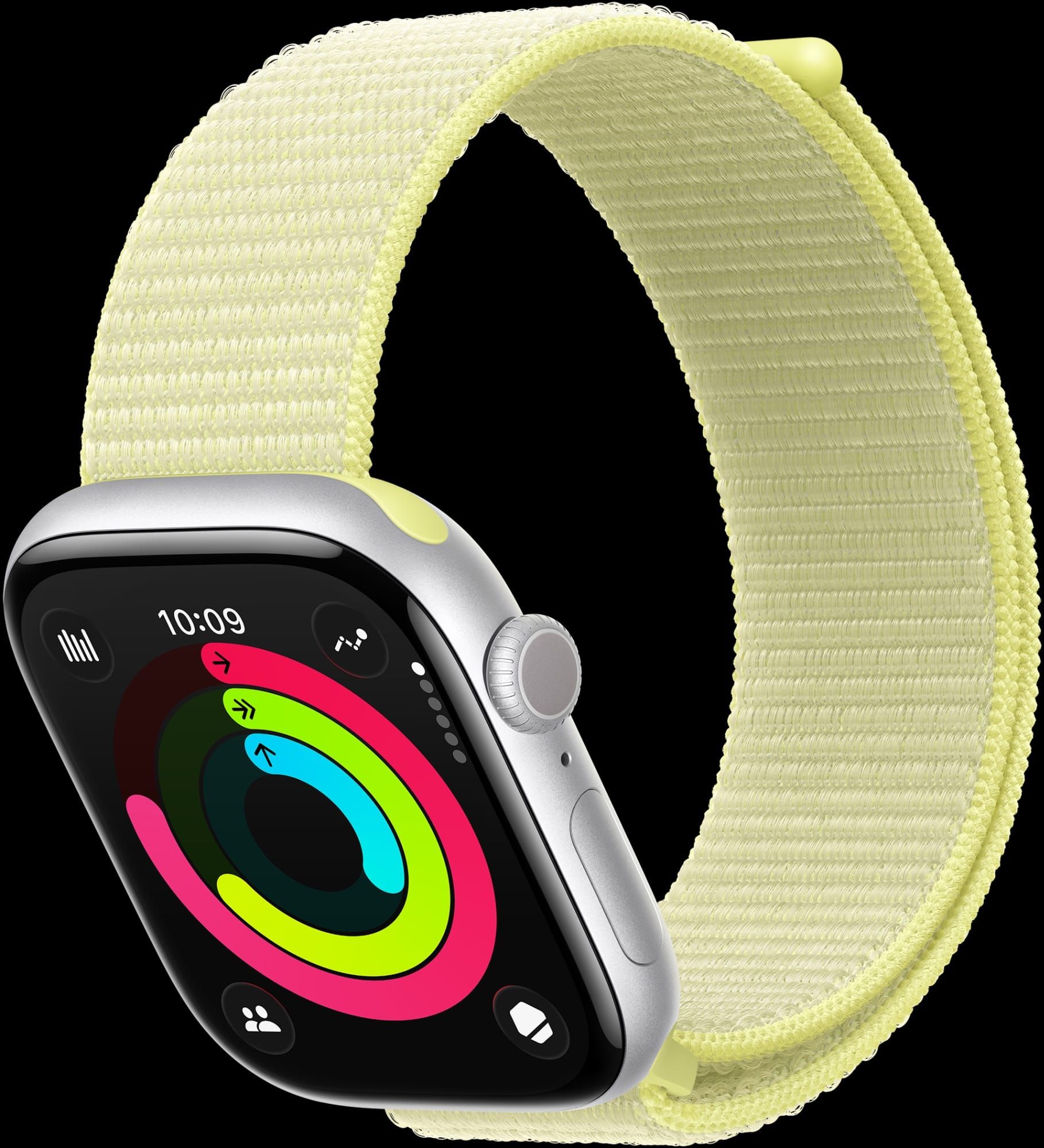
Apple Watch Series 11 does not give you a recovery score. It gives you Activity Rings. Those are not equivalent, and pretending otherwise leads to confused purchasing decisions.
The Rings are motivational design. They tell you whether you moved enough, exercised enough, and stood enough each day. The system is calibrated to create a daily completion habit — which it does extremely well. It is not designed to tell you when your body needs rest. There is no overtraining indicator in the native Apple Watch interface, no signal that yesterday’s workout was hard enough to warrant a lighter day today.
Where Apple Watch Series 11 earns genuine respect is in its passive health monitoring capabilities. The ECG app detects atrial fibrillation and logs irregularity notifications throughout the day. Sleep apnea detection arrived with watchOS 26, using the accelerometer to identify breathing disruptions during sleep. Hypertension notifications alert you when blood pressure readings trend high across multiple measurements over time. These are medical-grade monitoring features WHOOP does not offer. Apple Watch also brings GPS-accurate workout data — pace, route, cadence, splits — that WHOOP entirely skips, because distance and route are not part of the recovery equation. Apple’s own documentation notes that hypertension detection requires consistent daily wear across several weeks to establish a reliable baseline — which is something to know going in. If you want to understand what Apple Watch specifically does with sleep data, the breakdown of the built-in Apple Watch sleep system is worth reading before you make any decisions.
The Core Data Gap
Here is what both devices produce after the same ten-mile run. Apple Watch tells you distance, pace splits, cadence, route map, heart rate zones, and estimated calories burned. WHOOP tells you the cardiovascular strain score that run created, and how many hours of recovery sleep you will need before your body is ready to push again. Both answers are accurate. They are answering completely different questions.
Apple Watch asks whether you did the thing. WHOOP asks whether you can do it again tomorrow.
That framing explains every design trade-off in the spec sheet. Apple Watch needs GPS because it tracks where you went. WHOOP skips GPS because your route does not factor into your recovery score. Apple Watch needs an always-on display so you can check your pace mid-run. WHOOP needs nothing visible because the number that matters only exists the morning after.
The comparison below covers the attributes most likely to drive your decision between these two wearables:
| Attribute | Apple Watch Series 11 | WHOOP 5.0 |
|---|---|---|
| Display | Always-on Retina | None |
| Battery Life | 24–38 hours | 14+ days |
| Recovery Score | No | Yes (daily) |
| Built-in GPS | Yes | No |
| Cost Model | One-time purchase | Monthly subscription (~$12+/mo) |
| Smartwatch Functions | Full | None |
| Sleep Apnea Detection | Yes (watchOS 26) | No |
| HRV as Daily Score | No (stored in Health app) | Yes (core metric) |
 Ad
AdWhen Running Both Actually Makes Sense
A meaningful number of competitive endurance athletes and strength athletes wear both devices simultaneously. WHOOP on the left wrist or in a bicep band, Apple Watch on the right. Apple Watch covers real-time workout data and daily communication. WHOOP handles the continuous physiological monitoring — including overnight — that Apple Watch often misses during charging.
The overnight gap is real and it compounds. Most Apple Watch users charge their device while sleeping, which creates a data hole in the health timeline several nights each week. WHOOP uses a wireless battery pack that slides over the device while you are still wearing it. You never remove it. Sleep tracking is continuous and complete. This matters because recovery math runs largely on sleep quality, and WHOOP cannot build accurate scores around data it never had. If you already use both Strava and Apple Fitness Plus on your Apple Watch, the comparison of how those two platforms approach the same workout data differently is instructive — layering multiple data sources either sharpens or muddles your training picture, and the same tension exists here.
What WHOOP Users Give Up
Nothing about WHOOP is convenient in the everyday sense. No display means no quick time check, no notification glance, no Apple Pay tap. You cannot start a countdown timer on your wrist or ask it anything at all. The entire interface lives in the iPhone app, which means unlocking your phone every time you want to know your recovery score. For someone who has spent two or three years reflexively glancing at Apple Watch dozens of times a day, WHOOP feels aggressively minimal. That minimalism is intentional — the device has one job.
The subscription cost also accumulates differently than a hardware purchase does. Every health feature on Apple Watch Series 11 — ECG, blood oxygen monitoring, fall detection, crash detection, sleep apnea detection, hypertension notifications — is included with the device, no monthly payment required. WHOOP charges you continuously for the analytics layer that converts raw sensor data into daily recovery scores. Without the subscription, the hardware does nothing meaningful. Some athletes find that daily recovery insight genuinely restructures how they approach training. Others get three weeks of interesting numbers, recognize the basic pattern, and start calculating whether the monthly charge is delivering enough value to justify.
That is not a criticism of the model. It is a description of who WHOOP is actually designed to serve.
Making the Choice
New to fitness tracking? Get the Apple Watch. It handles workouts, passive health monitoring, and everyday smartwatch functions in one device at a single purchase price. The recovery data gap is real, but it is not the problem a first-time fitness tracker user needs to solve first.
If you have been training consistently for months or years and you keep hitting your workout targets without seeing expected gains — or you feel flat on days when your metrics look fine — WHOOP is answering the question you are actually asking. The daily recovery score surfaces a physiological pattern that Activity Rings are not built to detect.
Adding WHOOP to an existing Apple Watch setup makes the most sense if you regularly charge your Apple Watch overnight and want continuous health data including sleep. If you always wear your Apple Watch to bed and find the native sleep tracking reasonably accurate, the incremental value of WHOOP’s overnight data narrows considerably.
The only genuinely poor choice is buying WHOOP because you want a better Apple Watch. It is not a better Apple Watch. It is a different tool solving a different problem — and once you understand that, the decision stops being confusing.

Related Posts
Every Apple Watch That Runs watchOS 26 — And the Catch
Apr 16, 2026
How watchOS 26.4 Fixed the Workout App — and What Else Changed
Apr 14, 2026
The Apple Watch Faces That Actually Make People Smile
Apr 11, 2026