

🎧 Listen to this article
Prefer to listen? An audio version of this article is available for accessibility and convenience.
The Apple TV 4K comes in two versions that look identical on the shelf, and the $20 gap between them buys you more than you think. The WiFi-only model at $129 streams 4K Dolby Vision just fine over your home network. The $149 WiFi + Ethernet model adds a Gigabit Ethernet port, doubles your storage to 128 gigabytes, and throws in Thread networking for your smart home accessories. So which one actually deserves a spot under your television?
That depends on something most buyers never consider: how your home network behaves when three people are streaming, someone is on a video call, and your smart thermostat is quietly arguing with your router about its DHCP lease.
 Ad
AdApple built the current Apple TV 4K (3rd generation) around the A15 Bionic chip with WiFi 6 and HDMI 2.1. Both models decode 4K HDR10+ and Dolby Vision, handle Dolby Atmos audio, and run tvOS 26 with every feature Apple ships. The spec sheets are nearly identical. But networking is where the story splits.
WiFi 6 on the Apple TV 4K supports 802.11ax with 2x2 MIMO, which on paper delivers more bandwidth than any streaming service can saturate. Apple TV+ peaks at roughly 29 to 41 megabits per second for its highest-quality 4K Dolby Vision streams. Netflix, Disney+, and most platforms cap below 30 megabits per second. Your WiFi 6 connection on a clean 5 GHz channel can deliver several hundred megabits per second. The math works.
Here is where it gets interesting, though.
WiFi Does Not Fail — It Hesitates
The problem with WiFi for streaming is not bandwidth. It is latency spikes and micro-interruptions that happen when your network gets busy. A WiFi 6 router handling twelve devices across two bands will occasionally reprioritize traffic, and your Apple TV might experience a half-second stutter during a scene change. You will not see buffering. What you might see is a brief quality drop — the image compresses for a moment, then snaps back. Most people never notice. Some people cannot unsee it once they do.
Ethernet eliminates this entirely. A wired Gigabit connection to your Apple TV 4K provides consistent, dedicated bandwidth with near-zero latency jitter. The stream flows uninterrupted regardless of what else is happening on your network. For the average household streaming Netflix on a Tuesday night, this difference is invisible. For someone running a Plex server with 80 gigabit remux files, or streaming lossless spatial audio alongside 4K video, the Ethernet connection is doing real work.
I think the honest answer is this: if your router sits in the same room as your Apple TV, or one room away with clear line of sight, WiFi 6 handles everything beautifully. If your Apple TV lives two walls and a floor away from your router, or if your household has more than eight devices competing for airtime, that Ethernet cable pays for itself immediately.
The Storage Gap Nobody Mentions
The WiFi model ships with 64 gigabytes. The Ethernet model ships with 128 gigabytes. Apple does not let you choose — storage is tied to the networking configuration. Why does storage matter on a streaming box?
More than you would expect. Apple Arcade games can exceed 2 gigabytes each. tvOS apps cache content locally. If you download Apple TV+ shows for offline viewing on a long flight (yes, this works through AirPlay handoff to your iPad, but cached content stays on the device), that storage fills up. The 64 gigabyte model gives you roughly 50 gigabytes of usable space after tvOS and system files. Install ten Apple Arcade games and a few streaming apps, and you are managing storage more than you should have to.
 Ad
AdThe 128 gigabyte model simply never asks you to think about it. For a device that sits in your entertainment center for four or five years, that breathing room matters.
Thread Support Changes Your Smart Home Math
This is the detail that gets buried in spec comparisons. The WiFi + Ethernet Apple TV 4K includes a Thread radio. Thread is a mesh networking protocol that Matter-compatible smart home devices use to communicate without relying on your WiFi network. Your Thread-enabled smart locks, sensors, and lights talk directly to the Apple TV 4K as a border router, creating a separate low-power mesh network in your home.
The WiFi-only model does not have Thread. If you are building out an Apple Home setup with Matter accessories, the Ethernet model pulls double duty as both your streaming box and your Thread border router. A standalone Thread border router would cost you $30 to $50 on its own. The $20 premium for the Ethernet Apple TV 4K suddenly looks like a bargain.
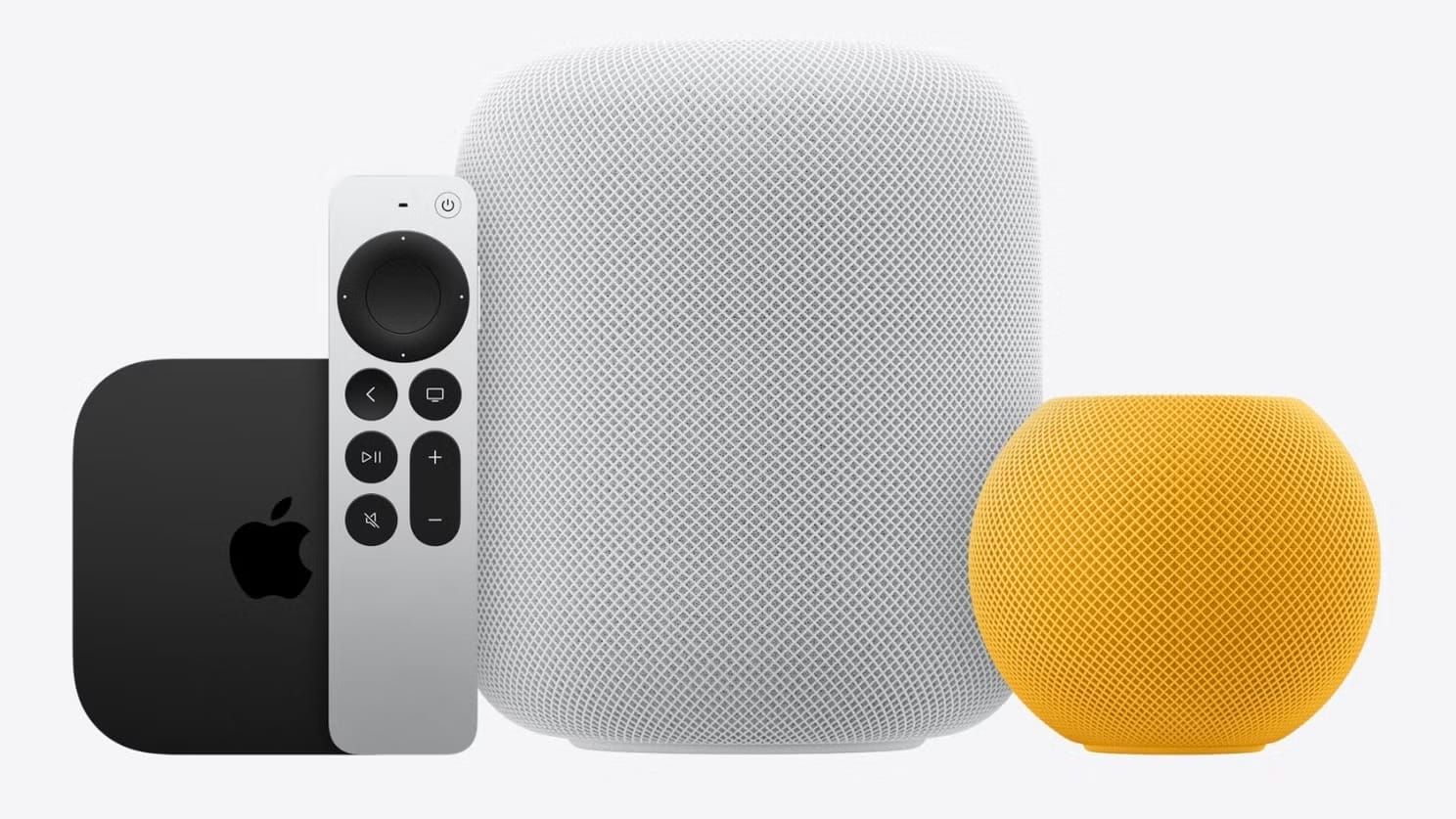
If you already own a HomePod mini or HomePod (2nd generation), those also function as Thread border routers. But if your Apple TV 4K is your only always-on Apple device in the living room, the Thread radio is worth the upgrade by itself.
tvOS 26.4 Fixed the Audio Problem Everyone Complained About
Apple just released tvOS 26.4 today, March 24, 2026, and it addresses one of the longest-standing frustrations with Apple TV 4K audio: the dropout that happens when your receiver switches between audio formats.
The new Continuous Audio Connection feature, buried in Settings, then Video and Audio, then Audio Format under HDMI Output, keeps the HDMI audio connection active at all times using a Dolby MAT container. Previously, switching from a stereo menu screen to a Dolby Atmos movie caused your AV receiver or soundbar to briefly disconnect and reconnect — you would hear a pop, a brief silence, or the first second of audio would clip. Denon, Marantz, and Sonos Arc owners have been reporting this issue for years.
With Continuous Audio Connection enabled, your Apple TV wraps all audio formats in a continuous uncompressed HDMI signal. No more format switching, no more pops, no more clipped opening dialogue. This works over both WiFi and Ethernet connections — it is an HDMI handshake fix, not a network fix. But I mention it here because anyone investing in their Apple TV 4K setup should update to tvOS 26.4 before anything else.
So Should You Pay the Extra Twenty Dollars?
Simply put, yes. The WiFi-only Apple TV 4K is a perfectly capable streaming device. But the $20 upgrade to the WiFi + Ethernet model gets you three things that compound in value over the life of the device: reliable wired networking for consistent streaming quality, double the storage so you never manage app space, and Thread networking that future-proofs your smart home investment.
If you are setting up a new entertainment center and your router or network switch is within cable reach, plug in that Ethernet cable and forget about it. The connection just works, every time, with zero interference. If Ethernet is not practical in your room layout, the WiFi model still delivers excellent 4K streaming — just know that you are also leaving Thread support and 64 gigabytes of storage on the table.
For anyone who has been eyeing the Apple TV 4K and wants to understand how it compares to Roku or other streaming boxes, the three hidden advantages Apple baked into the hardware tell that story. And if your Siri Remote has been giving you trouble since the update, every fix for a frozen remote starts with the same first step.

Related Posts
HomeKit Ceiling Fans That Earn a Spot in Your Apple Home
Apr 07, 2026
The Apple TV 4K Settings You Skipped Are Ruining Your Movies
Apr 06, 2026
The HomeKit Weather Sensors That Belong in Every Apple Home
Apr 05, 2026