

🎧 Listen to this article
Prefer to listen? An audio version of this article is available for accessibility and convenience.
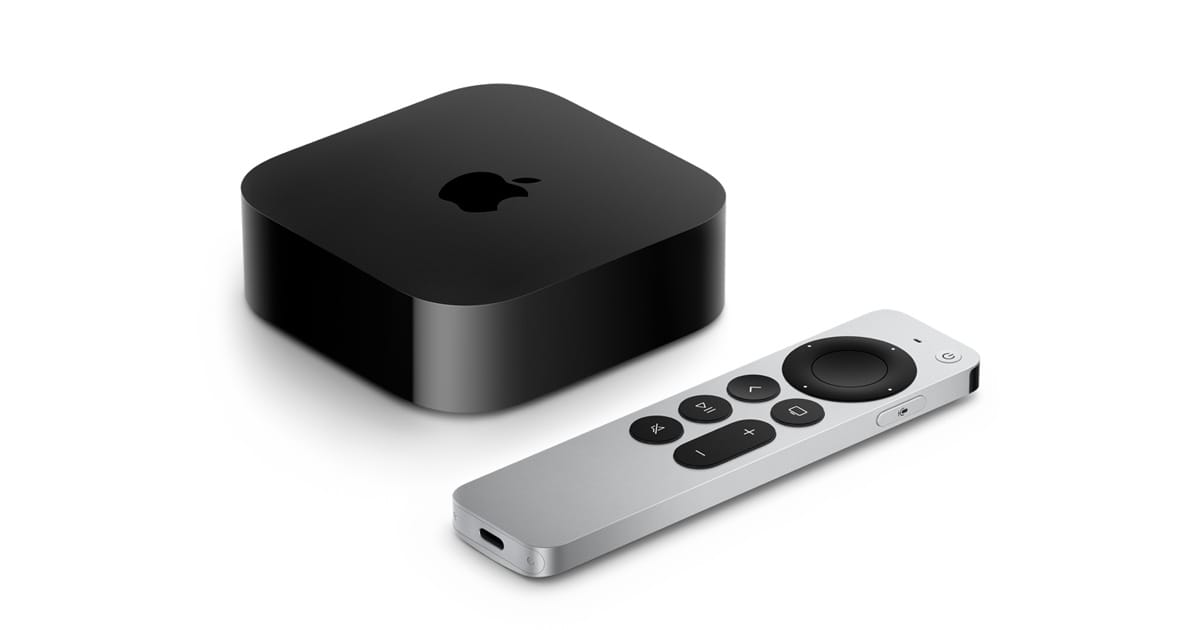
The Apple TV 4K is the best streaming box for anyone already living inside Apple’s ecosystem, and it is not particularly close. It doubles as a Thread border router, runs Apple Arcade with console controllers, and plays Spatial Audio through AirPods with head tracking that no competitor matches. But “best for Apple users” is not the same as “best for everyone,” and two serious alternatives force a real conversation about what you actually need under your TV.
Roku Ultra costs fifty dollars less and runs virtually every streaming app without asking you to pick a side. NVIDIA Shield TV Pro handles lossless Dolby TrueHD Atmos and DTS-HD Master Audio passthrough that Apple still refuses to support natively. So the question is not which box is best — the question is which box is best for your living room, your audio setup, and your smart home.
 Ad
AdI want to be direct about something most comparison articles skip: your soundbar or AV receiver changes the answer entirely. If you are running a basic soundbar, audio passthrough is irrelevant, and Apple TV 4K wins on ecosystem alone. If you spent two thousand dollars on a Denon receiver and a 7.2.4 Atmos speaker layout, the Shield Pro’s lossless audio support suddenly matters a lot. Your hardware dictates which streaming box deserves the HDMI port.
The three devices I am comparing are the Apple TV 4K (3rd generation, 2022, still the current model from Apple), the Roku Ultra (2024 model, 4850R), and the NVIDIA Shield TV Pro (2019, still sold and still updated). Each one targets a different buyer, and the overlap is smaller than you might think.
Where Apple TV 4K Pulls Ahead
The Apple TV 4K runs on the Apple A15 Bionic chip, the same processor that powered the iPhone 13 Pro. That sounds like overkill for streaming video, and honestly, it kind of is. But the extra headroom shows up in two places that matter: app launch times and gaming.
Apple Arcade runs natively on the Apple TV 4K, and the controller support is outstanding. PlayStation DualSense, Xbox Wireless, Xbox Elite Series 2, and MFi controllers all pair over Bluetooth without adapters or workarounds. The Buddy Controller feature — where two controllers act as one for accessibility — is something neither Roku nor NVIDIA offers. Games like Sonic Racing and Crossy Road Castle run smoothly at 60 frames per second, and the tvOS App Store has titles you genuinely want to play, not mobile ports masquerading as console games.
Then there is the smart home angle, and this is where Apple TV 4K quietly separates itself from everything else. The 128-gigabyte Wi-Fi plus Ethernet model acts as a Thread 1.4 border router, upgraded via tvOS 26. It also serves as a Matter controller and a HomeKit hub. Roku Ultra supports HomeKit as a compatible device, which means your Roku responds to HomeKit commands but does not control your home. NVIDIA Shield TV Pro has no HomeKit, no Matter, and no Thread. If you are building or expanding an Apple smart home, the Apple TV 4K is not optional — it is infrastructure.
AirPlay 2 is built in, and Spatial Audio with head tracking through AirPods Pro or AirPods Max turns a late-night viewing session into something that sounds like a private theater. You tilt your head, and the soundstage stays anchored to the screen. No other streaming box does this. Roku Ultra supports AirPlay 2 for casting, but it does not process Spatial Audio. The Shield does not support AirPlay at all.
For a deeper look at configuring your Apple TV 4K as a gaming console, the guide on setting up Apple TV for serious gaming in tvOS 26 walks through controller pairing, refresh rate, and game mode settings.
Where Roku Ultra Makes More Sense
Roku Ultra exists for the person who wants streaming to just work, regardless of which phone they carry or which smart speaker sits on their counter. The interface is genuinely the simplest of the three — large tiles, a universal search that pulls from every installed app simultaneously, and a remote with a lost-device finder that chirps when you press a button on the Roku app.
At ninety-nine dollars, it costs thirty dollars less than the base Apple TV 4K and a hundred dollars less than the Shield Pro. For pure streaming, Roku Ultra delivers every HDR format that matters: Dolby Vision, HDR10, HDR10+, and HLG. Apple TV 4K matches this list. The Shield Pro does not support HDR10+ or HLG, which means Samsung TV owners and YouTube HDR viewers lose format support on the NVIDIA box.
The Roku Voice Remote Pro is rechargeable over USB-C, supports hands-free voice commands with “Hey Roku,” and includes private listening through paired Bluetooth headphones directly from the box. Apple TV 4K requires AirPods or HomePod for private audio. Shield TV Pro requires pairing external Bluetooth headphones through Android TV settings, which is functional but less polished.
 Ad
AdWhere I think Roku falls short: gaming is basically nonexistent. A handful of casual channels exist, but nothing approaching Apple Arcade or GeForce NOW. Storage is only 4 gigabytes for apps, which fills up fast if you install more than a dozen streaming services. The Ethernet port runs at 10/100 megabits, not Gigabit — a strange omission on a hundred-dollar device in 2026. And Roku has no Matter, no Thread, and no whole-home hub capability.
Where NVIDIA Shield TV Pro Stands Alone
The Shield TV Pro is the box you buy when audio quality is non-negotiable. It is the only mainstream streaming device that passes through Dolby TrueHD Atmos and DTS-HD Master Audio as lossless bitstreams over HDMI. Apple TV 4K decodes Dolby Atmos but only over Dolby Digital Plus, which is lossy. Roku Ultra passes DTS in lossy form only. If you own a capable AV receiver and a speaker array that can actually resolve the difference between lossy and lossless Atmos, the Shield Pro is the only device under three hundred dollars that delivers the full signal.
The built-in Plex Media Server is the other standout feature. The Shield Pro can serve media files stored on a connected USB drive to every other device on your home network — phones, tablets, other TVs — without a separate computer running 24 hours a day. No other streaming box does this.
GeForce NOW cloud gaming connects your Steam, Epic Games Store, and Ubisoft libraries to your television without buying a console. The NVIDIA Tegra X1+ chip handles local Android games and the AI-powered 4K upscaling genuinely improves 720p and 1080p content by adding detail that is not in the source material. I have seen side-by-side comparisons where upscaled 1080p content on the Shield looks noticeably sharper than native 1080p on competing devices.
The trade-offs are real, though. The Shield TV Pro launched in 2019. It connects over HDMI 2.0b, not 2.1, which means no 4K at 120Hz and no Variable Refresh Rate. Wi-Fi is stuck on Wi-Fi 5 while Apple TV 4K and Roku Ultra both offer Wi-Fi 6. The remote uses a non-rechargeable CR2032 coin cell battery, which is an odd choice for a two-hundred-dollar device. NVIDIA continues to update the software — the current build is Shield Experience 9.2.4 running Android TV 11 with Google’s Extended Support Program confirmed through December 2026 — but the hardware is showing its age in spots that software updates cannot fix.
Also, there is no AirPlay. If you want to cast from your iPhone to the Shield, you need a third-party app. Chromecast is built in, which is great for Android and Chrome users, but it means Apple households are essentially locked out of wireless casting.
The Comparison That Actually Matters
This table compares Apple TV 4K, Roku Ultra, and NVIDIA Shield TV Pro across key differentiating features. All three support 4K Dolby Vision, major streaming apps, and Bluetooth audio.
| Feature | Apple TV 4K | Roku Ultra | Shield TV Pro |
|---|---|---|---|
| Price | $129 / $149 | $99 | $199 |
| Lossless Atmos | No | No | Yes |
| HDR10+ | Yes | Yes | No |
| Thread / Matter | Yes (128 GB) | No | No |
| AirPlay | Yes | Yes | No |
| Gaming | Apple Arcade | Minimal | GeForce NOW |
| Plex Server | No | No | Yes |
| HDMI | 2.1 | 2.1b | 2.0b |
Apple TV 4K or Roku Ultra or NVIDIA Shield TV Pro — the right answer depends on three questions. Do you already own AirPods, HomePod, or HomeKit devices? Apple TV 4K. Do you want the cheapest box that plays everything in every HDR format? Roku Ultra. Do you demand lossless surround sound or need a Plex server without a dedicated computer? NVIDIA Shield TV Pro.
If you have recently set up an Apple smart home, the article on building your first Apple HomeKit smart home from scratch covers the ecosystem requirements that make Apple TV 4K essential as a hub.
What I Would Actually Buy Today
I would buy the Apple TV 4K 128-gigabyte model and the Roku Ultra. Not one or the other — both. The Apple TV 4K goes on the main television because AirPlay, Spatial Audio, Apple Arcade, and Thread border router duties justify the 149-dollar price. The Roku Ultra goes on the bedroom TV because 99 dollars for every HDR format, universal search, and a remote that chirps when it falls between couch cushions is hard to beat.
The Shield Pro is harder to recommend in 2026 unless you have a serious home theater audio setup or you run Plex as your primary media system. If either of those describes you, the Shield is irreplaceable. If neither does, the aging HDMI 2.0b output and Wi-Fi 5 radio make it a tough sell against newer hardware.
One last thing worth mentioning: Apple has not updated the Apple TV 4K hardware since October 2022. Rumors suggest a 4th-generation model is coming later in 2026. If you are on the fence, the current Apple TV 4K is still excellent, but waiting a few months for the announcement might be worth it if you want the latest silicon and potentially a USB-C port on the Siri Remote.

Related Posts
Home Assistant Turns Every Smart Device Into an Apple HomeKit Accessory
Apr 01, 2026
Apple Home Has Almost No Smoke Detectors. Do This Instead
Mar 30, 2026
Your Apple Home Is Missing Its Most Important Sensor
Mar 29, 2026