

🎧 Listen to this article
Prefer to listen? An audio version of this article is available for accessibility and convenience.
Every Apple Pencil charges using a different method, and grabbing the wrong cable or adapter can leave you staring at a dead stylus with no obvious fix. The original Apple Pencil plugs into Lightning. The second generation snaps magnetically to the side of an iPad. The USB-C model uses a cable. And the Apple Pencil Pro goes back to magnetic attachment but only works with a different set of iPads. If you just bought a new iPad and inherited an older Pencil, you might need an adapter you never knew existed.
Here is exactly how to charge each model, how to check battery levels across all four, and the one accessory that bridges the gap between Apple’s oldest stylus and its newest tablets.
 Ad
AdApple Pencil (1st Generation): The One That Started It All
The original Apple Pencil charges through a Lightning connector hidden under a removable cap at the top. Pop that cap off, and you can plug the Pencil directly into any iPad with a Lightning port. It looks a little absurd sticking straight out of the bottom of the iPad, but it works. A fifteen-second charge gives you roughly thirty minutes of use, and a full charge from dead takes about twenty to twenty-five minutes.
Here is where it gets tricky. The iPad (10th generation) and iPad (A16) both use USB-C ports, not Lightning. You cannot plug a 1st generation Apple Pencil directly into them. Apple sells a USB-C to Apple Pencil Adapter for $9 that bridges this gap. You connect the adapter to one end of your iPad’s USB-C charging cable, plug the Pencil’s Lightning connector into the adapter, and the other end of the cable into your iPad or a USB-C power adapter.
If you bought a new 1st generation Apple Pencil recently, Apple now includes this adapter in the box. If you have an older unit with the original Lightning-to-Lightning adapter, that older adapter will not work with USB-C iPads. You will need to pick up the USB-C to Apple Pencil Adapter separately.
I want to be direct about something: the experience of charging a 1st generation Pencil on a USB-C iPad is clunky. You end up with a cable running from your iPad to a tiny adapter with the Pencil dangling off the end of it. It is not elegant. But it is a nine-dollar solution that keeps a perfectly good stylus alive on a modern tablet, and that tradeoff is worth it for most people. If you already paired your Apple Pencil to the right iPad and need help figuring out compatibility, our guide to pairing every Apple Pencil covers the full matrix.
Apple Pencil (2nd Generation): Magnetic and Effortless
The 2nd generation Apple Pencil has no ports, no caps, and no cables. You charge it by snapping it magnetically to the flat edge on the long side of a compatible iPad. The magnets align it automatically, and charging starts instantly.
Compatible iPads include the iPad Pro 11-inch (1st through 4th generation), iPad Pro 12.9-inch (3rd through 6th generation), iPad Air (4th and 5th generation), and iPad mini (6th generation). If your iPad does not have that magnetic charging strip on the side, this Pencil will not charge on it.
One friction point worth knowing: the magnetic hold is firm but not unbreakable. If you toss your iPad into a bag without a case that has a Pencil holder, the Pencil can detach and end up rattling around loose. That rattling is how a lot of 2nd generation Pencils get lost. A folio case with a magnetic Pencil slot solves this completely.
Battery life runs about twelve hours of continuous use. A dead Pencil reaches full charge in roughly fifteen to twenty minutes while attached to the iPad. The same fifteen-second quick charge from the 1st generation carries over here, giving you thirty minutes of use in the time it takes to read this sentence.
Apple Pencil (USB-C): The Budget-Friendly Cable Charger
Apple released the Apple Pencil (USB-C) in late 2023 as a more affordable option. It charges through a USB-C port hidden under a sliding cover at the top end. Plug any USB-C cable into it and connect the other end to your iPad, a power adapter, or even a laptop. This is the only Apple Pencil you can charge without an iPad nearby, which is genuinely convenient if you keep a USB-C cable at your desk.
The USB-C model also magnetically attaches to the side of compatible iPads for storage, but it does not charge wirelessly through that magnetic connection. The magnet is for holding only. This trips people up constantly, and I have seen dozens of forum posts from owners who assumed snapping it to the iPad would charge it the way a 2nd generation Pencil charges. It will not.
This model works with the broadest range of iPads: iPad Pro (all USB-C models through M5), iPad Air (4th generation through M4), iPad (A16 and 10th generation), and iPad mini (6th generation and A17 Pro). Apple says it requires iPadOS 17.1.1 or later. Charge time from empty to full is about twenty minutes. That same fifteen-second emergency charge applies here too.
 Ad
AdApple Pencil Pro: The Flagship With Familiar Charging
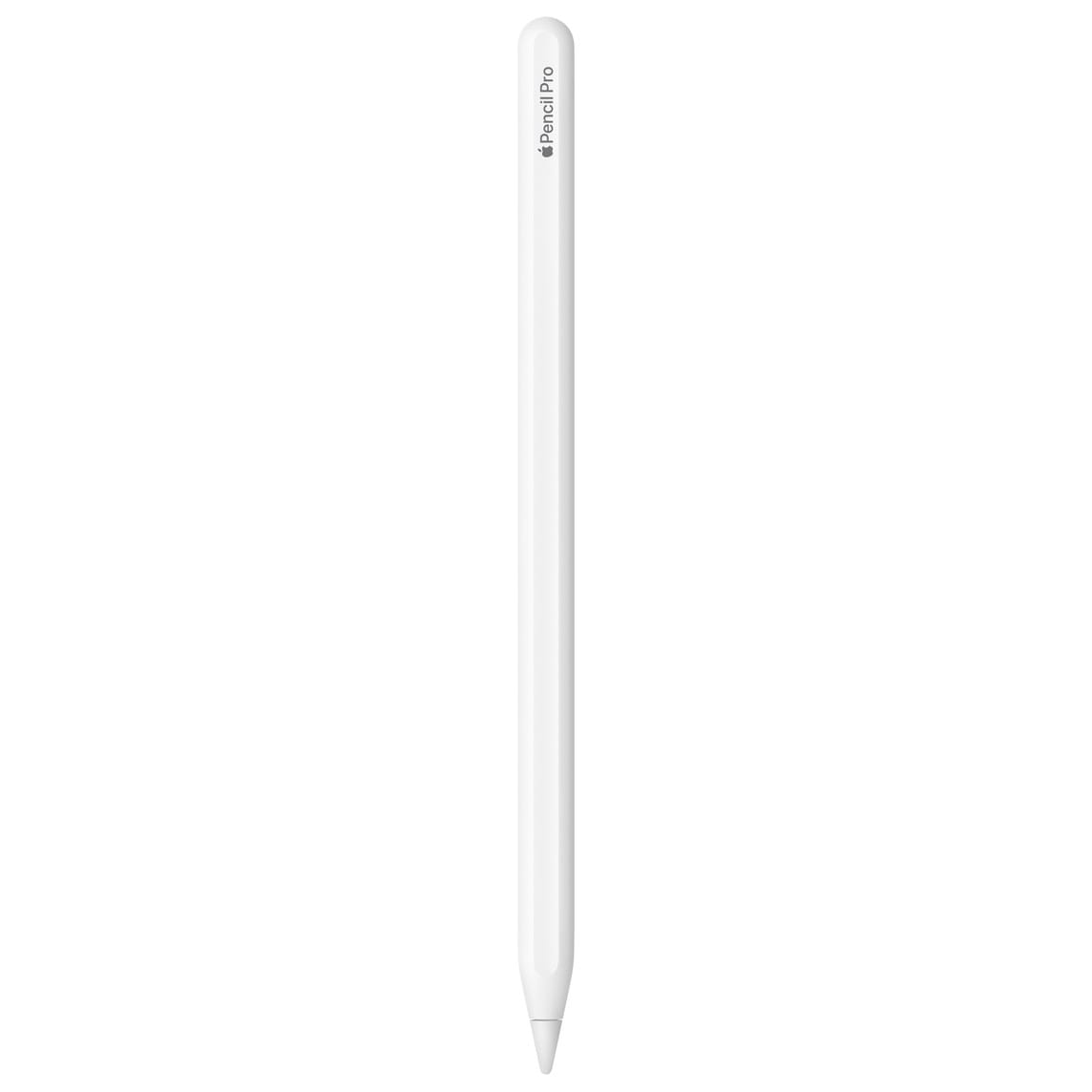
The Apple Pencil Pro, released in May 2024, charges exactly like the 2nd generation model: magnetically, by attaching to the flat edge of a compatible iPad. No cables, no adapters, no ports. Snap it on and it charges.
But compatibility is narrower than any other model. Apple Pencil Pro only works with the iPad Pro 13-inch (M4 and M5), iPad Pro 11-inch (M4 and M5), iPad Air 13-inch (M2 through M4), iPad Air 11-inch (M2 through M4), and iPad mini (A17 Pro). If your iPad is not on that list, the Pencil Pro will not even pair, let alone charge.
Battery life matches the 2nd generation at roughly twelve hours. Frequent use of the Apple Pencil Pro’s haptic feedback and barrel roll features can pull that number down to eight or nine hours in heavy creative sessions. Charge time from dead is the same fifteen to twenty minutes magnetically attached to the iPad.
How to Check Your Apple Pencil Battery Level
There are three reliable ways to check how much charge your Apple Pencil has left, regardless of model.
Attach and glance. Magnetic models (2nd generation and Pro) show a small battery popup on the iPad screen the moment you snap the Pencil on. USB-C and 1st generation models show the battery level when you plug them in. The popup disappears after a few seconds, so you need to catch it quickly. If you miss it, detach and reattach.
Batteries widget. Add the Batteries widget to your iPad Home Screen or Today View. It shows the Apple Pencil battery percentage alongside your other connected devices. This is the most reliable at-a-glance method because it persists on screen. Settings menu: open Settings, then tap Apple Pencil. The battery percentage appears near the top. This also works as a backup if the widget is not set up yet.
If your Apple Pencil stops charging entirely or will not pair after following the correct method for your model, our troubleshooting guide for every Apple Pencil model walks through every fix from soft resets to firmware checks.
The Adapter Decision Most Pencil Owners Face
Apple’s USB-C to Apple Pencil Adapter exists because Apple kept selling the 1st generation Pencil long after it started shipping USB-C iPads. If you have a 1st generation Pencil and a USB-C iPad, you need this adapter. There is no workaround.
The adapter is small enough to lose in a drawer, so I would recommend keeping it attached to a USB-C cable you leave in a consistent spot. Losing it means another trip to the Apple Store or a few days waiting for delivery.
For anyone buying a new Apple Pencil today, the decision simplifies to two questions: does your iPad support Apple Pencil Pro, and do you need haptic feedback and barrel roll? If yes, get the Pro. If no, the Apple Pencil (USB-C) at $79 covers every basic drawing and note-taking need without the cable-free charging convenience but with the flexibility of charging from any USB-C source. Check your iPad model against the compatibility list on Apple’s official Apple Pencil compatibility page before buying any Pencil or adapter.
Quick-Action Checklist
- Check your iPad model against Apple’s compatibility page before buying any Pencil or adapter.
- For 1st generation Pencil owners with USB-C iPads, order the USB-C to Apple Pencil Adapter from Apple for $9.
- Add the Batteries widget to your iPad Home Screen so you always see Pencil battery level at a glance.
- If your Pencil magnetically attaches but does not charge, confirm it is a 2nd generation or Pro model — the USB-C model only stores magnetically.
- Charge before long sessions — fifteen seconds gives thirty minutes, so a quick top-up before class or a meeting keeps you covered.

Related Posts
iPadOS 26.4 Arrives With Playlist Playground, Stolen Device Protection, and a Redesigned Wallpaper Gallery
Mar 16, 2026
Your iPad Can’t Go Back to iPadOS 18 and Here Is What You Can Actually Do About It
Mar 14, 2026
Your Apple Pencil Stopped Working — Here Is How to Fix Every Model
Mar 09, 2026