

🎧 Listen to this article
Prefer to listen? An audio version of this article is available for accessibility and convenience.
Two AI Workstations, Two Completely Different Strengths
The Mac Studio with Apple’s M3 Ultra chip and the NVIDIA DGX Spark are both desktop AI workstations priced around four thousand dollars, and both promise to run large language models locally without touching the cloud. That is where the similarities stop. The Mac Studio generates tokens faster because it has three times the memory bandwidth. The DGX Spark processes prompts faster because it has four times the raw compute. Picking “the best one” without knowing your actual workflow is how you end up spending four grand on the wrong machine.
I find it genuinely strange that so many comparison articles treat these two as interchangeable. They are not. One runs macOS with Thunderbolt 5 and the entire Apple creative suite baked in. The other runs Ubuntu Linux with the full CUDA stack and was purpose-built for AI development. Your choice comes down to a single question: do you need a workstation that also does AI, or an AI appliance that also has a desktop?
 Ad
AdWhat the Mac Studio M3 Ultra Actually Brings to the Table
Apple released the Mac Studio with the M3 Ultra chip in March 2025. The base configuration starts at $3,999 and includes a 28-core CPU (20 performance, 8 efficiency), a 60-core GPU, a 32-core Neural Engine, 96 GB of unified memory, and a 1 TB SSD. You can push that to a 32-core CPU, 80-core GPU, 512 GB of unified memory, and 16 TB of storage — though the fully loaded model hits $14,099, which is a different conversation entirely.
The number that matters most for AI work is memory bandwidth: 819 GB/s. That is not a spec sheet brag. When you are running inference on a large language model, the decode phase — where the model generates each new token — is bottlenecked by how fast the system can read model weights from memory. More bandwidth means more tokens per second. The Mac Studio M3 Ultra’s bandwidth is roughly three times what the DGX Spark offers, and you feel it immediately when running models in the 30-to-70-billion parameter range through Ollama or llama.cpp.
The 512 GB unified memory option is the real differentiator though. With that configuration, the Mac Studio can run DeepSeek R1 with 671 billion parameters entirely on-device. No other desktop machine under fifteen thousand dollars can do that. The DGX Spark tops out at 128 GB, which caps it at around 200 billion parameters for comfortable inference.
What the NVIDIA DGX Spark Actually Brings to the Table
NVIDIA announced the DGX Spark (originally called “Project DIGITS”) at CES 2025 and began shipping units in October 2025. The current Founders Edition price is $4,699 after an 18% increase in February 2026 due to memory supply constraints. It runs on the GB10 Grace Blackwell Superchip with 6,144 CUDA cores, 192 fifth-generation Tensor Cores, 128 GB of unified LPDDR5x memory, and 4 TB of NVMe storage.
The headline spec is 1 petaFLOP of AI compute at FP4 precision and roughly 100 teraFLOPS at FP16. For context, the Mac Studio M3 Ultra delivers about 26 teraFLOPS at FP16. That is a four-to-one advantage in raw compute, and it shows up directly in the prefill phase of LLM inference — the step where the model processes your entire prompt before generating a response. Skorppio’s benchmarks measured the DGX Spark generating one million tokens in 6.7 minutes versus 26 minutes for the Mac Studio. That is a 3.8x speed advantage, and it uses 58% less energy to get there.
 Ad
AdThe DGX Spark physically resembles a Mac Mini. It measures 5.9 by 5.9 by 2.0 inches, weighs 2.6 pounds, and draws about 170 watts under a typical AI workload. It ships with DGX OS (Ubuntu 24.04 LTS), the full CUDA development stack, PyTorch, TensorFlow, JupyterLab, and inference servers like vLLM and SGLang pre-installed. Two DGX Spark units can be linked through QSFP ports for distributed inference on models up to 405 billion parameters.
The Comparison That Actually Matters
I want to be direct about this: raw benchmark numbers do not tell you which machine to buy. The Mac Studio and DGX Spark excel at different phases of the same task, and which phase matters more depends entirely on what you are doing with AI.
Here is how these two workstations stack up across the specs that actually affect your daily AI work:
| Attribute | Mac Studio M3 Ultra | NVIDIA DGX Spark |
|---|---|---|
| Price (as of Feb 2026) | $3,999 (base) | $4,699 |
| Memory | 96–512 GB unified | 128 GB unified |
| Memory Bandwidth | 819 GB/s | 273 GB/s |
| FP16 Compute | ~26 TFLOPS | ~100 TFLOPS |
| Max Model Size (local) | 671B parameters | ~200B parameters |
| OS / Ecosystem | macOS (Thunderbolt 5, Apple apps) | DGX OS (Ubuntu, CUDA stack) |
| Best At | Token generation, massive models | Prompt processing, CUDA workflows |
Where the Mac Studio Wins and Where It Does Not
If you are a creative professional who also runs AI models — think video editors using Final Cut Pro who want to experiment with local LLMs, or music producers using Logic Pro alongside MLX-based audio tools — the Mac Studio is the obvious pick. You get macOS, six Thunderbolt 5 ports, support for Apple’s MLX framework and Core ML, and the ability to run 500-billion-plus parameter models without external hardware. No context switching between operating systems. No compatibility headaches with your existing Apple workflow. If you are still deciding on a configuration, our guide to choosing the right Mac Studio for creative workflows breaks down every option.
The Mac Studio also wins on token generation speed for large models. In EXO Labs’ disaggregated inference benchmarks, the M3 Ultra was 3.4 times faster than the DGX Spark at the decode phase specifically because of that 819 GB/s memory bandwidth. When you are running a chatbot or an AI coding assistant locally, token generation speed is what determines how fast responses appear on your screen.
Where the Mac Studio falls short: CUDA compatibility is nonexistent. If your AI workflow depends on PyTorch with CUDA acceleration, TensorRT, vLLM, or the RAPIDS data science stack, none of that runs on macOS. Apple’s MPS backend for PyTorch works, but it is not a drop-in replacement for CUDA. Some models and training scripts require modifications. That friction is real and it is not going away.
Where the DGX Spark Wins and Where It Does Not
The DGX Spark is the better choice if AI development is your primary job and everything else is secondary. The full CUDA ecosystem, pre-installed inference servers, and native PyTorch acceleration mean you spend zero time fighting compatibility issues. You write code, it runs. That simplicity has genuine value if you have been wrestling with Apple Silicon’s MPS quirks.
Prompt processing speed is where the DGX Spark dominates. Processing a long context window, running batch inference on hundreds of prompts, or fine-tuning a model locally — these are compute-bound tasks where the DGX Spark’s 100 TFLOPS of FP16 compute crushes the Mac Studio’s 26 TFLOPS. It is not close.
The DGX Spark stumbles on two fronts. First, 128 GB of fixed memory is a ceiling you will hit. Models above 200 billion parameters either need quantization so aggressive it affects output quality, or they simply do not fit. Second, DGX OS is Linux. If you need to do anything beyond AI work — edit video, design in Figma, manage photos, respond to iMessages — you are either running a second machine or living inside a web browser. For someone embedded in the Apple ecosystem, that is a meaningful daily friction.
The Hybrid Setup That Beats Both
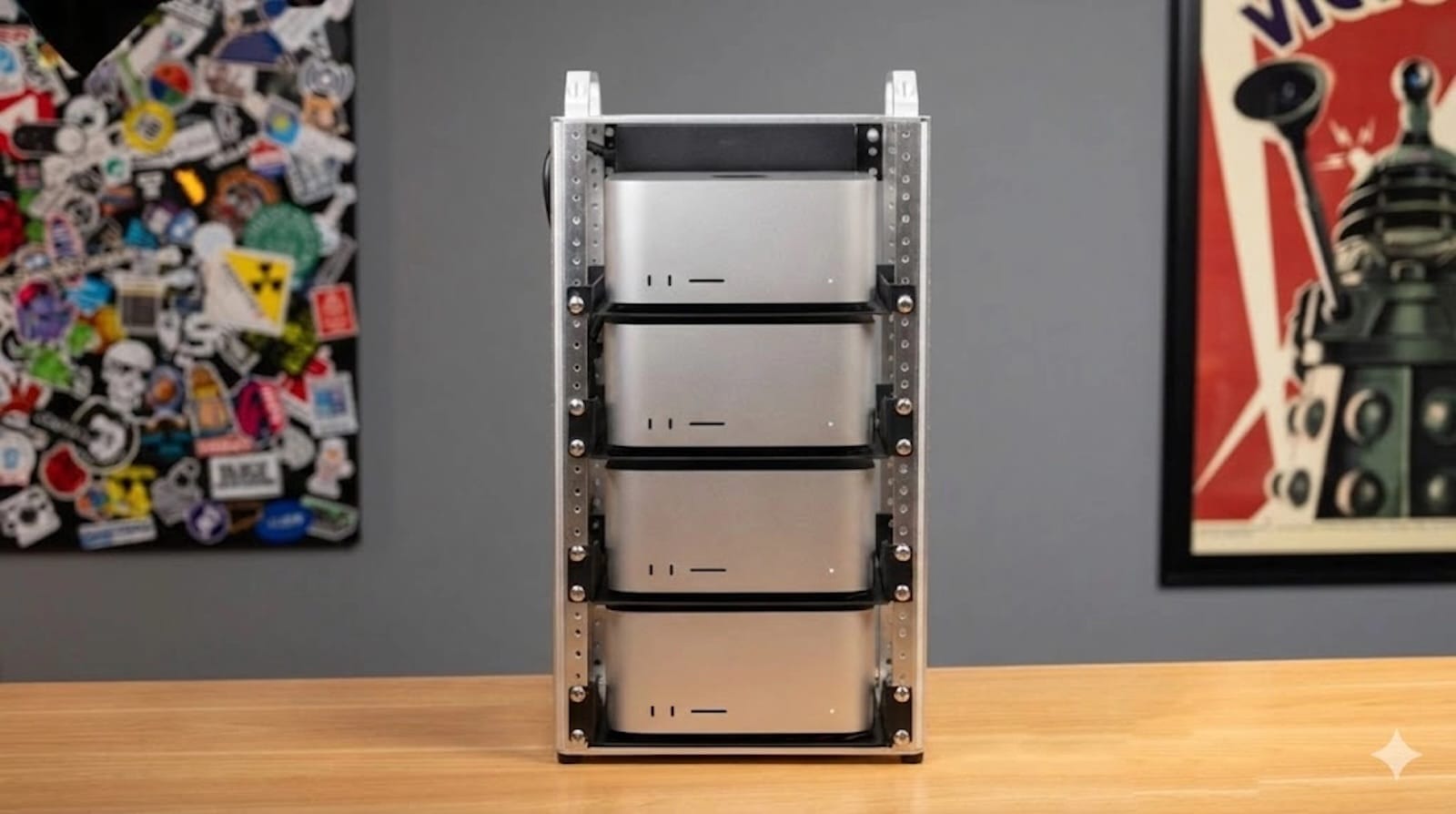
Well, here is the part nobody talks about. EXO Labs demonstrated something genuinely clever: running a Mac Studio and a DGX Spark together using disaggregated inference over a standard 10-gigabit Ethernet connection. The DGX Spark handles the compute-heavy prefill phase. The Mac Studio handles the bandwidth-heavy decode phase. The result? A 2.8x overall speedup compared to the Mac Studio running alone.
Think about it. Instead of choosing between these two machines, you combine their complementary strengths. The DGX Spark’s 100 TFLOPS processes prompts at maximum speed. The Mac Studio’s 819 GB/s bandwidth generates tokens at maximum speed. You get the best of both for under nine thousand dollars. That is less than what a single maxed-out Mac Studio M3 Ultra costs.
I know spending eight-plus grand on two AI boxes sounds excessive for most people. It is. But for AI researchers, developers building production inference pipelines, or studios running local LLMs at scale, the combined throughput makes the math work out better than any single machine at any price point.
Which One Should You Actually Buy
If you already own a Mac and your AI work is experimental — running local chatbots, testing open-source models, using MLX for machine learning projects — the Mac Studio M3 Ultra is the safer investment. You keep your entire Apple workflow intact and gain the ability to run models that most consumer hardware cannot even load into memory. Apple’s M3 Ultra Mac Studio page on its support site details the full technical specifications for every configuration.
If AI is your primary discipline and you live in Python, Jupyter, and CUDA, the DGX Spark removes every compatibility obstacle between you and productive work. NVIDIA’s official DGX Spark hardware documentation covers the complete specifications and clustering capabilities. And if you want an AI assistant that ties into your Mac workflow, take a look at OpenClaw, the always-on Mac AI assistant that runs entirely on-device.
And if you are serious about both — get both. The hybrid setup is not a theoretical exercise. It is a documented, benchmarked configuration that outperforms either machine running solo by a wide margin.

Related Posts
Apple’s $599 MacBook Neo vs the MacBook Air M5
Mar 04, 2026
Your Mac Has a Hidden Repair Shop Built Into the Power Button
Mar 04, 2026
Your Mac Is Stuck on an Old macOS Until You Run This Update
Mar 01, 2026