
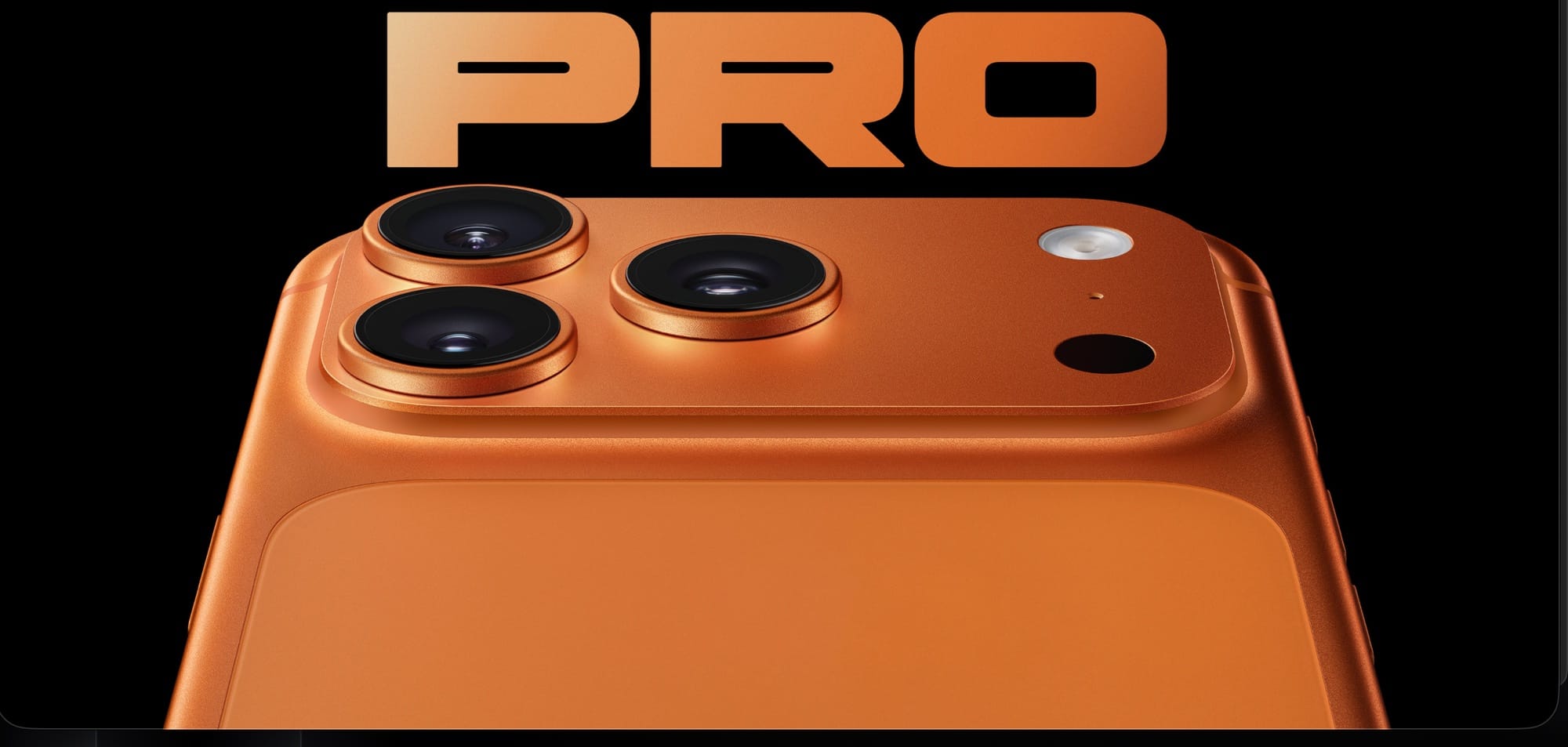

The total lunar eclipse on March 3, 2026 turns the full moon a deep copper-red as it passes through Earth’s shadow, and your iPhone already has every tool you need to photograph it. Night mode on any iPhone 11 or later extends your exposure automatically, the telephoto lens on Pro models gets you close enough to see surface detail, and a single tap-and-drag gesture on the viewfinder keeps the moon from blowing out into a featureless white disc. That’s the short answer.
The longer answer is that default camera settings will betray you. Your iPhone’s camera is optimized for well-lit scenes with human faces, not a glowing orb suspended against a pitch-black sky. Night mode wants to brighten everything. Auto-exposure wants to make the moon look like a bare lightbulb. And if you zoom past your lens’s optical limit, Apple’s computational photography pipeline smears the detail you came for. Every one of these problems is fixable in about thirty seconds, though, and you don’t need a tripod or a third-party app to do it.
This is the last total lunar eclipse visible from North America until December 31, 2028, according to NASA’s eclipse records. So the stakes feel higher than usual. Here’s exactly how to get the shot.
 Ad
AdWhen to Point Your Camera at the Sky
Timing matters more than settings for this one. The eclipse unfolds in stages, and each stage demands a different approach from your camera.
For the western United States, the partial eclipse begins around 1:09 a.m. PST. Totality—the blood-red phase—starts at approximately 3:04 a.m. PST and lasts until about 4:02 a.m. PST. You get nearly a full hour of that deep red glow. For the Central time zone, totality runs from roughly 5:04 a.m. to 6:02 a.m. CST. Eastern time zone viewers catch totality starting at 6:04 a.m. EST, but the moon sets and the sun rises during that window, so you’re racing against dawn.
If you’re on the East Coast, shoot during the partial phase before totality begins. The moon will be higher and the sky darker. West Coast and Mountain time? You have the luxury of dark skies for the entire show.
Lock Your Exposure Before Anything Else
This is the single most important step, and it takes three seconds.
Open the Camera app, point it at the moon, and press and hold your finger on the moon until you see a yellow "AE/AF LOCK" banner appear at the top of the viewfinder. That locks both autofocus and auto-exposure so your iPhone stops trying to compensate for the black sky around the moon.
Now drag your finger slowly downward on the sun icon that appears beside the focus box. You’re pulling the exposure compensation slider toward the negative end. The screen gets darker. The moon gets detail. Keep dragging until you can see texture on the lunar surface instead of a blown-out circle. This one gesture is the difference between a usable eclipse photo and a white smear.
I cannot stress this enough: skip this step and nothing else matters. If you’ve ever been frustrated by iPhone camera settings that feel buried or counterintuitive, this is the one that pays off the most for night photography.
 Ad
AdWhich Zoom Setting Actually Works
Zoom is where most iPhone moon photos fall apart. Here’s the rule: stay within your optical zoom range and go no further.
On the iPhone 17 Pro and iPhone 17 Pro Max, the telephoto lens delivers 4x optical zoom at 100mm, and Apple’s 48MP Fusion sensor can crop to an 8x optical-quality image at 200mm with minimal quality loss. That 8x setting is your sweet spot for the eclipse. It pulls the moon large enough to fill a respectable portion of the frame while preserving genuine detail. Per Apple’s technical specifications, the maximum digital zoom reaches 40x, but past 8x you’re watching computational upscaling fight a losing battle against sensor noise in the dark.
The iPhone 16 Pro models top out at 5x optical (120mm equivalent) with a 25x digital maximum. Use 5x and resist the urge to push further. The iPhone 15 Pro Max also has the 5x tetraprism telephoto. The standard iPhone 15 Pro caps at 3x.
If you have a standard iPhone 11 through iPhone 17 (non-Pro), your optical limit is 2x. The moon will be small in the frame, but a well-exposed small moon with visible red color is a far better photo than a blurry, artifact-riddled 10x crop. Capture at 2x and crop later in the Photos app.
Night Mode Is Your Friend and Also Your Enemy
Night mode activates automatically on iPhone 11 and later when the camera detects low light. The yellow crescent moon icon appears in the top-left corner of the viewfinder, and a number next to it shows how many seconds the exposure will last. For a normal dark scene—a dim restaurant, a street at dusk—this is brilliant.
For an eclipse, it will overcook things.
Night mode stacks multiple exposures and computationally brightens the result. That’s exactly what you do not want when the subject is a bright object against a dark background. The algorithm tries to lift the shadow detail in the sky, which blows out the moon and introduces noise everywhere.
Tap the Night mode icon (the crescent moon) in the viewfinder and drag the exposure slider all the way to zero seconds to disable it. Or at minimum, bring it down to 1 second. This forces the camera to rely on a single, shorter exposure that preserves the contrast between the red lunar surface and the black sky. You want the sky to stay dark. That’s the whole point.
During totality, when the moon is at its dimmest copper-red, you can experiment with bringing Night mode back up to 1–2 seconds. The blood moon emits far less light than a regular full moon, so a slightly longer exposure pulls out the crimson color without the same blowout risk. Start at zero, check the result, and nudge upward only if the moon looks too dark.
ProRAW Gives You Room to Recover
If you have an iPhone 14 Pro or later, turn on Apple ProRAW before shooting. Open Settings, tap Camera, then Formats, and enable Apple ProRAW. Back in the Camera app, tap "RAW" in the top-right corner so it’s highlighted.
ProRAW files are large—25MB or more per image—but they capture dramatically more dynamic range than a standard HEIC photo. That means if your exposure is slightly off (and with a moving eclipse, it probably will be), you can pull shadow detail or recover highlights in the Photos app or Lightroom after the fact. Standard HEIC files throw away that latitude during compression.
This is genuinely useful for the eclipse because the brightness of the moon changes continuously as it enters and exits Earth’s shadow. One exposure setting will not work for the entire event. ProRAW gives you a safety net that HEIC does not.
The Tripod Question (and a Free Alternative)
A phone tripod with a ball head makes every tip in this article work better. Steadier framing, sharper long exposures, less fatigue when you’re craning your neck skyward for an hour. If you have one, use it. If you don’t, here’s what actually works: lean your iPhone against a window frame, a fence post, or even a stack of books pointed at the right angle. The key is eliminating hand shake during the capture.
Set a two-second or ten-second timer in the Camera app (swipe up on the viewfinder, tap the timer icon) so your finger pressing the shutter button doesn’t introduce shake at the critical moment. This is old-school photography technique, and it works just as well on a phone as it does on a DSLR.
One thing that surprised me about shooting the moon handheld: the sensor-shift optical image stabilization on recent iPhone Pro models is remarkably effective for stationary subjects. It won’t save a three-second Night mode shot, but it absolutely stabilizes a quick 1/4-second tap at 4x or 5x zoom. Do not underestimate the hardware Apple packed into these camera modules.
Composition Tips That Make Eclipse Photos Worth Sharing
A tight crop of the moon is impressive for about five seconds. What makes an eclipse photo genuinely memorable is context.
Switch to the wide or ultra-wide lens (0.5x on phones that have it) and frame the blood moon above a treeline, a city skyline, a rooftop, or even just the silhouette of your house. That 0.5x ultra-wide lens on iPhone 13 and later captures a 120-degree field of view, which is wide enough to fit the moon and a generous foreground in the same frame. The moon will be tiny, but the atmosphere of the scene carries the photo.
Shoot both. Get your zoomed-in detail shots and your wide-angle atmosphere shots. One of them will be your favorite, and you won’t know which until you see them on a larger screen. If you’ve been working on your iPhone photography composition skills, an eclipse is one of those rare opportunities where the subject does all the heavy lifting.
Burst mode works surprisingly well during the partial phases when the moon is bright enough for quick exposures. Press and drag the shutter button to the left to fire a burst, then pick the sharpest frame later in Photos.
What Every iPhone Model Brings to This Eclipse
iPhone 17 Pro / Pro Max: 48MP Fusion telephoto, 4x–8x optical-quality zoom at 100–200mm, ProRAW, Night mode on all lenses. Best iPhone hardware for this eclipse.
iPhone 16 Pro / Pro Max: 5x optical telephoto at 120mm (Pro Max) or 3x at 77mm (standard Pro), ProRAW, Night mode. Still excellent.
iPhone 15 Pro Max: 5x optical tetraprism telephoto at 120mm, ProRAW, Night mode. Comparable to the 16 Pro Max for this task.
iPhone 14 Pro / 13 Pro: 3x optical telephoto at 77mm, ProRAW, Night mode. The moon will be smaller in frame, but the exposure lock and Night mode tricks above still apply fully.
iPhone 11 / 12 / 13 / 14 / 15 / 16 / 17 (standard): 2x optical zoom maximum, Night mode, HEIC only (no ProRAW). Use 2x zoom, lock exposure, disable Night mode, and crop in editing. You will get a good photo.
The eclipse peaks during the predawn hours across most of the United States, which means you are shooting in darkness with no ambient light pollution from the sun. That is actually ideal. Moonlight without sunlight interference gives you the cleanest contrast between the blood-red lunar surface and the surrounding sky.
Set an alarm. Charge your phone. Turn off Night mode, lock your exposure, stay within optical zoom, and let the moon do the rest. The next total lunar eclipse that North America can see does not arrive until the last night of 2028.

Related Posts
The iPhone 17e Gives You Apple’s A19 Chip for $200 Less Than You’d Expect
Mar 04, 2026
Your iCloud Runs Out of Space Because Apple Buries the Fix Three Menus Deep
Mar 04, 2026
Your iPhone Has a Privacy Display Mode You Have Never Turned On
Mar 03, 2026