

Apple designed every iPhone battery to retain 80 percent of its original capacity after a specific number of charge cycles, and Apple’s own battery documentation confirms that threshold is the official replacement trigger. The complication is that reaching 80 percent does not tell you which replacement path to take, and the cost difference between the cheapest and most expensive option can exceed $90 for the same phone. iPhone 15 and later models are rated for 1,000 charge cycles before hitting that 80 percent mark, while iPhone 14 and earlier hit it after roughly 500 cycles. That gap means two people with the same battery health percentage can be in completely different positions depending on which iPhone they carry.
I want to walk you through every battery replacement option available right now, from walking into an Apple Store to cracking open your iPhone on a kitchen table with an iFixit kit, and one approach that skips the replacement entirely. By the end, you will know exactly what each path costs, what it involves, and which one makes the most sense for your specific model.
How to Check Your iPhone Battery Health Right Now
Before you spend anything, open Settings on your iPhone. The path depends on your model. On iPhone 15 and later running iOS 17.4 or newer, go to Settings > Battery > Battery Health. On iPhone 11 through iPhone 14, the path is Settings > Battery > Battery Health & Charging. Both screens display your Maximum Capacity as a percentage, which measures how much charge your battery holds compared to when it was new.
iPhone 15 and later also display your cycle count, manufacture date, and first use date. A single charge cycle equals using 100 percent of your battery’s total capacity, which can span multiple partial charges over several days. If you charged from 50 percent to 100 percent twice, that counts as one cycle. These numbers tell you exactly where your battery stands in its lifespan, and whether the sluggishness you feel is a battery problem or a software problem.
If your Maximum Capacity is above 85 percent but your phone feels slow, the issue is likely software related. You might want to troubleshoot iOS 26 battery drain before paying for a physical replacement.
The 80 Percent Rule and What Apple Will Not Tell You
Apple considers a battery "consumed" when Maximum Capacity drops to 80 percent or below. At that point, your phone may display a Service message in the Battery Health screen. But here is the part Apple does not prominently advertise: if you have AppleCare+ and your battery drops below 80 percent (meaning 79 percent or lower), the replacement is completely free. At exactly 80 percent, Apple has been known to deny the free swap. That single percentage point makes a real difference.
Without AppleCare+, once your battery crosses that threshold, you enter the out-of-warranty pricing tiers. There are four tiers as of February 2026, and which one you fall into depends entirely on your iPhone model.
Affiliate disclosure: some links in this article are Amazon Associate links. If you buy through them, Zone of Mac may earn a small commission at no extra cost to you, and we only recommend products that genuinely bring value to your Apple setup.
What Apple Charges for a Battery Swap
Apple’s out-of-warranty battery replacement pricing is structured into four tiers based on your iPhone model:
- $69: iPhone SE (2nd and 3rd generation), iPhone 8 and earlier
- $89: iPhone X, XS, XS Max, XR, iPhone 11 series, iPhone 12 series, iPhone 13 series
- $99: iPhone 14 (all models), iPhone 15 (all models), iPhone 16, iPhone 16 Plus
- $119: iPhone 16 Pro, iPhone 16 Pro Max, iPhone 17 Pro, iPhone 17 Pro Max, iPhone Air
That $119 tier is new. Apple introduced it with the iPhone 16 Pro in September 2024, a 20 percent increase over what the iPhone 15 Pro cost just one year earlier. The standard iPhone 16 and 16 Plus stayed at $99. If you own a Pro model from the last two years, you are paying a premium for the battery swap on top of the premium you already paid for the phone.
Apple provides a 90-day guarantee on the replacement part and labor, but that is where Apple’s pricing story ends. It does not mention the alternatives.
Apple Self Service Repair: Same Price, You Do the Work
Apple’s Self Service Repair program supports iPhone 12 and later. You order a genuine Apple battery through the Self Service Repair Store, perform the replacement yourself, and then return the old battery for a partial credit. The battery kit costs the same as the Apple Store tiers ($99 to $119 depending on model), but you get $10 to $50 back when you send in the old part.
The catch is the tooling. Apple rents a professional repair toolkit for $49 for seven days. That kit weighs over 70 pounds and arrives in two Pelican cases. You can also buy the tools outright, but the rental fee means your total cost often exceeds what Apple would charge you to walk in, hand over your phone, and walk out an hour later. Self Service Repair makes the most sense for people who want genuine Apple parts and the satisfaction of doing it themselves, but it is rarely the cheapest option once you factor in the tool rental.
The DIY Path That Actually Saves You Money
This is where third-party kits pull ahead. iFixit has been selling iPhone battery replacement kits for over a decade, and their Fix Kits range from about $30 for older models to $55 for iPhone 16. Each kit includes the replacement battery (tested to confirm zero cycles and 95 percent or higher capacity), a P2 Pentalobe screwdriver for the bottom screws, a spudger, suction handle, tweezers, opening picks, and whatever specialized bits your specific model requires. Everything you need is in the box.
The difficulty rating is moderate. Plan for one to two hours on your first attempt. Older iPhones (iPhone 13 and earlier) require you to remove the display assembly first, which involves disconnecting ribbon cables that feel uncomfortably fragile the first time you handle them. The adhesive pull tabs under the battery demand a specific slow, steady angle, and if one snaps (it happens), you need isopropyl alcohol and patience to loosen the remaining adhesive. There is a tangible click when the display connector seats back into its socket, and you learn quickly to trust that click rather than pushing harder.
iPhone 14 changed the game by making the back glass removable, so you no longer need to go through the screen. iPhone 16 went further with electrically debonding adhesive: you apply a low-voltage current through a tool called a VoltClip, and the adhesive releases the battery without any prying. That single design change dropped the practical difficulty from moderate to genuinely approachable for a first-timer.
The iFixit Fix Kit for iPhone is the most reliable third-party option on the market for a DIY battery swap. The included battery carries a one-year guarantee, and iFixit’s step-by-step guides (with photos for every single screw) are more detailed than Apple’s own Self Service Repair manuals. Pick up the iFixit Battery Fix Kit on Amazon https://www.amazon.com/dp/B0B5M648N6?tag=zoneofmac-20
The table below summarizes every major iPhone battery replacement path by cost, difficulty, and warranty impact so you can decide which route fits your situation at a glance.
| Replacement Path | Cost Range | Difficulty | Warranty Impact |
|---|---|---|---|
| Apple Store or Authorized Provider | $69 to $119 | None (drop off) | 90-day service guarantee |
| AppleCare+ (below 80% capacity) | $0 | None (drop off) | Covered under plan |
| Apple Self Service Repair | $99 to $119 before credit | Moderate | Genuine Apple parts, warranty preserved |
| iFixit DIY Kit | $30 to $55 | Moderate (1 to 2 hours) | Third-party part, may affect warranty |
| MagSafe Battery Pack (extend life) | $26 to $50 | None (snap on) | No impact |
Skip the Replacement Entirely with a MagSafe Battery Pack
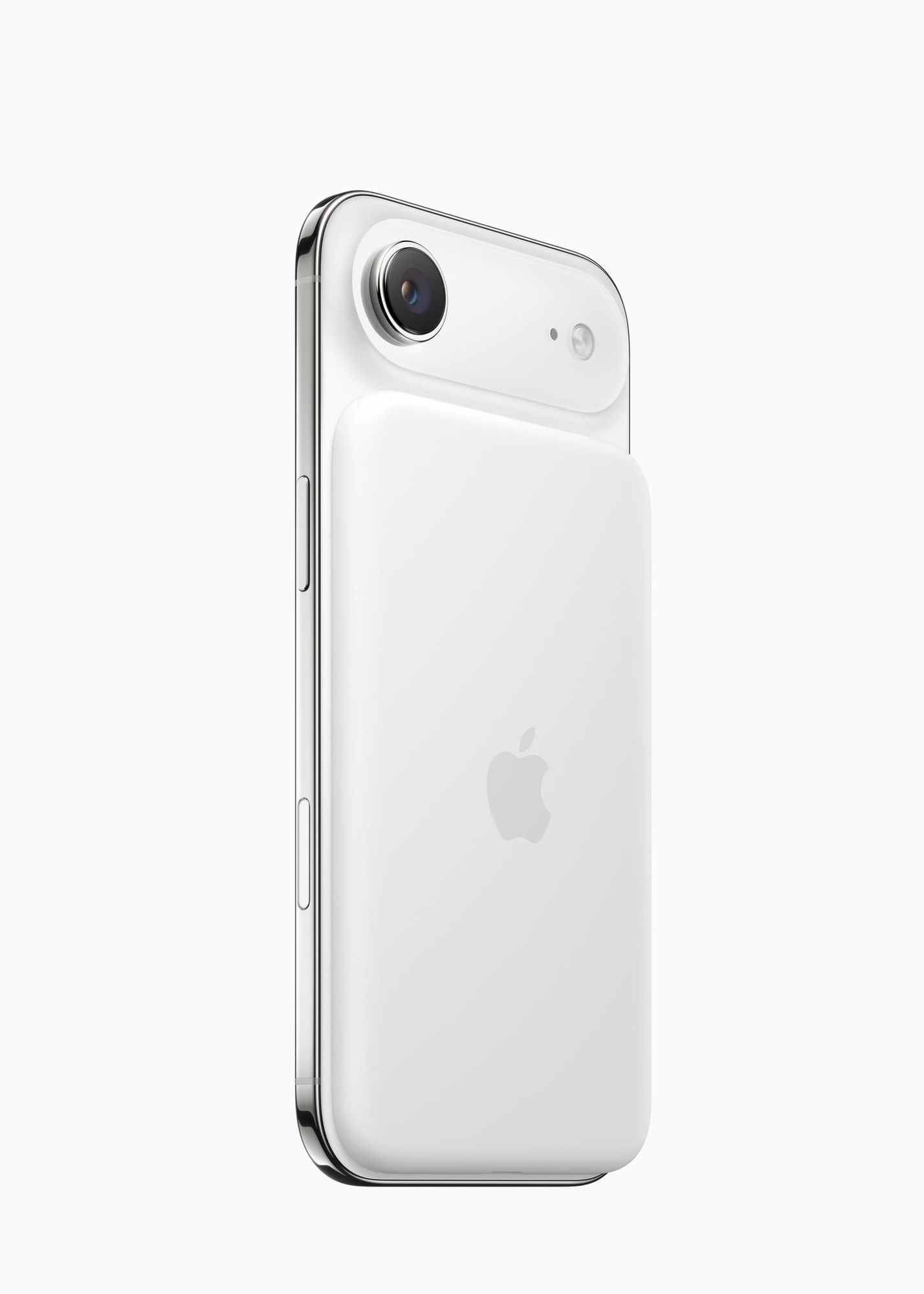
Not every degraded battery needs surgery. If your Maximum Capacity sits between 82 and 88 percent, your iPhone still functions but runs out of charge before you get home, a MagSafe battery pack can bridge that gap for another year or more. You snap it onto the back of your iPhone (any model with MagSafe, which means iPhone 12 and later), and it begins charging wirelessly. No cables, no case removal, no commitment.
The Anker MagGo Power Bank stands out for this specific use case. It is Qi2 certified for 15W MagSafe charging, includes a foldable kickstand that doubles as a desk stand while charging, and a smart display on the side shows the remaining capacity in real time rather than forcing you to guess with indicator LEDs. The 10,000mAh cell delivers roughly 6,000 to 7,000mAh of effective charge after conversion loss, which translates to about 1.5 full charges for most iPhones. The magnetic alignment is firm enough that I would trust it in a jacket pocket without worrying about it sliding off, though the added thickness does make the phone noticeably heavier in a back jeans pocket.
You can grab the Anker MagGo Power Bank here https://www.amazon.com/dp/B0CFDQ9QH5?tag=zoneofmac-20
Join The Inner Circle For Serious Apple Users
Exclusive Apple tips. Free to join.
Check your inbox for a confirmation link.
Something went wrong. Please try again.
Accessibility and Clarity
Apple’s Battery Health screen in iOS 26 is fully compatible with VoiceOver. Every metric (Maximum Capacity, cycle count, manufacture date, first use date) reads aloud with proper labels, and the Service notification triggers a VoiceOver announcement when it first appears. The Battery Health & Charging screen on older models (iPhone 11 through 14) also supports VoiceOver, though the Peak Performance Capability status reads as a long paragraph rather than a concise label, which can be disorienting if you are navigating quickly.
For users with motor limitations, the physical act of a DIY battery replacement is a significant barrier. The screws in an iPhone are among the smallest in consumer electronics, and the Pentalobe driver requires precise rotational control. Apple’s Self Service Repair toolkit includes a magnetized screw tray, which helps prevent drops, but the overall dexterity requirement is high. An Apple Store or Authorized Service Provider appointment eliminates the physical component entirely.
For cognitive accessibility, this article uses a linear decision flow: check your battery health, then decide whether to replace or extend, then choose a path. There are no nested decision trees or branching workflows that increase cognitive load.
Which iPhones Are Worth Replacing the Battery Versus Upgrading
A $30 to $55 battery replacement on an iPhone 12 that still receives iOS updates is one of the best deals in consumer electronics. That phone gains another two to three years of daily use for less than a month of an installment payment on a new iPhone. The same logic applies to iPhone 13 and iPhone 14 models, all of which support iOS 26 and remain genuinely fast for everyday tasks.
The calculus shifts for iPhone X and iPhone 11. Both still work, but their processors are starting to show age in demanding apps, and iOS feature support is narrowing. If you are spending $89 at Apple for a battery replacement on a phone that might lose software support within a year, that money is better directed toward a newer model. For these older phones, a MagSafe battery pack to bridge a few more months makes more financial sense than an $89 repair.
While you evaluate your storage situation on an older iPhone, reclaiming wasted space can also improve performance. Here is how to free up gigabytes of hidden iPhone storage you might not realize you are losing.
All battery specifications, cycle count targets, and pricing tiers referenced in this guide come from Apple’s official battery performance documentation and the Apple Support battery replacement page, verified as of February 15, 2026.
Quick-Action Checklist
- Open Settings > Battery > Battery Health (iPhone 15 and later) or Settings > Battery > Battery Health & Charging (iPhone 11 to 14)
- Note your Maximum Capacity percentage and cycle count (iPhone 15 and later only)
- If Maximum Capacity is above 85 percent, troubleshoot software before replacing hardware
- If Maximum Capacity is 80 percent or below and you have AppleCare+, contact Apple for a free replacement
- If Maximum Capacity is 80 percent or below without AppleCare+, compare: Apple Store ($69 to $119), iFixit DIY ($30 to $55), or MagSafe battery pack ($26 to $50)
- If choosing DIY, confirm your iPhone model and order the correct iFixit kit before starting
- If your iPhone is older than iPhone 12 and the battery replacement costs more than $69, consider whether upgrading makes more sense

Blaine Locklair
Founder of Zone of Mac with 25 years of web development experience. Every guide on the site is verified against Apple's current documentation, tested with real hardware, and written to be fully accessible to all readers.
follow me :
Related Posts
Your iPhone's Liquid Glass UI Has Four Settings You Skipped
Apr 11, 2026
iOS 26.4.1 Fixes the iCloud Bug That Broke Your Apps
Apr 09, 2026
iOS 26.4 Drains Your iPhone Battery. Here’s What Fixes It
Apr 09, 2026