

🎧 Listen to this article
Prefer to listen? An audio version of this article is available for accessibility and convenience.
I get it. You opened Apple’s iPad comparison page, saw “M4” under the Air and “M5” under the Pro, and figured the only real question is whether the newer chip number justifies a $400 price jump. That framing misses the bigger story. The M4 inside the new iPad Air is a binned version of the chip — Apple quietly disabled one of the four performance cores and dropped a GPU core before soldering it into the Air’s logic board. So you’re not just choosing between generations of silicon. You’re choosing between two fundamentally different machines with different displays, different ports, and different ceilings for what they can handle under sustained load.
The short answer for most people? The iPad Air M4 at $599 is genuinely excellent for note-taking, web browsing, media consumption, and even moderate creative work. But if you do anything that hammers the GPU for extended periods — 3D rendering, multi-layer Procreate canvases, 4K timeline scrubbing in Final Cut Pro for iPad — the Pro’s extra core, tandem OLED display, and Thunderbolt port change the experience in ways the spec sheet understates.
Here’s where it gets interesting: those two machines share more DNA than Apple’s marketing implies, and the differences that actually matter depend entirely on how you use your iPad.
 Ad
AdThe Chip Story Apple Doesn’t Spell Out
When Apple says the iPad Air has an “M4 chip,” that’s technically true. Same architecture, same 3-nanometer process, same Neural Engine with 16 cores. But the Air’s M4 runs an 8-core CPU with only three performance cores and five efficiency cores, paired with a 9-core GPU. According to Apple’s own specs page, the iPad Air M4 delivers up to 30 percent faster performance than the M3 iPad Air. That’s a real upgrade if you’re coming from the previous generation.
The iPad Pro M5 starts with a 9-core CPU — three performance cores and six efficiency cores — plus a 10-core GPU at the 256 GB and 512 GB storage tiers. Spend more on 1 TB or 2 TB storage and Apple unlocks a fourth performance core, bumping you to a 10-core CPU. The Pro also pushes 153 GB/s of memory bandwidth versus the Air’s 120 GB/s.
I mean think about it — early Geekbench results show the iPad Air M4 scoring around 3,576 in single-core and 12,591 in multi-core. The iPad Pro M4 from last year hit 3,704 and 13,805 in those same tests. That’s roughly 9.6 percent slower on multi-core tasks. For email and Safari tabs? Irrelevant. For exporting a 45-minute ProRes timeline? You’ll feel it.
Numbers don’t lie, but they also don’t tell the whole story.
Why the Display Gap Matters More Than the Chip Gap
The iPad Air M4 uses a Liquid Retina LCD at 60 Hz. Perfectly fine. Good color accuracy, decent brightness at 500 nits on the 11-inch model and 600 nits on the 13-inch. Millions of people are happy with this display and for good reason.
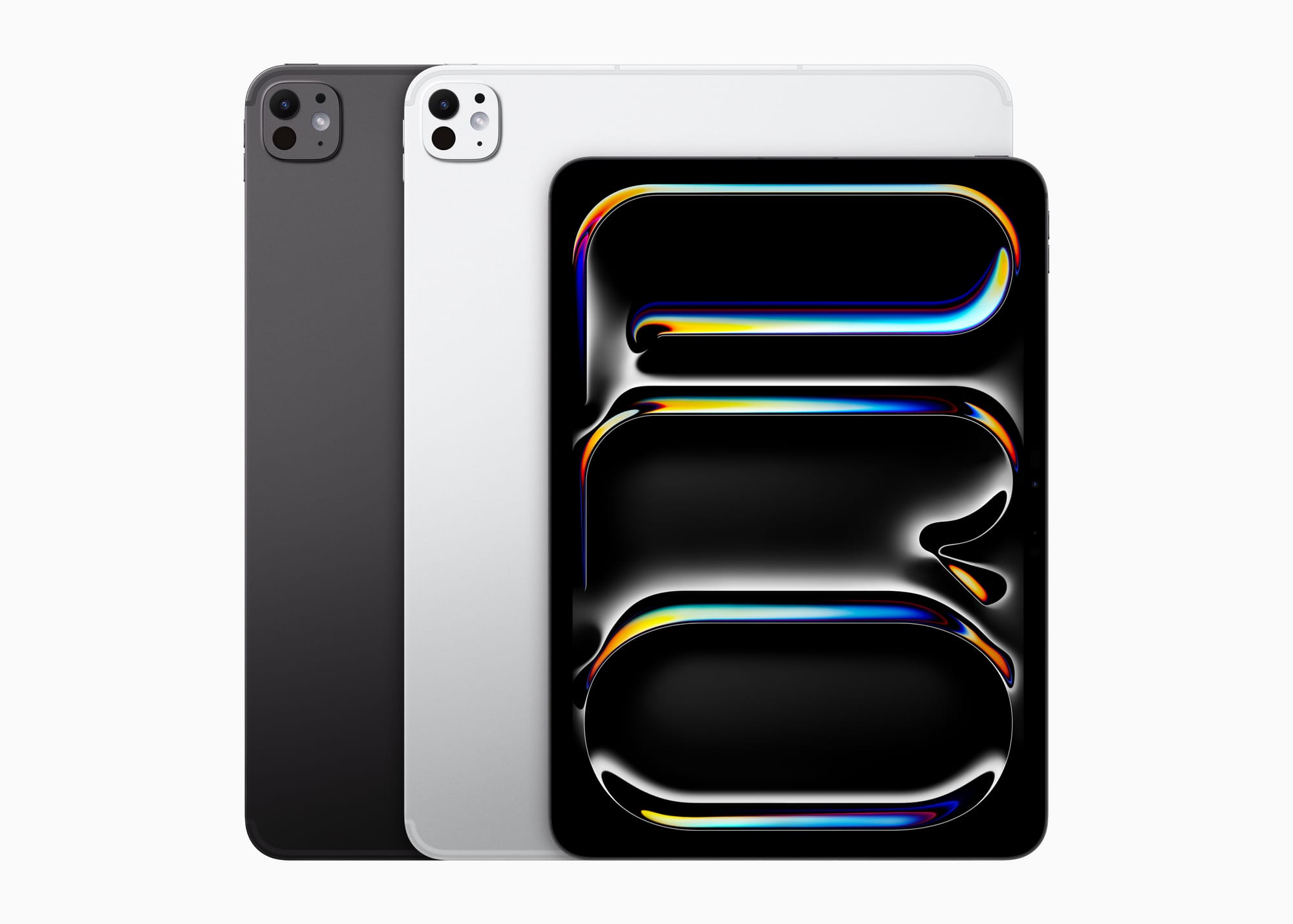
The iPad Pro M5 uses a tandem OLED display Apple calls Ultra Retina XDR, running at up to 120 Hz with ProMotion adaptive refresh. It pushes 1,000 nits of sustained SDR brightness and peaks at 1,600 nits for HDR content. The blacks are genuinely black — not “pretty dark gray” like you get on an LCD panel. When you scroll through a dark-mode interface or watch a movie with heavy shadow detail, the difference between these two panels is not subtle. Once you see the Pro’s display side by side with the Air, the LCD looks like it has a flashlight permanently stuck behind it.
And ProMotion at 120 Hz? Simply put, it makes everything feel faster. Scrolling through long documents, drawing with Apple Pencil Pro, swiping between split-screen windows — all of it responds more fluidly. Go from using a Pro back to the Air and you’ll notice the 60 Hz stutter immediately. That’s the kind of detail that doesn’t show up in a spec comparison but shapes how the iPad feels in your hands every single day.
 Ad
AdThunderbolt Changes What You Can Plug In
The iPad Air M4 has a USB-C port running at 10 Gbps. The iPad Pro M5 has Thunderbolt / USB 4. Why does this matter? Thunderbolt lets you connect external displays at higher resolutions, run fast external SSDs at full speed, and hook up professional audio interfaces without latency headaches. If your iPad lives on a desk connected to a monitor and external storage, the Pro’s port is a genuine workflow upgrade.
If your iPad mostly sits in your lap on the couch, you will never notice the difference.
Here’s the friction point I keep coming back to: the Air’s USB-C port handles syncing photos, charging Apple Pencil Pro, and connecting a USB-C hub without breaking a sweat. But try transferring 50 GB of ProRes footage from a Thunderbolt SSD and the Air bottlenecks hard. The Pro doesn’t. That single port difference determines whether an iPad can replace a laptop for people who regularly move large media files around. For everyone else? It’s genuinely a non-issue.
Air M4 vs Pro M5 at a Glance
A quick look at the key differences between iPad Air M4 and iPad Pro M5 to help you decide which tablet fits your needs.
| Feature | iPad Air M4 | iPad Pro M5 |
|---|---|---|
| Starting Price | $599 (11-inch) | $999 (11-inch) |
| Display | Liquid Retina LCD, 60Hz | Tandem OLED XDR, 120Hz ProMotion |
| Performance Cores | 3 performance + 5 efficiency | 3-4 performance + 6 efficiency |
| Port | USB-C (10 Gbps) | Thunderbolt / USB 4 |
That $400 gap between the base 11-inch Air at $599 and the base 11-inch Pro at $999 buys you the OLED display, ProMotion, one extra efficiency core, one extra GPU core, Thunderbolt connectivity, and a thinner chassis at 5.3 mm versus the Air’s 6.1 mm. The Air is remarkably thin on its own — you barely notice 0.8 mm — but the Pro feels like holding a sheet of glass. The edges are so thin they can feel sharp against your palm during long reading sessions if you grip it tightly. Not a dealbreaker, but you notice it.
Who Should Actually Buy the Air
The iPad Air M4 is the right pick if you fall into any of these camps:
- Students who need a note-taking machine with Apple Pencil Pro support and enough power for light creative apps
- Anyone replacing an older iPad (M1 or earlier) who wants a meaningful speed boost without crossing the $1,000 threshold
- People who primarily consume content — streaming, reading, browsing — and want the 13-inch screen at $799 instead of $1,299
- Remote workers who use their iPad as a secondary display, email station, or video call device
The Air’s 12 GB of unified memory and Wi-Fi 7 support through Apple’s N1 connectivity chip make it a substantial upgrade over any previous Air model. Pair it with the right accessories and it honestly feels like a laptop replacement for about 80 percent of what most people do on a computer. That’s not marketing fluff. That’s the math.
Who Should Actually Buy the Pro
The iPad Pro M5 makes sense when the work you do regularly pushes hardware limits:
- Digital artists working in Procreate or Affinity Designer with large canvases and dozens of layers, where GPU headroom directly affects how smooth your brush strokes feel
- Video editors using Final Cut Pro for iPad or LumaFusion who scrub 4K timelines and need ProRes support without frame drops
- Musicians running Logic Pro for iPad with multiple tracks and real-time effects who need low-latency Thunderbolt audio interfaces
- Anyone who connects their iPad to an external display daily and needs Thunderbolt bandwidth for a desktop-class experience
But I want to be direct about something: if you’re buying the Pro because you want the “best iPad,” ask yourself whether you’ll actually use the features that make it the best. A $1,299 iPad Pro M5 running Netflix and Safari is a waste of silicon. Apple would happily sell it to you. That doesn’t mean it’s the right call.
One Thing Both iPads Get Right
Both the iPad Air M4 and iPad Pro M5 support Apple Pencil Pro with barrel roll, haptic feedback, squeeze gestures, and Find My tracking. This used to be a Pro-exclusive advantage. Now the Air gets the identical pencil experience, which is a genuine win for students and casual artists who do not need OLED but absolutely need precise stylus input. Hover detection works the same on both — hold the pencil about 12 millimeters above the screen and you’ll see a preview of your mark before you touch down. That small detail makes a surprisingly big difference when aligning objects in design apps or choosing the right brush size before committing a stroke.
The real question was never “Air or Pro.” It’s whether your daily workflow hits the ceiling of what the Air can do. For most people? It doesn’t even come close. Save the $400, grab the Air, and spend the difference on a Magic Keyboard and an AppleCare+ plan. You’ll get more practical value out of that combination than a faster chip you’ll rarely push.

Related Posts
Your iPad Has Seven Ways to Split the Screen and You’re Probably Using One
Mar 04, 2026
iPad Air M3 vs M4: The Real Upgrade Worth Paying For
Mar 03, 2026
The iPad Air M4 Landed With Four Upgrades That Actually Matter
Mar 02, 2026