

🎧 Listen to this article
Prefer to listen? An audio version of this article is available for accessibility and convenience.
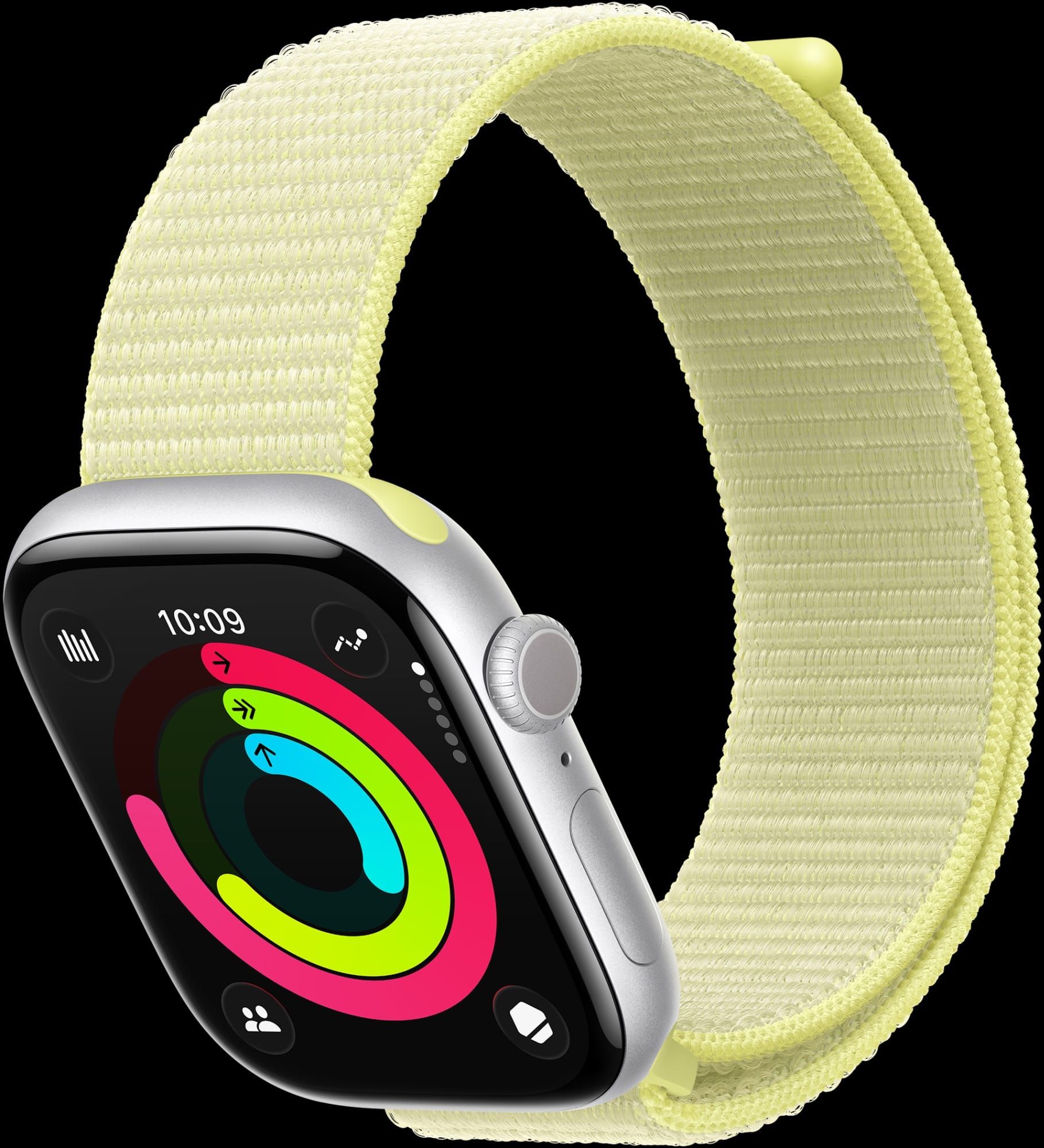
The Apple Watch Series 11 upgraded three things that matter and left everything else alone. I respect that honestly.
The S10 chip stays. The design stays. Apple added 24-hour battery life, hypertension monitoring, and 5G cellular, and called it a day. Whether that is enough to justify your money depends entirely on which Apple Watch you are wearing right now.
Here is the honest answer: if you own a Series 10, keep it. If you are on a Series 8 or older, the Series 11 is the best mainstream Apple Watch you can buy today, and the health features alone make it worth considering. But the upgrade math gets weird in the middle, and that is where most people get stuck.
 Ad
AdThe Same Chip, and Apple Hopes You Will Not Notice
Apple kept the same S10 chip from last year. That is the first time in Apple Watch history that the processor did not change between generations. The Series 11 runs watchOS 26 identically to the Series 10 in every benchmark I can find, and Apple’s own comparison page does not list a single performance difference between the two. Think about it. They literally shipped last year’s brain in a new body and charged the same price.
Does it matter? For most people, no. The S10 handles everything watchOS 26 throws at it. Workout Buddy, the new generative AI voice coach, runs fine. Smart Stack loads instantly. Apps launch without stutter. The chip was not the bottleneck, and Apple knew it.
But I find it fascinating that Apple decided transparency was optional here. The spec sheet says “S10 SiP” in small text. The marketing page leads with hypertension detection. If you were not reading carefully, you would assume the chip was new.
Hypertension Detection Is the Real Story
The hypertension detection feature is the real headline. Apple Watch Series 11 uses the existing optical heart sensor to analyze how blood vessels respond to each heartbeat, then tracks patterns over 30 days to flag possible chronic high blood pressure. Apple projects it will notify more than one million people with undiagnosed hypertension in the first year.
That is a big number, and the feature works passively. You do not have to remember to run it. It runs in the background during your normal wear, building a picture over time. If the watch detects a concerning pattern, it sends a notification suggesting you talk to a doctor.
Now, I want to be real about this. The feature is a screening tool, not a diagnosis. Apple’s own documentation on the Apple Developer Health and Fitness guidelines makes clear that no wrist-worn device replaces a clinical blood pressure cuff. The watch catches trends; your doctor confirms them. That distinction matters and Apple does not always make it obvious in the marketing.
If you already set up Apple Watch hypertension notifications on an older model running watchOS 26, the monitoring works there too. The Series 11 does not have exclusive sensor hardware for this — it is a software capability that runs on Series 9 and newer.
 Ad
AdSleep Score, Battery Life, and the Stuff That Actually Changed
Sleep Score is the other health addition worth mentioning. The watch now grades your sleep quality using a combination of duration, consistency, wake frequency, and sleep stage data. Apple built the algorithm on five million nights of tracked sleep, which sounds impressive until you realize that Fitbit and Garmin have offered similar scoring for years. Apple is late to the party. But the integration with the Health app and the way Sleep Score feeds into your daily readiness context is cleaner than what competitors offer.
The battery bump is genuinely useful though. Series 11 gets 24 hours of normal use, up from 18 hours on the Series 10. That is a 33 percent improvement, and it means you can comfortably wear the watch through a full day and overnight for sleep tracking without reaching for the charger at 10 PM. Low Power Mode stretches that to 38 hours, up from 36 on the Series 10.
For context, I still recommend the Apple Watch Ultra 3 for anyone who needs multi-day battery life. At 48 to 60 hours on a single charge, it lives in a different category entirely. But the Ultra 3 starts at $799 and weighs noticeably more on the wrist. The Series 11 starts at $399 and disappears on your arm. Those are different products solving different problems.
The Display and 5G Changes You Should Know About
Speaking of the display, Apple claims the Ion-X glass on the aluminum Series 11 is twice as scratch-resistant as the Series 10 thanks to a new ceramic bonding process. I cannot verify that number independently, but the practical implication is clear: if you have been choosing titanium models purely because the sapphire crystal resists scratches better, the aluminum models just closed that gap significantly. At $399 versus $699, that matters.
5G cellular connectivity is the third real upgrade. Previous Apple Watch cellular models used LTE, which worked fine for calls and messages but struggled with streaming and data-heavy tasks. The Series 11 is the first mainline Apple Watch with 5G, and the redesigned antenna architecture improves signal reliability in weak coverage areas.
Who actually needs cellular on a watch? Runners and cyclists who leave their iPhone at home. People who want emergency connectivity without carrying a phone. If that is not you, the GPS-only model at $399 saves you a hundred dollars and the monthly carrier add-on fee.
Who Should Actually Upgrade Right Now
Let me cut through the upgrade confusion with a straightforward breakdown.
If you own a Series 10, stay put. Same chip, same design, same display. You get hypertension monitoring through a watchOS 26 update. The battery improvement is real but not worth $399.
If you own a Series 9, it is a toss-up. You gain 24-hour battery, the scratch-resistant display coating, and 5G. But your S9 chip still runs watchOS 26 without issues, and you already have the health sensor hardware for hypertension detection.
If you own a Series 8 or older, the Series 11 is a meaningful upgrade. You gain the temperature sensor, crash detection improvements, the brighter always-on display, and every health feature Apple has added in three generations. This is where the value proposition makes sense.
If you are buying your first Apple Watch, start with the Series 11 in aluminum with GPS. The 46mm size fits most wrists comfortably, the Sport Loop band breathes better than the Sport Band during workouts, and $429 gets you the best general-purpose smartwatch on the market without overpaying for features you may never use.
The Apple Watch Series 11 runs watchOS 26 with the Liquid Glass design language, an enhanced Smart Stack with contextual hints, and wrist flick gestures for navigating notifications. Apple’s full watchOS 26 feature rundown lives on the Apple support site for anyone who wants the complete list.
One friction point worth knowing: the fast charging claims require Apple’s specific magnetic charging cable with the USB-C connector. Third-party chargers often charge at the slower legacy speed, and Apple does not prominently disclose that anywhere on the product page. The difference is noticeable. Official cable hits 80 percent in 30 minutes. Some third-party cables take over an hour for the same charge.
Here is what I keep coming back to. Apple released its smallest upgrade ever and priced it the same as last year. The health features are genuinely important, but most of them work on older watches too. The battery improvement is welcome but not transformative. The 5G connectivity matters for a narrow audience.
The Series 11 is an excellent Apple Watch. It is just not an excellent reason to upgrade from last year’s excellent Apple Watch.

Related Posts
Build the Custom Apple Watch Face You Actually Want
Apr 06, 2026
Your Apple Watch Band Has a Cleaning Method Most Owners Skip
Apr 02, 2026
Your Apple Watch Has a Sleep System Most Owners Never Touch
Apr 02, 2026