
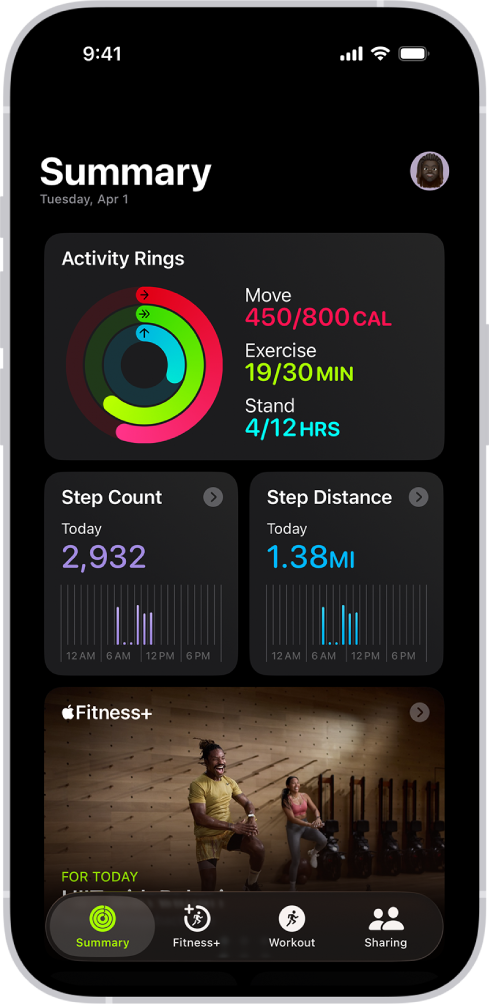

You forgot to start a workout on your Apple Watch. Maybe the battery died mid-run, or you left it on the charger during a gym session. The workout happened, but your Activity rings tell a different story.
Here is the fix: you can manually add any workout to Apple Fitness through the Health app on your iPhone, and as of iOS 26.1, Apple added a faster method directly inside the Fitness app itself. Both approaches credit your Move and Exercise rings. But the details matter more than the method you pick — manually logged workouts carry real limitations that Apple does not advertise on the summary screen, and choosing the wrong approach can leave your health data less useful than you expect.
I want to walk you through both methods, explain exactly what each one captures (and what it quietly drops), and share the one scenario where manual logging actually makes your health data worse.
The Health App Method Still Works Best for Past-Date Entries
The Health app has supported manual workout entry for years, and it remains the more detailed option. Open Health on your iPhone, tap the Search tab, then tap Activity. Scroll down to Workouts and tap it, then tap the plus icon in the upper-right corner.
From here, you select an Activity Type. Apple offers over one hundred workout categories — everything from archery and badminton to open water swimming and wheelchair running pace. The full list lives in Apple’s Workout types on Apple Watch support document if you want to browse before committing.
After choosing a workout type, you enter three pieces of data: kilocalories burned, start time, and end time. Distance is optional for applicable activities like running, cycling, and hiking. When you tap Add, the workout appears in your health record and your Activity rings update to reflect the new data.
Keep in mind that this update is not instant. Rings can take anywhere from a few minutes to several hours to recalculate, which is mildly infuriating when you are watching a streak hang in the balance. If your rings have not budged after an hour, force-close the Fitness app on your iPhone and reopen it.
The kilocalorie field is where manual entries get tricky. Apple Watch calculates calories using a continuous heart rate stream, accelerometer data, and your personal health metrics. When you add a workout manually, you are guessing at a number that your Watch would have derived from sensor fusion. Overestimate and your Move ring becomes meaningless. Underestimate and you feel cheated. I find that using a conservative estimate from a treadmill display or gym machine readout is the most honest approach.
The Fitness App in iOS 26.1 Removed the Biggest Annoyance
iOS 26.1 introduced a second method that Apple clearly wants you to use going forward. Open the Fitness app on your iPhone, tap the Workout tab, and tap the pencil icon in the upper-right corner. Select your workout type, enter the duration and start time, and the Fitness app does something the Health app never did — it auto-estimates your active calories based on your age, weight, heart rate history, and the workout type you selected.
This auto-estimate is genuinely useful. It removes the guesswork that makes Health app entries feel arbitrary. You can still override the estimate if your gym machine gave you a specific number, but having a reasonable default means you are less likely to inflate or deflate your data.
The Fitness app method also adds an Effort rating — a manual intensity scale that feeds into Apple’s Training Load calculations introduced in watchOS 11. The Health app method does not include this field, which means workouts logged through Health contribute nothing to your long-term training load trends. If you check the Training Load chart in the Fitness app alongside your workout settings in watchOS 26, this distinction matters.
One more thing worth noting: the Fitness app method does not require an Apple Watch or AirPods Pro 3 at all. Any iPhone running iOS 26.1 or later can log workouts through the Fitness app, which makes it the better choice for people who exercise without wearing their Watch.
What Your Rings Gain and What Your Health Record Quietly Loses
Before you start logging everything manually, understand what you lose. A manually added workout contains no heart rate data, no GPS route, no elevation gain, no pace splits, no cadence, and no VO2 Max contribution. The Apple Watch derives all of that from its sensors in real time, and there is no way to backfill it after the fact. Your workout history will show the entry, but tapping into it reveals a sparse summary compared to a Watch-tracked session.
The Stand ring is the other casualty. Manual entries cannot credit Stand hours because the Stand ring relies on the Watch’s accelerometer detecting wrist movement at specific times throughout the day. You can close your Move and Exercise rings with manual entries, but the Stand ring remains untouched.
Here is the scenario where manual logging can actually work against you. If you are tracking VO2 Max trends or using Apple’s Cardio Fitness notifications, manually added workouts with estimated calories can skew the baseline that Apple uses for those calculations. The system expects sensor-verified data, and mixing in rough estimates introduces noise. For casual ring-closing — the kind described in our Apple Fitness Burn Bar guide — this is irrelevant. For anyone using Apple Health data to inform real fitness decisions, it is worth knowing.
Which Method I Would Actually Use
I think the iOS 26.1 Fitness app method is a genuine improvement over the Health app approach — the auto-estimated calories and the Training Load integration make it the smarter default. But the Health app still has its place when you need to enter a workout for a past date or want more granular control over the data fields. Both methods share the same core limitation: no amount of manual entry replaces what the sensors capture in real time.
If you routinely forget to start workouts on your Apple Watch, the real fix is enabling the Workout Detection feature. Open the Settings app on your Watch, tap Workout, and toggle on Start Workout Reminder. The Watch uses its heart rate sensor and accelerometer to detect when you have been exercising for several minutes and nudges you to begin tracking. It does not catch everything — a strength training session with long rest periods between sets tends to fly under the radar — but for cardio activities, it is reliable enough to be worth enabling.

Deon Williams
Staff writer at Zone of Mac with two decades in the Apple ecosystem starting from the Power Mac G4 era. Reviews cover compatibility details, build quality, and the specific edge cases that surface after real-world use.
Related Posts
Build the Custom Apple Watch Face You Actually Want
Apr 06, 2026
Your Apple Watch Band Has a Cleaning Method Most Owners Skip
Apr 02, 2026
Your Apple Watch Has a Sleep System Most Owners Never Touch
Apr 02, 2026