

🎧 Listen to this article
Prefer to listen? An audio version of this article is available for accessibility and convenience.
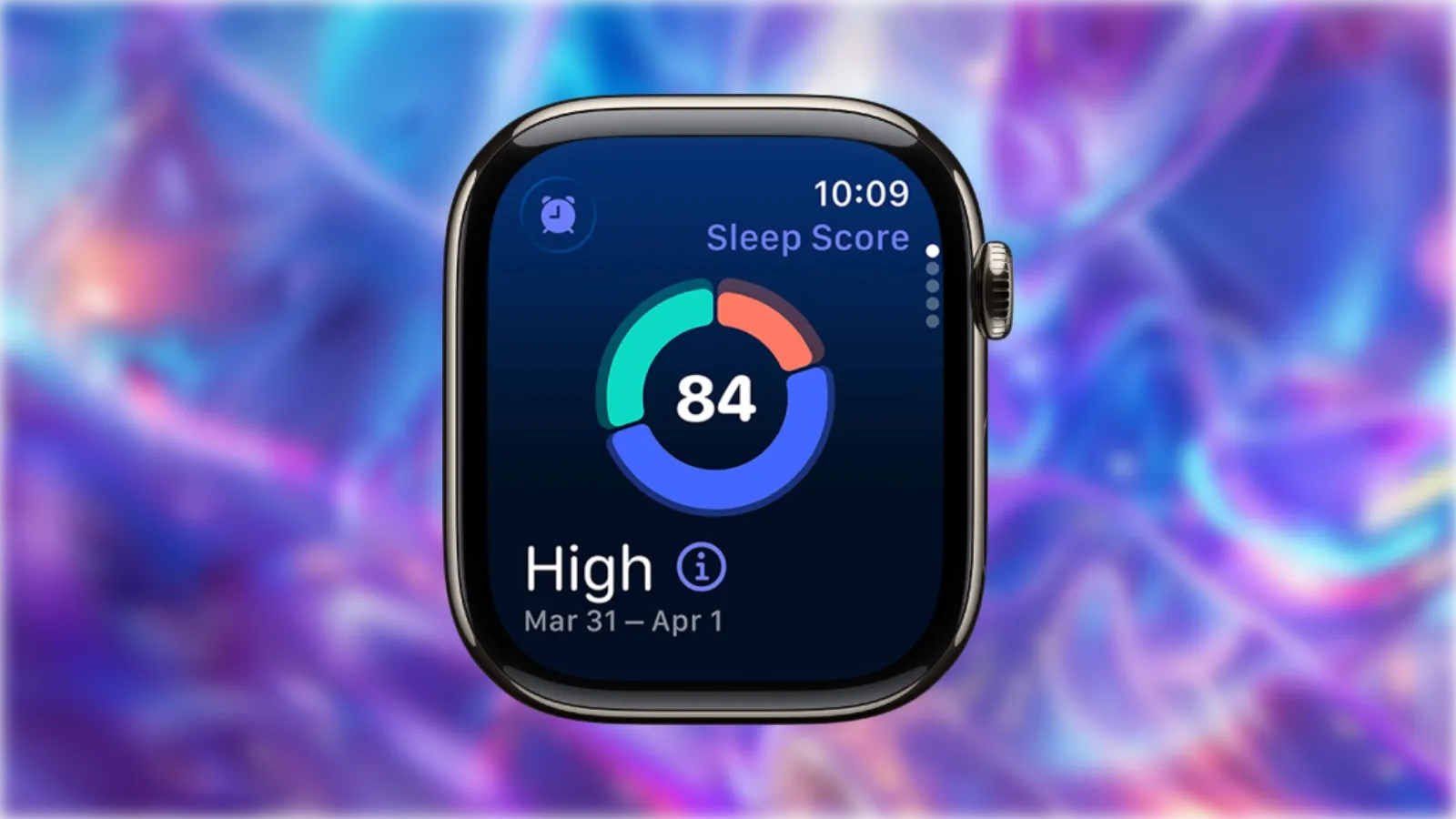
Your Apple Watch already has a full sleep tracking system built in, and it goes deeper than most people expect. Sleep Score assigns a 0-to-100 rating every morning based on how long you slept, how consistent your bedtime has been over the past two weeks, and how many times you woke up during the night. On compatible models, watchOS 26 also monitors breathing disturbances overnight to flag signs of sleep apnea.
Almost none of this works out of the box, though. You need to set up a sleep schedule in the Health app, enable tracking on the watch itself, and charge strategically so the battery survives until morning. Skip any one of those steps, and the watch just sits on your wrist collecting nothing.
 Ad
AdWhat your Apple Watch actually measures while you sleep
Strap on your Apple Watch at bedtime with sleep tracking enabled, and the accelerometer and heart rate sensor work together to estimate time spent in three distinct sleep stages: REM sleep, Core sleep, and Deep sleep. The watch also flags periods where you were likely awake, even brief ones you might not remember.
The stages breakdown tells a more useful story than raw hours alone. Eight hours of sleep sounds great until the data shows most of that time was Core sleep with barely any Deep or REM — which explains why you still feel foggy at 7 AM. The Sleep app on the watch shows this breakdown each morning, and the Health app on your iPhone lets you compare trends across days, weeks, and months. According to Apple’s sleep tracking documentation, the watch needs at least one hour of wear time during your sleep window to generate any usable data.
One detail worth flagging: skip even a single night, and the gap in your weekly trend chart is surprisingly visible. Consistency matters not just for better sleep, but for better data.
The three factors behind your Sleep Score
Sleep Score runs on a 0-to-100 scale built from three weighted components. Understanding those weights changes how you think about what “good sleep” actually means.
Sleep Duration accounts for 50 of the 100 points. This one is straightforward — did you sleep long enough to meet your goal? Apple lets you set a custom target during setup, and the score rewards consistency.
Bedtime Consistency is worth 30 points, and this is where most people get caught off guard. The score doesn’t just look at last night. It evaluates when you fell asleep relative to your bedtime across the previous 13 nights. Thirteen. Go to bed at 11 PM for twelve nights and then stay up until 2 AM once, and this component drops noticeably the next morning. The motivation to maintain a regular schedule gets personal once you see that number respond to a single late night.
Interruptions make up the final 20 points. This tracks how often you woke up and how long those periods lasted. Quick wake-ups where you drift right back off barely register. The extended awake stretches — lying in bed with your phone at 3 AM — are what tank this score.
Apple classifies totals into five tiers: Very Low (0–40), Low (41–60), OK (61–80), High (81–95), and Very High (96 and above). In practice, most people settle into the OK-to-High range once they establish a consistent routine. Breaking 95 requires something close to textbook sleep hygiene.
 Ad
AdSleep apnea detection works while you rest
This is the feature that deserves more attention than it gets. Apple Watch Series 9, Apple Watch Ultra 2, and later models running the latest watchOS can monitor breathing disturbances overnight and flag signs of moderate-to-severe sleep apnea.
The accelerometer on your wrist detects subtle movements associated with interrupted breathing. The watch collects this data over a 30-day window — you need to wear it for a minimum of 10 nights within that period — and then analyzes the pattern. If breathing disturbances are consistently elevated, a notification arrives suggesting a conversation with your doctor.
Setting this up requires a specific path. On your iPhone, open the Health app, tap Browse, then Respiratory, and find Sleep Apnea Notifications. Tap Set Up, confirm your date of birth, and indicate whether you have ever been diagnosed with sleep apnea. The feature is intended for adults 18 and older without a prior diagnosis — anyone already diagnosed should be working with a specialist directly.
Apple received FDA De Novo authorization for this feature, which means it met clinical-grade reliability standards. It does, though, mean the tool is classified as a wellness monitor rather than a diagnostic device. It won’t replace a formal sleep study, but considering that an estimated 80 percent of moderate-to-severe sleep apnea cases go undiagnosed, having this running passively feels like a meaningful safety net. The life-saving health features most Apple Watch owners never enable pair naturally with sleep apnea monitoring, and if you have already configured blood pressure tracking and hypertension notifications, the overnight health picture gets substantially more complete.
The battery trick that makes nightly tracking work
The biggest practical barrier to sleep tracking is not the setup — it is the battery. Apple recommends at least 30 percent charge before bed, and in practice, that is the floor, not the target. Dip below it and the watch may not survive a full night of sensor activity.
The approach that solves this: charge during Wind Down. Wind Down is a configurable period before your scheduled bedtime — typically 30 to 45 minutes — where Sleep Focus kicks in, the display dims, and notifications go quiet. Setting Wind Down to 45 minutes and putting the watch on its charger during that window gives modern Apple Watch models enough fast-charging time to jump from 30 percent to 80 percent. That is more than enough for a full night.
Enable Charging Reminders in the Sleep section of the Watch app on your iPhone. If the watch detects low battery close to bedtime, it taps your wrist. Small detail, but the first time it saves a blank sleep report, the value becomes obvious.
Why your band choice matters more than you think
Wearing a watch to bed sounds uncomfortable until the right band fixes it. A heavy stainless steel link bracelet is genuinely miserable overnight — it digs into your wrist when you roll over, and the clasp catches on sheets. A Sport Band or Solo Loop, in contrast, practically disappears. The silicone flex is soft enough that most people forget it is on within the first few nights.
If the watch feels too tight or too warm at 2 AM, loosening it one notch helps more than you would expect. The sensors still read accurately with a slightly looser fit, and the comfort gap between “snug” and “comfortable” overnight is the gap between useful data and an empty chart.
One edge case: sharing a bed with a restless partner can occasionally inflate your Interruption score. The accelerometer may register their movement as your wake time. Apple’s algorithms filter most of this, but weekly averages smooth out any noise from individual nights better than daily scores do.

Related Posts
Build the Custom Apple Watch Face You Actually Want
Apr 06, 2026
Your Apple Watch Band Has a Cleaning Method Most Owners Skip
Apr 02, 2026
Your Apple Watch Has Life-Saving Features You Never Enabled
Apr 01, 2026