
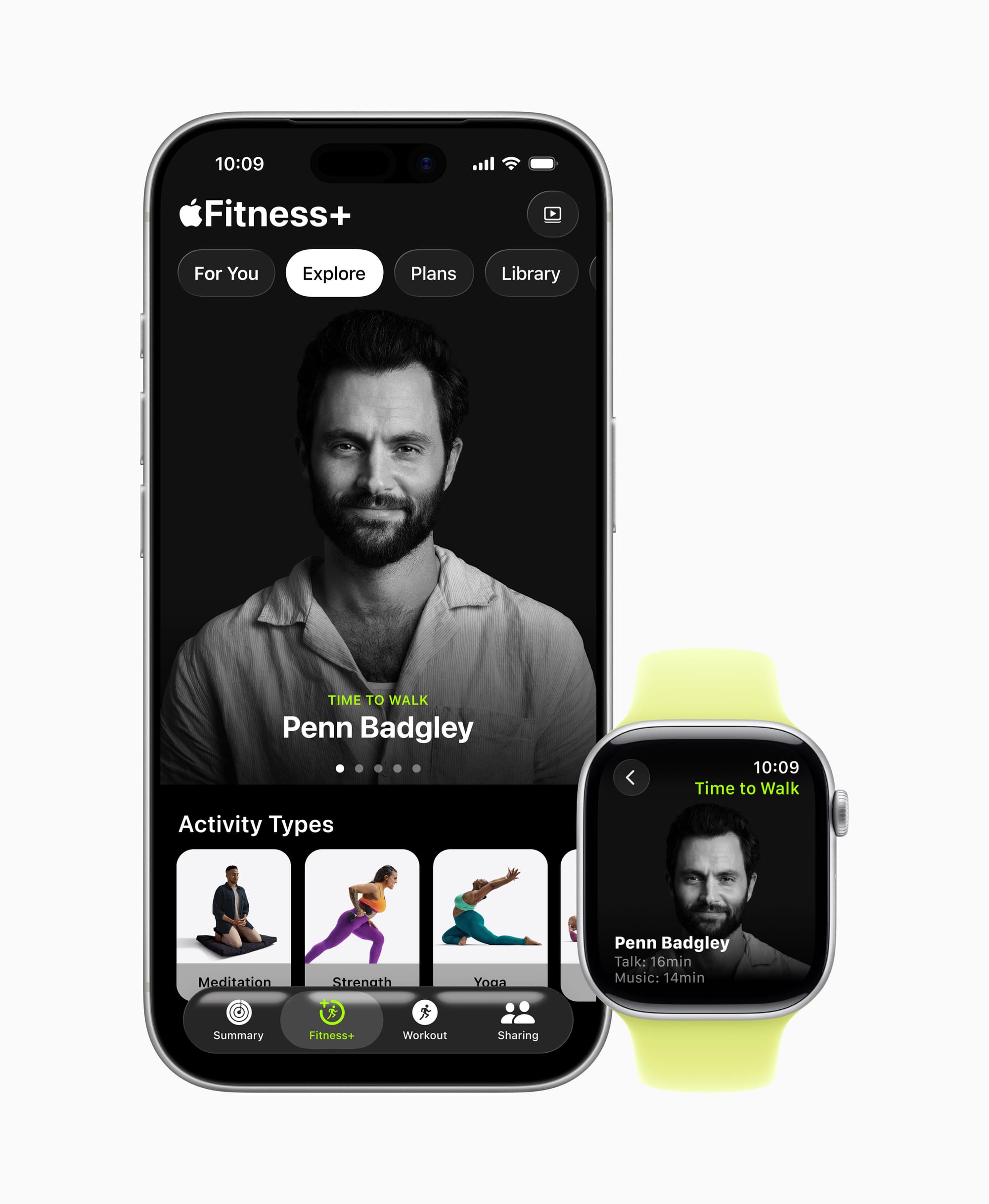

Apple Fitness+ is a $9.99-per-month video workout subscription that works on iPhone, iPad, Apple TV, and Mac — and it does not require an Apple Watch. That surprises most people. But if you do own an Apple Watch, the experience transforms completely: real-time heart rate, calorie burn, and Activity Ring progress appear on screen while you work out, and a feature called the Burn Bar shows exactly where your effort ranks against every other person who has done that same workout. The catch is that most of this is buried behind menus and defaults that Apple never walks you through.
 Ad
Ad
What You Actually Get for Ten Dollars a Month
Twelve workout types. That is the short answer. HIIT, Yoga, Strength, Core, Pilates, Cycling, Treadmill, Rowing, Dance, Kickboxing, Mindful Cooldown, and Meditation. Sessions run from five minutes to forty-five, and three trainers appear in every video — one always demonstrating modifications for beginners. Apple adds new workouts weekly, which means the library never goes stale the way a DVD box set does.
But the real pull is not the workout count. It is the integration. When your Apple Watch is on your wrist during a Fitness+ session, your heart rate zone, active calories, and ring progress float on the screen in real time. You are not switching between apps or glancing at your wrist. The data just lives there, pacing you. I have used workout apps that display metrics on a phone screen before, and the difference here is that Apple Watch sends the data with almost no latency. The numbers update as fast as your heart beats.
Then there is the Burn Bar. It is a narrow horizontal bar at the bottom of the screen that fills based on how hard you are working relative to everyone else who has completed that workout. If you are ahead of the pack, the bar glows. It sounds gimmicky, but it works. Competitive people will push harder to stay in the top tier; less competitive people can ignore it entirely. Apple recently added support for AirPods Pro 3 and Powerbeats Pro 2 to display heart rate data and the Burn Bar even without a video screen open, which is a smart move for people who prefer audio-only workouts.
The Features Apple Buries Behind Two Taps
Custom Plans are the most underused feature in Fitness+. Open the Fitness app on your iPhone, tap the Fitness+ tab, and look for “For You.” Apple offers built-in plans like “Stay Consistent” (three workouts per week, automatically scheduled) and “Push Further” (heavier intensity, fewer rest days). You can also build your own plan, choosing workout types, session lengths, and how many days per week. The plan then populates your schedule and sends reminders. Most people never scroll past the featured workouts on the main screen, so they never see this.
Stacks are equally buried. A Stack lets you chain two or three workouts together — say, a 20-minute Strength session followed by a 10-minute Mindful Cooldown — and play them back-to-back without returning to the menu between each one. To build a Stack, tap the three-dot menu on any workout, tap “Add to Stack,” then keep adding. It is the difference between a quick daily routine and fumbling through the library every morning.
Audio Focus deserves more attention than it gets. During any workout, you can adjust the mix between the trainer’s voice and the background music. If you already know the moves and just want the beat, slide the audio toward music. If you need to hear every cue, slide it toward the trainer. This lives behind the AirPlay icon during playback, which is why almost nobody finds it.
How to Get Apple Fitness+ Without Paying Full Price
Apple gives you three months free when you buy a new Apple Watch, iPhone, iPad, Apple TV, or AirPods Pro 3. You have to redeem it within three months of activating the device, and the offer lives in the Fitness app under the Fitness+ tab. If you are reading this article because you just got a new Apple Watch, go redeem that trial right now before you forget. It is the single best way to test whether the service fits your routine.
Anytime Fitness members get Fitness+ included at no extra cost as part of their gym membership. Wellhub Basic+ plan holders have the same perk. And if someone in your household already subscribes, Family Sharing covers up to six people on a single $9.99-per-month plan. That drops the effective cost below two dollars per person, which is hard to beat for a service with this much content.
Apple One Premier ($37.95 per month) bundles Fitness+ with Apple Music, Apple TV+, Apple Arcade, Apple News+, and 2 TB of iCloud+ storage. If you already pay for three or more of those services, Premier saves roughly $29 per month over subscribing separately. The Individual and Family tiers of Apple One do not include Fitness+, though. Only Premier.
Here is how Apple Fitness+ stacks up against the two most common alternatives for on-demand workouts.
| Feature | Apple Fitness+ | Peloton App One | Nike Training Club |
|---|---|---|---|
| Monthly Price | $9.99 | $12.99 | Free |
| Family Sharing | Up to 6 members | No | N/A |
| Apple Watch Integration | Full real-time metrics | Basic heart rate only | Basic heart rate only |
| Live Classes | No (SharePlay groups) | Limited | No |
SharePlay Turns Solo Workouts Into Group Accountability
SharePlay support in Fitness+ lets you work out with up to 32 people over FaceTime. Everyone sees the same workout simultaneously, and each person’s metrics appear on screen alongside yours. Starting a SharePlay workout requires opening FaceTime first, adding participants, then tapping the Fitness+ workout. The setup takes about a minute, and the lag is minimal over a stable Wi-Fi connection.
I think SharePlay is the sleeper feature of Fitness+. Not because the technology is groundbreaking — FaceTime group calls have existed for years — but because accountability is the number-one reason people quit workout programs. Having a friend visible on screen, matching your effort, solves a real problem that no amount of gamification badges can replicate. If you have one person in your life who would do a 20-minute HIIT session with you on Tuesday mornings, SharePlay alone justifies the subscription.
The Honest Trade-Offs You Should Know
Fitness+ has no live classes. Peloton has them. If leaderboard competition against thousands of people in real time is what motivates you, Fitness+ will feel static by comparison. SharePlay fills part of that gap, but only with people you already know.
The service only works within the Apple ecosystem. No Android app, no Windows app, no Chromecast. If your household has a mix of Apple and non-Apple devices, only the Apple device owners can participate. Peloton and Nike Training Club are both platform-agnostic.
Apple’s trainer roster is smaller than Peloton’s, and the production style is noticeably more restrained. Peloton workouts feel like a concert with a DJ booth; Fitness+ workouts feel like a well-lit studio with good music and calm instruction. Whether that is a pro or a con depends entirely on what kind of energy you want at 6 AM.
And there is the elephant that Apple has not addressed publicly. According to reporting from Bloomberg, Apple’s Fitness+ service remains “under review” internally, with leadership describing it as Apple’s “weakest digital offering.” Apple may eventually fold Fitness+ into a broader Health app experience. That is not a reason to avoid subscribing today — the service works, the content is solid, and Apple is still adding new programs — but it is worth knowing that the long-term shape of Fitness+ might change. If your Apple Watch already tracks your health in ways you did not expect, the fitness subscription side could evolve to match.
Join The Inner Circle For Serious Apple Users
Exclusive Apple tips. Free to join.
How to Cancel If It Is Not for You
Open Settings on your iPhone, tap your name at the top, tap Subscriptions, find Apple Fitness+, and tap Cancel Subscription. That is it. Four taps. If you are still in a free trial, canceling ends access immediately. If you are on a paid plan, you keep access until the next billing date.
On Apple TV, the path is Settings, then Users and Accounts, then your account name, then Subscriptions. Same result, slightly different menu structure.
Who Should Subscribe and Who Should Skip
Subscribe if you own an Apple Watch and want guided workouts that use your biometric data in real time. The integration is the differentiator. No other workout app reads your Apple Watch data this deeply or displays it this seamlessly during a session. The Family Sharing option makes it absurdly cheap for households with multiple Apple Watch owners.
Skip it if you need live competitive classes (get Peloton), if you only want bodyweight workouts and do not care about metrics (Nike Training Club is free), or if you are not in the Apple ecosystem. Fitness+ is built for Apple hardware. Without it, the value proposition collapses. For readers who have already explored the free Apple Fitness features on their Apple Watch and iPhone, the Fitness+ subscription adds the video coaching, trainer library, and Burn Bar that the free tier does not include.

Related Posts
Apple Watch Cellular vs GPS: The Honest Buying Guide for Every Model in 2026
Mar 01, 2026
The Apple Watch Workout Settings That Quietly Change How You Train
Feb 28, 2026
Every Apple Watch That Runs watchOS 26 and the Features Each One Gets
Feb 24, 2026