
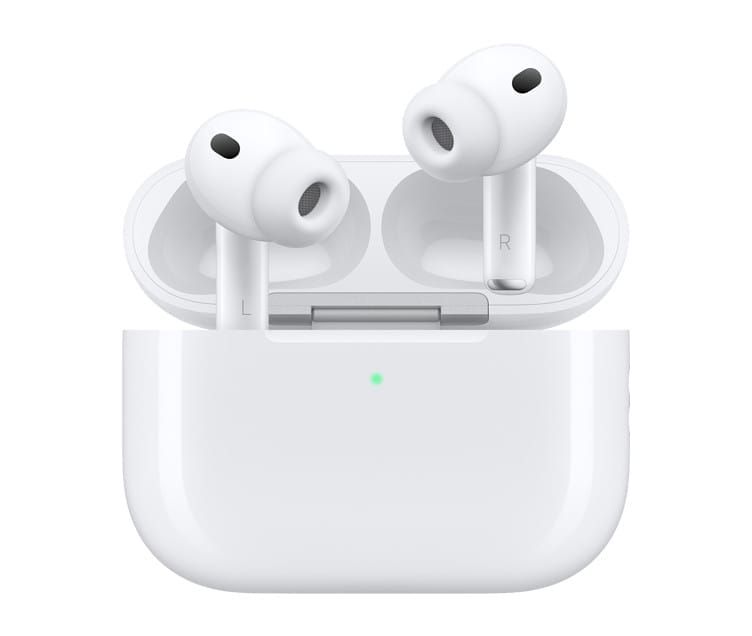

🎧 Listen to this article
Prefer to listen? An audio version of this article is available for accessibility and convenience.
Every pair of AirPods collects earwax, pocket lint, and skin oils inside the speaker mesh, and that buildup directly muffles your audio quality over time. Apple’s official fix involves micellar water, a children’s toothbrush, and a two-hour drying window most people do not know about.
Here is the thing though — each AirPods model has different cleaning rules. The mesh on AirPods 4 sits in a different spot than AirPods Pro, and the cushions on AirPods Max need a completely separate approach involving laundry detergent. Use the wrong method on the wrong model and you risk pushing debris deeper into the speaker mesh or, worse, getting liquid into the driver. So before you reach for a toothpick or a damp cloth, stop. I am going to walk you through exactly what Apple says to do for every model, plus the edge cases their support pages barely mention.
 Ad
AdWhy Your AirPods Sound Worse Over Time
Think about it. You press AirPods into your ears every day — at the gym, on the train, at your desk. Your body produces earwax. That is not optional, that is biology. And every time you drop them back into the charging case, they pick up pocket lint and dust from your bag or your pocket. Over weeks and months, that grime works its way into the speaker mesh and blocks sound from reaching your ear.
I have seen people complain that one AirPod sounds quieter than the other, and nine times out of ten it is not a hardware defect. It is a dirty mesh. The fix is free, but Apple only added detailed cleaning instructions to their support pages in the last year, and the process is more involved than most people expect.
What You Actually Need
Apple recommends a specific set of tools for mesh cleaning on any AirPods model. You need micellar water containing PEG-6 Caprylic/Capric Glycerides — Bioderma Sensibio H2O and Neutrogena Micellar Water both qualify. You also need distilled water for rinsing, a soft-bristled children’s toothbrush, two small cups, and paper towels. Apple sells a Belkin AirPods Cleaning Kit that bundles the essentials, but it is not required if you already have the right micellar water at home.
For AirPods Max, you need a different kit entirely: liquid laundry detergent, a lint-free microfiber cloth, and patience — because those ear cushions need a full day to dry. Not two hours. An entire day.
How to Clean AirPods 4 and AirPods 3
Start by identifying the mesh areas. AirPods 4 have encircled mesh zones that Apple specifically marks as safe to clean. AirPods 3 have the snorkel mesh, control leak mesh, and top microphone mesh. Only clean these marked areas — avoid scrubbing other surfaces with the micellar solution.
Pour a small amount of micellar water into a cup and saturate the toothbrush bristles completely. Hold the AirPod with the mesh facing up, then brush in small circles for about fifteen seconds. Flip the AirPod over and blot it firmly on a paper towel so the towel contacts the mesh directly. Repeat that cycle two more times — three rounds total.
Then rinse the toothbrush with distilled water and do the whole routine again, this time with the clean water, to flush the micellar solution out of the mesh. Here is the part people rush: your AirPods need to air dry for at least two hours before you put them back in the case or use them. That is not a suggestion from Apple. Moisture trapped near the driver can cause permanent damage. Set them on a dry paper towel, mesh side down, and walk away.
 Ad
AdHow to Clean AirPods Pro 2 and AirPods Pro 3
The process is similar but starts with one critical step — remove the silicone ear tips first. Pull firmly at the base where the tip connects to the AirPod, not at the tip itself. Pulling from the tip can stretch the silicone and ruin the seal.
With the tips off, follow the same three-round micellar water brush-and-blot cycle, then the distilled water rinse cycle. Same two-hour drying rule applies.
For the ear tips themselves, Apple says to rinse them with water only. No soap, no cleaning solution. Just water. Tap them gently against a dry lint-free cloth to shake out trapped moisture, then dry them completely before reattaching. When you put the tips back on, make sure the oval shape on the tip aligns with the oval shape on the AirPod. You will feel them click into place when the alignment is correct.
Well, here is something Apple does not say outright but is worth knowing: if your AirPods Pro still sound muffled after cleaning, run the Ear Tip Fit Test in your Bluetooth settings. Sometimes the mesh was never the problem — the tips lost their seal from wear or from being reattached incorrectly.
If your AirPods Pro have been exposed to sweat, sunscreen, or lotion, wipe the body with a cloth slightly dampened with fresh water. Not soaking wet. Slightly damp. Then dry immediately with a lint-free cloth. Residue from those substances slowly degrades the finish and can cause skin irritation over time.
How to Clean AirPods Max Without Ruining the Cushions
AirPods Max are the most finicky model to clean, and the stakes are higher because those magnetic ear cushions cost seventy-nine dollars to replace.
Start with the exterior hard surfaces. Wipe them with a 70 percent isopropyl alcohol wipe, a 75 percent ethyl alcohol wipe, or a Clorox Disinfecting Wipe. Those are the only disinfectants Apple has approved for the exterior. Do not use these wipes on the knit mesh headband or the ear cushions — the alcohol will damage the fabric.
For the cushions and headband, detach the ear cushions from the cups first. Mix one teaspoon of liquid laundry detergent into one cup of water. Dip a lint-free microfiber cloth into the solution, wring it out thoroughly, and gently rub each cushion and the headband for about a minute each. Then wipe them down again with a separate cloth dampened with plain fresh water to remove the soap residue. Dry everything with a clean lint-free cloth.
Now here is the part that makes AirPods Max cleaning genuinely annoying: Apple says to lay the headphones flat and let them dry for at least a full day before you reattach the cushions and use them. Twenty-four hours. If you only own one pair, you are without your headphones for an entire day. There is no shortcut. Reattaching damp cushions traps moisture against the driver, which is exactly the kind of damage Apple will not cover under warranty.
One more detail people miss: hold the headphones upside down while wiping the headband so liquid does not seep into the ear cup housings. Easy mistake, costly consequence.
The table below compares the essential cleaning details for each AirPods model family.
| Model | Cleaning Agent | Key Tool | Dry Time | Critical Step |
|---|---|---|---|---|
| AirPods 4 / 3 | Micellar water + distilled water | Children’s toothbrush | 2 hours | Brush only marked mesh zones |
| AirPods Pro 2 / 3 | Micellar water + distilled water | Children’s toothbrush | 2 hours | Remove ear tips first, rinse tips with water only |
| AirPods Max | Laundry detergent solution | Lint-free microfiber cloth | 24 hours | Detach cushions, hold upside down for headband |
Clean the Charging Case While You Are At It
While your AirPods dry, clean the case. Use a dry, soft-bristled brush to gently sweep debris from the Lightning or USB-C port and the lid hinge. Do not jam anything into the port — just brush across the opening. Wipe the interior and exterior with a dry lint-free cloth, or slightly dampen it with isopropyl alcohol if the case is visibly dirty.
Keep liquid away from the charging contacts and the port. If moisture does get inside, close the lid and let the case air dry completely before putting your AirPods back in. And if you want to optimize your AirPods beyond cleaning, the full settings guide walks through every option on your iPhone that affects sound quality and behavior.
Quick-Action Checklist
- Gather supplies: micellar water with PEG-6 Caprylic/Capric Glycerides, distilled water, children’s toothbrush, paper towels, lint-free cloth
- AirPods 4 and AirPods 3: Three rounds of brush-and-blot with micellar water on marked mesh areas, then three rinse rounds with distilled water
- AirPods Pro 2 and Pro 3: Remove ear tips first, same mesh cleaning process, rinse tips with water only, check Ear Tip Fit Test after reassembly
- AirPods Max: Alcohol wipes for hard exterior only, one teaspoon detergent in one cup water for cushions and headband, dry flat for a full day
- Charging cases: Dry brush across ports, lint-free cloth for surfaces, keep all liquid away from charging contacts
- All models: Never use sharp objects, never submerge in water, never skip the drying time

Related Posts
Your AirPods Work with Android — Here’s What Apple Holds Back
Apr 10, 2026
Your AirPods Have a FaceTime Trick That Changes Group Calls
Apr 02, 2026
Every AirPods Setting on Your iPhone and What Each One Actually Does
Mar 29, 2026