

🎧 Listen to this article
Prefer to listen? An audio version of this article is available for accessibility and convenience.
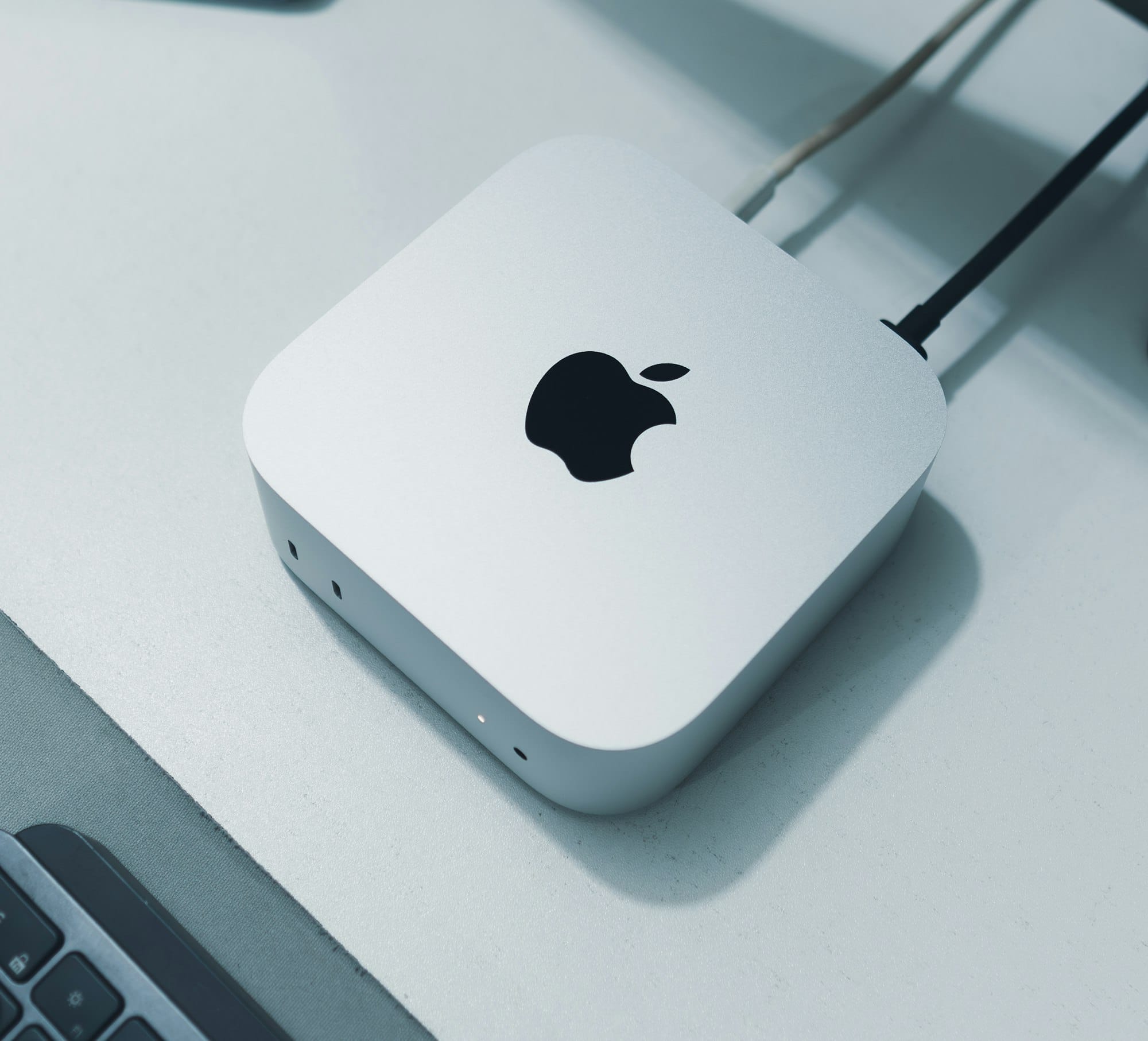
The Mac Mini M4 and MacBook Air M5 both run Apple Silicon, both handle everyday work without breaking a sweat, and both start with 16GB of unified memory. If your only question is "which Mac should I buy," the answer depends entirely on where you plan to use it — but that one variable changes almost everything about the experience.
The Mac Mini sits on a desk. It stays there. It needs a monitor, a keyboard, and a mouse before it does anything at all. The MacBook Air goes anywhere. That distinction sounds obvious until you realize how deeply it shapes what you can connect, how much you spend on peripherals, and whether the machine still makes sense two years from now. I think most people underestimate how much a desk-bound Mac Mini punches above its weight in raw expandability, and how much the MacBook Air’s portability costs in ports and thermal headroom.
The Apple Silicon M4 chip inside the Mac Mini and the M5 chip inside the MacBook Air belong to successive generations, but the real-world gap between them is narrower than Apple’s marketing suggests. Both handle Safari with forty tabs, Keynote presentations, Xcode projects, and 4K video editing in Final Cut Pro without the fan noise that Intel Macs made famous. The M5 does pull ahead in GPU-heavy tasks and Apple Intelligence workloads thanks to its enhanced Neural Engine, but unless you are rendering 3D scenes or running large local language models, you will rarely feel that difference during a normal workday.
 Ad
AdFive ports versus two changes how you work
The Mac Mini M4 gives you five USB-C ports total — two USB 3 ports on the front and three Thunderbolt 4 ports on the back — plus HDMI, Gigabit Ethernet, and a headphone jack. The MacBook Air M5 gives you two Thunderbolt 4 ports, MagSafe, and a headphone jack. That is it.
The Mac Mini connects directly to external SSDs, audio interfaces, a wired network, and up to three displays simultaneously without a single dock or adapter. The MacBook Air needs a hub the moment you want to plug in more than two things, and even with a hub, it maxes out at two external displays. If your workflow involves an external monitor, a backup drive, and a USB microphone at the same time, the Mac Mini handles all three natively as a desktop workstation while the MacBook Air starts looking for a Thunderbolt dock that costs another $150 to $300.
There is a specific friction I notice every time I look at the MacBook Air’s port situation: plugging in an HDMI cable. The Mac Mini has one built in. The MacBook Air requires a USB-C to HDMI adapter or a hub that includes HDMI. It is a small thing, but when you are setting up for a presentation or connecting to a TV, the extra adapter rattling around in your bag is a reminder that portability comes with trade-offs the spec sheet does not emphasize.
The Mac Mini M4 also supports 10 Gigabit Ethernet as a build-to-order upgrade. For anyone working with large video files on a network-attached storage setup, that alone justifies the desktop form factor. The MacBook Air has no Ethernet port at all — Wi-Fi 7 is fast, but it is not wired-fast, and it is not consistent-fast when three other people in the house are streaming.
The $599 Mac Mini is the better value if your work stays put
Starting at $599 with the Apple Silicon M4 chip, 16GB of unified memory, and 256GB of storage, the Mac Mini undercuts the MacBook Air M5 by $500 for a machine that connects to more peripherals, supports one additional external display, and runs the M4 Pro upgrade path up to 64GB of memory and 8TB of storage if you ever need it. The MacBook Air M5 caps at 32GB of memory and 4TB. Apple’s Mac Mini technical specifications confirm the full port and upgrade details.
 Ad
AdThe MacBook Air wins where it leaves the desk
Weighing 2.7 pounds with an 18-hour battery life, the 13-inch MacBook Air M5 is the kind of machine you forget is in your bag until you need it. The Mac Mini weighs 1.5 pounds but requires a 24-inch monitor that weighs eight pounds, a keyboard, and a mouse — none of which fit in a backpack. The “lighter” computer becomes the heavier setup the moment you account for everything that makes it functional.
I think the MacBook Air is the right call for students, remote workers who move between a home office and a coffee shop, and anyone who regularly presents on projectors or TVs away from their desk. If you already own a good monitor, keyboard, and mouse — or you plan to buy them anyway — the Mac Mini M4 gives you more machine for less money and a quieter computing experience with no fan at all. The Mac Mini’s aluminum enclosure acts as a passive heat sink, and in a quiet room, you genuinely forget it is running. If you do go the MacBook Air route, make sure you configure these hidden macOS Tahoe settings on day one.
This table compares the Mac Mini M4 and MacBook Air M5 across key decision factors including price, ports, display support, portability, and upgrade potential.
| Feature | Mac Mini M4 | MacBook Air M5 |
|---|---|---|
| Starting Price | $599 | $1,099 |
| USB-C / Thunderbolt Ports | 5 (2 USB 3 + 3 TB4) | 2 (Thunderbolt 4) |
| External Display Support | Up to 3 displays | Up to 2 displays |
| Portability | Desk only (1.5 lbs, needs peripherals) | Anywhere (2.7 lbs, 18-hour battery) |
| Max Memory | 64GB (M4 Pro) | 32GB |
| Base Storage | 256GB | 512GB |
| Wi-Fi Standard | Wi-Fi 6E | Wi-Fi 7 |
The wireless and display gap is real but manageable
The MacBook Air M5 ships with Wi-Fi 7 and Bluetooth 6 via Apple’s new N1 wireless chip. The Mac Mini M4 shipped in late 2024 with Wi-Fi 6E and Bluetooth 5.3. If you rely on AirDrop, Handoff, or Universal Control between a lot of Apple devices, the newer wireless standards in the MacBook Air offer slightly faster transfers and more reliable connections. That said, most people will not notice the difference unless their router also supports Wi-Fi 7.
The display situation deserves its own paragraph. The MacBook Air M5 comes with a 13.6-inch Liquid Retina display at 500 nits brightness — serviceable for most environments but noticeably dim in direct sunlight. The Mac Mini has no display. You bring your own. And that is secretly an advantage: a $300 LG 27-inch 4K monitor paired with a $599 Mac Mini delivers a larger, sharper workspace for $899 total — still $200 less than the MacBook Air alone, with 11 more diagonal inches of screen.
Do not ignore the storage gap at purchase
The Mac Mini M4 starts at 256GB, and that is tight for anyone who installs more than a handful of apps alongside their photo library. The MacBook Air M5 starts at 512GB, which is a more comfortable baseline. Apple charges $200 to upgrade the Mac Mini to 512GB at purchase, which narrows the price gap to $400 instead of $500. Keep that in mind when comparing sticker prices.
If your desk has room, your budget is tight, and portability is not a priority, the Mac Mini M4 at $599 is the most capable Mac per dollar Apple has ever shipped. If you need your Mac to follow you to campus, a client meeting, or a couch, the MacBook Air M5 at $1,099 is the machine that disappears into your routine without complaint. The right answer is the one that matches where you actually compute — not the one with the better spec sheet.
Both machines run macOS Tahoe, both support Apple Intelligence, and both connect seamlessly to your iPhone, iPad, and Apple Watch through Continuity. The decision is not about capability. It is about furniture. If you have a desk, buy the Mini. If you are the desk, buy the Air.

Related Posts
The iMac M4 Is Apple’s Best All-in-One, but Your Timing Matters
Apr 02, 2026
macOS Tahoe Update Stuck? Every Fix That Actually Works
Apr 01, 2026
macOS Tahoe 26.5 Beta Encrypts Your Android Messages
Apr 01, 2026