

🎧 Listen to this article
Prefer to listen? An audio version of this article is available for accessibility and convenience.
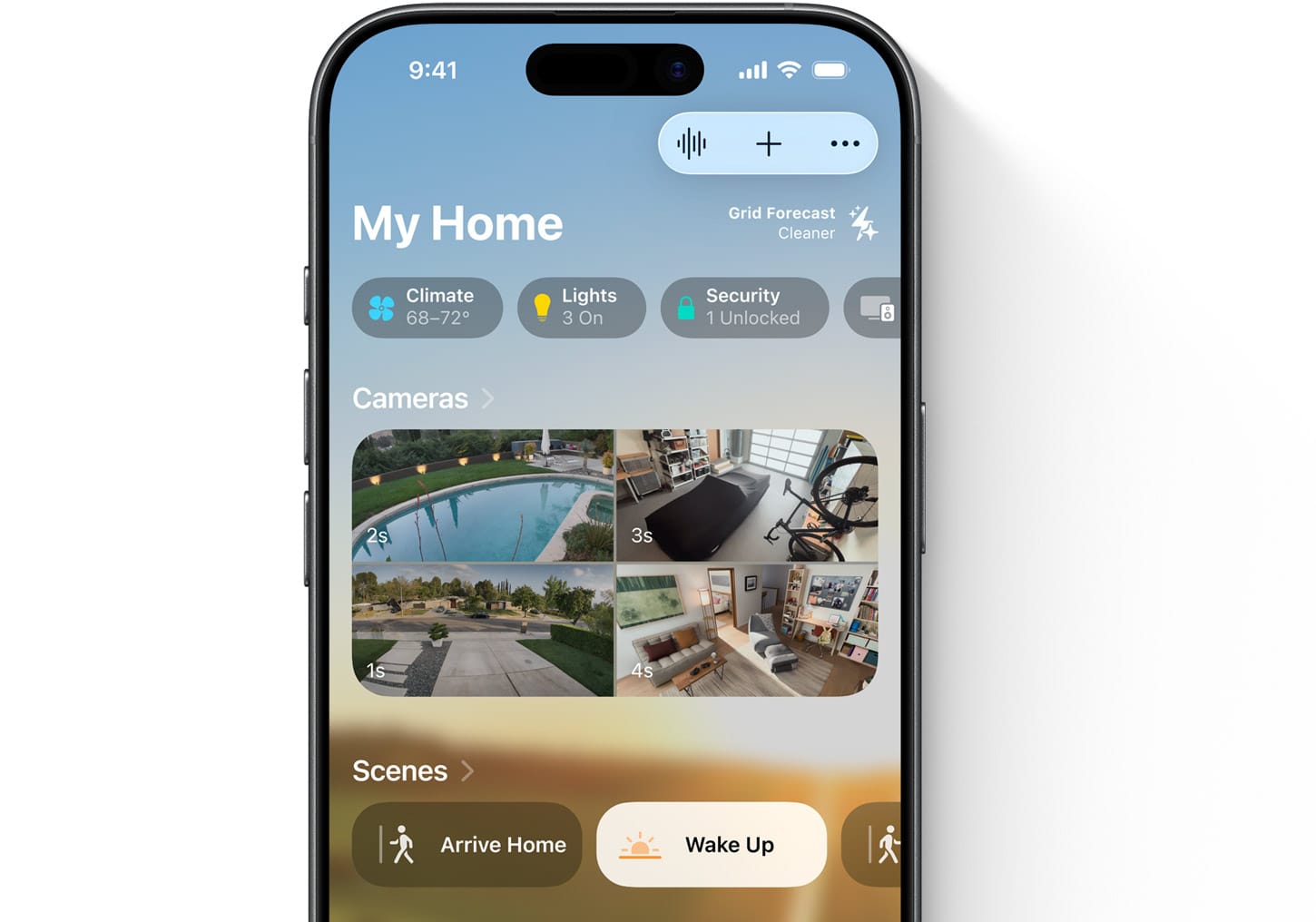
Yes, your Wyze cameras and sensors can work inside Apple Home. They do it through unofficial bridges — software tools that translate Wyze's proprietary protocol into HomeKit's language so Apple's Home app recognizes them as native accessories. The setup isn't sanctioned by either company, but it works, and thousands of people run these bridges daily without issues. If you've been searching for a definitive answer, that's it: Wyze gear in Apple Home is entirely possible right now.
It does, though, mean accepting trade-offs. Wyze deliberately skipped HomeKit certification to keep its cameras under $36, which is a business decision worth understanding rather than resenting. Every bridge method that exists today relies on unofficial APIs, community-maintained plugins, and your willingness to run a small server somewhere in your house. Some methods give you full HomeKit Secure Video with motion detection and iCloud recording. Others only let you toggle a camera's power switch. The right choice depends entirely on what you actually need from your devices inside Apple Home.
This guide breaks down the three methods that genuinely work, compares them honestly, and flags the limitations that most tutorials conveniently skip. By the end you'll know whether your specific situation calls for a free weekend project, a $300 plug-and-play box, or — and this is the answer nobody wants to hear — just buying a native HomeKit camera instead.
 Ad
AdWhy Wyze Deliberately Skipped Apple HomeKit
Apple's HomeKit Accessory Protocol isn't just a software integration. It requires dedicated hardware authentication chips in every device, strict security compliance standards, and an ongoing relationship with Apple's certification program. For a company selling cameras at $36, those costs eat directly into already razor-thin margins. Wyze made the calculation that most of its customer base cares more about price than ecosystem compatibility, and the sales numbers suggest they were right.
The situation got more concrete when Wyze VP Steve McIrvin confirmed that existing devices can't be upgraded to Matter — the new universal smart home standard that includes HomeKit compatibility — because of firmware constraints in current hardware. This isn't a software update waiting in a backlog. The chips inside your Wyze Cam v3 physically can't support the protocol. Future Wyze products might ship with Matter support, but nothing on shelves today will ever get there through official channels.
If you want to understand just how settled this question is, visit the Wyze community forum thread requesting HomeKit support. It spans over 45 pages of discussion and carries a tag that reads "Probably Not." I also really like how direct that tag is, even if it stings — Wyze isn't stringing anyone along. This is a deliberate business decision, not a technical limitation waiting to be solved. And honestly, once you accept that framing, the workaround options start to feel less like compromises and more like reasonable engineering solutions.
Three Workarounds That Bring Wyze Into Apple Home
Homebridge — Free, If You Don't Mind the Terminal
Homebridge is an open-source Node.js server that emulates Apple's HomeKit Accessory Protocol. You install it on a Raspberry Pi, a NAS, a Docker container, or any spare computer sitting around your house, and it pretends to be a HomeKit bridge that Apple's Home app can discover. The homebridge-wyze-smart-home plugin connects to your Wyze account and exposes your devices — plugs, lights, locks, contact sensors, motion sensors, and the thermostat — as HomeKit accessories. Once paired, they show up in the Home app alongside your native HomeKit devices and can participate in automations, scenes, and Siri commands.
The catch with cameras specifically is that this plugin only exposes an on/off power toggle. You won't get live video, motion alerts, or any kind of recording through Homebridge. In contrast, your contact sensors and plugs work quite well — they report state changes reliably and trigger automations within a second or two. The hardware investment is modest: a Raspberry Pi 4 runs about $35 to $75 depending on configuration, and you likely already have a USB power supply and microSD card somewhere in a drawer.
Where Homebridge gets uncomfortable is maintenance. You need basic command-line comfort to install and configure it. You'll need to generate Wyze API credentials and paste them into a config file. And because the plugin relies on Wyze's unofficial API, firmware updates from Wyze can break the plugin without warning. The moment you realize Homebridge broke because Wyze pushed a firmware update at 2 AM — and now your contact sensors don't trigger your bedroom lights — is when you understand why Apple charges for HomeKit certification. That certification fee buys reliability.
Scrypted and Docker Wyze Bridge — The Camera Specialist
If camera feeds in Apple Home are what you're actually after, Scrypted combined with Docker Wyze Bridge is the only method that delivers HomeKit Secure Video with Wyze cameras. Docker Wyze Bridge is a containerized application that logs into your Wyze account, pulls your camera streams, and re-broadcasts them as standard RTSP feeds on your local network. Scrypted then takes those RTSP feeds and presents them to HomeKit with full HKSV support — meaning you get local object detection (person, animal, vehicle), encrypted iCloud recording based on your Apple storage plan, and motion-triggered notifications on every Apple device you own.
I also really like that this approach keeps all video processing local. Nothing routes through an external server beyond the initial Wyze authentication. The object detection happens on your hardware, and recordings go to your own iCloud account with end-to-end encryption. In the worst case, if Docker Wyze Bridge loses connection to Wyze's servers, your camera feeds drop — but no video data has leaked anywhere in the process.
The trade-off is complexity. You need Docker knowledge, a machine powerful enough to transcode multiple camera streams simultaneously, and the patience to maintain three separate software layers — Docker, Wyze Bridge, and Scrypted — each with their own update cycles and potential breaking changes. This is genuinely a weekend project for someone comfortable with containerized applications, and it's an insurmountable wall for someone who's never opened a terminal. If you choose this path, expect to allocate a dedicated mini PC or repurpose an old laptop as your bridge server.
HOOBS — Pay to Skip the Learning Curve
HOOBS takes Homebridge's underlying technology and packages it into a pre-configured hardware hub with a graphical interface. You plug the HOOBS Box into your network, open a browser, navigate to the dashboard, search for the Wyze plugin, install it with a click, and enter your Wyze credentials. No terminal, no config files, no SSH sessions. The HOOBS Box retails for $299.99, though promotional pricing occasionally brings it down to $199.99. If you'd rather spend money than time, this is the path.
The honest assessment, though: HOOBS at $300 is a tough sell when you can buy a native HomeKit camera for less. The value case only makes sense if you already own five or more Wyze devices — at that point, one HOOBS Box bringing all of them into Apple Home starts to justify the cost. If you've got a single Wyze Cam and a couple of plugs, you'd be better served buying a dedicated HomeKit camera and a matter-compatible smart plug than spending $300 to bridge existing gear that might break with the next firmware update.
Here's how the three methods compare at a glance:
| Homebridge | Scrypted + DWB | HOOBS | |
|---|---|---|---|
| Cost | Free (+ ~$50 hardware) | Free (+ server) | $299.99 |
| Setup Difficulty | Moderate | High | Low |
| Camera Live Video | No | Yes (HKSV) | No |
| Sensor/Plug/Lock | Yes | Camera-only | Yes |
| Maintenance | Manual plugin updates | Multiple components | Managed updates |
 Ad
AdThe Limitations Nobody Mentions Up Front
Every method described above relies on unofficial Wyze APIs. This is the fundamental fragility that no tutorial emphasizes enough. Wyze has no obligation to maintain backward compatibility with these community-built integrations, and historically, firmware updates have broken plugins multiple times. When it happens, you're dependent on volunteer plugin maintainers to reverse-engineer the changes and push a fix — which might take hours or might take weeks.
Beyond the API risk, there are functional gaps that affect every bridge method equally. No HomeKit bridge supports two-way audio from Wyze cameras. Pan and tilt controls on cameras like the Wyze Cam Pan don't transfer to Apple Home — you can view the stream but can't remotely adjust the viewing angle. Bridged devices respond noticeably slower than native HomeKit accessories, typically adding one to three seconds of latency to every command and state change. And your bridge server has to run 24/7, or your smart home automations simply stop working until it comes back online.
There's also the security context worth acknowledging. In 2024, Wyze experienced a security breach that briefly let approximately 13,000 users see thumbnail images and event clips from other people's cameras. Running your camera feeds through unofficial software layers doesn't make this better or worse — the breach happened at Wyze's server level — but it's relevant context when you're deciding how much trust to place in an ecosystem that already had a serious lapse.
Which Method Actually Deserves Your Time
If you primarily want sensors, plugs, and locks inside Apple Home, Homebridge is the straightforward answer. The plugin ecosystem is mature, the community support is extensive, and the hardware investment is under $75. If you're someone who's ever set up a HomeKit smart home from scratch, you'll find Homebridge's learning curve manageable. It handles non-camera Wyze devices well, and those devices tend to be the ones that benefit most from HomeKit integration anyway — contact sensors that trigger automations, plugs that respond to scenes, locks that work with Siri.
If you specifically need camera feeds in the Home app with HomeKit Secure Video, Scrypted and Docker Wyze Bridge is the only real option. Be prepared for a genuine weekend project, and be honest with yourself about whether you'll maintain it long-term. Multiple software components require ongoing attention, and a Wyze firmware update or a Docker container failing at the wrong moment means your security cameras silently stop recording until you notice and intervene.
And here's the answer nobody wants to hear: if HomeKit Secure Video for cameras is what you're truly after, buying a native HomeKit camera like the Eve Cam or Aqara Camera Hub G3 might genuinely be less work than maintaining the Scrypted pipeline. You can find solid options in our guide to HomeKit devices that earn a spot in your smart home. Wyze's decision to skip HomeKit is understandable from a business perspective, but the "Probably Not" tag on their forum request feels dismissive of a loyal customer base that wants to live in Apple's ecosystem. Until that changes — and it very likely won't — the bridge you build is only as reliable as the time you're willing to spend keeping it standing.

Related Posts
Apple TV Just Became the Only Way to Watch F1 in America
Mar 07, 2026
Apple HomePod Gen 1 vs Gen 2: Which Speaker Deserves a Spot in Your Home
Mar 06, 2026
The Apple HomePod Sounds Incredible, but Three Years Later, Should You Still Buy One?
Mar 05, 2026