
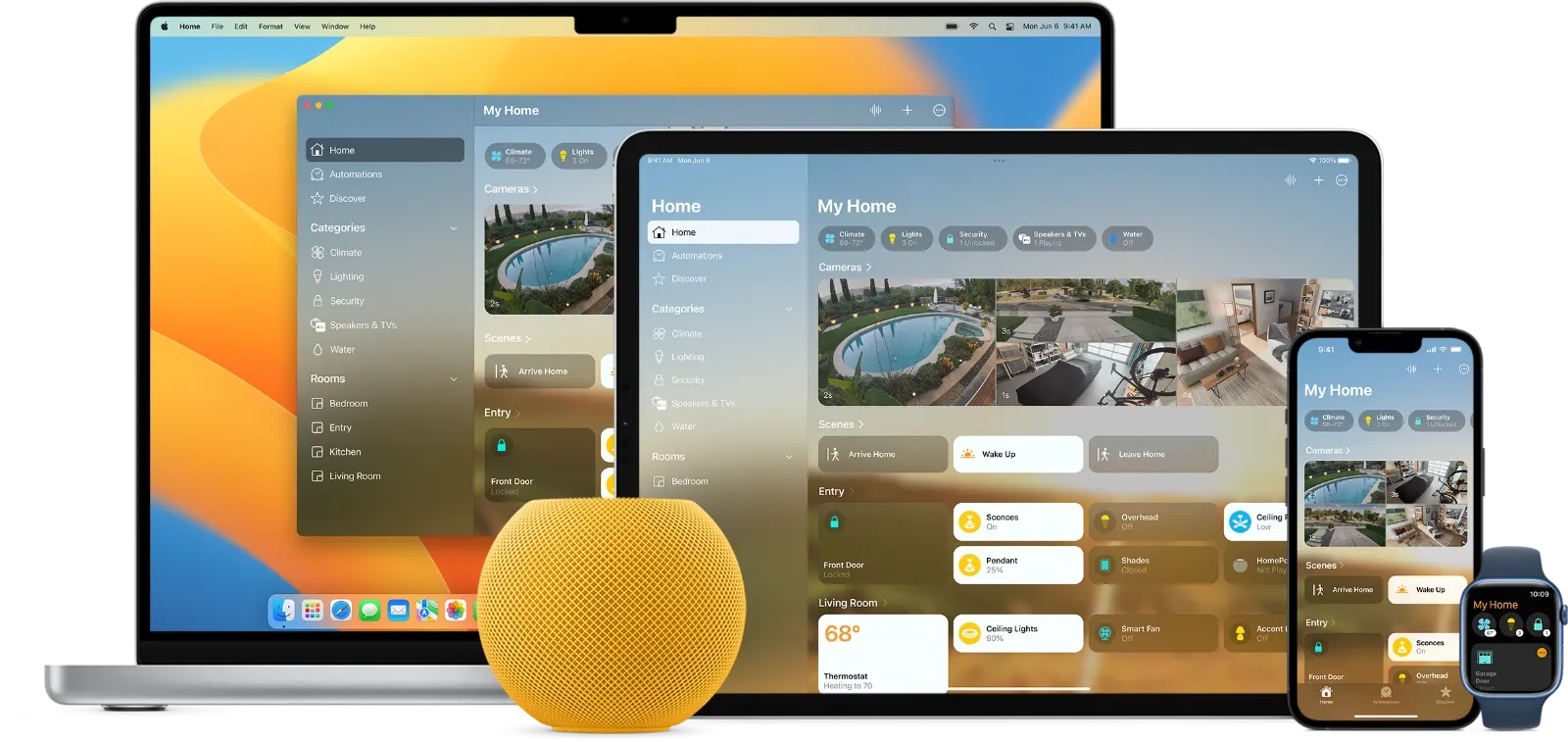

Apple's smart home ecosystem faces a hard deadline on February 10, 2026, when support for the legacy Home app architecture ends permanently. To continue controlling your smart lights, locks, thermostats, and cameras through the Home app, you need the upgraded architecture running on a compatible home hub. Checking your upgrade status takes thirty seconds, and completing the transition requires only a few taps.
Key Takeaways
- Apple ends legacy Home architecture support on February 10, 2026
- Check your status in Settings on your iPhone, then tap Home, then tap Home Settings
- Only Apple TV 4K and HomePod devices qualify as home hubs under the new system
- iPads no longer function as home hubs due to missing Thread support
- The upgrade preserves all accessories, automations, and shared user access
- Delaying risks losing access to your entire smart home setup overnight
| Feature | Legacy Architecture | New Architecture |
|---|---|---|
| Home Hub Devices | Apple TV, HomePod, iPad | Apple TV 4K, HomePod only |
| Thread Support | No | Yes |
| Matter Compatibility | Limited | Full |
| Response Speed | Often delayed | Significantly faster |
| Automation Reliability | Inconsistent | Improved |
Why Apple Made This Change
The original HomeKit architecture debuted over a decade ago, built for a different era of smart home devices. Back then, Wi-Fi accessories dominated the market, and the protocol worked reasonably well for basic control. Over the past few years, though, the smart home landscape shifted dramatically. Thread-enabled devices require a mesh network that older systems cannot provide. Matter certification demands cross-platform interoperability that the legacy framework was never designed to handle.
Apple introduced the updated Home app foundation in late 2022 with iOS 16.2, iPadOS 16.2, macOS 13.1, tvOS 16.2, and watchOS 9.2. The company allowed both architectures to coexist, giving users time to transition at their own pace. That grace period officially ends on February 10, 2026.
The new architecture addresses long-standing complaints that plagued the original system. Persistent "Updating..." status indicators, sluggish automation triggers, and unreliable accessory responses all traced back to fundamental limitations in the legacy framework. Thread support creates a responsive mesh network between compatible accessories, eliminating the latency that made HomeKit feel slow compared to competing platforms.
How to Check Your Upgrade Status
Open the Settings app on your iPhone or iPad. Scroll down and tap Home. Select Home Settings from the options that appear. Under the Home Hubs & Bridges section, look for your upgrade status.
If you see a message indicating you're running the new architecture, no further action is required. Your setup will continue functioning normally after February 10.
If you see an option to upgrade, tap it and follow the on-screen prompts. The process typically completes within a few minutes. All your accessories, rooms, automations, and shared user access transfer automatically.
If the upgrade option appears grayed out, your current home hub device may not support the new architecture. This commonly occurs when an iPad serves as the primary home hub, since iPads lack Thread radios and permanent wired power connections that the new system requires.
Which Devices Qualify as Home Hubs
Under the updated architecture, only two device categories can serve as home hubs: Apple TV 4K (third generation) and HomePod speakers.
The Apple TV 4K with Wi-Fi and Ethernet stands as the premium choice for larger smart home setups. Its wired connection provides rock-solid network stability that wireless hubs cannot match. Thread support creates the mesh backbone your smart accessories need for reliable communication. The 128GB model includes all the connectivity options, while the 64GB Wi-Fi-only variant lacks both Ethernet and Thread capabilities.
Affiliate disclosure: some links in this article are Amazon Associate links. If you buy through them, Zone of Mac may earn a small commission at no extra cost to you, and we only recommend products that genuinely bring value to your Apple setup.
The Apple TV 4K handles the heavy lifting of coordinating your entire smart home while simultaneously streaming content to your television. Position it centrally within your home for optimal Thread mesh coverage. The Ethernet port connects directly to your router, ensuring the hub never drops offline due to Wi-Fi interference. Here's where to get the Apple TV 4K with Wi-Fi + Ethernet https://www.amazon.com/dp/B0BJMGB95J?tag=zoneofmac-20
HomePod mini offers a more affordable entry point at $99. Despite its compact size, the spherical speaker contains the same Thread radio and home hub capabilities as its larger sibling. Place one in a central location, and your smart home gains a responsive hub that also plays music, answers questions, and controls accessories by voice. The midnight colorway blends naturally into most room decor without drawing attention to itself.
For households with accessories spread across multiple floors or distant rooms, consider deploying HomePod mini speakers strategically throughout your home. Each unit extends the Thread mesh network, improving coverage and reducing response latency for accessories far from the primary hub. Here's where to buy the HomePod mini https://www.amazon.com/dp/B0F9LPGG9Z?tag=zoneofmac-20
What Happens If You Miss the Deadline
The consequences extend beyond simple inconvenience. On February 11, 2026, users still running the legacy architecture will find their carefully configured automations have stopped functioning. Smart lights will not respond to Home app commands. Locks will ignore remote unlock requests. Thermostats will disconnect from scheduled temperature adjustments.
HomeKit Secure Video recordings become inaccessible through the Home app. Shared users lose their access permissions entirely. Any routines you've built over the years, from morning coffee sequences to evening security protocols, will simply stop executing.
Apple will not provide a mechanism to recover these configurations retroactively. The company has repeatedly extended the original deadline precisely because the cutoff is absolute. Once February 10 passes, the legacy servers that support the old architecture will cease operation.
Accessibility and Clarity
The upgrade process itself presents minimal accessibility barriers. VoiceOver users will find all interface elements properly labeled within the Home Settings screen. The confirmation dialogs announce clearly when tapped, and the progress indicators provide audio feedback during the migration process.
For users with cognitive accessibility needs, the upgrade requires only four sequential taps: Settings, Home, Home Settings, then the Upgrade button. No complex decision trees or branching options complicate the process. Apple designed the flow as a single linear path from start to completion.
The most significant accessibility consideration involves physical device placement after upgrading. Thread mesh networks perform best when hubs have clear line-of-sight to accessories. Avoid burying your Apple TV behind furniture or placing HomePod mini inside cabinets where the radio signal must penetrate multiple barriers.
Quick-Action Checklist
Check your current architecture status: Settings then Home then Home Settings
Verify your home hub device supports the new architecture (Apple TV 4K third generation or HomePod)
If using an iPad as your current hub, purchase a qualifying replacement device before February 10
Ensure all household members have updated to iOS 16.2 or later, iPadOS 16.2 or later, macOS 13.1 or later
Tap Upgrade when prompted and wait for the process to complete
Test a few automations and accessory controls to confirm everything transferred correctly
Remove any iPad from the Home Hub role if one was previously assigned

Tori Branch
Hardware reviewer at Zone of Mac with nearly two decades of hands-on Apple experience dating back to the original Mac OS X. Guides include exact settings paths, firmware versions, and friction observations from extended daily testing.
Related Posts
HomeKit Ceiling Fans That Earn a Spot in Your Apple Home
Apr 07, 2026
The Apple TV 4K Settings You Skipped Are Ruining Your Movies
Apr 06, 2026
The HomeKit Weather Sensors That Belong in Every Apple Home
Apr 05, 2026