
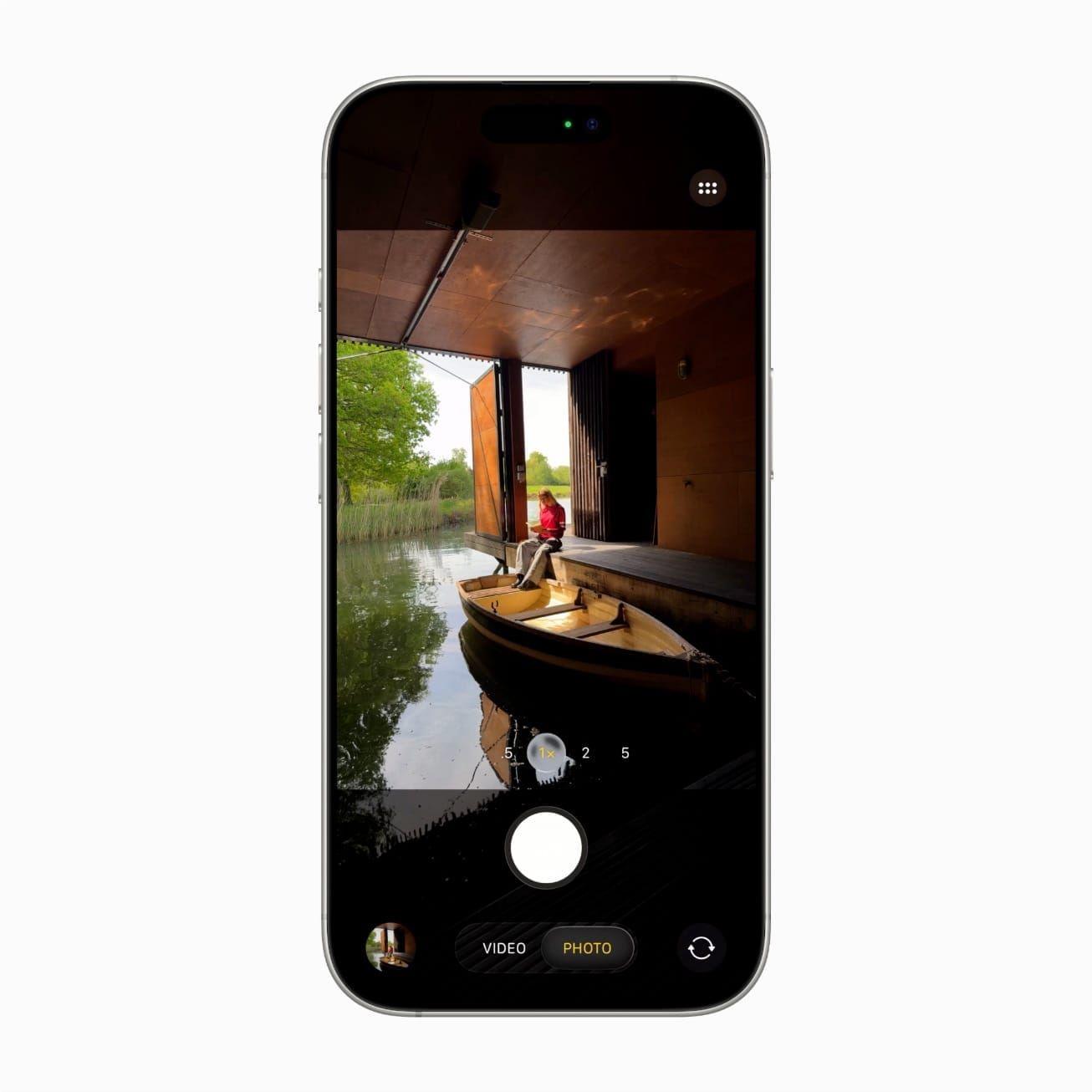

Modern iPhones have reached a point where the camera hardware genuinely rivals dedicated cameras for most everyday photography. The iPhone 17 Pro’s 48MP Fusion sensor paired with a tetraprism 5x telephoto lens produces images that hold up at print sizes and in professional editing workflows. For the vast majority of shots, the phone in your pocket is the only camera you need.
Here is the complication most people overlook: computational photography handles color science, exposure blending, noise reduction, and depth mapping with remarkable precision, but it cannot solve two physical problems. The first is stability. A phone held in human hands during a one-to-three-second Night Mode exposure will move, and that movement creates ghosting that no algorithm can fully undo. The second is optical reach. Once you zoom past the built-in lens system’s maximum, the camera crops and enlarges pixels rather than gathering new light, and the resulting image degrades in ways that software tries to patch but never truly repairs.
These two gaps are where a pair of compact accessories turn a good phone photo into one that looks like it came from a dedicated camera kit.
What Computational Photography Cannot Fix
Apple’s camera pipeline, documented in their Camera Control human interface guidelines, coordinates sensor fusion across multiple lenses and applies Smart HDR frame stacking in real time while the Photonic Engine pulls detail out of shadows and highlights simultaneously. The system processes over a trillion operations per photo. It is, by any reasonable measure, extraordinary engineering.
But two things remain stubbornly hardware-bound. During a Night Mode exposure lasting one to three seconds, the phone must stay perfectly still. Even a slight tremor from your pulse introduces motion blur and ghosting artifacts that post-processing can reduce but not eliminate. The second constraint is optical zoom distance. The iPhone 17 Pro’s 5x telephoto reaches 120mm equivalent, which is impressive for a phone, but anything beyond that range triggers digital zoom. Digital zoom crops into the existing sensor data and interpolates new pixels, introducing noise and softness along with color fringing that computational photography attempts to mask but cannot fully resolve.
Software keeps getting better at compensating for these limitations, and there are plenty of iPhone photography tricks that squeeze more quality out of the built-in hardware. But at a certain point, physics wins. A stable mounting surface and real glass optics do things that code running on a chip simply cannot replicate.
Affiliate disclosure: some links in this article are Amazon Associate links. If you buy through them, Zone of Mac may earn a small commission at no extra cost to you, and we only recommend products that genuinely bring value to your Apple setup.
A Tripod That Fits in Your Back Pocket
Traditional tripods solve the stability problem but create a new one: nobody wants to carry a tripod around. Phone clamp mounts feel flimsy and take too long to set up. Most MagSafe-compatible mounts hold the phone in place for passive viewing but lack the precision angle adjustment a real tripod head provides.
The Peak Design Mobile Tripod takes a different approach. It packs down to roughly half a centimeter thick, made from anodized aluminum with anti-slip TPU feet that grip surfaces without scratching. The design unfolds into four positions: a traditional three-legged tabletop tripod, a kickstand for propping the phone at an angle, a handheld grip for steady video, and a flat-folded state that slips into a pocket. MagSafe magnets on the mounting plate snap onto the back of your iPhone with a confident click and hold securely in both vertical and horizontal orientation. A micro ballhead with adjustable tension lets you dial in the exact angle, and the tension key is magnetically integrated into the tripod body so it does not get lost.
One thing worth knowing: with larger phones like the iPhone Pro Max models, the tripod can struggle at extreme tilt angles. The legs are relatively short compared to the phone’s weight and height, so steep downward angles risk tipping. For tabletop shots and Night Mode exposures at moderate angles, it handles the job without complaint. For overhead food photography or aggressive downward compositions, a full-size tripod with a phone mount remains the better tool. This is a pocket tripod, and it performs best within those constraints.
The Peak Design Mobile Tripod carries a 4.4 out of 5 rating across 508 reviews. You can pick up the Peak Design Mobile Tripod on Amazon.
When Your iPhone Needs a Longer Reach
The iPhone 17 Pro’s built-in 5x telephoto at 120mm equivalent is impressive for a phone, but the 2x option that many photographers prefer for portraits actually operates at 48mm equivalent using a sensor crop from the main 48MP sensor rather than a dedicated telephoto lens. The image quality is good, but it is not optical-quality good. Background separation relies on Apple’s computational Portrait Mode, which analyzes depth data and applies a software-generated blur that sometimes struggles around fine details like hair and glasses.
An external telephoto lens solves this by adding true optical magnification with physical glass elements. The ShiftCam LensUltra 60mm Telephoto uses multi-element fluorite glass construction at just 109 grams. It delivers 2x magnification with a 30-to-40-centimeter focus distance, producing a sharp center with a natural, gradual focus falloff at the edges. The bokeh this lens creates comes from real optics bending light, not from a depth map algorithm deciding which pixels to blur. The difference is visible in side-by-side comparisons, particularly in the way out-of-focus highlights render as smooth circles rather than the slightly artificial shapes that computational Portrait Mode sometimes produces.
The friction here is the mounting system. The ShiftCam LensUltra requires either a ShiftCam-branded phone case or their universal clip mount to attach securely over the camera lens. This means you either commit to their case ecosystem, which limits your case choices, or you carry their universal clip as one more accessory that could get left behind in a bag. The lens cap is magnetic and sits on nicely, but it can detach if jostled inside a backpack or pocket. A small lens pouch solves this, though it would be better if the cap locked into place with a quarter-turn mechanism.
The ShiftCam LensUltra 60mm Telephoto holds a 4.1 out of 5 rating from 207 reviews. Here is the ShiftCam LensUltra 60mm Telephoto on Amazon.
How These Two Accessories Work Together
These two products address fundamentally different limitations. The tripod solves the stability problem that ruins long exposures and low-light shots. The lens solves the optical quality problem that degrades portraits and telephoto images. They complement each other because they never compete for the same use case.
| Feature | Peak Design Mobile Tripod | ShiftCam LensUltra 60mm |
|---|---|---|
| Primary Use | Stability and long exposures | Optical zoom and portraits |
| Weight | Ultra-light (fits in pocket) | 109g (lens only) |
| Mounting | MagSafe snap-on | ShiftCam case or universal clip |
| Best For | Night Mode, time-lapses, video calls | Portraits, street photography, detail shots |
Mount the tripod for a Night Mode cityscape, and the three-second exposure comes out sharp because the phone is not moving. Attach the ShiftCam lens for a street portrait, and the background melts into genuine optical bokeh instead of computational blur. Use both together, the lens on the phone and the phone on the tripod, for telephoto shots that require both optical quality and absolute stability. Time-lapses benefit from this combination particularly well, since the tripod eliminates drift while the lens brings distant subjects closer without resorting to digital zoom.
Serious iPhone videographers working with these accessories may also want to consider recording ProRes video to an external SSD for maximum quality retention, since ProRes files at 4K consume storage rapidly and an external drive keeps the iPhone’s internal storage free for additional takes.
Join The Inner Circle For Serious Apple Users
Exclusive Apple tips. Free to join.
Check your inbox for a confirmation link.
Something went wrong. Please try again.
Accessibility and Clarity
The Peak Design Mobile Tripod’s MagSafe snap-on mount is a meaningful accessibility win for users with limited grip strength or dexterity. Traditional phone tripod mounts use spring-loaded clamps that require squeezing two sides apart while simultaneously positioning the phone, a two-handed task that demands coordination and grip force. The magnetic attachment replaces that entire process with a single motion: bring the phone near the mount and let the magnets pull it into alignment. The connection provides both tactile and audible feedback through a distinct click, confirming the phone is secure without requiring visual verification. This benefits visually impaired users who cannot see whether the phone is properly seated. The ballhead tension adjustment uses a small magnetically stored key, which may present difficulty for users with fine motor challenges since the key requires a pinch grip and rotational wrist movement.
The ShiftCam LensUltra adds 109 grams to the phone, which could cause fatigue during extended one-handed shooting for users with wrist or hand conditions such as carpal tunnel syndrome or arthritis. The lens cap is small and magnetically attached, posing a challenge for users with reduced finger sensitivity who may not feel whether the cap is fully seated or about to fall off. The universal clip mount requires precise visual alignment over the camera lens, which may be difficult for users who cannot confirm alignment without seeing it. A tactile guide ridge or detent around the lens opening would improve this significantly.
From a cognitive accessibility standpoint, both products are single-purpose physical tools with no software setup and no app configuration required. This keeps the cognitive load low compared to accessories that require companion apps or firmware updates. The Peak Design tripod’s multi-mode design is intuitive because the physical form communicates the function: unfold the legs and it is a tripod, fold two legs back and it is a kickstand. The mental model maps directly to the physical state, so there is nothing to memorize or configure.
For users who rely on VoiceOver or other assistive technologies, neither accessory interferes with any of the iPhone’s built-in accessibility features. Both are purely mechanical attachments that do not modify software behavior, intercept touch input, or block any portion of the screen.
Quick-Action Checklist
- Check your iPhone model for MagSafe compatibility (iPhone 12 or later)
- Open Settings, then scroll to Camera, then confirm Night Mode is set to Auto
- Attach the Peak Design Mobile Tripod via MagSafe and adjust the ballhead angle
- Frame your shot, set a 3-second timer (tap the timer icon in the top toolbar), and let Night Mode do its work
- For telephoto shots, attach the ShiftCam LensUltra to the main camera (the largest lens on the back of your phone)
- Switch to 1x zoom in the Camera app to let the external lens handle magnification
- Tap to focus on your subject and shoot

Tori Branch
Hardware reviewer at Zone of Mac with nearly two decades of hands-on Apple experience dating back to the original Mac OS X. Guides include exact settings paths, firmware versions, and friction observations from extended daily testing.
Related Posts
iOS 26.4.1 Fixes the iCloud Bug That Broke Your Apps
Apr 09, 2026
iOS 26.4 Drains Your iPhone Battery. Here’s What Fixes It
Apr 09, 2026
Your iPhone Finally Lets You Create Custom Ringtones in iOS 26
Apr 08, 2026