

🎧 Listen to this article
Prefer to listen? An audio version of this article is available for accessibility and convenience.
The Apple Silicon M5 Mac Mini is on Apple’s confirmed roadmap for 2026, promising a faster 10-core CPU, a redesigned GPU with Neural Accelerators baked into every core, and up to four times faster on-device AI performance compared to the current Apple Silicon M4 generation. The catch? Nobody outside Cupertino knows exactly when it ships, and the M4 Mac Mini sitting on store shelves right now is genuinely excellent.
I find myself recommending the Mac Mini to friends more than any other Mac, and this M5 question keeps coming up. The answer depends on what you actually need the machine to do, how much you care about Apple Intelligence performance, and whether you can stomach buying a desktop that might feel outdated by fall.
 Ad
AdApple’s M5 chip debuted in the MacBook Air in March 2026, built on TSMC’s third-generation 3-nanometer process with a 10-core CPU and up to a 10-core GPU. The MacBook Air M5 scored 17,073 on Geekbench 6 multi-core tests, roughly 15 percent faster than the M4’s average of 14,731. That is a real improvement, but not the kind of leap that makes the M4 feel obsolete overnight.
Where the M5 gets interesting is the GPU. Apple redesigned the shader cores and added a third-generation ray-tracing engine. Each GPU core now includes a dedicated Neural Accelerator, which is a first for Apple Silicon. That architecture is what pushes AI workloads to four times the performance of the M4 and 9.5 times faster than the original M1. If you run any local AI tools — image generation, transcription, large language model inference — the M5’s Neural Engine improvements matter far more than the CPU bump.
What the M5 Mac Mini Will Probably Look Like
Bloomberg’s Mark Gurman reported in his Power On newsletter that Apple plans to ship Mac Mini models with both M5 and M5 Pro chips in 2026. The current expectation from multiple sources is a release sometime between spring and the middle of 2026, following the Mac Studio M5 refresh. Some reports initially pegged early 2026, but since March passed without an announcement, a WWDC or fall timeline looks more realistic.
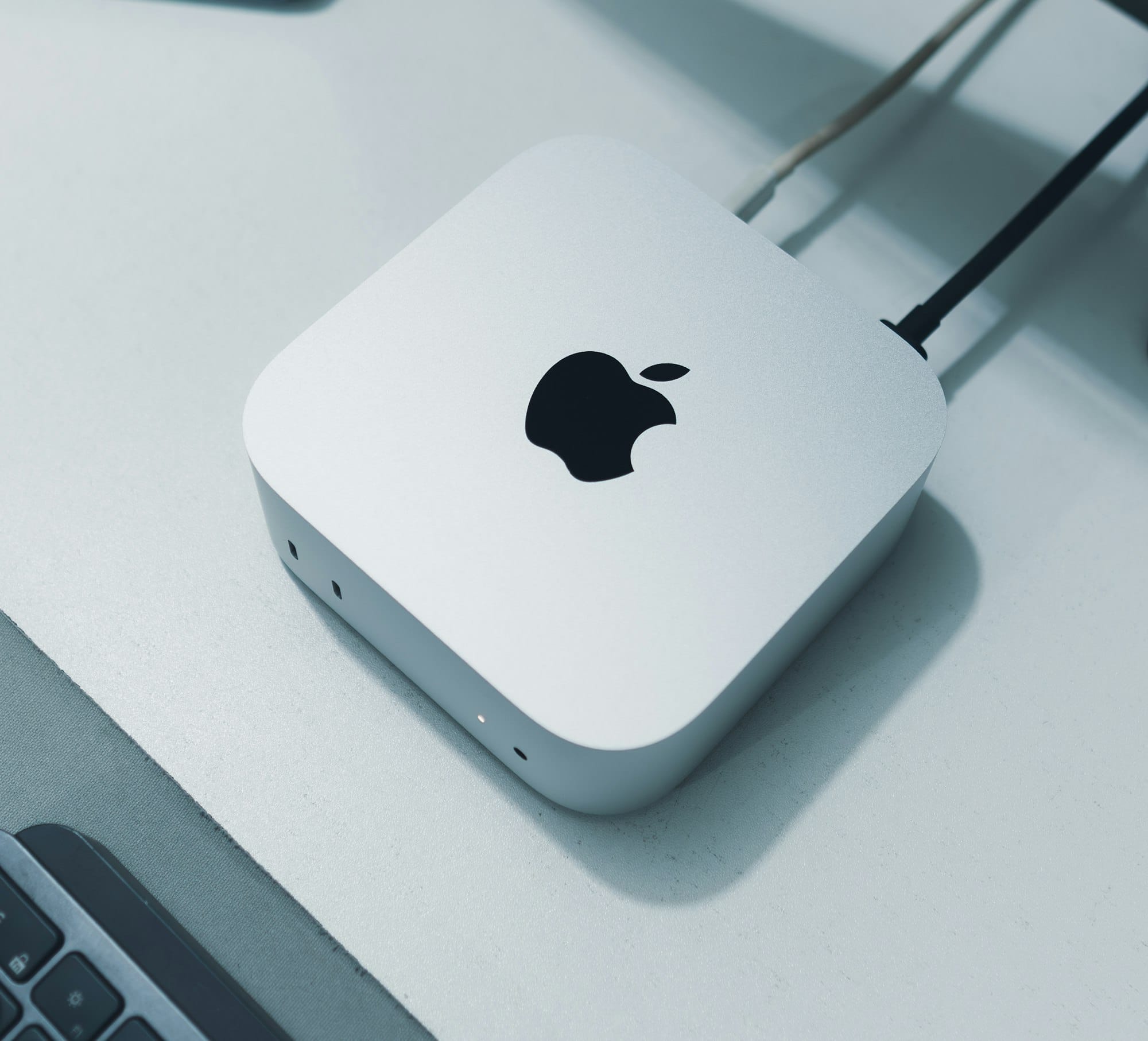
Physically, the Mac Mini M5 is expected to look identical to the M4 model — same 5-by-5-inch aluminum enclosure, same port layout with two USB-C ports and a headphone jack up front, three Thunderbolt ports, HDMI, and Ethernet around back. Apple redesigned the chassis for the M4 generation and typically rides a design for at least two chip cycles.
The base M5 model should start at 16 gigabytes of unified memory with options up to 32 gigabytes. The M5 Pro variant is expected to offer 24 gigabytes, 48 gigabytes, and 64 gigabytes of unified memory, with memory bandwidth jumping to 307 gigabytes per second — a meaningful upgrade for video editors and developers running large compilation jobs. Storage is rumored to start at 256 gigabytes for the base model and go up to 2 terabytes, while the Pro model could stretch to 8 terabytes of SSD storage.
One detail that frustrates me: the base M5 Mac Mini will likely keep Thunderbolt 4 ports while only the M5 Pro model gets Thunderbolt 5, matching the split Apple established with the M4 lineup. If you need Thunderbolt 5 speeds for external storage workflows, that pushes you toward the $1,399 M5 Pro tier rather than the $599 base model. Apple documents the full Thunderbolt specification differences on its Mac port identification support page.
 Ad
AdShould You Buy the M4 Mac Mini Right Now
Here is where I land on this. The M4 Mac Mini is a fantastic computer. The 10-core CPU and 10-core GPU handle everything from web development to 4K video editing to running local AI models through tools like Ollama and LM Studio. Apple sells the base model with 16 gigabytes of RAM, 256 gigabytes of SSD storage, and three Thunderbolt 4 ports on the back for $599, and Amazon has been discounting it to $499 regularly since January.
If you need a desktop Mac today — for school, for work, for a home studio — waiting months for a 15 percent CPU bump is hard to justify. That is real time you could be productive. And the M4 already runs Apple Intelligence, supports the full macOS Tahoe feature set, and handles multitasking without breaking a sweat.
But there are two scenarios where waiting makes sense.
First, if local AI performance is your primary motivation. The M5’s per-core Neural Accelerators are not just faster — they represent a different architecture. Running Whisper transcription, Stable Diffusion image generation, or local large language models through MLX will see a genuine generational leap, not just incremental improvement. If that is your workflow, the M5 is worth the wait. If you already have a Mac Mini M4 and want to push its AI capabilities right now, OpenClaw is an always-on AI assistant worth exploring.
Second, if you are eyeing the M5 Pro tier for professional work. The jump from M4 Pro to M5 Pro is more significant than the base chip upgrade. The M5 Pro brings an 18-core CPU with six super cores, Thunderbolt 5 with 120 gigabytes-per-second bandwidth, and up to 64 gigabytes of unified memory at 307 gigabytes per second. For video producers, 3D artists, and developers running heavy Docker environments, those numbers translate to real workflow gains that justify waiting.
Education Pricing and Student Discounts
The M4 Mac Mini already holds the distinction of being Apple’s most affordable desktop through the Education Store. Students and educators can pick up the base M4 Mac Mini for $499 through Apple’s education pricing portal — the same price Amazon’s sale has been matching. When the M5 arrives, Apple will almost certainly maintain the $599 retail base price and the corresponding education discount. If you qualify for education pricing through Apple’s Education Store, the Mac Mini remains the cheapest way into the Apple Silicon desktop ecosystem by a wide margin.
Keep in mind that Apple typically runs a Back to School promotion between June and September, bundling a free Apple gift card (usually $100 to $150 for Mac purchases) with education-priced hardware. If the M5 Mac Mini launches around WWDC in June, there is a real chance the Back to School deal overlaps with the new hardware — which would make waiting doubly worthwhile for students.
Desktop Versus Laptop: When the Mac Mini Beats the MacBook Air
The MacBook Air M5 launched in March 2026 at $1,199 and shares the same M5 chip the Mac Mini will use. So why consider a desktop at all?
The Mac Mini at $599 delivers identical chip performance to a $1,199 MacBook Air, which means you save $600 that could go toward a quality external monitor, mechanical keyboard, and proper desk setup. That $600 gap buys a genuinely better daily computing experience — a 27-inch 4K display where you can see your whole project at once, a keyboard with real key travel instead of the thin, shallow laptop keys, and an ergonomic setup where the screen sits at eye level. If you are building a desk setup from scratch, our guide to building a dream Mac workstation walks through the full process.
The second reason is thermals. The Mac Mini can sustain peak performance indefinitely because its thermal envelope is not constrained by a thin laptop chassis. The MacBook Air has no fan and will throttle under sustained workloads like long video exports, extended compilation jobs, or continuous AI inference. The Mac Mini’s internal fan keeps the chip running at full speed without the thermal compromises that every laptop makes.
If your work involves sustained heavy lifting rather than burst tasks, the Mac Mini’s thermal headroom is a genuine advantage. If you need portability, buy the MacBook Air. But if your Mac lives on a desk, the Mac Mini gives you more performance per dollar and a better ergonomic foundation.
How I Would Configure a Mac Mini M5
While we wait for the actual announcement, here is the configuration I would build if Apple launched the M5 Mac Mini tomorrow. For most people, the base M5 with 16 gigabytes of unified memory and 512 gigabytes of storage hits the sweet spot. The 256 gigabyte option exists, but macOS Tahoe and a handful of apps will eat half of that before you start working.
For anyone running local AI workloads or doing serious video editing in Final Cut Pro, I would jump to 24 gigabytes of RAM. Unified memory on Apple Silicon serves as both system memory and GPU memory, so more RAM directly translates to larger AI models and longer video timelines held in memory.
Skip the M5 Pro unless you genuinely need Thunderbolt 5 bandwidth, more than 32 gigabytes of unified memory, or you regularly push CPU-intensive workloads for extended periods. The base M5 is more than enough for the vast majority of creative and professional work. Apple would love you to spend $1,399, but the $599 to $799 tier is where the Mac Mini’s value actually lives.

Related Posts
The iMac M4 Is Apple’s Best All-in-One, but Your Timing Matters
Apr 02, 2026
macOS Tahoe Update Stuck? Every Fix That Actually Works
Apr 01, 2026
macOS Tahoe 26.5 Beta Encrypts Your Android Messages
Apr 01, 2026