

🎧 Listen to this article
Prefer to listen? An audio version of this article is available for accessibility and convenience.
The right iPhone 17 storage tier for most people is 256GB — Apple doubled the base from 128GB this generation, and the extra room handles a typical mix of apps, photos, and the growing Apple Intelligence footprint without breaking a sweat. The complication is that Apple still locks you into your storage choice permanently. You cannot upgrade after purchase, and there is no microSD slot coming to save you. A $200 savings at checkout can become a daily frustration eighteen months later if your usage shifts, and I think this decision deserves more thought than the thirty seconds most buyers give it.
This year’s lineup spans four capacity tiers across three models. The math changes depending on which iPhone 17 you are considering and how long you plan to keep it.
 Ad
AdWhat Each iPhone 17 Model Actually Offers
Apple simplified the storage story by making 256GB the floor across every iPhone 17 model. The standard iPhone 17 offers 256GB at $829 or 512GB at $1,029. The iPhone 17 Pro adds a 1TB option at $1,499. The iPhone 17 Pro Max goes further with a first-ever 2TB tier at $1,999.
Each storage jump costs exactly $200 — except the leap from 1TB to 2TB on the Pro Max, which doubles to $400. That asymmetry is worth noticing before you assume consistent pricing up the ladder. Apple publishes the full technical specifications for the iPhone 17 Pro lineup and the standard iPhone 17, and I would check both before walking into the store.
The following table compares all four iPhone 17 storage tiers by availability, cost, approximate usable space, and ideal user profile.
| Tier | Available On | Price Jump | Usable Space | Best For |
|---|---|---|---|---|
| 256GB | All models | Base price | ~225GB | Streamers, 2-year upgraders |
| 512GB | All models | +$200 | ~490GB | Video shooters, 3+ year keepers |
| 1TB | Pro, Pro Max | +$200 | ~975GB | ProRes creators, large-file pros |
| 2TB | Pro Max only | +$400 | ~1.95TB | Professional filmmakers |
How Much Space You Actually Get on Day One
A 256GB iPhone 17 does not hand you 256 gigabytes of usable space. iOS 26 itself takes roughly 15GB after installation, Apple Intelligence reserves about 7GB for its on-device language and image models, and system caches, logs, and pre-installed apps chip away at the rest. In practice, you start with around 225GB of free storage.
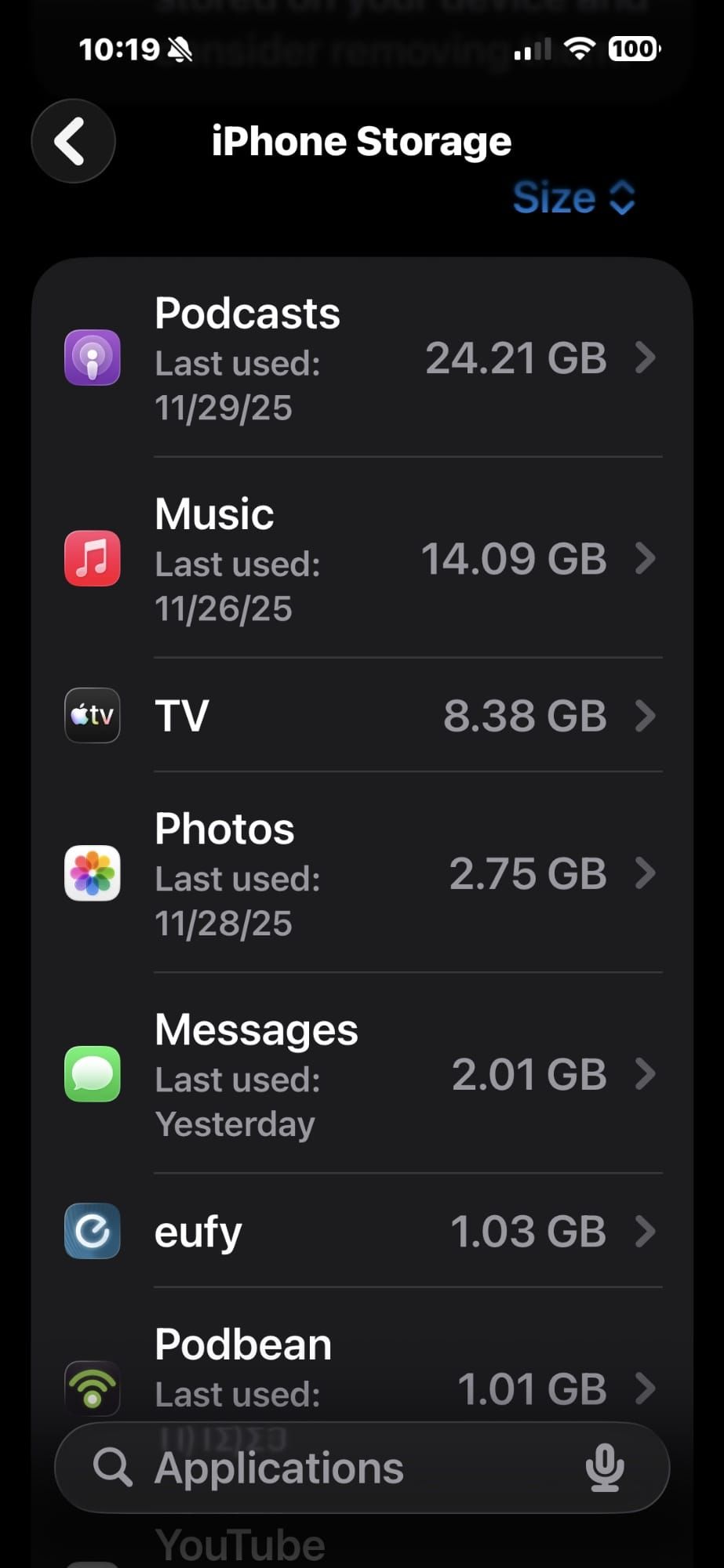
That sounds generous. It is — for now. The iPhone 17’s 48-megapixel main camera produces HEIF photos averaging 5 to 7MB each. Switch to ProRAW on a Pro model and individual shots hit 75MB. A single minute of 4K video at 60fps burns through roughly 400MB. Eighteen months of casual shooting can quietly consume 50 to 60GB without you ever opening the Storage screen to check. Those numbers do not account for app growth, message attachments, or offline podcast episodes stacking up in the background.
If your iCloud Photo Library has the Optimize iPhone Storage toggle enabled, your phone stores compressed thumbnails locally and pulls full-resolution files from the cloud on demand. That single setting dramatically extends how long 256GB stays comfortable. If you have not configured it yet, your photos may be consuming far more local storage than you realize.
 Ad
AdWho the 256GB Tier Actually Fits
Stay at 256GB if you stream more than you store. Music from Apple Music instead of a local library. Movies from Netflix rather than downloads saved to the TV app. Photos synced to iCloud with Optimize Storage turned on. Under those conditions, two years of daily use rarely pushes past 200GB.
I also think 256GB works for people who trade in every two years. The phone moves on before storage pressure builds. The risk is low. But it is still a bet — you are wagering that your habits will not change, and habits have a way of drifting.
When 512GB Becomes the Smarter Buy
This is where the decision gets genuinely interesting. If you plan to keep your iPhone for three years or longer, 512GB eliminates what I call the low-storage anxiety spiral. The “Storage Almost Full” notification appears mid-vacation, the camera shutter locks up, and you are scrolling through your library trying to figure out what to sacrifice while the moment you wanted to capture disappears. That notification, by the way, offers zero guidance about what to delete. It just blocks the camera and leaves you to sort it out. Understanding exactly what each storage category on your iPhone means helps, but it is not a fun exercise under pressure.
Video is the single biggest storage accelerator. Anyone shooting 4K regularly for social media, saving offline Apple Music playlists, or building a podcast backlog will fill 256GB faster than expected. On the Pro models, ProRes video at 4K/30fps consumes about 6GB per minute — one five-minute clip takes more space than most apps occupy for their entire lifetime on your phone. There is also a subtlety worth knowing: the standard iPhone 17 has 8GB of RAM while the Pro models carry 12GB. Less RAM means iOS offloads background apps more aggressively, which can lead to more frequent re-downloads of cached content when storage is tight.
The 1TB tier on the iPhone 17 Pro targets professional video creators who keep ProRes footage on-device and anyone working with files that resist compression — architectural plans, raw audio sessions, medical imaging. For the rest of us, 1TB is more phone than you will ever fill.
The 2TB Pro Max — Who Actually Needs It?
At $1,999, the 2TB iPhone 17 Pro Max costs more than a MacBook Air M5. New territory for iPhone. I think Apple designed this tier for filmmakers and content professionals who treat the Pro Max as a primary capture device and need to hold days of ProRes footage before transferring to a Mac or external drive.
If that workflow sounds foreign, skip it without hesitation. For the people who genuinely need it, though, 2TB removes the constant file-shuffling that makes high-end mobile production exhausting. A thoughtful compromise for a very specific problem.
What I Would Pick
While I appreciate the simplicity that 256GB offers most buyers, I find 512GB to be the smartest money in the entire iPhone 17 lineup. Two hundred dollars buys double the capacity, erases the three-year storage question, and means you never face a deletion decision under pressure. Over a three-year ownership cycle, that premium works out to roughly eighteen cents a day.
The one exception: if you will absolutely trade in after two years and your photo library lives in iCloud, the 256GB tier handles everything without fuss. Put the $200 toward the trade-in price gap instead. If you have ever dealt with a full iPhone, every fix that actually works is here — but choosing the right tier upfront is always the better experience.
Would 256GB have been enough for your last two years of phone use? That answer is your buying guide.

Related Posts
iOS 26.4 Dropped Ambient Music Widgets, and They’re Worth Setting Up
Apr 16, 2026
This iOS 26.4 Setting Lets Your iPhone Shazam Songs Offline
Apr 16, 2026
iPhone Live Activities: Every Setup Worth Trying in iOS 26
Apr 16, 2026