
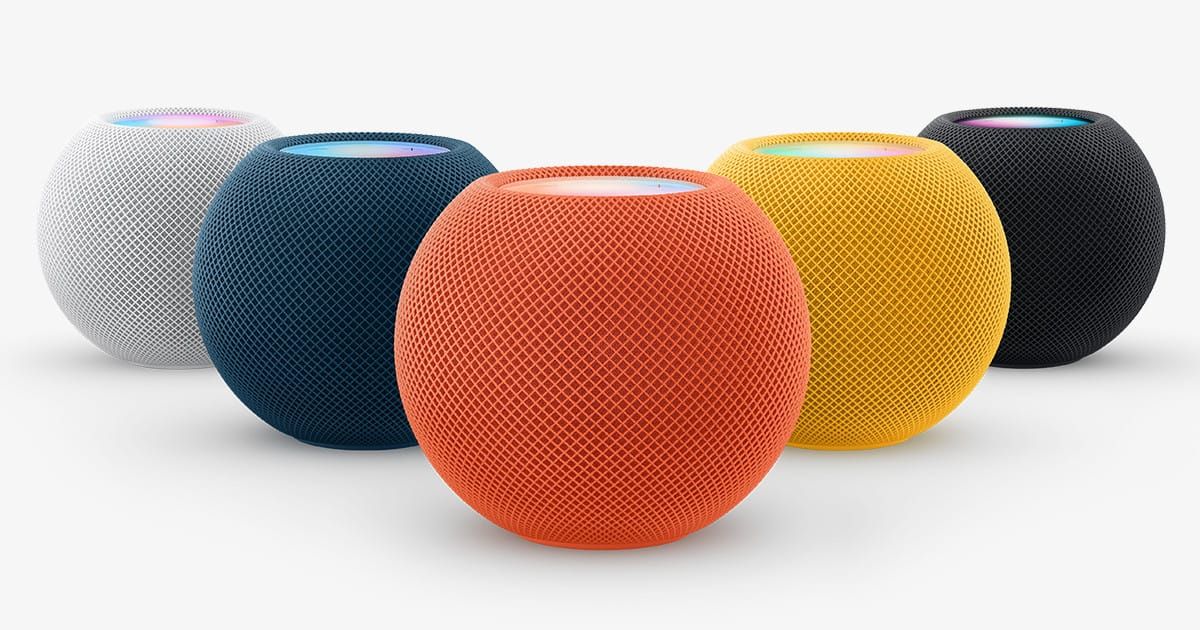

The first HomePod mini I set up went on a kitchen windowsill, wedged between a succulent and a bottle of olive oil. It sounded terrible. Not broken-terrible, just flat and oddly muffled, like someone had thrown a blanket over a perfectly good speaker. I moved it six inches forward, away from the window glass, and the difference was immediate — fuller mids, actual bass presence, a sense that the music existed in the room rather than behind it. That six-inch adjustment is, in miniature, the entire argument for thinking carefully about where you put this thing. The short answer to “where should I place my HomePod mini?” is simple: on a hard, flat surface, six to twelve inches from any wall, at roughly ear height when you’re in your most common position in that room. Apple’s own support documentation confirms this general guidance. It does, though, mean that the most obvious spots — shoved into a corner, tucked against a backsplash, buried on a deep shelf — are often the worst ones. And the reasons why get interesting once you understand what’s actually happening inside that 3.3-inch sphere.
The Apple HomePod mini packs a full-range driver, dual passive radiators, and a custom acoustic waveguide into a body that weighs less than a pound. That waveguide is engineered for 360-degree sound dispersion, which means the speaker is designed to push audio outward in every direction equally. Place it flush against a wall and you’ve immediately compromised half of that dispersion pattern. The S5 chip inside runs over 180 computational audio processes every second, analyzing and adjusting output in real time to optimize for whatever music or podcast you’re playing — but even that much processing power can’t fully compensate for a physical obstruction three inches away.
Room by Room: What Actually Works
Every room in your home presents a different acoustic problem, and I’ve learned (mostly through trial and error) that the HomePod mini rewards you for paying attention to each one.
The kitchen is where most people put their first HomePod mini, and it’s also where placement mistakes are most common. Counter space is precious, so the instinct is to push the speaker back against the wall or into a corner near an outlet. Corner placement is the single worst thing you can do for sound quality. Walls on two sides act as a horn, reinforcing bass frequencies unevenly and creating out-of-phase reflections that make everything sound muddy. My recommendation: find a spot on the counter at least six inches from the nearest wall, ideally not boxed in by cabinets above. The permanently attached power cable is long enough (five feet) to give you some flexibility here, though you may need a small adhesive cable clip to keep things tidy. Kitchen placement also matters for Siri — the four-microphone array handles far-field voice recognition well, but competing noise from a range hood or dishwasher means you want the speaker closer to where you actually stand, not across the room.
The bedroom is a different calculation entirely. Here, you probably want the HomePod mini on a nightstand, and that typically means it’ll be close to a wall. That’s fine. Apple actually recommends placing the speaker within ten inches of a wall for home theater use, and bedroom listening tends to be lower volume anyway, where bass reinforcement from a nearby wall can actually help rather than hurt. I keep mine about eight inches from the headboard wall, and at that distance it sounds warm without being boomy. The real consideration in a bedroom is the always-listening microphone array. The HomePod mini’s sound recognition feature — which can detect smoke and carbon monoxide alarms and send alerts to your phone — works best when the speaker isn’t buried under clothing or blocked by a stack of books. Keep the top of the speaker clear.
The living room is where the HomePod mini’s limitations become most apparent and where its smart home capabilities matter most. Let me be direct: a single HomePod mini will not fill a large living room with rich, room-filling sound. It’s a 3.9-inch-wide speaker. Physics wins. A stereo pair helps considerably — Apple recommends spacing them about four feet apart — and if you’re building out a whole-home audio system with HomePod, the living room is where that investment pays off most. What the HomePod mini does exceptionally well in a living room is serve as a HomeKit hub and Thread border router, connecting your smart home devices and giving you reliable voice control of lights, locks, and thermostats from across the room.
The home office might be the most underrated placement. At a desk, you’re typically two to four feet from the speaker, which is close enough to get genuinely good sound from that small driver. I’ve been surprised by how well the HomePod mini performs as a desk speaker for focused listening — podcasts, background music, even video calls routed through it. Place it at the back of your desk, slightly off to one side, and you get a near-field listening experience that punches well above what you’d expect from something this small.
Mounting and Elevation
Wall mounting a HomePod mini changes two things: it gets the speaker off your counter (freeing up space), and it elevates the microphone array above most ambient noise sources. Both are meaningful improvements. Companies like TotalMount and PlusAcc sell adhesive and screw-mounted shelves specifically designed for the HomePod mini’s size and weight. At 0.76 pounds, you don’t need heavy-duty hardware — even a strong adhesive mount on drywall will hold it securely.
Elevation genuinely improves Siri performance. I noticed this immediately when I moved a kitchen unit from the counter to a wall mount about five feet up. Siri heard me more consistently, even with water running. The four-microphone design is good, but microphones work better when they have a clear line to your mouth without competing reflections off a countertop directly below.
One friction point worth mentioning: the power cable is permanently attached to the HomePod mini. You cannot detach it. This means your wall mount needs to accommodate cable routing, and you need an outlet (or an extension cord, which Apple doesn’t officially recommend) close enough to reach. The 20W power adapter accepts 100–240V, so voltage isn’t an issue anywhere in the world, but the physical cable management is something you should plan before you drill holes or stick adhesive mounts to your wall.
The Computational Audio Factor
Why does placement matter more for the HomePod mini than for a typical Bluetooth speaker? Because the S5 chip is actively working to optimize audio output based on its environment, and you want to give it the best possible starting conditions. Those 180-plus computational audio processes per second are analyzing the acoustic characteristics of wherever you’ve placed the speaker and adjusting equalization, dynamic range, and output levels accordingly. A good placement — hard surface, some breathing room from walls, clear space above — gives the chip a clean signal environment to work with. A bad placement asks it to compensate for problems that physics won’t let it fully solve.
This is also why moving a HomePod mini between rooms doesn’t always sound great immediately. The speaker needs a moment to recalibrate. It’s doing real work in there.
Stereo Pairing Considerations
Do you actually need a stereo pair? Honestly, for a kitchen or bedroom, probably not. A single HomePod mini handles those spaces well. For a living room or a home office where you’re doing focused listening, a stereo pair at four feet apart creates a noticeably wider soundstage. The Apple Home app handles pairing — you assign both speakers to the same room and the option appears automatically. One thing worth knowing: the HomePod mini does not support Dolby Atmos, 5.1, or 7.1 surround sound. A stereo pair gives you left-right separation and a fuller sound, but it’s still stereo. Set your expectations there.
If your HomePod mini keeps joining the wrong Wi-Fi network, that’s worth fixing before you finalize placement — network instability affects everything from AirPlay reliability to how quickly Siri responds, and you don’t want to troubleshoot connectivity issues after you’ve already wall-mounted the thing.
Accessibility and Siri Microphone Placement
For anyone who relies on voice control as a primary way to interact with their home — whether due to mobility limitations, chronic pain, or simply having your hands full — HomePod mini placement isn’t just about sound quality. It’s about whether Siri can hear you reliably from wherever you are in the room. The four-microphone far-field array works well, but “well” and “reliably from a wheelchair across a large room” are different standards. Placing the HomePod mini higher (wall-mounted, or on a tall shelf) and away from noise sources like HVAC vents or refrigerators meaningfully improves recognition accuracy. Thread networking support also matters here: the HomePod mini acts as a border router for Thread-enabled accessories, which means placing it centrally in your home can improve the reliability of smart home devices you control by voice. If voice control is essential to your daily routine rather than a convenience, treat speaker placement as an accessibility decision, not just an audio one.

Olivia Kelly
Staff writer at Zone of Mac with over a decade of Apple platform experience. Verifies technical details against Apple's official documentation and security release notes. Guides prioritize actionable settings over speculation.
Related Posts
HomeKit Ceiling Fans That Earn a Spot in Your Apple Home
Apr 07, 2026
The Apple TV 4K Settings You Skipped Are Ruining Your Movies
Apr 06, 2026
The HomeKit Weather Sensors That Belong in Every Apple Home
Apr 05, 2026