
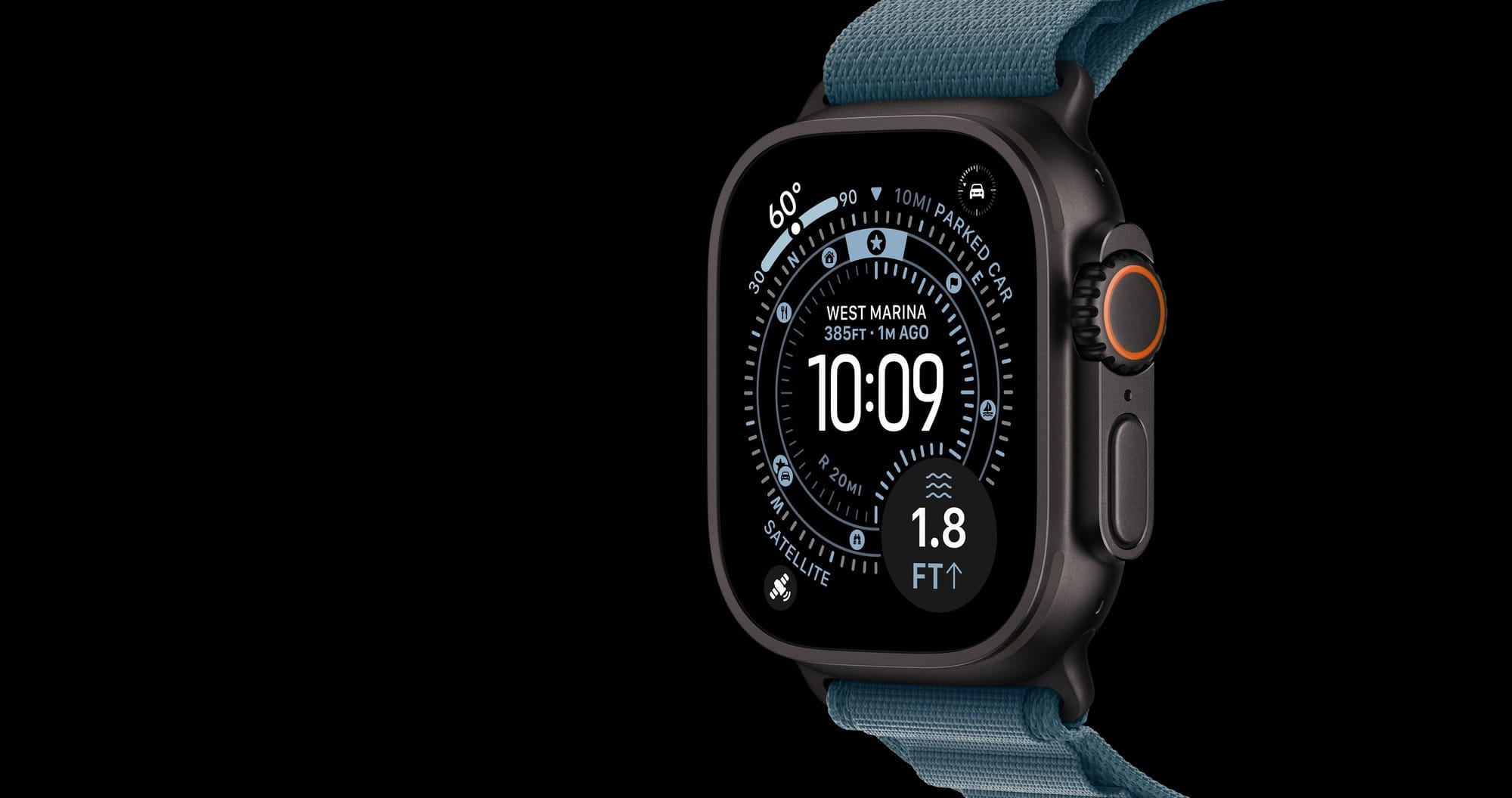

Apple Watch Ultra 3 is the best smartwatch Apple has ever shipped, and it costs the same $799 as the Ultra 2 it replaced. That sounds like a straightforward upgrade decision, except the S10 chip inside the Ultra 3 has the same CPU cores as the S9 in the Ultra 2, and every major health feature Apple announced alongside watchOS 26, including hypertension notifications and sleep apnea detection, runs on both watches. The question is not whether the Ultra 3 is good. It is. The question is whether the handful of hardware exclusives justify spending $799 when your Ultra 2 already does almost everything the new model can do.
I spent weeks comparing these two watches across every spec that matters, and the honest answer is more nuanced than any spec sheet will tell you. Satellite connectivity is the one feature that could genuinely save your life in a way Ultra 2 cannot, but it only matters if you actually leave cellular range. For everyone else, the upgrade math points in a direction Apple probably would not advertise.
 Ad
AdWhat the Ultra 3 Actually Adds to Your Wrist
The headlining hardware upgrade is satellite communications. Apple Watch Ultra 3 can send Emergency SOS messages and text conversations through Globalstar satellites when you have no cellular or Wi-Fi connection. Apple includes two years of satellite service with the watch. If you hike, ski, or paddle in areas where LTE coverage disappears, this is not a gimmick. It is a genuine safety net that the Ultra 2 physically cannot provide, because the Ultra 2 lacks the satellite antenna hardware.
The second exclusive is 5G RedCap cellular. Ultra 2 tops out at LTE. In practice, the difference shows up in faster data transfers for streaming music on the go and marginally better signal in weak-coverage areas. I find this matters most in dense urban environments where LTE congestion is real, but for most suburban and trail use, LTE on the Ultra 2 handles everything without complaint.
Then there is the display. Ultra 3 uses LTPO3 wide-angle OLED technology with a 1,245-square-millimeter display area, roughly 5% larger than the Ultra 2’s 1,185-square-millimeter panel. Both hit 3,000 nits peak brightness, but the LTPO3 panel supports a true 1Hz always-on refresh where the seconds hand actually ticks. On the Ultra 2, the always-on display updates once per minute. It is a small difference, and you notice it most on analog watch faces where the frozen seconds hand on Ultra 2 looks slightly off once you have seen the ticking version.
Battery life climbs from 36 hours on Ultra 2 to 42 hours on Ultra 3, according to Apple’s technical specifications. Low Power Mode remains identical at 72 hours for both. Charging speed improves too: Ultra 3 hits 80% in about 45 minutes versus roughly 60 minutes on Ultra 2. If you are the type who forgets to charge until morning, that extra speed is convenient.
What Both Watches Share Through watchOS 26
This is where the upgrade case gets complicated. Apple delivered the most meaningful Apple Watch health features in years through watchOS 26, and they run on both the Ultra 3 and Ultra 2.
Hypertension notifications use the optical heart sensor and accelerometer to detect signs of elevated blood pressure over time. Both watches have the same third-generation optical heart sensor and the same high-g accelerometer. There is no hardware gate keeping Ultra 2 owners from this feature. If you have not set this up yet, our guide on enabling hypertension notifications on Apple Watch walks through every step.
Sleep apnea detection, sleep scoring, the Vitals app, on-device Siri with health data access, the double-tap gesture: all of these work identically on both watches. The ECG app, blood oxygen monitoring, cycle tracking with retrospective ovulation estimates, fall detection, crash detection, the Medications app, Mindfulness: same hardware, same software, same results.
While I appreciate that Apple packed the Ultra 3 with iterative hardware improvements, the fact that watchOS 26 delivers the most anticipated features to both models makes the Ultra 2 a remarkably capable watch heading into 2026. The software update effectively closes the feature gap that hardware alone would have created.
How the Titanium Cases Compare Side by Side
Pick up an Apple Watch Ultra 3 and an Apple Watch Ultra 2 and you will struggle to tell them apart. Both use Grade 5 aerospace titanium. Both measure 49mm by 44mm by 12mm. Both come in Natural Titanium and Black Titanium finishes. The Ultra 3 weighs 61.6 grams in Natural versus Ultra 2’s 61.4 grams. That 0.2-gram difference exists because Apple switched to a 3D-printed titanium manufacturing process that uses 50% less raw material but adds a negligible amount of weight.
The flat sapphire crystal is identical. Water resistance is identical at WR100 (100 meters) with recreational scuba certification to 40 meters under EN13319. Dust resistance is IP6X. MIL-STD-810H compliance, the customizable Action button, the 86-decibel siren: all the same.
Every Ultra band from the original Apple Watch Ultra forward fits both models. If you have a collection of Ocean, Alpine, or Trail loops, they transfer without any compatibility issues. Our complete Apple Watch band compatibility guide covers which bands work across every Apple Watch model, including Series 1 through Ultra 3.
This table compares the key hardware differences between Apple Watch Ultra 3 and Apple Watch Ultra 2 to help you decide whether the upgrade is worth your money.
| Feature | Ultra 3 | Ultra 2 |
|---|---|---|
| Satellite SOS & Messaging | Yes (2 years included) | No |
| Cellular | 5G RedCap | LTE only |
| Battery (Normal Use) | Up to 42 hours | Up to 36 hours |
| Always-On Refresh | 1Hz (seconds tick) | 1-minute updates |
| Display | LTPO3, 1,245 sq mm | LTPO2, 1,185 sq mm |
| Charge to 80% | ~45 minutes | ~60 minutes |
| Hypertension Alerts | Yes (watchOS 26) | Yes (watchOS 26) |
The S10 Chip Is Not the Upgrade You Think It Is
I think this is the single most misunderstood aspect of the Apple Watch Ultra 3. The S10 chip has the same CPU architecture as the S9. Apple did not increase clock speeds or core counts. What Apple did was shrink the die, making it more compact and slightly more power-efficient. That efficiency gain contributes to the longer battery life, but it does not make apps launch faster, Siri respond quicker, or workouts process more smoothly.
Both chips include a 4-core Neural Engine. Both support on-device Siri. Both handle the same watchOS 26 complications and workout algorithms. If you are upgrading from an Apple Watch Ultra 2 hoping for a speed boost, you will not find one. If you are upgrading from the original Apple Watch Ultra with its S8 chip, the jump to S10 is more noticeable, but that is because of the generational leap from S8, not because the S10 is dramatically faster than the S9.
Who Should Actually Upgrade to Apple Watch Ultra 3
Satellite connectivity is the dividing line. If you regularly hike, trail run, ski, or kayak in areas without reliable cellular coverage, the ability to send an SOS from your wrist without needing your iPhone nearby is worth the price of entry. The two-year satellite service inclusion sweetens the deal. After that period, Apple will likely charge an annual fee, but for backcountry adventurers, this is a feature that could matter when nothing else does.
First-time Ultra buyers should pick the Ultra 3 without hesitation. At the same $799 price point, there is no reason to seek out the older model at full retail. The Apple Watch Ultra 2 makes sense only if you find it discounted to the $699 to $749 range that has become common at authorized retailers, and you know you do not need satellite features.
Original Apple Watch Ultra owners upgrading from the S8 chip will notice meaningful improvements across the board: better battery life, faster charging, hypertension notifications through watchOS 26, and satellite hardware. That is a worthwhile two-generation jump.
Ultra 2 owners who stay within cellular range for their workouts and adventures? Thankfully, watchOS 26 already gives you the headline health features. The battery improvement from 36 to 42 hours is nice but not transformative. The display upgrade is incremental. I find it hard to recommend spending $799 to replace a watch that already does 95% of what the new one offers.
Join The Inner Circle For Serious Apple Users
Exclusive Apple tips. Free to join.
Accessibility and Clarity for Every User
Both Apple Watch Ultra 3 and Apple Watch Ultra 2 support the full range of watchOS accessibility features. VoiceOver reads every screen, complication, and notification aloud. You can triple-click the Digital Crown to toggle VoiceOver on or off. Screen Curtain blacks out the display while keeping navigation active for users who rely entirely on audio feedback, which is a thoughtful privacy feature in public spaces.
The 3,000-nit peak brightness on both models makes outdoor readability strong for users with low vision, and the always-on display means you never need to raise your wrist aggressively to check the time. The Ultra 3’s LTPO3 panel does offer slightly better wide-angle viewing, which helps when the watch sits at an oblique angle on your wrist, but the practical difference is modest.
For users with motor limitations, the 49mm case and large Action button are easier to press than the controls on smaller Apple Watch models. The customizable Action button can be mapped to start a workout, trigger a Shortcut, or activate the siren without navigating menus. Keep in mind that AssistiveTouch, which allows hand gestures like clench and double-clench to control the watch without touching the screen, works identically on both watches.
Cognitive accessibility is well-served by the consistent layout of watchOS 26. Complications stay where you place them, the app grid does not rearrange itself, and notification grouping follows predictable patterns. Neither model introduces interface complexity that would increase cognitive load compared to the other. For a deeper look at every built-in accessibility tool, our guide to hidden watchOS accessibility features covers the full range, including features most owners never discover.
One Friction Point Worth Knowing
The satellite messaging feature on Apple Watch Ultra 3 requires a clear view of the sky and can take 15 to 60 seconds to find a connection. Apple provides an on-screen animation that guides you to point the watch toward the nearest satellite, but in dense forest canopy or narrow canyons, the connection process feels sluggish. You have to hold your arm at specific angles and wait. It works, and in an emergency you would be grateful it exists, but it is not the instant cellular-like connection the marketing might suggest. The experience feels more like early GPS lock than a phone call. If you plan to rely on this feature, practice the connection process before you need it.
Quick-Action Checklist: Decide Your Upgrade Path
Use this checklist to determine whether Apple Watch Ultra 3 is the right move for you, or whether your Apple Watch Ultra 2 still earns its spot on your wrist. You can also compare Ultra 3 and Ultra 2 directly on Apple’s website for a full spec-by-spec breakdown.
| Step | Action |
|---|---|
| 1 | Open the Apple Watch app on your iPhone and tap My Watch, then General, then Software Update. Confirm you are running watchOS 26 or later. |
| 2 | Go to Settings, then Heart, then Hypertension Notifications on your Apple Watch. Enable it if you have not already. This works on both Ultra 2 and Ultra 3. |
| 3 | Check your hiking plans: if you regularly go off-grid beyond cellular range, satellite SOS is a legitimate safety upgrade. If you stay on-trail with LTE coverage, Ultra 2 already has you covered. |
| 4 | Compare prices: Apple Watch Ultra 3 retails at $799. Apple Watch Ultra 2 is frequently discounted to $699-$749 at authorized retailers. The savings fund a second band or AppleCare+. |
| 5 | Visit Apple's comparison tool at apple.com/watch/compare to see Ultra 3 and Ultra 2 side by side with your current Apple Watch model. |

Related Posts
Your Apple Watch Responds to Seven Gestures You Probably Never Tried
Mar 05, 2026
Apple Watch Cellular vs GPS: The Honest Buying Guide for Every Model in 2026
Mar 01, 2026
The Apple Watch Workout Settings That Quietly Change How You Train
Feb 28, 2026