

🎧 Listen to this article
Prefer to listen? An audio version of this article is available for accessibility and convenience.
Strava is a performance-tracking platform built around GPS routes, competitive segments, and a massive social network of runners and cyclists. Apple Fitness Plus is a guided workout service that uses your Apple Watch metrics to personalize video classes across strength, yoga, cycling, HIIT, and more. Both run on Apple Watch. Both cost roughly the same per year. And the overlap between them is smaller than you would expect.
The real question is not which one is "better" in the abstract. I think the more useful question is which one matches how you actually exercise. If you run or ride outdoors and care about splits, elevation, and competing against your own records, Strava does things Apple Fitness Plus cannot touch. If you work out at home or in a gym and want a trainer walking you through a session while your Apple Watch tracks your heart rate in real time, Fitness Plus handles that better than Strava ever will.
The complication is that both platforms recently added features that blur the line. Strava now offers route navigation directly on Apple Watch, no phone required. Apple added Workout Buddy, an Apple Intelligence-powered spoken coach, to watchOS 26. Those additions change the calculus, and most side-by-side comparisons I have read ignore them entirely.
 Ad
AdWhat Strava Actually Does on Your Apple Watch
Strava started as a cycling app in 2009 and has grown into a social fitness network with over 130 million users. The Apple Watch app lets you record runs, rides, hikes, and walks directly from your wrist without carrying your iPhone. GPS tracking works standalone on any Apple Watch with GPS hardware, which includes every model Apple currently sells.
The standout feature is Segments. These are specific stretches of road or trail where Strava ranks every athlete who has ever ridden or run that segment. You can see exactly how your Tuesday morning hill climb stacks up against thousands of other people, and against your own previous attempts. Live Segments on Apple Watch show real-time feedback as you hit a tracked segment, telling you whether you are ahead or behind your personal record. That kind of competitive data simply does not exist in Apple's native Workout app.
In January 2026, Strava rolled out route navigation on Apple Watch in beta. You can now select a saved route, see elevation details, and follow turn-by-turn directions from your wrist. The routes work offline, which matters if you are running trails without cellular coverage on an Apple Watch Ultra 3. Custom Laps let you mark intervals with a single tap for tempo runs or hill repeats.
The friction point is the subscription. Strava's free tier lets you record activities and view basic stats, but segments, route navigation, training logs, and detailed performance analysis all require a paid subscription at $11.99 per month or $79.99 per year. A Family Plan runs $139.99 annually. Without the subscription, you lose most of what makes Strava distinct from Apple's built-in Workout app.
What Apple Fitness Plus Brings to Your Wrist
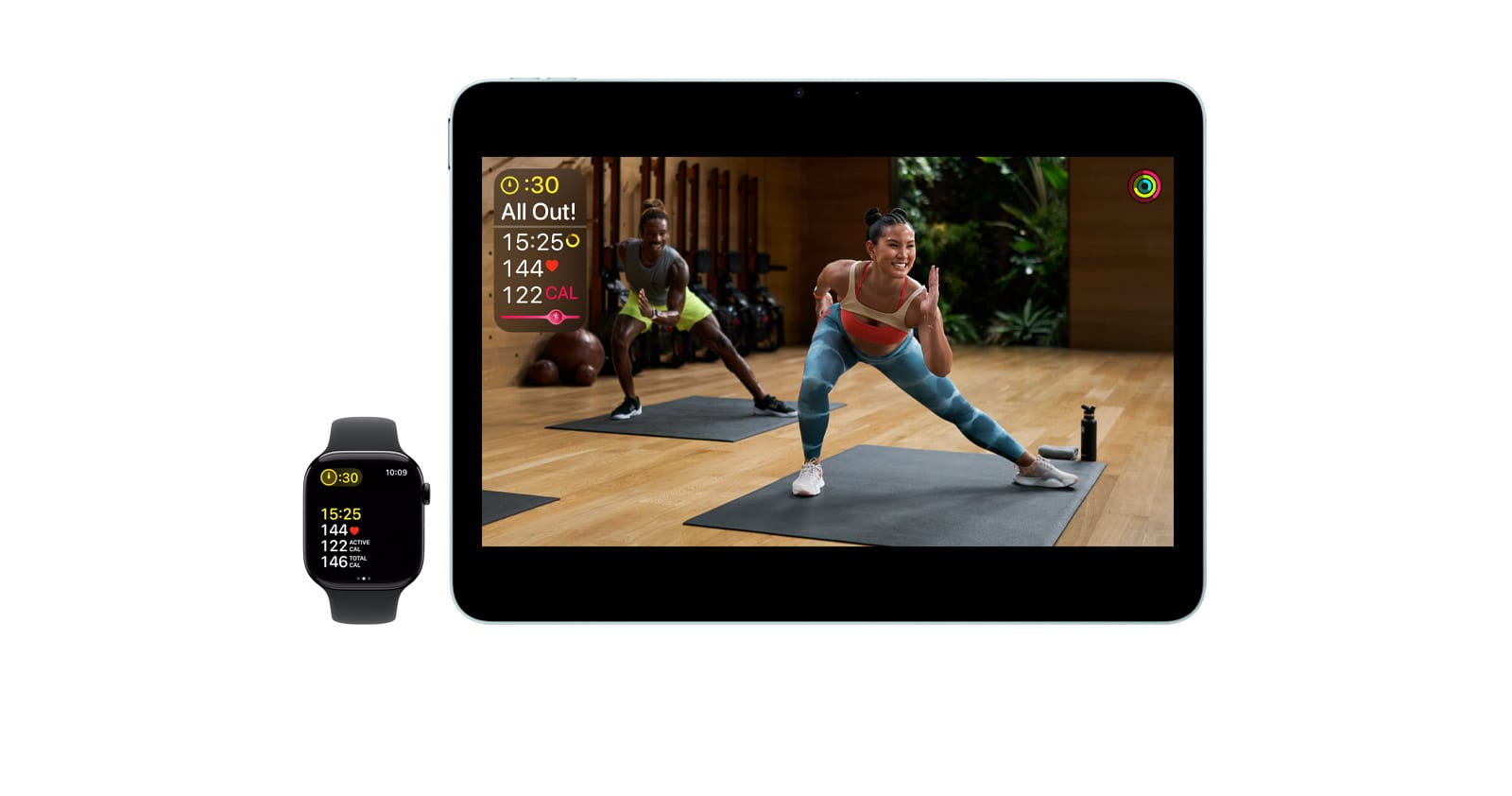
Apple Fitness Plus is a different animal. Instead of tracking your outdoor performance against other athletes, it delivers guided video workouts led by professional trainers. You follow along on an iPhone, iPad, or Apple TV while your Apple Watch feeds real-time heart rate, calories, and Activity Ring progress to the screen. The integration is seamless in a way that third-party apps cannot replicate, because Apple controls both the hardware and the software stack.
The workout library covers strength training, HIIT, yoga, Pilates, cycling, rowing, dance, kickboxing, meditation, and cooldowns. For 2026, Apple added four new multi-week programs including a fitness comeback plan and a strength basics series. Celebrity spotlight workouts now feature Karol G alongside the existing Taylor Swift and Bruce Springsteen sessions. The content is high production quality, and Apple updates it weekly.
Pricing sits at $9.99 per month or $79.99 per year. It is also bundled with Apple One Premier, which combines it with Apple Music, Apple TV Plus, Apple Arcade, iCloud Plus, and Apple News Plus. New Apple Watch, iPhone, iPad, Apple TV, or AirPods Pro 3 purchases include three free months. If someone in your Family Sharing group subscribes, up to six people get access at no additional cost. That family math alone makes Fitness Plus the cheaper option for most households.
I covered whether Apple Fitness Plus is worth the subscription in a separate breakdown, and my take has not changed: for guided workouts, it earns the price. But it does not pretend to be a training platform for athletes chasing personal records.
 Ad
AdWhere watchOS 26 Changed the Game
Apple did not sit still. The Workout app in watchOS 26 received its biggest layout overhaul since launch, with four corner buttons for quick access to Workout Views, Custom Workouts, Pacer, and Race Route. The Custom Workout builder, which you configure from the iPhone Fitness app or directly on the watch, lets you set structured intervals with specific targets for heart rate zones, pace, or cadence. That feature alone narrowed the gap with Strava's training plans.
Workout Buddy, powered by Apple Intelligence, is the real surprise. It delivers personalized spoken motivation during runs, walks, cycling, HIIT, and strength sessions. The coaching adapts to your pace and effort in real time. It is not available for swimming, rowing, yoga, or Pilates yet, but for the workout types it supports, it adds a layer of interactivity that Strava's standalone recording cannot match. I wrote about configuring Apple Watch workout settings in watchOS 26 if you want to dig into the full setup.
Apple also expanded its running metrics to include ground contact time, vertical oscillation, and stride length on compatible models. These biomechanics metrics used to require a Garmin or a foot pod. Now they come free with any Apple Watch Series 10, Ultra 3, or later.
The Decision Comes Down to How You Train
I think most Apple Watch owners fall into one of two camps, and the right choice depends entirely on which one describes you.
Camp One: outdoor endurance athletes. If you run, cycle, or hike and care about route data, segment rankings, social accountability, and long-term performance trends, Strava is the clear winner. Apple's native Workout app handles basic GPS recording, but it does not offer segments, route navigation, or a social network of 130 million athletes. The offline route maps on Apple Watch Ultra 3 are particularly valuable for trail runners and gravel cyclists who venture beyond cellular range.
Camp Two: gym and home workout enthusiasts. If you do strength training, HIIT, yoga, or indoor cycling and want guided instruction with real-time Apple Watch metrics on screen, Fitness Plus is the stronger option. Strava does not offer guided workouts. At all. The closest equivalent would be pairing Strava with a separate service like Peloton or Nike Training Club, which means paying for two subscriptions instead of one.
Here is the honest edge case that most articles skip: you can use both. Record your outdoor runs with Strava, do your strength sessions with Fitness Plus, and let Apple Health stitch the data together. Both platforms sync to Apple Health, so your Activity Rings, heart rate history, and calorie totals stay unified regardless of which app recorded the workout. The Strava iOS app automatically imports workouts from Apple Health, so a Fitness Plus cycling session shows up in your Strava feed without any extra steps.
Here is how the two platforms compare across the categories that matter most to Apple Watch owners.
| Category | Strava | Apple Fitness Plus |
|---|---|---|
| Monthly Price | $11.99 (free tier available) | $9.99 (included in Apple One Premier) |
| Best For | Runners, cyclists, outdoor athletes | Home workouts, guided classes, beginners |
| Social Features | Segments, leaderboards, clubs, kudos | SharePlay, Activity Sharing (limited) |
| Apple Watch GPS | Standalone with route navigation (beta) | Native Workout app integration |
| Offline Capability | Offline routes and maps on Apple Watch | Downloaded workouts on iPhone/iPad only |
The Social Gap Nobody Mentions
Strava's social layer is the feature that keeps people subscribed even when they question the price. Clubs, challenges, kudos, comment threads, and the public feed create a community around fitness that Apple has never seriously attempted. Activity Sharing in watchOS lets you see your friends' ring progress, and SharePlay lets you work out simultaneously with someone on FaceTime. That is about it.
For runners in particular, the difference is enormous. After a race or a hard interval session, posting the activity to Strava and watching kudos roll in from your running club provides a motivational loop that Apple's ring closure animation simply cannot replace. If training accountability matters to you, Strava's social features are not a nice-to-have. They are the product.
Battery and GPS Accuracy: What I Have Noticed
Running Strava on Apple Watch uses more battery than the native Workout app. That is not a surprise. Third-party workout apps on watchOS access GPS through Apple's API layer rather than the optimized native stack, and that overhead adds up on long sessions. On a two-hour outdoor run, expect to lose roughly 5-8 percent more battery with Strava recording versus the native Workout app. For most workouts under 90 minutes, the difference is negligible. For ultramarathons or all-day hikes, it matters.
GPS accuracy is effectively identical for both. Strava uses the same GPS and dual-frequency L1/L5 satellite hardware as the native app. The raw positioning data comes from the same chip. Route traces from simultaneous recordings typically diverge by less than five meters over a multi-mile run. I would not choose between them based on GPS quality.
Accessibility and Clarity
Both platforms support VoiceOver on Apple Watch, but the experience differs. Apple Fitness Plus video workouts include audio descriptions of exercises, and the on-screen metrics are readable by VoiceOver. Strava's Apple Watch app reads out segment names and route directions, but the map interface is visual-only and does not have an accessible alternative for users with low vision.
Workout Buddy's spoken coaching in watchOS 26 is inherently accessible, delivering real-time feedback through audio rather than requiring you to look at the screen mid-run. Apple provides a full list of supported workout types on its support site. For users who rely on audio cues during exercise, the native Apple ecosystem has a meaningful advantage over Strava's largely screen-dependent interface.
Which One Earns the Subscription
Strava and Apple Fitness Plus are not really competitors. They look like competitors because they both involve workouts and Apple Watch, but they solve different problems for different people. Strava is a social performance network for outdoor athletes. Fitness Plus is a guided fitness studio for your living room. Picking one over the other is like choosing between a running coach and a gym membership. Most serious athletes eventually end up with both.
If I had to pick one, and only one? For a runner or cyclist, Strava. No question. The segments, routes, and social network are irreplaceable. For everyone else, Fitness Plus offers more variety at a lower effective price, especially if you are already paying for Apple One. The best approach, though, is to take advantage of Apple's current partnership with Strava: Strava subscribers get three free months of Fitness Plus, and non-subscribers get two. Try both before you commit to either.

Related Posts
Apple Watch Ultra 3 vs Garmin Fenix 8: The Trade-Offs Nobody Tells You Before You Buy
Mar 06, 2026
Apple Fitness Plus Has No Student Discount, But You Still Have Options
Mar 05, 2026
Your Apple Watch Responds to Seven Gestures You Probably Never Tried
Mar 05, 2026