

🎧 Listen to this article
Prefer to listen? An audio version of this article is available for accessibility and convenience.
Your Mac is the engine. The accessories are everything around it that decides whether you spend your day fighting cables and squinting at a too-low screen, or actually getting work done. A Thunderbolt 5 dock, a keyboard with real key travel, a stand that puts your laptop at eye level, and a monitor that matches your Mac’s color output without three hours of calibration — that is the difference between a desk and a workstation.
The catch? Most buyers pick accessories one at a time, solving today’s problem without thinking about how the pieces connect. You buy a USB-C hub because your MacBook Air only has two ports. Six months later you add a monitor, and the hub does not have enough bandwidth. So you buy a dock. Now you have a hub and a dock doing overlapping jobs, plus a tangle of cables behind your desk that you swore you would manage “later.” Why does this keep happening? Because nobody builds the desk as a system from the start.
If you just brought home a new MacBook Air M5 or Mac mini, the software settings matter. But the hardware around it matters just as much. Here are six accessories I would start with if I were building a Mac desk from scratch today.
Start With the Port You Will Use Most
The single accessory that changes a Mac desk more than any other is a dock. Not a hub — a dock. The difference matters. A hub gives you a few extra ports and passes through whatever power your laptop charger provides. A dock gives you dedicated power delivery, multiple display outputs, and enough downstream ports that you stop thinking about which cable goes where.
The CalDigit TS5 is the Thunderbolt 5 dock that earned its reputation. Fifteen ports. 140 watts of dedicated laptop charging through a single braided cable. Four Thunderbolt 5 ports running at 80 gigabits per second — double the bandwidth of Thunderbolt 4, which means you can drive two 8K displays simultaneously without saturating the connection. 2.5 Gigabit Ethernet for anyone who still runs a wired connection, and if you do, you already know why. SD and microSD card slots at UHS-II speeds sit on the front, right where photographers need them. It connects to your MacBook Pro M5 Pro or M5 Max and turns one port into a full workstation. Apple lists the full port specifications for every Mac model on its support page, and every Mac with Thunderbolt 5 gets the full 80 Gbps experience from this dock.
At around four hundred dollars, the CalDigit TS5 is not cheap. But it replaces every adapter, hub, and charging brick on your desk in one move. That is worth more than the price tag suggests.
If that price stings, the OWC Thunderbolt 5 Hub at $189 handles the basics — five ports, 140-watt charging, and the same 80 Gbps bandwidth — in a palm-sized enclosure. It is the right choice if your Mac setup already covers most of your port needs and you just need a few extras.
 Ad
AdThe Keyboard Apple Should Have Made
Apple’s Magic Keyboard is fine. That is the nicest thing I can say about it. The key travel is so shallow that extended typing sessions feel like tapping on a countertop, and the price crept past two hundred dollars for the Touch ID model without the typing experience improving at all. For a company that makes the best trackpads in the industry, the Magic Keyboard has always felt like an afterthought.
The Satechi SM3 fixes nearly everything. It is a low-profile mechanical keyboard with brown switches that give you actual tactile feedback without waking up the entire house. The aluminum frame looks like it belongs next to an iMac or Mac mini — Satechi designs everything to match Apple hardware, and it shows. The SM3 connects to four devices simultaneously over Bluetooth and switches between them with a dedicated key row, which is genuinely handy if you bounce between a Mac and an iPad during the day. Adjustable backlighting adapts to your room, and the Mac-specific key layout means you are not mentally remapping Windows shortcuts every time you sit down.
The key feel takes maybe a day to adjust to if you are coming from Apple’s flat keyboards. After that day, going back feels wrong.
Raise Your Screen Before Your Neck Complains
Here is the accessory most people skip, and it is the one their body notices first. A laptop sitting flat on a desk puts the screen well below eye level. Your neck compensates. After a few months, your neck lets you know it has been compensating.
The Rain Design mStand has been solving this problem for over a decade, and the design still holds up. A single piece of aluminum lifts your MacBook about six inches off the desk, angling the screen toward your eyes and routing cables cleanly underneath. About seventy percent of the laptop base stays exposed for cooling — something that actually matters during long export jobs or compile cycles. It runs around fifty dollars. There is no excuse to skip it.
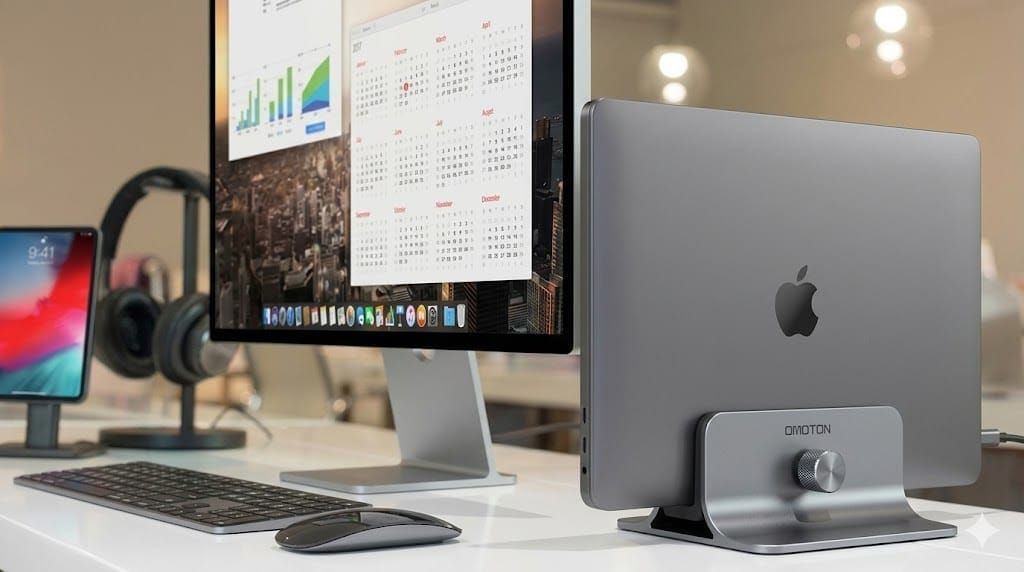
If you prefer a vertical closed-display setup with an external monitor, the Twelve South BookArc holds your MacBook upright in a slim cradle that barely takes up desk space. Both approaches solve the same ergonomic problem from different angles.
A Monitor Your Mac Actually Recognizes
Plugging most external monitors into a Mac is an exercise in frustration. macOS color management expects certain profile data from the display, and most monitors either provide the wrong profile or none at all. You spend an afternoon with calibration software, get it close, and then a macOS update quietly resets everything. It is maddening.
The BenQ MA270U is a 27-inch 4K display built specifically to avoid that entire problem. It ships with BenQ’s Mac Color Match technology that maps directly to macOS color output — you plug it in with a single USB-C cable, and the colors are correct from the first second. That same cable charges your MacBook at 90 watts and connects a built-in USB hub for your peripherals. The Nano Matte panel cuts glare without the washed-out look that cheap matte finishes sometimes produce.
Here is the detail that sold me on recommending it: you can control the monitor’s brightness and volume directly from your Mac keyboard. That sounds minor until you realize most external monitors completely ignore macOS keyboard inputs, forcing you to reach for physical buttons on the back or bottom of the panel every single time. The MA270U just listens.
At roughly four hundred dollars, the MA270U delivers about eighty percent of what the $1,599 Apple Studio Display offers. The Studio Display has a better webcam and excellent built-in speakers. The BenQ has neither. For most people who already own AirPods and use FaceTime from their MacBook’s built-in camera, that tradeoff is painless.
 Ad
AdThe Mouse Nobody Argues About
Apple’s Magic Mouse looks beautiful and charges from the bottom, which remains baffling in 2026. That flat profile forces your hand into a position it does not want to hold for an eight-hour workday. Two hours in, you feel it. Four hours in, you really feel it.
The Logitech MX Master 4 does not look as elegant, but it fits a human hand. The thumb wheel scrolls horizontally through spreadsheets and timelines without reaching for a modifier key. The sensor tracks on glass — useful if your desk has a glass top or you occasionally work at a coffee shop with those glossy tables. It pairs with up to three devices and switches between them with a button underneath.
One rough edge worth mentioning: Logitech’s Options+ software occasionally conflicts with macOS permission dialogs after a system update. The fix is a quick trip to System Settings, Privacy and Security, Accessibility, and re-enabling the app. Annoying? Absolutely. A dealbreaker? Not remotely.
At-A-Glance: Every Pick Compared
This table compares the six recommended Mac desk accessories across their most important attributes for a buying decision.
| Accessory | Category | Key Strength | Price |
|---|---|---|---|
| CalDigit TS5 | Thunderbolt 5 Dock | 15 ports, 140W charging, 2.5GbE | ~$399 |
| OWC Thunderbolt 5 Hub | Compact Hub | 5 ports, 140W, palm-sized | $189 |
| Satechi SM3 | Mechanical Keyboard | Mac layout, 4-device Bluetooth | ~$120 |
| Rain Design mStand | Laptop Stand | Aluminum, 6-inch lift, cooling | ~$50 |
| BenQ MA270U | 27-inch 4K Monitor | Mac Color Match, 90W USB-C | ~$400 |
| Logitech MX Master 4 | Ergonomic Mouse | Thumb wheel, glass tracking | ~$100 |

Related Posts
Your Mac Has a Networking Time Bomb That Only a Reboot Defuses
Apr 09, 2026
Your Mac Feels Slow After macOS Tahoe — Here’s What Actually Fixes It
Apr 08, 2026
Ollama Gives Your Mac a Free AI Engine Most Owners Never Try
Apr 08, 2026