

🎧 Listen to this article
Prefer to listen? An audio version of this article is available for accessibility and convenience.
The MacBook Pro with Apple Silicon M5 Pro is the fastest pro laptop Apple has ever shipped. It boots faster, exports faster, and runs local AI models at roughly four times the speed of the M4 Pro it replaces. But the chassis, display, and external design are identical to last year’s machine, and Apple is almost certainly shipping an OLED redesign before the end of 2026.
That single fact turns what should be a straightforward upgrade into a genuine decision. If you are sitting on an M4 Pro right now, the answer is not obvious. If you are coming from an M1 or M2, it gets a lot clearer. And if you are still on Intel, close this article and go buy one. I am not being dramatic.
 Ad
AdWhat Apple Actually Changed Inside the M5 Pro
Apple’s Fusion Architecture is the headline. Instead of a single monolithic die, the M5 Pro and M5 Max use two third-generation 3-nanometer dies bonded together with advanced packaging. Apple calls the new high-performance cores “super cores,” which sounds like marketing until you see the benchmark results.
The M5 Pro ships in two configurations: a 15-core CPU with 16 GPU cores at the base, and an 18-core CPU with 20 GPU cores for the upgraded tier. Both connect to up to 64 GB of unified memory running at 307 GB/s, which is a 12.5 percent bump over the M4 Pro’s 273 GB/s.
Single-core performance jumps about 11 to 12 percent. Multi-threaded workloads see closer to 30 percent gains. The GPU story is bigger: roughly 50 percent faster graphics with up to 35 percent faster ray tracing, thanks in part to Neural Accelerators baked into every GPU core. That last detail matters for anyone running machine learning inference or generative AI locally. Apple’s official M5 Pro spec sheet confirms the M5 Pro processes large language models 3.9 times faster and generates AI images 3.7 times faster than the M4 Pro.
Storage got a quiet but meaningful upgrade too. Every M5 Pro MacBook Pro starts at 1 TB, because Apple eliminated the 512 GB option entirely. The SSDs themselves use PCIe 5.0 and hit up to 14.5 GB/s, roughly double the M4 Pro’s read and write speeds. If you move large video projects or work with multi-gigabyte datasets, you will feel this every single day.
Connectivity is the other under-reported upgrade. All M5 Pro models now carry three Thunderbolt 5 ports, up from Thunderbolt 4 on the M4 Pro. Wi-Fi 7 replaces Wi-Fi 6E via Apple’s new N1 wireless chip, and Bluetooth jumps from 5.3 to 6. The HDMI port now pushes 8K. For a machine that looks exactly like its predecessor from the outside, the internal upgrades are genuinely substantial.
The M5 Max Takes It Further
For the creative professionals who need more, the M5 Max pushes to 18 CPU cores, up to 40 GPU cores, and up to 128 GB of unified memory at a staggering 614 GB/s bandwidth. Those numbers put it in territory that used to require a Mac Studio or Mac Pro.
If you edit 8K ProRes timelines, train machine learning models, or run multiple virtual machines simultaneously, the M5 Max is the chip. If you do not do those things, the M5 Pro handles everything else with room to spare. Most buyers should start with the M5 Pro and only step up to the Max if their workflow genuinely demands the extra GPU cores and memory bandwidth.
 Ad
AdWhat Did Not Change (And Why That Matters)
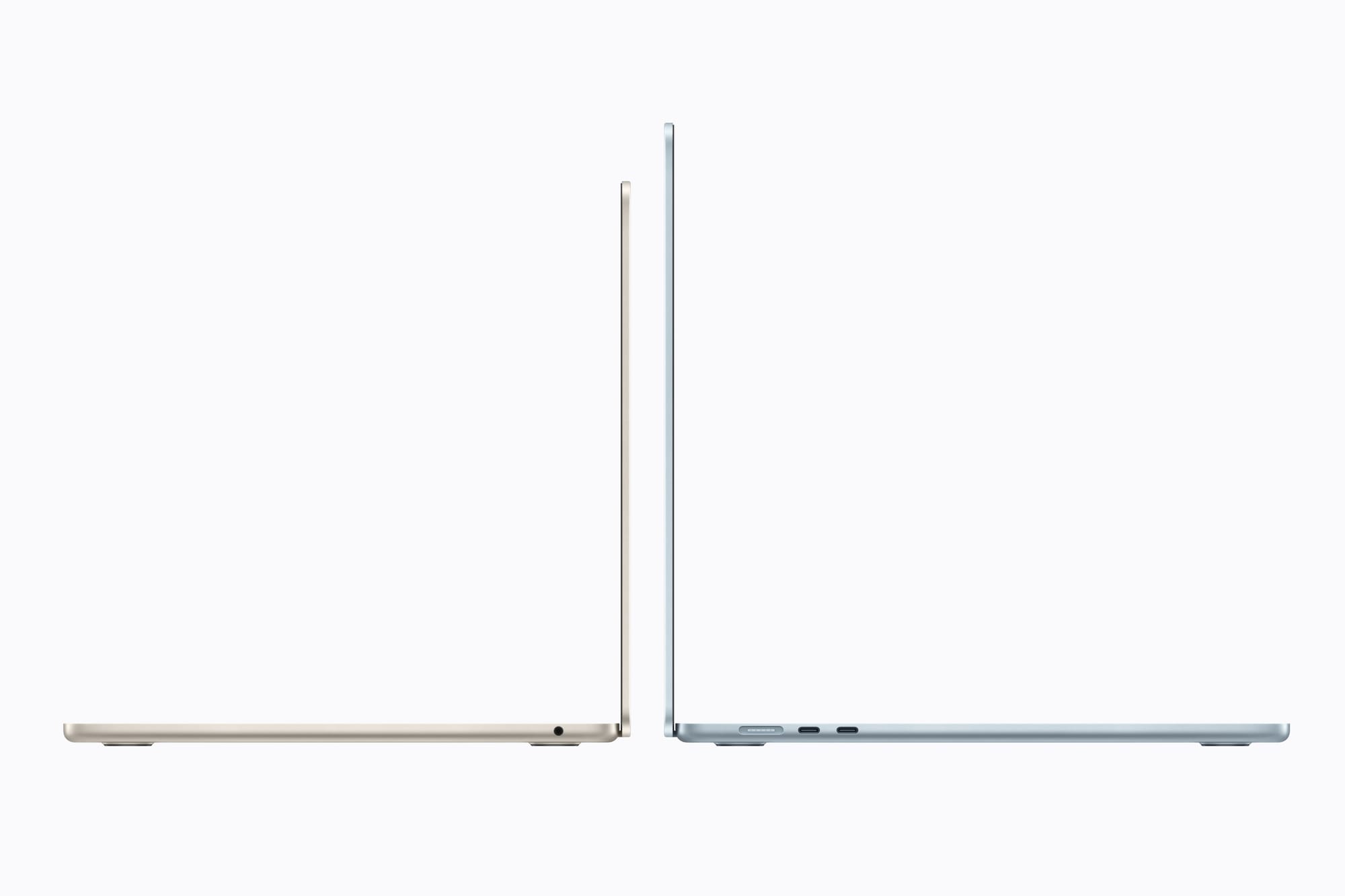
The chassis is identical. Same dimensions, same weight, same Liquid Retina XDR mini-LED display at 120 Hz ProMotion. Same notch. Same six-speaker system. Same 12 MP Center Stage camera. If you put an M4 Pro and M5 Pro MacBook Pro side by side, you could not tell them apart without opening System Information.
This is where the buying decision gets complicated. Multiple credible sources report that Apple is planning a significant MacBook Pro redesign with OLED displays and a new chassis for the M6 generation, expected later in 2026. If that happens, the M5 Pro becomes the last generation of the current design language that has been around since 2021.
For some buyers, that is a reason to wait. For others, it is a reason to buy now and skip the first-generation growing pains of a new design. Both positions are defensible.
A side-by-side look at the key differences between the M4 Pro and M5 Pro MacBook Pro configurations, covering performance, connectivity, storage, and pricing.
| Attribute | M4 Pro (2024) | M5 Pro (2026) |
|---|---|---|
| CPU Cores (max) | 14 (10P + 4E) | 18 (6 super + 12 perf) |
| GPU Performance | Baseline | ~50% faster, Neural Accelerators |
| Memory Bandwidth | 273 GB/s | 307 GB/s (+12.5%) |
| Base Storage | 512 GB | 1 TB (512 GB eliminated) |
| SSD Speed | ~7.4 GB/s | Up to 14.5 GB/s (PCIe 5.0) |
| Thunderbolt | Thunderbolt 4 | Thunderbolt 5 |
| Wi-Fi | Wi-Fi 6E | Wi-Fi 7 (N1 chip) |
| 14-inch Base Price | $1,999 (512 GB) | $2,199 (1 TB) |
The Real Price Story
The 14-inch MacBook Pro with M5 Pro starts at $2,199, which is $200 more than the M4 Pro’s launch price of $1,999. Before you wince, remember that the M5 Pro base now includes 1 TB of storage where the M4 Pro started at 512 GB. That 512 GB SSD upgrade on the M4 Pro cost $200. So the effective price for equivalent storage is identical.
The 16-inch M5 Pro starts at $2,699. The 14-inch M5 Max starts at $3,599, and the 16-inch M5 Max starts at $3,899. The fully loaded 16-inch M5 Max with 128 GB of memory and 8 TB of storage tops out at $7,349, which is a number that makes most people blink. But if you need that configuration, you already know who you are.
Apple’s education pricing knocks a meaningful chunk off every tier. The 14-inch M5 Pro drops to $2,049, and if you or someone in your household qualifies for the Education Store, there is no reason not to use it. Zone of Mac has a full breakdown of how Apple’s education pricing works for Mac and iPad.
Who Should Upgrade Right Now
You are on Intel or Apple Silicon M1: Upgrade. The performance gap is enormous. The M5 Pro is roughly eight times faster for AI workloads, double the memory bandwidth, and Thunderbolt 5 alone justifies the move. You have gotten your money’s worth out of that machine. It is time.
You are on M2 Pro: Strong upgrade. The generational leap is big enough to feel in daily work, especially if you do any video editing, 3D rendering, or local AI processing. The jump from Thunderbolt 4 to Thunderbolt 5 and from Wi-Fi 6E to Wi-Fi 7 adds practical daily value.
You are on M3 Pro: Moderate upgrade. The M5 Pro is meaningfully faster, but you are likely not hitting the ceiling of the M3 Pro in most workflows yet. If your work demands it, go ahead. If not, you can comfortably wait for the OLED redesign.
You are on M4 Pro: Wait. Unless you have a specific, measurable bottleneck that the M5 Pro’s improvements address, the jump from M4 to M5 does not justify the cost. The 11 percent single-core and 30 percent multi-core improvements are real but incremental. Wait for the redesign.
And if you recently picked up the MacBook Air M5 and are wondering whether the Pro is worth the jump, the MacBook Air M3 vs M5 buying guide explains exactly where the Air’s ceiling is. For most people, it is higher than they think.
Accessibility and Clarity
The MacBook Pro’s accessibility story is worth noting because Apple has made legitimate improvements that get buried under spec sheet headlines. VoiceOver in macOS Tahoe works seamlessly with the 120 Hz ProMotion display, maintaining consistent screen reader performance regardless of frame rate. The six-speaker system supports spatial audio processing for users with partial hearing loss in one ear, and the display’s 1,600-nit HDR peak brightness makes high-contrast mode genuinely usable outdoors.
One edge case worth knowing: the nano-texture display option, while excellent for reducing glare, slightly changes how VoiceOver’s cursor highlight appears on screen. The matte coating softens the blue highlight border by a few pixels. For most users this is invisible, but if you rely heavily on the VoiceOver cursor for navigation, test the nano-texture option in an Apple Store before committing to the $150 upgrade.
The Verdict Nobody Wants to Hear
The M5 Pro MacBook Pro is an excellent machine inside a familiar body. If you need a pro laptop today, it is the best one Apple makes. If you can wait six to nine months, you might get the same performance inside a thinner, lighter chassis with an OLED display that makes the current Liquid Retina XDR look dated by comparison.
There is no wrong answer here, only a timing question. And timing questions are the hardest ones in tech, because the answer changes every month. Buy the machine that solves the problem you have right now. The next one will always be better.

Related Posts
Your Mac Just Started Warning You About Apps That Will Stop Working
Mar 28, 2026
Claude Can Work Your Mac While You Walk Away — Here’s What That Changes
Mar 26, 2026
macOS Tahoe 26.4 Landed With Seven Changes Worth Your Attention Right Now
Mar 25, 2026