

🎧 Listen to this article
Prefer to listen? An audio version of this article is available for accessibility and convenience.
iOS 26.3.1 is a small but pointed update that Apple released on March 4, 2026, primarily to add compatibility with the new Apple Studio Display and Apple Studio Display XDR monitors. It also bundles unspecified bug fixes that address keyboard responsiveness, Spotlight Search lag, and CarPlay disconnection issues carried over from iOS 26.3. The update weighs roughly 900 megabytes on most iPhones and applies to every model from iPhone 11 forward, including the second and third generation iPhone SE.
Here’s the wrinkle, though: Apple’s own security page states that iOS 26.3.1 “has no published CVE entries,” meaning this update carries zero documented security patches of its own. If you already installed iOS 26.3 back in February and got its 45-plus vulnerability fixes — including the actively exploited dyld memory corruption flaw tracked as CVE-2026-20700 — then 26.3.1 is purely a stability and compatibility release. That distinction matters when you’re deciding whether to tap that update badge tonight or wait.
 Ad
AdWhat iOS 26.3.1 Actually Fixes
Apple’s release notes are, as usual, frustratingly vague. They mention “bug fixes” and “support for Studio Display (2026) and Studio Display XDR.” That’s the official line. But dig into the MacRumors forums and Apple Community threads, and a clearer picture forms. Users who updated from iOS 26.3 report that the keyboard lag — that maddening half-second delay when switching between apps and tapping the first character — is noticeably improved on iPhone 14 and iPhone 15 models. Spotlight Search, which had a habit of freezing for two to three seconds before returning results after the 26.3 update, appears to respond faster.
The CarPlay fix is the one I find most telling. Wireless CarPlay had been dropping connections mid-drive on certain iPhone 16 models since iOS 26.2, and Apple apparently squashed whatever Bluetooth handshake bug was responsible. If your CarPlay cuts out every time you drive through a parking garage or pass under a bridge, this update alone is worth installing.
The Studio Display support is straightforward. If you own or plan to buy Apple’s refreshed Studio Display or the new Studio Display XDR announced at the March 4 event, your iPhone needs iOS 26.3.1 to connect as an external display source via Continuity Camera. Without it, the camera handoff simply will not initiate. Niche use case, but non-negotiable if it applies to you.
What iOS 26.3.1 Does Not Fix
Some frustrations survived the update. The Mail app still exhibits a visual glitch where the inbox scrolls itself back to the top after you open and close a message — multiple users on the MacRumors forums confirmed this behavior persists in 26.3.1. Predictive text still occasionally suggests words from a language you have never typed in, which has been a recurring complaint since iOS 26.0. And the Liquid Glass transparency effects continue to cause mild eye strain for some users, though that is a design choice rather than a bug, and Apple shows no sign of walking it back.
Battery life is the biggest question mark. Reports are split almost evenly down the middle. iPhone 16 owners on Reddit describe losing roughly an hour of screen-on time compared to iOS 26.2, while iPhone 13 owners report gaining over an hour. My take: the battery variance is almost certainly tied to background re-indexing that happens after any iOS update. Give your phone 48 hours on the new firmware before you judge it. If the drain persists past that window, something else is going on, and I would point you to our iOS 26 battery drain troubleshooting guide for the full walkthrough.
 Ad
AdThe Security Situation — Why iOS 26.3 Still Matters More
If you skipped iOS 26.3 entirely and are still sitting on iOS 26.2 or earlier, stop reading and go update right now. iOS 26.3, released February 11, 2026, patched 45 documented security vulnerabilities across CoreServices, the kernel, WebKit, Messages, libxpc, and a dozen other system components. The headliner was CVE-2026-20700, an actively exploited memory corruption flaw in dyld that Apple described as being used in “an extremely sophisticated attack” against targeted individuals. That is Apple’s way of saying a real-world exploit was circulating before the patch existed.
Other critical fixes in iOS 26.3 include two separate privilege escalation paths that allowed malicious apps to gain root access, a sandbox escape via libxpc, and a lock screen bypass that let someone with physical access view your photos. According to Apple’s security content page, this update addressed vulnerabilities in Accessibility, Bluetooth, CFNetwork, ImageIO, the kernel, Photos, StoreKit, VoiceOver, and Wi-Fi, among others. The scope was enormous.
iOS 26.3.1 inherits all of those fixes. So if you are jumping from 26.2 or earlier directly to 26.3.1, you get the full security payload plus the bug fixes and Studio Display compatibility. The update badge on your phone does not distinguish between “critical security update” and “minor compatibility patch.” In this case, the version number hides how important the leap actually is depending on where you are starting from.
Should You Update? A Decision by Device
There is no single right answer because it depends on what you are running now and which iPhone you own.
Already on iOS 26.3 and experiencing keyboard lag, Spotlight freezes, or CarPlay disconnections: update to 26.3.1. The fixes address exactly those pain points, and the security baseline does not change — you already have it.
Already on iOS 26.3 and everything works fine: you can wait. There is no security urgency in 26.3.1 specifically. The Studio Display support only matters if you are buying one of Apple’s new monitors. I would install it within the next two weeks regardless, because staying current reduces the chance of running into a differential update problem later, but there is no rush.
Still on iOS 26.2 or earlier: update immediately. The 45 security patches in iOS 26.3 are not optional. The actively exploited dyld vulnerability alone is reason to stop waiting. When you update, your iPhone will jump straight to 26.3.1, which bundles both the security fixes and the stability improvements. You get everything in one install.
Running an older iPhone (iPhone 11, 12, or SE 2nd generation): update, but expect the phone to run warm and drain faster for the first 24 to 48 hours while Spotlight and Photos re-index. This is normal behavior, not a bug. Keep your phone plugged in overnight after the update and let it finish.
How to Install iOS 26.3.1
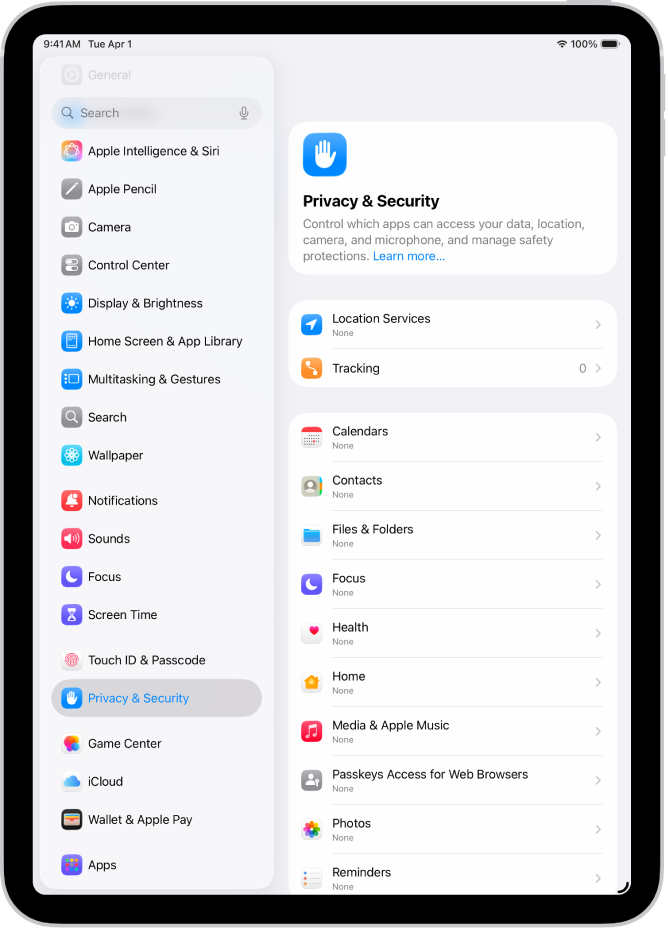
Open the Settings app on your iPhone. Tap General, then tap Software Update. Your phone will check Apple’s servers, and iOS 26.3.1 should appear as an available update. Tap Download and Install, enter your passcode if prompted, and agree to the terms. The download is roughly 900 megabytes, so make sure you are on Wi-Fi and have at least 50 percent battery — or keep the phone plugged in.
One thing that trips people up: if you have Automatic Updates enabled under Settings, then General, then Software Update, then Automatic Updates, your iPhone may have already downloaded iOS 26.3.1 in the background. In that case, you will see “Install Now” instead of “Download and Install.” The distinction does not change anything about the update itself. Tap it, wait about ten minutes for the restart cycle, and you are done.
If the update does not appear, force-close the Settings app and reopen it. Occasionally the software update server takes a moment to propagate, especially in the first few days after a release. If it still does not show, confirm your iPhone model is on the supported list — everything from iPhone 11 onward is eligible, but iPhone XS, XS Max, and XR were dropped when iOS 26 launched last year.
The Bigger Picture — Apple’s Update Cadence Is Getting Faster
This is the fourth point release in the iOS 26 cycle, and we are only in March. Apple shipped iOS 26.0 in September, 26.1 in November, 26.2 in January, 26.3 in February, and now 26.3.1 in early March. iOS 26.4 is already in beta with features like an AI-powered CarPlay dashboard and Apple Music listening history sharing. The pace suggests Apple is patching faster than ever, which is good for security but exhausting if you are the kind of person who reads every changelog before tapping the button.
My honest advice: do not overthink point releases. The big .0 and .1 updates are where Apple introduces major new features and the highest risk of unexpected bugs. By the time you reach a .3.1 release, the operating system has been hammered by millions of users for months and the remaining issues are at the margins. This is about as safe as an iOS update gets.
Quick-Action Checklist
- Check your current iOS version: Settings, then General, then About
- If you are on iOS 26.2 or earlier, update immediately for the 45 security patches in iOS 26.3
- If you are on iOS 26.3 with no issues, update within two weeks to stay current
- If you experience keyboard lag, Spotlight freezes, or CarPlay drops, update now — iOS 26.3.1 targets those bugs
- After updating, keep your phone plugged in overnight to allow background re-indexing to complete
- Check Settings, then General, then Software Update, then Automatic Updates to ensure future patches install automatically

Related Posts
Find My iPhone Does More Than Locate a Lost Phone — Here’s the Full Guide
Mar 06, 2026
The iPhone 17e Gives You Apple’s A19 Chip for $200 Less Than You’d Expect
Mar 04, 2026
Your iCloud Runs Out of Space Because Apple Buries the Fix Three Menus Deep
Mar 04, 2026