
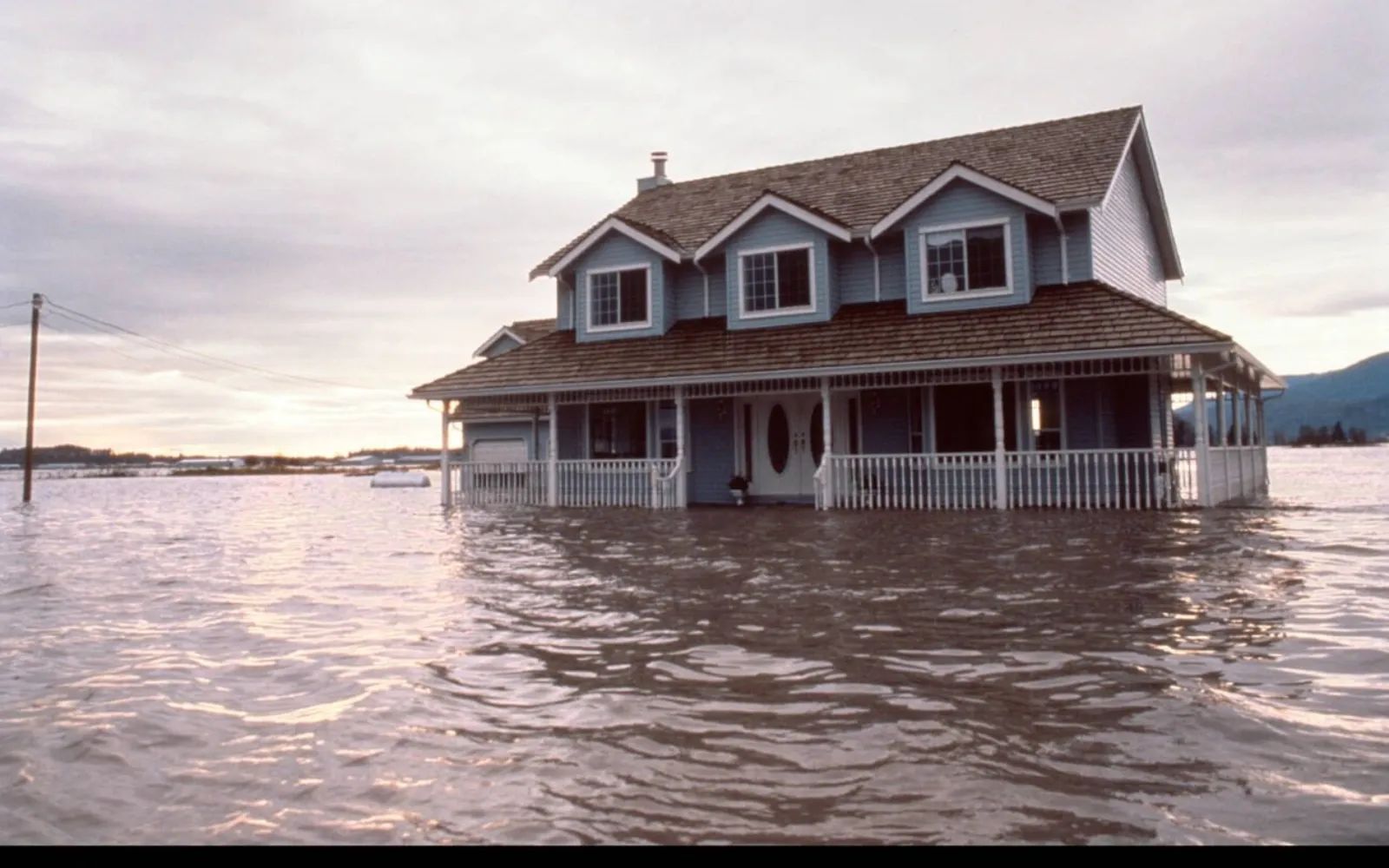
A single undetected drip under a kitchen sink can soak through a subfloor, warp hardwood, and rack up five figures in restoration costs before anyone notices. HomeKit water leak sensors in the Apple Home app send critical notifications directly to your iPhone and Apple Watch the moment moisture is detected. These alerts break through Do Not Disturb and Focus modes, so you receive them whether you are asleep at 2 a.m. or away on a two-week vacation. Setting one up takes about 90 seconds through the Apple Home app, and the sensor runs silently in the background until it matters most.
Key Takeaways
- HomeKit water leak sensors push critical alerts to iPhone and Apple Watch that override Focus and Do Not Disturb modes
- The Eve Water Guard uses a 6.5-foot sensing cable that covers large areas (extendable up to 490 feet) and runs on mains power, so batteries are never a concern
- The Meross Smart Water Sensor 3-Pack includes a hub and three puck-style sensors with 328-foot SubG wireless range for under sinks, behind toilets, and in basements
- Both sensors integrate with Apple Home automations, so a detected leak can trigger a scene that shuts off a connected smart plug
- The Apple Home app requires a home hub (HomePod or Apple TV) for remote notifications when you are away from the house
- Water leak sensors get a special alert category in HomeKit with a distinctive red-tinted notification
Apple Home Water Leak Sensor Comparison At A Glance
The following table compares the two standout HomeKit-compatible water leak sensors available right now, each with a distinctly different approach to protecting your home.
| Feature | Eve Water Guard | Meross Smart Water Sensor 3-Pack |
|---|---|---|
| Detection Method | 6.5-foot sensing cable (full-length) | Spot-based metal probe (0.5 mm threshold) |
| Connectivity | Bluetooth and Thread | SubG wireless via Meross Hub |
| Power Source | Mains (wall outlet) | CR2 battery (18+ months) |
| Range/Coverage | Cable extendable to 490 feet | 328 feet (open air) to hub |
| Siren Volume | 100 dB built-in | 60 dB built-in |
| Hub Required | No (uses Thread/Bluetooth direct) | Yes (Meross Hub included) |
| Best Placement | Laundry rooms, water heaters, basements | Under sinks, behind toilets, tight spaces |
| Privacy | No cloud, no registration, fully local | Data via AWS (HTTPS/TLS encrypted) |
How Apple Home Handles Water Leak Alerts
Water leak sensors hold a unique position inside Apple Home. Unlike a motion sensor or door contact that might generate a routine status notification, a water leak event triggers a critical alert. That notification appears on your iPhone lock screen with a red-tinted icon, and it pushes through any active Focus mode. If you are running Sleep Focus at 3 a.m. and a pipe bursts in the basement, you will know.
The requirement for remote alerts is a home hub. A HomePod, HomePod mini, or Apple TV (4th generation or later) acts as the bridge between your local HomeKit accessories and your iPhone when you are away from home. If you already own any of these devices, you are set. If you have been putting off that Apple Home architecture upgrade, the February 10, 2026 deadline makes this the ideal time to get both tasks handled at once.
One genuinely useful capability: you can mix water leak sensors from different manufacturers within the same Apple Home setup. An Eve Water Guard in the laundry room and a Meross sensor under the kitchen sink both feed into the same notification pipeline, the same automations, and the same status screen. Apple Home does not care who made the sensor. It cares that water was detected.
Where to Actually Put Them
The instinct is to throw a sensor under the kitchen sink and call it done. That covers maybe 10% of the risk. Here is a more thorough placement strategy, ranked by how commonly each location produces a surprise flood.
Under every sink in the house (kitchen, bathroom, utility). These are the most common leak sources, and the damage often goes unnoticed because cabinet doors hide the pooling water. A small puck-style sensor slides right behind the P-trap.
Behind and beneath the washing machine. A failed supply hose or a clogged drain line on a washing machine can dump gallons of water onto a floor in minutes. If the laundry room sits above a finished living space, the stakes are even higher. A cable-style sensor like the Eve Water Guard wraps around the base of the machine and catches water from any direction.
Next to the water heater. Water heaters fail gradually. A slow seep from the pressure relief valve or a corroded tank can go unnoticed for weeks in a basement or utility closet. Place a sensor directly on the floor beside the unit.
Near the dishwasher. Supply line connections loosen over time. The tight space under a dishwasher is an ideal spot for a slim puck sensor.
Basement floor drains and sump pump areas. If your sump pump fails during a heavy rain, a sensor at the drain will alert you before the water reaches anything you care about.
Affiliate disclosure: some links in this article are Amazon Associate links. If you buy through them, Zone of Mac may earn a small commission at no extra cost to you, and we only recommend products that genuinely bring value to your Apple setup.
The Eve Water Guard: Cable-Based Protection for Larger Spaces
The Eve Water Guard takes a fundamentally different approach to leak detection than puck-style sensors. Instead of monitoring a single contact point, it uses a 6.5-foot sensing cable that acts as one continuous detector across its entire length. Water touching any section of that cable, even a quarter-inch segment, triggers the alert. For wrapping around the base of a water heater or running along the back wall of a laundry room, this design eliminates the guesswork of "did I put the sensor in exactly the right spot?"
It connects via Bluetooth and Thread, which means no proprietary hub and no cloud dependency. Eve markets this as a privacy-first approach: no Eve cloud account, no registration, no tracking. Data stays entirely local. As a Full Thread Device (FTD), the Water Guard also acts as a router node in your Thread mesh network, strengthening connectivity for other Thread accessories in your Apple Home setup. The 100 dB siren is loud enough to hear from another floor, and the red warning LED provides a visual cue if you happen to be nearby. It plugs into a standard wall outlet, so dead batteries are never a concern. The tradeoff is that placement depends on outlet availability, which can be limiting under some sinks.
One edge case worth noting: the cable sits flat on the floor, and its sensitivity can vary slightly depending on the surface material. On smooth tile or concrete, response time is essentially instant. On thick carpet (a rare but possible scenario near a basement utility area), the water needs to soak through to the cable, which adds a few seconds. On bare or lightly finished floors, which is where most water-prone areas tend to be, the detection is fast and reliable.


Here's where to get the Eve Water Guard, the standout choice for laundry rooms, basements, and any space where a single-point sensor simply cannot cover enough ground.
https://www.amazon.com/dp/B09TB72Z5N?tag=zoneofmac-20
The Meross Smart Water Sensor 3-Pack: Budget Coverage for Multiple Rooms
When the goal is covering every sink in the house without spending a fortune, the Meross Smart Water Sensor 3-Pack hits the right balance. The kit ships with three individual puck-style sensors and the Meross Hub, which bridges them into Apple Home via your Wi-Fi network. Each sensor is small enough to slide behind a P-trap or tuck beside a toilet base, and the IP67 waterproof rating means the sensor itself keeps working even after it detects a leak.
The SubG wireless connection between the sensors and the hub delivers a 328-foot range in open air, which is substantially better than Zigbee or standard Bluetooth. In a real-world house with walls, doors, and floors between the sensor and the hub, expect around 80 to 100 feet of reliable range. The hub supports up to 16 Meross sensors, so you can expand well beyond the initial three-pack as your home protection needs grow. Battery life on each sensor runs about 18 months on the included CR2 battery.
The setup process has a quirk: the initial pairing requires a small metal conductor (included in the box) to trip the sensor's contact points, which is not immediately obvious from the quick-start guide. The Meross support website explains it clearly, but it is the kind of detail that can eat 15 minutes of troubleshooting if you skip straight to the physical setup without reading first. Once paired, the sensors show up in Apple Home like any other accessory and respond to all the standard automation and notification features.
The 60 dB siren on each Meross sensor is noticeably quieter than the Eve Water Guard's 100 dB blast. If the sensor is tucked inside a closed cabinet, you may not hear the onboard alarm from another room. The iPhone notification is the real safety net here, and it works reliably through Apple Home's critical alert pathway.
Get the best deal on the Meross Smart Water Sensor 3-Pack with included hub, an affordable way to put leak detection under every vulnerable spot in your home (Amazon affiliate link):
https://www.amazon.com/dp/B0DM27S8ZB?tag=zoneofmac-20
Build an Automation That Responds to a Leak
Detecting a leak is half the job. Responding to it automatically is the other half. In the Apple Home app, you can create an automation that triggers when any water leak sensor changes to a "Leak Detected" state. A practical example: if a sensor near the washing machine detects water, the automation turns off an Eve Energy smart plug that powers the machine, cutting the water supply at the source. Here is how to set that up.
Open the Home app on your iPhone or iPad. Tap the Automations tab (the middle icon at the bottom). Tap the plus (+) button in the upper-right corner. Select "A Sensor Detects Something." Choose your water leak sensor from the list. Select "Detects Water" as the trigger condition. Tap Next, then choose the accessory you want to control (for example, the smart plug powering your washing machine). Set the action to "Turn Off." Tap Done.
This automation runs through your home hub, so it works even when your iPhone is not on the local network. The combination of instant notification and automatic shutoff buys you critical minutes, especially when the leak happens overnight or while you are traveling.
If you already use your Apple TV as a smart home hub, all of this runs through the same infrastructure with no additional setup.
Join The Inner Circle For Serious Apple Users
Exclusive Apple tips. Free to join.
Accessibility and Clarity
Water leak sensors are among the most accessibility-friendly smart home devices in the entire HomeKit ecosystem. The Apple Home app surfaces leak status through VoiceOver with clear, descriptive labels ("Leak Detected" or "No Leak Detected"), and the critical alert notification is accompanied by a distinctive haptic pattern on iPhone and Apple Watch. For users with hearing limitations, the Eve Water Guard's red LED warning light provides a strong visual cue, and the Apple Watch tap-on-wrist notification ensures the alert is felt physically even if the audible siren is not heard.
From a cognitive accessibility perspective, the setup process for both sensors is linear and predictable: scan the HomeKit code, assign a room, done. There are no branching menus, nested configurations, or multi-step calibration screens. The Apple Home app's status view shows each sensor's state in a single, high-contrast line, making it straightforward to check at a glance without navigating through multiple screens.
One consideration for users with limited mobility: the Meross puck sensors are small enough to place without reaching deep into awkward spaces (they can be slid into position with a ruler or grabber tool), while the Eve Water Guard's cable can be laid out across a floor before the unit is plugged in, avoiding the need to work in tight quarters after the power connection is made.
Quick-Action Checklist: Set Up HomeKit Water Leak Protection Today
- Confirm you have a home hub: HomePod, HomePod mini, or Apple TV (4th generation or later)
- Update to the latest version of iOS or iPadOS on your iPhone or iPad
- Choose your sensor type: Eve Water Guard for large-area cable coverage, Meross 3-Pack for multi-room puck placement
- Unbox the sensor and locate the HomeKit pairing code (printed on the device or quick-start guide)
- Open the Apple Home app, tap the plus (+) button, and select "Add Accessory"
- Scan the HomeKit code with your iPhone camera
- Assign the sensor to the correct room (e.g., "Laundry Room," "Kitchen," "Basement")
- Verify notifications: go to Home Settings, select your home, choose "Water Leak Sensors," and confirm notifications are enabled
- Test the sensor: for Eve, drip a small amount of water onto the cable; for Meross, use the included conductor to trip the contact points
- Optional: create a "Leak Detected" automation to shut off a connected smart plug

Related Posts
HomeKit Ceiling Fans That Earn a Spot in Your Apple Home
Apr 07, 2026
The Apple TV 4K Settings You Skipped Are Ruining Your Movies
Apr 06, 2026
The HomeKit Weather Sensors That Belong in Every Apple Home
Apr 05, 2026