

🎧 Listen to this article
Prefer to listen? An audio version of this article is available for accessibility and convenience.
Govee smart lights work with Apple Home, but only a handful of them do it natively. The rest — and there are dozens — need a workaround that most people never attempt. If you bought Govee strips or bulbs expecting to control them from the Home app, you probably discovered the disconnect within ten minutes of unboxing.
The short answer is Matter. Govee’s newer products ship with Matter support built in, which means Apple Home recognizes them the same way it recognizes any HomeKit device. The complication is that “newer” means a very small subset of what Govee sells. The majority of their catalog still talks exclusively to the Govee Home app, Alexa, and Google Home.
I counted. As of March 2026, Govee has exactly five products with native Matter support: the LED Strip Light M1 (both the 2-meter and 5-meter versions), the Floor Lamp 3, the Ceiling Light Ultra, and the Sky Ceiling Light. The last three were announced at CES 2026 in January and are rolling out now. Everything else — the popular RGBIC strips, the outdoor string lights, the table lamps, the TV backlights — requires a bridge if you want them in Apple Home.
That bridge situation is where things get interesting, and a little frustrating.
 Ad
AdThe Native Matter Path: Five Lights, Zero Friction
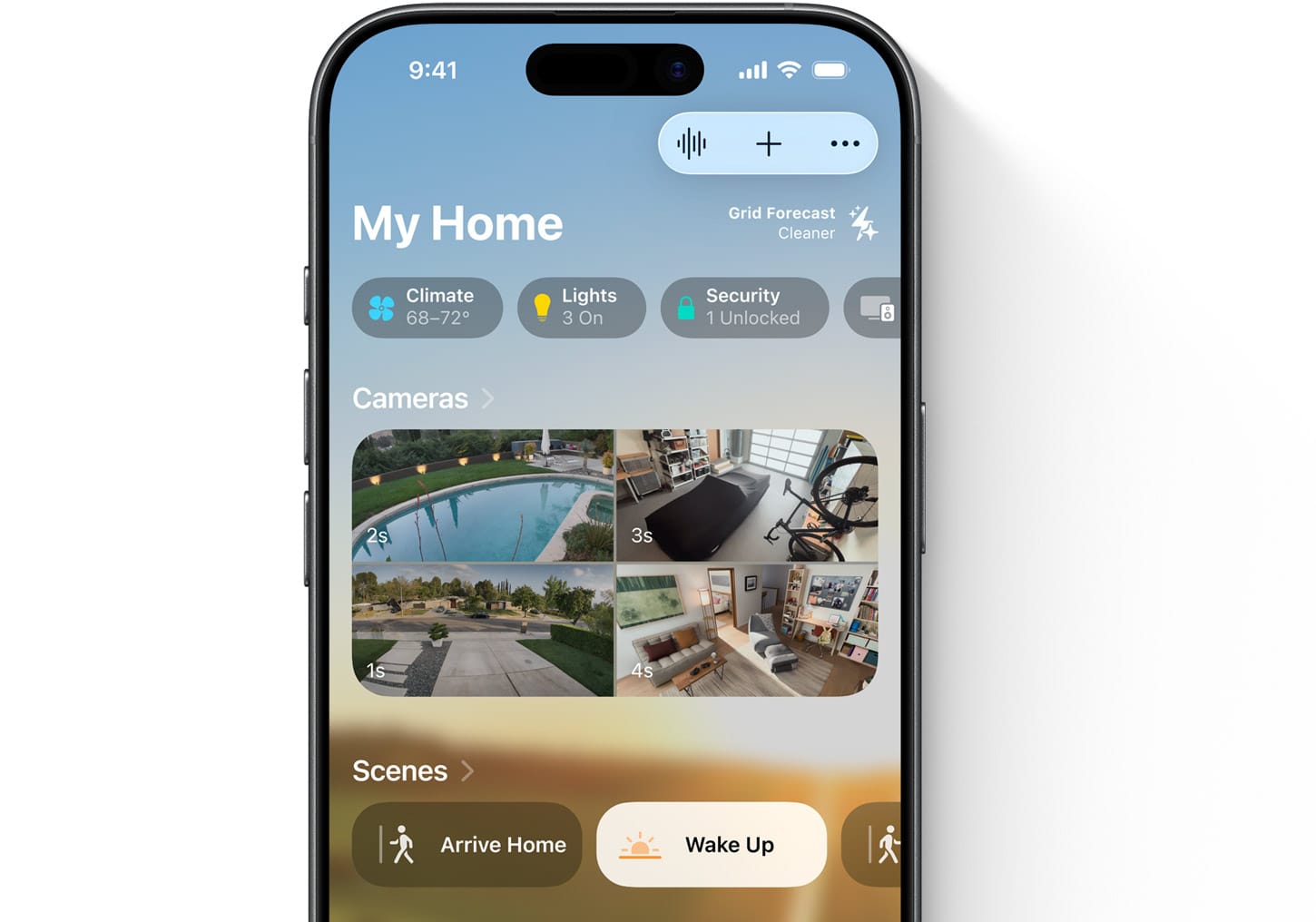
If you own one of those five Matter-enabled Govee products, setup is genuinely painless. Open the Apple Home app, tap the plus icon, choose Add Accessory, and scan the Matter pairing code that either ships on a card in the box or appears in the Govee Home app under device settings. Your HomePod, HomePod mini, or Apple TV 4K acts as the Matter controller, and the light shows up in whatever room you assign it to.
There are a few requirements Apple does not make obvious. Your Home hub — that HomePod or Apple TV — must be running current software. Your iPhone needs iOS 16.2 or later, though at this point you should be well past that on iOS 26. The Govee device must connect to a 2.4GHz Wi-Fi network with IPv6 enabled. That last one catches people. Plenty of home routers have IPv6 disabled by default or buried behind an advanced settings toggle, and the pairing will silently fail without telling you why.
Once paired, you get on/off control, brightness, color temperature, and color changing inside Apple Home. Siri responds to commands like “Set the living room lights to warm white” or “Turn the floor lamp to 50 percent.” You can fold Govee lights into HomeKit automations and scenes alongside your other smart home gear. If you already run scenes with Philips Hue bulbs in Apple Home, the Govee light can join that scene without any extra configuration.
The limitation is features. Govee’s own app offers dozens of lighting effects, music sync modes, and the new AI Lighting Bot 2.0 that shipped at CES 2026. None of that carries over to Apple Home. You get basic controls — power, brightness, color — and nothing else. Apple’s support documentation for pairing Matter accessories makes it clear: the Home app does not surface manufacturer-specific features through Matter. That is a Matter protocol limitation, not a Govee decision. Every Matter light from every brand faces the same tradeoff.
This matters because Govee’s entire appeal is those effects. Buying a Govee Ceiling Light Ultra for its 616-LED matrix that renders animated scenes and then controlling it only through Apple Home is like buying a sports car and only driving it in first gear. You get the basic function, but you lose the thing you paid for. The practical answer for most people: pair it with Apple Home for Siri control and automations, but keep the Govee Home app installed for the effects you actually want to use.
 Ad
AdWhat About Every Other Govee Product?
The rest of the Govee lineup — and it is a massive lineup — has no Matter chip. Govee confirmed this on their official Matter FAQ page: older products cannot receive Matter support through a firmware update because the hardware physically lacks the required chip. A software update cannot fix a missing radio.
This leaves three options for bringing non-Matter Govee devices into Apple Home, and none of them are simple.
Homebridge is the most popular route. It is an open-source server that emulates HomeKit accessories, running on a Raspberry Pi, a spare Mac, or a NAS. You install a Govee-specific plugin that communicates with the Govee cloud API, and your lights appear in Apple Home as if they were native accessories. The catch: Homebridge requires ongoing maintenance. Plugins break when Govee updates their API. The server needs to stay powered on. If your Raspberry Pi loses power or crashes, your lights disappear from Apple Home until you restart it.
HOOBS offers a more polished version of the same approach. It packages Homebridge in a friendlier interface with a dashboard, guided setup, and automatic updates. The underlying technology is identical, but the experience is less command-line and more point-and-click. You still need dedicated hardware running at all times.
Home Assistant is the third option. It integrates Govee devices through its own cloud or local API plugins and can expose them to Apple Home through its built-in HomeKit bridge. Home Assistant is powerful but complex — it is an entire smart home operating system, not a single-purpose bridge. If you are already running Home Assistant, adding Govee to Apple Home through it is straightforward. If you are not, setting it up solely for this purpose is overkill.
How Govee lights connect to Apple Home depends on the product. This table compares the three main integration paths at a glance.
| Method | Setup Effort | Ongoing Maintenance | Features in Apple Home |
|---|---|---|---|
| Native Matter (5 products) | Scan QR code, done | None | Power, brightness, color, temperature |
| Homebridge / HOOBS | Raspberry Pi + plugin install | Plugin updates, server uptime | Power, brightness, color (varies by plugin) |
| Home Assistant | Full smart home OS setup | Regular updates, configuration | Power, brightness, color, automations |
Which Govee Lights Belong in Your Apple Home?
The honest recommendation depends on what you value more: Apple Home integration or Govee’s lighting effects.
If seamless Apple Home control is the priority, stick with the five Matter products. The Floor Lamp 3 is the standout — it supports the full 1,000K to 10,000K color temperature range, which is wider than most competitors, and Govee’s LuminBlend+ system handles color mixing without the visible hot spots that cheaper LED lamps produce. The Ceiling Light Ultra is genuinely impressive at 5,000 lumens with that 616-LED matrix, though the effects only work in the Govee app. The Sky Ceiling Light targets a specific aesthetic — it mimics natural daylight through gradient illumination — and at 5,200 lumens it can light a room up to 300 square feet.
If you already own non-Matter Govee lights and want basic Apple Home control, Homebridge is the path of least resistance. A Raspberry Pi 4 or newer handles it without breaking a sweat, and the Govee Homebridge plugin has been stable for over a year. Just know that you are adding a dependency. One more device. One more thing that can fail at 2 a.m. when you ask Siri to turn off the lights and nothing happens. For a broader look at which accessories earn their place in your smart home, check out our full guide to every Apple HomeKit device worth buying.
If you want the full Govee experience with the effects and the music sync and the AI features, the Govee Home app is where that lives. Apple Home gives you the basics. The Govee app gives you everything else. Running both is not elegant, but it works.
The bigger picture here is one that extends beyond Govee. Matter was supposed to be the protocol that unified smart home devices under one roof. In practice, it delivers baseline functionality — on, off, dim, color — while the interesting features stay locked in manufacturer apps. Govee is no exception, but at least they are shipping Matter hardware now instead of just talking about it.

Related Posts
Your Apple Home Is Missing Its Most Important Sensor
Mar 29, 2026
Friday Night Baseball on Apple TV Delivers the Best MLB Broadcast Nobody Expected
Mar 28, 2026
HomeKit Smart Locks That Actually Secure Your Apple Home in 2026
Mar 27, 2026