

🎧 Listen to this article
Prefer to listen? An audio version of this article is available for accessibility and convenience.
Samsung Galaxy XR costs $1,799 and weighs 205 grams less than Apple Vision Pro. It runs Android XR with full Gemini AI integration, has a wider field of view at 109 degrees, and supports nearly every app in the Google Play Store from day one. On paper, it sounds like the headset that should make Apple owners reconsider their $3,499 investment.
It does, though, mean giving up the exact features that make Vision Pro feel like a natural extension of your Apple life. Mac Virtual Display, Handoff, AirDrop, spatial Personas in FaceTime, iCloud sync that works without thinking about it — none of that crosses over. And the question of whether Samsung’s advantages outweigh those losses depends entirely on how deep your Apple roots actually run.
I spent time comparing specifications, reading through hands-on reviews from Tom’s Guide, TechRadar, Bloomberg, and Android Police, and mapping out exactly what each headset does that the other cannot. The short version: Galaxy XR is a remarkable first attempt at a lower price point, but it asks Apple users to trade an ecosystem for a spec sheet.
The Weight Gap Is Real — but It Is Not the Whole Story
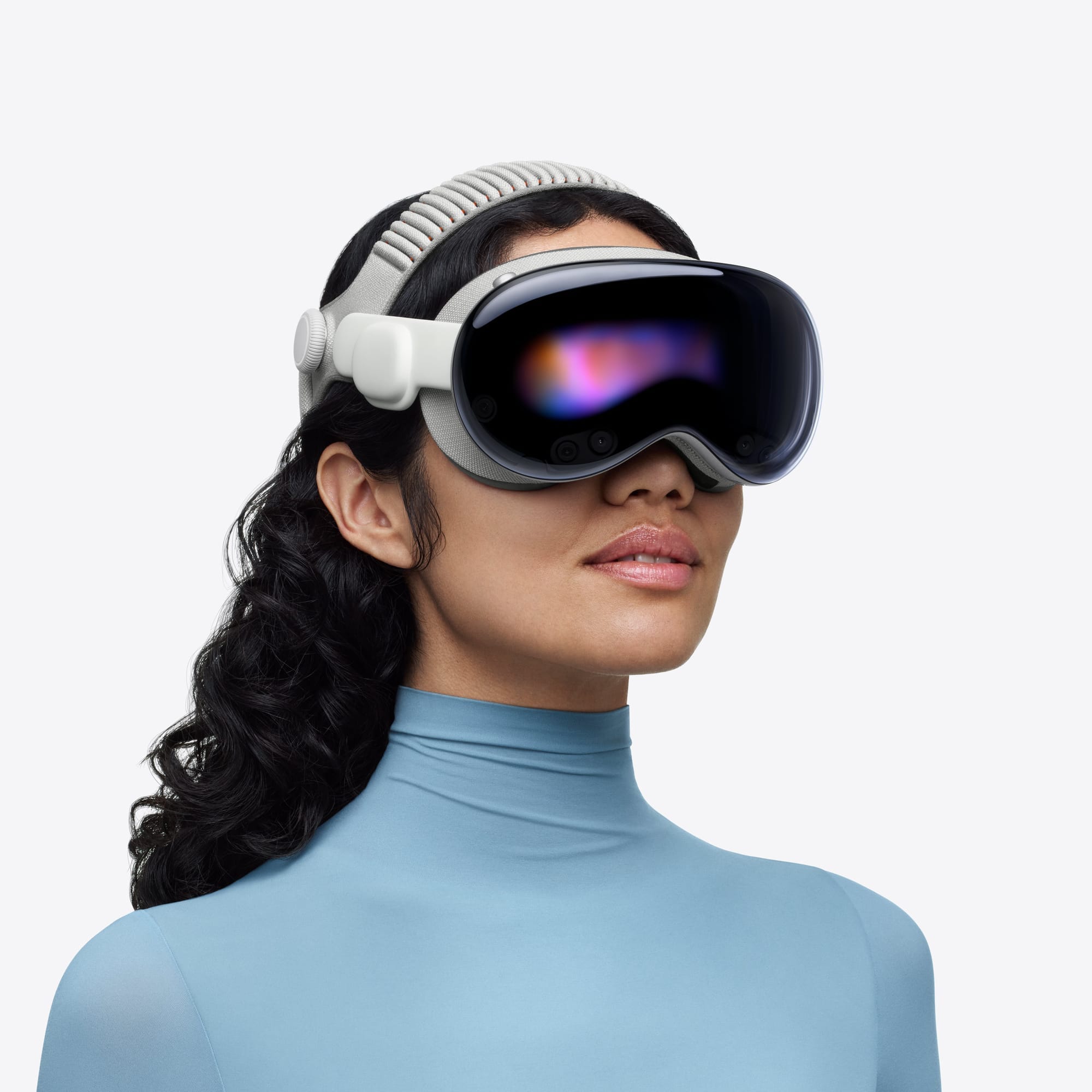
The weight difference is the first thing everyone mentions, and it matters. Galaxy XR sits at 545 grams with its forehead cushion. Vision Pro, even with the newer Dual Knit Band that shipped alongside the Apple M5 chip refresh in October 2025, comes in around 750 to 800 grams before you factor in the external battery pack. That gap is roughly the weight of a baseball sitting on your face. In longer sessions — thirty minutes or more of spatial computing — that extra heft becomes something you actively notice. The front of Vision Pro presses against your cheekbones in a way that the lighter Galaxy XR simply does not.
But comfort is not purely a weight equation. Vision Pro’s aluminum and glass construction feels like a product Apple spent years refining. Galaxy XR is primarily plastic, and while that plastic is what makes it lighter, the build has a different tactile quality. The strap adjustment mechanism clicks firmly on both, though reviewers from Android Police and Tom’s Guide noted that Galaxy XR’s fit dial occasionally needs a second twist to hold position during head movement.
Samsung’s Pixel Count Wins on Paper — Apple’s Sharpness Wins in Practice
The display numbers favor Samsung at first glance. Galaxy XR claims roughly 27 million total pixels across its dual 4K Micro-OLED panels, compared to Vision Pro’s estimated 23 million. Samsung also hits 96 percent of the DCI-P3 color gamut versus Apple’s 92 percent. The field of view is wider too — 109 degrees horizontal compared to Apple’s officially unpublished number that most reviewers estimate around 90 to 100 degrees.
Here is where the numbers get complicated. Despite the higher pixel count, multiple reviewers reported that text rendering on Galaxy XR is not quite as crisp as Vision Pro. MacRumors specifically noted this in their comparison, and TechRadar’s week-long review echoed it. The reason likely comes down to Apple’s R1 co-processor, which handles sensor fusion and display rendering at 12 milliseconds of photon-to-photon latency. That chip exists solely to make what you see feel instantaneous and sharp. Samsung routes everything through the Qualcomm Snapdragon XR2+ Gen 2 processor, which handles both general computing and display rendering without a dedicated co-processor for the visual pipeline.
Refresh rate tells a similar story. Galaxy XR tops out at 90 Hz. Vision Pro supports 90, 96, 100, and 120 Hz, and that extra headroom makes a noticeable difference during fast head movements and scrolling through spatial interfaces. If you have ever compared a 60 Hz and 120 Hz iPad, you already understand how this gap feels — it is not dramatic, but once you see it, you cannot unsee it.
Gemini AI Is Galaxy XR’s Strongest Argument
Galaxy XR’s strongest card is Gemini AI, and this is not a small advantage. Samsung built Gemini into the headset so deeply that it can see through the passthrough cameras and hear through the six microphones simultaneously. Circle to Search works on real-world objects. You can point at a restaurant sign and get reviews, or look at a plant and have it identified instantly. Google Maps integration turns the headset into an immersive tour guide with 3D city models.
Vision Pro, by contrast, has no Apple Intelligence features on visionOS as of February 2026. None. The Apple M5 chip has a 16-core Neural Engine sitting largely idle when it comes to on-device AI assistance. Apple has not explained this gap publicly, but the result is that for anyone who considers AI integration a primary purchasing factor, Galaxy XR wins this category by default. It is not a close contest.
What Apple Ecosystem Owners Actually Lose
For Apple ecosystem owners, the real decision point lives in what you lose when you leave. Mac Virtual Display is the feature I would miss most acutely. Vision Pro wirelessly projects your Mac screen into a massive virtual 4K display, adjustable up to an ultrawide 32:9 aspect ratio, and your existing keyboard and trackpad work seamlessly across both visionOS and macOS Tahoe apps. You can have a visionOS window floating to your left while your Mac desktop stretches across your center field of view, and the pointer moves between them without any configuration. Galaxy XR offers PC Link, but it requires multiple applications to set up and is limited to basic screen mirroring — no seamless pointer sharing, no ultrawide mode, no ability to interact with your desktop and XR apps as a unified workspace. If you already use a Mac for work, you can explore how the full virtual display workflow functions in our guide to replacing two monitors with Vision Pro Mac Virtual Display.
Handoff disappears entirely when you switch to Galaxy XR. Starting an email on your iPhone and finishing it on Vision Pro, or copying text on your Mac and pasting it in a visionOS app — these are the invisible conveniences that feel unremarkable until they are gone. Samsung offers Multi Control for keyboard and mouse sharing between Samsung devices, but that requires Samsung hardware on both ends and does not extend to task continuation.
FaceTime spatial Personas are something Galaxy XR cannot replicate at all. VisionOS 26 added dramatically improved Personas with volumetric rendering, realistic hair and eyelash movement, and full side-profile views. When you FaceTime another Vision Pro user, you appear as a life-size spatial avatar. Google Meet exists on Galaxy XR, but it is a flat video call — no spatial presence, no volumetric representation. Apple’s visionOS support documentation details the full Persona setup process for anyone curious about what this looks like in practice.
The App Question Cuts Both Ways
Galaxy XR launches with access to hundreds of thousands of existing Android apps from the Google Play Store. That is a staggering quantity advantage. Vision Pro’s native visionOS app library is smaller, though it supplements with iOS and iPadOS app compatibility. Where Vision Pro pulls ahead is in purpose-built spatial apps — apps designed from the ground up for spatial computing rather than adapted from a phone interface. Apple’s Freeform, Keynote, and Safari feel native to the spatial environment in a way that scaled-up Android apps do not. Setting up spatial widgets on Vision Pro to create a persistent smart dashboard in your room is an experience that Android XR has not matched.
The Samsung Explorer Pack sweetens the Galaxy XR launch considerably: 12 months of Google AI Pro, YouTube Premium, Google Play Pass, trial access to YouTube TV, and NBA League Pass. That is genuine value bundled with a headset already priced $1,700 below Vision Pro. For someone primarily interested in media consumption — streaming shows, watching sports, YouTube in an immersive environment — Galaxy XR delivers a compelling entertainment package at a significantly lower cost.
The Ecosystem Question Nobody Else Is Asking
I keep coming back to a practical question. If you own a MacBook, an iPhone, AirPods, and an Apple Watch, Galaxy XR sits outside that loop. AirDrop does not work. iCloud does not sync. Spatial Audio with the personalized head tracking that AirPods Pro 3 and AirPods 4 offer is optimized for Vision Pro at a level that Bluetooth audio on Galaxy XR cannot match. You would be wearing a headset that talks to Google services while the rest of your life runs on Apple services, and that friction accumulates in small ways across every session.
Samsung built something impressive for a first-generation product. The combination of lighter weight, Gemini AI integration, a wider field of view, and a price nearly half of Vision Pro’s makes Galaxy XR a legitimate spatial computing option. But for Apple ecosystem owners specifically, the calculus is different than for someone starting fresh. You are not just comparing two headsets. You are comparing a headset that works with everything you already own against a headset that asks you to build a parallel digital life alongside the one you have.
If Galaxy XR had launched at $1,799 with Apple ecosystem support, I would call it the clear winner for most people. It did not, and that single limitation reshapes the entire comparison for anyone reading this on a Mac or iPhone right now.

Olivia Kelly
Staff writer at Zone of Mac with over a decade of Apple platform experience. Verifies technical details against Apple's official documentation and security release notes. Guides prioritize actionable settings over speculation.
Related Posts
Apple Vision Pro Two Years In: What Changed, What Didn't, and What You Should Set Up Right Now
Feb 22, 2026
Replace Two Monitors With Vision Pro Mac Virtual Display
Feb 05, 2026
Set Up PlayStation VR2 Controllers on Vision Pro for Gaming
Jan 29, 2026