

watchOS 26 runs on every Apple Watch from Series 6 through the brand-new Series 11, plus every Ultra and every SE from the second generation onward. If your watch powered on with watchOS 10 or later, it will run watchOS 26. That is the simple answer, and for most people it is the only one that matters.
The complication is that "runs watchOS 26" and "gets every watchOS 26 feature" are two very different statements. Apple has quietly tiered the release so that headline features like Wrist Flick, hypertension notifications, and Workout Buddy require hardware that shipped in 2023 or later. A Series 6 owner updating today will see a fresh Liquid Glass interface and a few useful additions. A Series 11 owner will get an entirely different operating system underneath that same glass. I wanted to map every feature to every model so you know exactly what your wrist is getting before you tap Update.
 Ad
AdThe Full watchOS 26 Compatibility List
Apple did not drop a single model from the watchOS 25 lineup this cycle. Here is every Apple Watch that runs watchOS 26, confirmed by Apple’s official support page:
- Apple Watch Series 6 (2020)
- Apple Watch Series 7 (2021)
- Apple Watch Series 8 (2022)
- Apple Watch Series 9 (2023)
- Apple Watch Series 10 (2024)
- Apple Watch Series 11 (2025)
- Apple Watch SE (2nd generation) (2022)
- Apple Watch SE (3rd generation) (2025)
- Apple Watch Ultra (2022)
- Apple Watch Ultra 2 (2023)
- Apple Watch Ultra 3 (2025)
One requirement that catches people off guard: watchOS 26 demands an iPhone 11 or later running iOS 26. You cannot update the watch without updating the phone first. If you are still on an iPhone XS or XR, your Apple Watch is stuck on its current software regardless of model. Apple publishes a full Apple Watch and iPhone compatibility chart that is worth bookmarking.
What Every Compatible Model Gets
The universal features are genuinely good this year. Every Apple Watch on the list above receives:
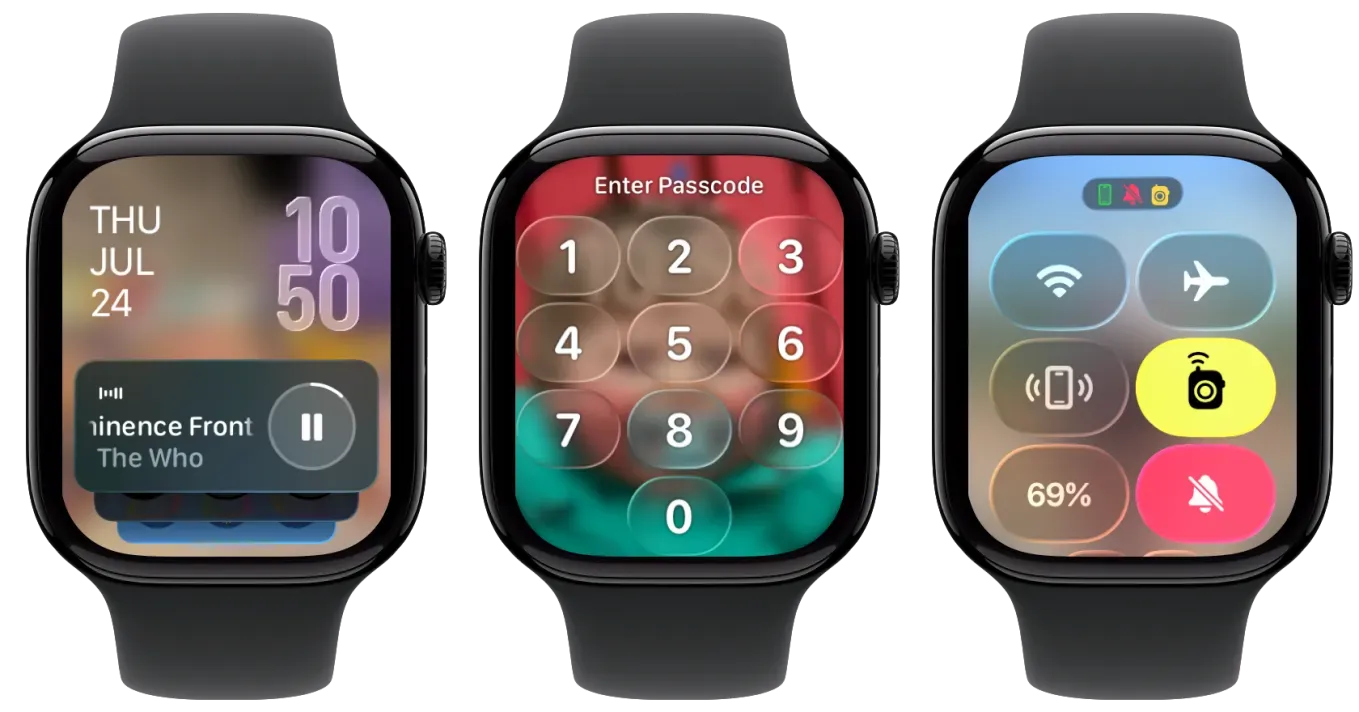
Liquid Glass interface. The entire operating system gets a visual overhaul with translucent, glass-like buttons that shift and refract as you scroll. The Smart Stack, Control Center, and in-app navigation all look noticeably different. It is not just a coat of paint. Tapping through the redesigned Control Center feels snappier than watchOS 25, and the new translucent panels give you a better sense of depth on the small display.
Sleep Score. Your watch now calculates a numerical sleep quality score based on how long you slept, how consistent your schedule has been, and how many times you woke up during the night. The number shows up on a dedicated card in the Sleep app each morning. I find the single score more useful at a glance than the old chart-and-bar breakdown, though both views are still available.
Notes app on Apple Watch. You can finally create and view notes directly on your wrist. Dictation through Siri works for capturing quick thoughts, and notes sync back to the Notes app on your iPhone and Mac. The keyboard situation on smaller watch screens is still cramped, but voice input handles most of what you would actually type standing in a grocery aisle.
New watch faces. Flow gives you a shifting color orb behind Liquid Glass numerals. Exactograph is a precision-focused face with three concentric dials for hours, minutes, and seconds. The Photos face now shuffles through your featured images automatically instead of requiring you to pick a static photo. If you want to customize your Apple Watch faces in watchOS 26, the redesigned Gallery groups faces into collections like Health and Fitness, Photos, and Data Rich, which makes browsing far less tedious than scrolling through one long list.
Redesigned Workout app. Four new corner buttons surface Pacer, Race Route, Custom Workout, and Workout Buddy access without digging through menus. Apple Music can now auto-suggest playlists based on your workout type and listening history. If your Apple Watch doubles as your gym companion, this layout change alone saves several taps per session.
Automatic Volume Adjustment. System sounds now scale based on ambient noise levels around you. Walk into a loud coffee shop and notification chimes get louder. Sit in a quiet library and they soften. This was one of those features I did not know I wanted until it started working.
 Ad
AdWhere Your Model Determines Your Experience
This is where watchOS 26 becomes genuinely frustrating for anyone wearing an older model. Apple does not surface a clear warning during setup. You update, everything looks modern, and then you go looking for a headline feature and it simply is not there.
Wrist Flick: Series 9 and Later Only
The Wrist Flick gesture lets you dismiss notifications, silence incoming calls, stop timers, and return to the watch face by quickly rotating your wrist. It requires the neural engine in the Apple Watch S9 chip, which means Series 9, Series 10, Series 11, Apple Watch SE (3rd generation), Apple Watch Ultra 2, and Apple Watch Ultra 3. If you own a Series 6, 7, 8, the original Ultra, or the second-generation SE, you will not see this option anywhere in Settings.
In practice, Wrist Flick is the kind of feature that becomes muscle memory within a day. Reaching over with your other hand to tap Dismiss feels clumsy once you have flicked a few notifications away. It is a small thing that makes older models feel noticeably older.
Hypertension Notifications: Series 9 and Later
Apple Watch can now monitor your blood pressure patterns over time and alert you if it detects signs of possible hypertension. This requires the same S9 or newer chip and the optical heart sensor hardware found in Series 9, Series 10, Series 11, Apple Watch Ultra 2, and Apple Watch Ultra 3. The feature does not replace a blood pressure cuff. It watches trends across weeks of passive readings and flags when those trends cross into concerning territory. The distinction matters: this is a screening tool, not a diagnostic one.
Workout Buddy and Live Translation: Apple Intelligence Required
Workout Buddy is an AI-powered voice companion that gives you personalized motivation and milestone updates during exercise. Live Translation in Messages automatically converts incoming texts into your language. Both features run through Apple Intelligence, which means your Apple Watch needs to be a Series 9 or later paired with an iPhone 15 Pro or newer. The watch provides the interface; the phone provides the processing. Pair a Series 9 with an iPhone 14 and neither feature will activate. This dual-device requirement is the most confusing part of the entire update and Apple buries it deep in the fine print.
Satellite Connectivity: Ultra 3 Exclusive
Only the Apple Watch Ultra 3 can reach emergency services and share your location through satellite when you have no cellular or Wi-Fi connection. If you hike, ski, or spend time in areas without cell coverage, this is the single feature that could justify the Apple Watch Ultra 3 price tag. Every other Ultra 3 feature is shared with at least one other model. Satellite connectivity stands alone.
Here is how the major watchOS 26 features break down by model tier. "All" means every compatible Apple Watch from Series 6 onward.
| Feature | Series 6–8, SE 2 | Series 9–10, Ultra 2, SE 3 | Series 11, Ultra 3 |
|---|---|---|---|
| Liquid Glass Design | Yes | Yes | Yes |
| Sleep Score | Yes | Yes | Yes |
| Notes App | Yes | Yes | Yes |
| Wrist Flick Gesture | No | Yes | Yes |
| Hypertension Notifications | No | Yes (Series 9+ / Ultra 2+) | Yes |
| Workout Buddy (Apple Intelligence) | No | Requires iPhone 15 Pro+ | Requires iPhone 15 Pro+ |
| Live Translation in Messages | No | Requires iPhone 15 Pro+ | Requires iPhone 15 Pro+ |
| Satellite Connectivity | No | No | Ultra 3 Only |
How to Check Your Model and Update
Open the Apple Watch app on your iPhone, tap My Watch, then tap General followed by About. The Model Name field tells you exactly which watch you own. If it says "Apple Watch Series 8," you now know your ceiling: Liquid Glass, Sleep Score, Notes, new faces, and the redesigned Workout app. No Wrist Flick, no hypertension alerts, no Apple Intelligence features.
To update, stay in the Apple Watch app, tap General, then Software Update. Your watch needs at least 50 percent battery and must be on its charger. Over Wi-Fi, the download for watchOS 26.3 runs around 300 to 500 MB depending on your current version. Keep in mind that your iPhone needs to be running iOS 26 first. If you see "iOS update required," handle the phone before touching the watch. Should anything go wrong during the update process, the full guide to resetting your Apple Watch in watchOS 26 covers every recovery path.
The Quiet Problem With Tiered Feature Releases
I think Apple’s approach to feature-gating watchOS 26 is a thoughtful compromise that still manages to annoy almost everyone. On one hand, keeping Series 6 in the compatibility list means millions of watches continue receiving security patches and core improvements. Dropping them would be worse. On the other hand, advertising Wrist Flick and Workout Buddy as watchOS 26 features, when half the compatible lineup cannot use them, creates a gap between expectation and reality that Apple does nothing to close during the update process.
The update screen should tell you what your specific model gains. Instead, it shows the same generic release notes for every watch. You discover the limits only when you go looking for a feature and find it missing. That is not a great experience, and it is the kind of detail Apple usually gets right.
Still, if your watch is on the compatibility list, updating is worth it. The Liquid Glass interface, Sleep Score, Notes app, and automatic volume adjustment improve every model meaningfully. And if you are on a Series 9 or newer, watchOS 26 is the biggest update Apple Watch has received since the original activity rings. Whether that is enough to justify upgrading from a Series 7 or 8 is a personal call, but at least now you know exactly what sits on each side of that decision.

Related Posts
Apple Watch Cellular vs GPS: The Honest Buying Guide for Every Model in 2026
Mar 01, 2026
The Apple Watch Workout Settings That Quietly Change How You Train
Feb 28, 2026
Your Apple Watch Comes With a Free Gym You Might Be Ignoring
Feb 23, 2026