
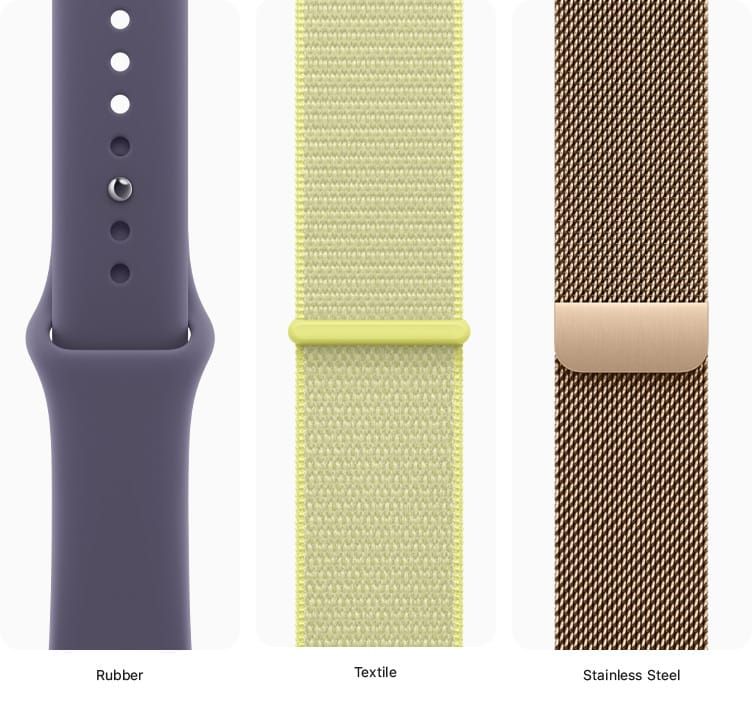

Apple Watch bands are built around two connector sizes, not the dozens of millimeter labels on the Apple Store page. A band sold as 38mm, 40mm, 41mm, or the new 42mm all share one narrow slot. A band sold as the old 42mm, 44mm, 45mm, 46mm, or 49mm all share one wider slot. That two-group system has held steady since 2015, and it means most of your old bands still work on a brand-new Apple Watch Series 11.
The catch is that Apple recycled the 42mm label in 2024 when it launched Series 10. The original 42mm (Series 1 through 3) belongs to the large connector group. The current 42mm (Series 10 and 11) belongs to the small connector group. Buying the wrong one means the band physically will not slide into the case, and Apple does not print the connector group on the packaging. That single naming overlap is responsible for more wasted band purchases than any other compatibility issue in the Apple Watch lineup.
 Ad
AdThe Two Connector Groups That Control Everything
Every Apple Watch since 2015 uses the same proprietary slide-in lug system. Two rigid tabs on the band slide horizontally into recessed slots on the top and bottom of the watch body. A spring-loaded button on the case back releases the band. No tools required, no spring bars, no screws. The mechanism itself has not changed across any generation.
What determines compatibility is the width of that slot. Apple makes two widths: narrow (for smaller cases) and wide (for larger cases). Apple confirms this grouping directly on its support page, which states that bands for 38mm, 40mm, and 41mm cases work with each other, and bands for 42mm, 44mm, and 45mm cases work with each other. The page also clarifies that 46mm bands fit 44mm, 45mm, and 46mm cases, and that 49mm bands fit 44mm, 45mm, and 46mm cases.
You can verify these groupings yourself at Apple's official band compatibility support page.
Why the 42mm Label Causes So Much Confusion
From 2015 to 2018, Apple sold the Apple Watch in 38mm and 42mm case sizes. The 38mm used the narrow connector. The 42mm used the wide connector. For years, the association was simple: 42mm equals large.
Then in September 2024, Apple introduced Series 10 with two new case sizes: 42mm and 46mm. But this new 42mm is the smaller case in the Series 10 lineup, replacing what had been 41mm in Series 7 through 9. It uses the narrow connector, the same group as 38mm, 40mm, and 41mm bands.
The result: if you own a Series 3 with a 42mm case and upgrade to a Series 11 with a 42mm case, your existing bands will not fit. The old 42mm bands belong to the large group. The new 42mm case takes small-group bands. Your old bands will only work with the 46mm Series 11, which is the current large-size option.
There is no visual marking on older bands that distinguishes them from newer ones carrying the same millimeter number. The only reliable way to determine which group a band belongs to is to check the original packaging, look up the model number, or try the physical fit test.
Every Apple Watch Case Size, Mapped to Its Connector Group
The full compatibility picture spans eleven years of hardware. Each row in this table represents a distinct case size, the connector group it uses, every band label that physically fits, and the specific Apple Watch models that shipped at that size.
The table below maps every Apple Watch case size to the band labels that physically fit it. Bookmark this before your next purchase.
| Case Size | Connector Group | Compatible Band Labels | Models Using This Size |
|---|---|---|---|
| 38mm | Small (narrow) | 38mm, 40mm, 41mm, new 42mm | Series 1, 2, 3 |
| 40mm | Small (narrow) | 38mm, 40mm, 41mm, new 42mm | Series 4, 5, 6, SE 1, SE 2, SE 3 |
| 41mm | Small (narrow) | 38mm, 40mm, 41mm, new 42mm | Series 7, 8, 9 |
| 42mm (new) | Small (narrow) | 38mm, 40mm, 41mm, new 42mm | Series 10, 11 |
| 42mm (old) | Large (wide) | old 42mm, 44mm, 45mm, 46mm, 49mm | Series 1, 2, 3 |
| 44mm | Large (wide) | old 42mm, 44mm, 45mm, 46mm, 49mm | Series 4, 5, 6, SE 1, SE 2, SE 3 |
| 45mm | Large (wide) | old 42mm, 44mm, 45mm, 46mm, 49mm | Series 7, 8, 9 |
| 46mm | Large (wide) | old 42mm, 44mm, 45mm, 46mm, 49mm | Series 10, 11 |
| 49mm | Large (wide) | 44mm, 45mm, 46mm, 49mm | Ultra 1, 2, 3 |
Apple maintains the definitive version of this information at its Identify your Apple Watch support page, where you can look up your model by its case back engraving.
How I Actually Think About Band Shopping
Forget the millimeter numbers when browsing the Apple Store or third-party retailers. Instead, ask one question: does my watch use the small connector or the large connector?
If you own any model with a 38mm, 40mm, 41mm, or new 42mm (Series 10 or 11) case, you are in the small group. Shop for bands labeled 38mm, 40mm, 41mm, or the new 42mm. All four labels will physically fit your watch.
If you own any model with the old 42mm (Series 1 through 3), 44mm, 45mm, 46mm, or 49mm case, you are in the large group. Bands labeled with any of those sizes will work. The 49mm Ultra bands are slightly wider in their strap material for rugged use, but the connector slides into a 44mm, 45mm, or 46mm case without issue for everyday wear.
Once you know your group, the rest is about material preference, wrist circumference, and personal style. If you want help choosing a band that actually changes how your watch feels on your wrist, I wrote a separate guide on the Apple Watch bands that transform how your watch feels.
The Apple Watch Ultra Exception Worth Knowing
Apple Watch Ultra (all three generations: Ultra 1, Ultra 2, and Ultra 3) uses a 49mm case with the large/wide connector. Any band from the large group fits. However, Apple specifically notes that bands designed for 44mm, 45mm, or 46mm cases should only be worn for casual, everyday use on the Ultra.
The reason is physical rather than mechanical. The Ultra's case body extends further past the lug slots than a standard 46mm Series 11. A Sport Band designed for a 45mm case will attach securely, but during vigorous activity, the wider case creates more lateral stress on the band. Ultra-specific bands like the Ocean Band, Alpine Loop, and Trail Loop are built with thicker, reinforced connections that account for this difference. For desk work or a dinner, any large-group band is perfectly fine. For trail running or ocean swimming, stick with the Ultra-designated bands.
The Ultra 3 also introduced Emergency SOS via satellite and Find My via satellite, which makes it a genuinely different tool from the standard Series 11. If you are deciding between the two, the Apple Watch vs. Whoop comparison covers the fitness tracking differences in detail.
Solo Loop Sizing Is a Separate Problem Entirely
Band connector compatibility determines whether a band physically attaches to your watch. Solo Loop sizing determines whether that attached band actually fits your wrist. These are two independent questions, and confusing them is the second most common band purchasing mistake.
Join The Inner Circle For Serious Apple Users
Exclusive Apple tips. Free to join.
Solo Loop and Braided Solo Loop bands use a numbered size system (1 through 12) instead of S/M or M/L. Because these bands have no clasp, buckle, or adjustment mechanism, the size must match your wrist circumference exactly. Apple provides a printable sizing tool on its website: you wrap a strip of paper around your wrist, mark where it overlaps, and measure the marked length against a numbered guide. Getting this wrong means the band either pinches your skin or slides loosely over your wrist bone. There is no in-between.
One additional Solo Loop gotcha on the Ultra: because the Ultra's 49mm case body is physically larger, it occupies more of the band's total circumference. Owners who wear a Size 6 Solo Loop on a 46mm Series 11 often need a Size 5 on the Ultra 3. Apple's support documentation confirms this and recommends measuring specifically for the Ultra if you plan to swap between watches.
What the Connector Redesign Rumors Got Wrong
In late 2023, credible leakers reported that Apple was developing a magnetic band attachment system for what was internally codenamed "Apple Watch X." MacRumors and 9to5Mac both covered the story extensively. The fear was reasonable: a new connector would instantly orphan every band in every owner's collection.
That redesign never shipped. Apple Watch Series 10 launched in September 2024 with the same slide-in lug mechanism from 2015, and Series 11 in September 2025 retained it again. Apple's Accessory Design Guidelines PDF, available through the developer portal, still references the original lug profile specifications with no magnetic alternative published.
The lesson is practical: your existing bands remain compatible, and new purchases made today carry no risk of immediate obsolescence. You can review the current lug specifications in Apple's Accessory Design Guidelines.
Accessibility and Clarity
Apple Watch band changes require pressing a small, recessed button on the case back while sliding the band horizontally. For users with limited finger dexterity or grip strength, this motion can feel awkward. The button is roughly 4mm wide and sits flush with the case, offering minimal tactile feedback. Solo Loop and Braided Solo Loop bands avoid this mechanism entirely since they stretch over the wrist without detaching, but they introduce their own accessibility concern: users with swollen joints or fluctuating wrist circumference from conditions like arthritis may find the fixed sizing uncomfortable throughout the day.
For users relying on VoiceOver, the Apple Watch companion app on iPhone announces band compatibility when browsing the Apple Store, reading aloud which case sizes a selected band supports. The physical band-change process, however, has no audio or haptic confirmation. You feel a subtle click when the band seats fully, but there is no vibration or sound from the watch itself. Users with low vision should verify the band is flush with the case edges by running a fingertip along the junction point.
From a cognitive accessibility standpoint, Apple's inconsistent 42mm labeling creates unnecessary confusion. A clearer system would label bands by their connector group ("Small" and "Large") rather than by the latest case size in each group. Until Apple makes that change, the comparison table in this article serves as a permanent reference. Bookmark it before your next band purchase.
Quick-Action Checklist: Find Your Band Size in 60 Seconds
- Flip your Apple Watch over and read the case size engraved on the back (for example, "42mm" or "46mm"). If no size is visible, open the Watch app on your iPhone, tap My Watch, then tap your watch name at the top to see the model and case size.
- Determine your connector group: 38mm, 40mm, 41mm, or new 42mm (Series 10/11) = Small group. Old 42mm (Series 1-3), 44mm, 45mm, 46mm, or 49mm = Large group.
- When shopping, filter by your connector group, not by your exact case size. A 41mm band on a 40mm case works. A 45mm band on a 46mm case works. Cross-group does not.
- For Solo Loop or Braided Solo Loop, print Apple's sizing guide from apple.com and measure your wrist. Do not estimate. The numbered sizes (1-12) correspond to specific millimeter ranges.
- If you own an Apple Watch Ultra and plan to use non-Ultra bands, use them only for casual, everyday wear. For athletic or outdoor activity, choose a band labeled specifically for 49mm Ultra use.
Want to make your watch look as good as it fits? The guide on customizing every Apple Watch face in watchOS 26 pairs nicely with a fresh band.

Related Posts
Build the Custom Apple Watch Face You Actually Want
Apr 06, 2026
Your Apple Watch Band Has a Cleaning Method Most Owners Skip
Apr 02, 2026
Your Apple Watch Has a Sleep System Most Owners Never Touch
Apr 02, 2026