
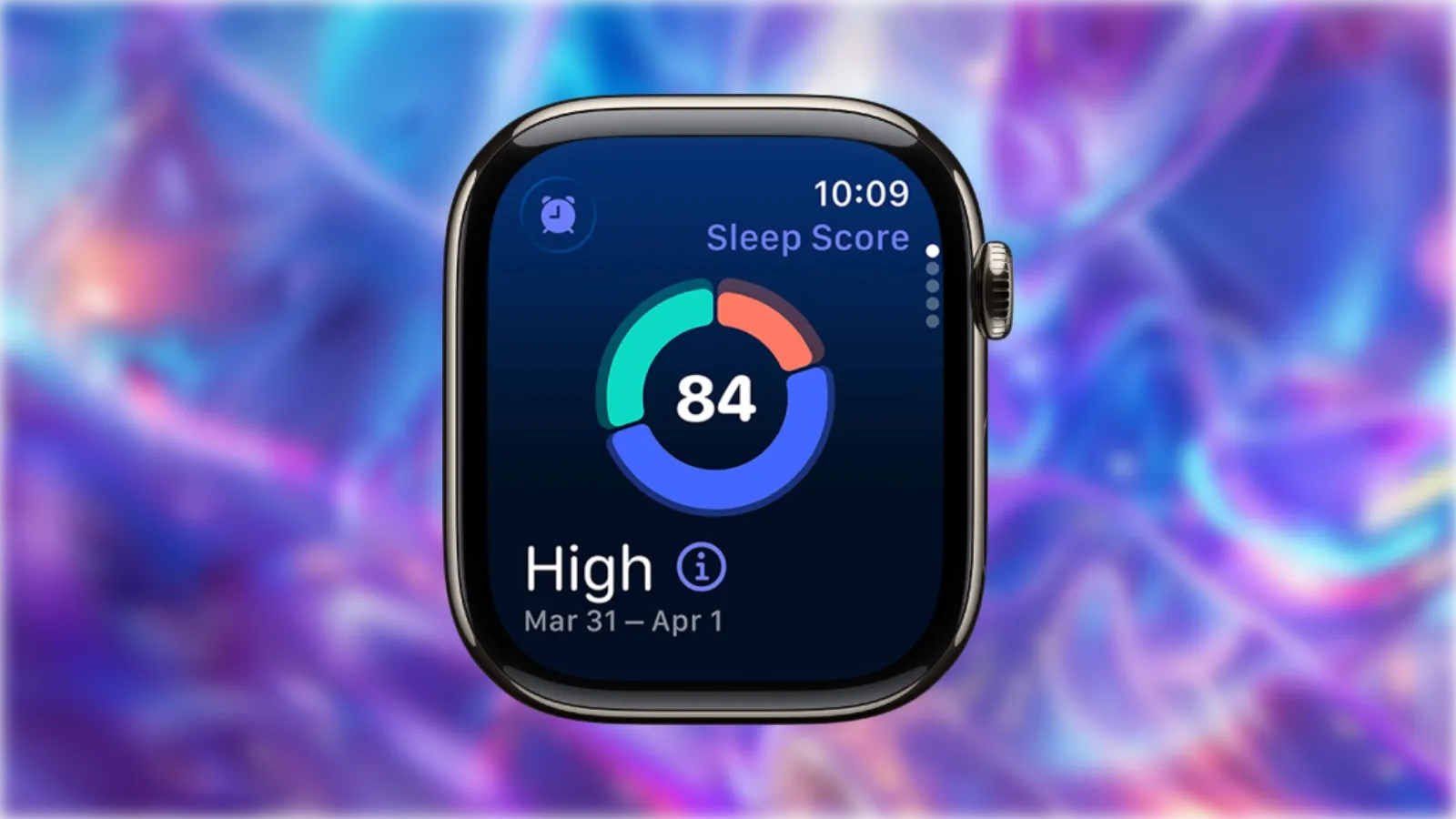

Apple Watch Sleep Score takes the mystery out of your nightly rest by delivering a single number every morning that reflects how well you slept. This watchOS 26 feature analyzes three factors — sleep duration, bedtime consistency, and interruptions — then combines them into a score from 0 to 100. The closer you hit to 100, the more restorative your sleep likely was.
Key Takeaways
- Sleep Score appears in the Sleep app within about 15 minutes of waking.
- Duration accounts for up to 50 points, bedtime consistency up to 30, and interruptions up to 20.
- Scores fall into five classifications: Very Low, Low, OK, High, and Very High.
- Wear your Apple Watch for at least one hour each night to receive a score.
- Bedtime consistency considers your sleep timing over the last 13 nights.
- Charging Reminders in the Watch app help ensure your battery lasts through the night.
| Factor | Maximum Points | What It Measures |
|---|---|---|
| Sleep Duration | 50 | Total time asleep and sleep stage quality |
| Bedtime Consistency | 30 | How closely your bedtime matches your 13-night average |
| Interruptions | 20 | Frequency and length of wake-ups during the night |
Accessibility & Clarity
Sleep Score embraces accessibility by presenting complex sleep data as a single, easy-to-understand number rather than dense graphs or charts. VoiceOver reads your score classification aloud when you open the Sleep app, and the high-contrast display in watchOS 26's Sleep app ensures the score remains legible for users with visual sensitivities. The Liquid Glass interface elements maintain clear separation between interactive buttons and informational text, reducing cognitive load when checking your score first thing in the morning.
How Apple Calculates Your Score
Apple developed Sleep Score in partnership with the American Academy of Sleep Medicine, the National Sleep Foundation, and the World Sleep Society. The company also drew on more than 5 million nights of anonymized sleep data from its Apple Heart and Movement Study to refine the algorithm.
Duration contributes the largest share. Deductions start appearing when you sleep less than about 7 hours and 50 minutes. The penalty isn't linear — losing one hour of sleep costs you roughly 6 points, but an additional lost hour can cost more than 20. On the flip side, sleeping longer than your goal doesn't earn bonus points, but it won't penalize you either.
Bedtime consistency examines whether you went to sleep at a similar time compared to your 13-night running average. Going to bed 15 minutes later than normal triggers a small deduction — roughly one point per five additional minutes. Drift 150 minutes past your usual bedtime and the entire 30-point bedtime component zeros out.
Interruptions look at how often you woke up and how long you stayed awake. Brief stirrings that last only a few seconds typically don't hurt your score much, but extended wake periods — checking your phone or lying awake thinking about tomorrow's calendar — accumulate penalties quickly.
Finding Your Score Each Morning
Open the Sleep app on your Apple Watch shortly after waking. Your score typically appears within about 15 minutes. Tap the info icon (the small "i" in a circle) to see a breakdown of how each component contributed. The same data syncs to the Health app on your iPhone, where you can view trends over days, weeks, or months.
On iPhone, open the Health app, tap the Search icon at the bottom of the screen, and select Sleep. Your Sleep Score history appears alongside sleep stage graphs, giving you a longer-term view of how your habits affect rest quality.
What the Classifications Mean
Apple groups Sleep Scores into five buckets:
- Very Low (below 50): You likely woke up groggy and may struggle with focus throughout the day.
- Low (50–64): Rest was suboptimal, but you can probably push through with caffeine and willpower.
- OK (65–79): Functional sleep — nothing spectacular, but your body got reasonable recovery.
- High (80–89): Solid rest that supports energy, mood, and cognitive function.
- Very High (90–100): Exceptional recovery. Expect to feel alert and capable.
These classifications won't always match how you feel. Some people with a High score still wake up sluggish due to factors Sleep Score doesn't measure — stress, sleep apnea, or environmental disruptions. Use the number as one data point among several rather than an absolute verdict.
Affiliate disclosure: some links in this article are Amazon Associate links. If you buy through them, Zone of Mac may earn a small commission at no extra cost to you, and we only recommend products that genuinely bring value to your Apple setup.
Practical Strategies to Raise Your Score
Consistency matters more than perfection. Your bedtime score improves when you establish a regular wind-down window. Set a sleep schedule in the Health app by opening Sleep, tapping Your Schedule, and adding your desired bedtime and wake time. Your Apple Watch and iPhone will dim displays and enable Sleep Focus automatically as bedtime approaches.
Reduce interruptions by keeping your bedroom cool (most sleep research points to 60–67°F as optimal), dark, and quiet. Street noise can intrude, so a white noise machine or earplugs may help. Alcohol disrupts sleep architecture even when it doesn't fully wake you, so consider cutting off drinks at least three hours before bed.
Charge your Apple Watch strategically. The watch can only track sleep if it survives the night. Enable Charging Reminders in the Watch app under Sleep settings — your watch will nudge you to top off the battery before your Wind Down period begins. Many users find a brief charge during their evening routine sufficient.
A comfortable watch band also helps. Wearing a bulky or ill-fitting band to bed makes it tempting to take the watch off, eliminating your sleep data entirely. Soft, stretchable bands designed for extended wear solve this problem. The Suitisbest Braided Solo Loop 4-pack includes multiple sizes so you can find the exact fit for your wrist. The stretchy nylon-silicone weave breathes well overnight and doesn't dig into skin. Here's where to get the Suitisbest Braided Solo Loop 4-pack https://www.amazon.com/dp/B0C92SBLTZ?tag=zoneofmac-20
Using Your Score as a Bedside Alarm
Nightstand Mode transforms your charging Apple Watch into a bedside clock. Place your watch on its side while connected to its charger, and the display shows the time in dim green digits until you tap or nudge the surface. When your alarm triggers, the watch lights up so you can see the time immediately.
For a more elegant setup, a dedicated charging dock positions your watch at the perfect viewing angle and keeps cables organized. The elago W Charging Stand uses premium aluminum construction with a solid, weighted base that won't tip over when you grab your watch in the morning. Silicone padding on the top and bottom protects your Apple Watch from scratches and prevents the stand from sliding on your nightstand. The hollow interior stores your entire charging cable, keeping your bedside table clutter-free while cable cutouts protect the cord from crimping or damage. The compact footprint fits on crowded nightstands and even inside car cupholders for travel. Here's where to buy the elago W Charging Stand https://www.amazon.com/dp/B00YEBI86O?tag=zoneofmac-20
Pairing Sleep Score with Other Health Metrics
Sleep Score works best alongside related Apple Health features. Wrist temperature tracking (available on Series 8 and later) can reveal subtle patterns — a slight elevation might indicate you're fighting off an illness, which could explain why your score dropped despite adequate sleep duration. Respiratory rate trends offer another window into sleep quality that pure duration metrics miss.
Enabling the hypertension notifications feature available on Series 9 and later may reveal correlations between poor sleep and elevated blood pressure readings. Apple Health's Trends view surfaces these connections automatically, flagging when multiple metrics shift in the same direction over weeks.
Checking Trends Without Obsessing
Review your Sleep Score trends once a week rather than fixating on daily fluctuations. A single bad night — a sick child, a neighbor's car alarm, a late-night work crisis — doesn't define your sleep health. Weekly averages reveal whether your overall trajectory points toward better rest.
Open the Health app on iPhone, navigate to Sleep, and scroll to view your 14-day average alongside individual nights. Look for patterns: Do scores dip on Sunday nights before workweeks? Do weekends skew higher because you sleep in? These insights help you adjust schedules where they matter most.
Compatibility and Requirements
Sleep Score requires watchOS 26 on your Apple Watch paired with iOS 26 on your iPhone. Compatible watches include Apple Watch Series 6 and later, Apple Watch SE (2nd generation) and later, and all Apple Watch Ultra models. Owners of older watches will still see sleep stages and duration, but the consolidated Sleep Score feature won't appear.
Make sure Track Sleep with Apple Watch is enabled. On your iPhone, open the Watch app, tap Sleep, and confirm the toggle is on. Your watch also needs at least 30% battery before bed with Sleep Tracking enabled — hence the value of those Charging Reminders.

Deon Williams
Staff writer at Zone of Mac with two decades in the Apple ecosystem starting from the Power Mac G4 era. Reviews cover compatibility details, build quality, and the specific edge cases that surface after real-world use.
Related Posts
Build the Custom Apple Watch Face You Actually Want
Apr 06, 2026
Your Apple Watch Band Has a Cleaning Method Most Owners Skip
Apr 02, 2026
Your Apple Watch Has a Sleep System Most Owners Never Touch
Apr 02, 2026