

🎧 Listen to this article
Prefer to listen? An audio version of this article is available for accessibility and convenience.
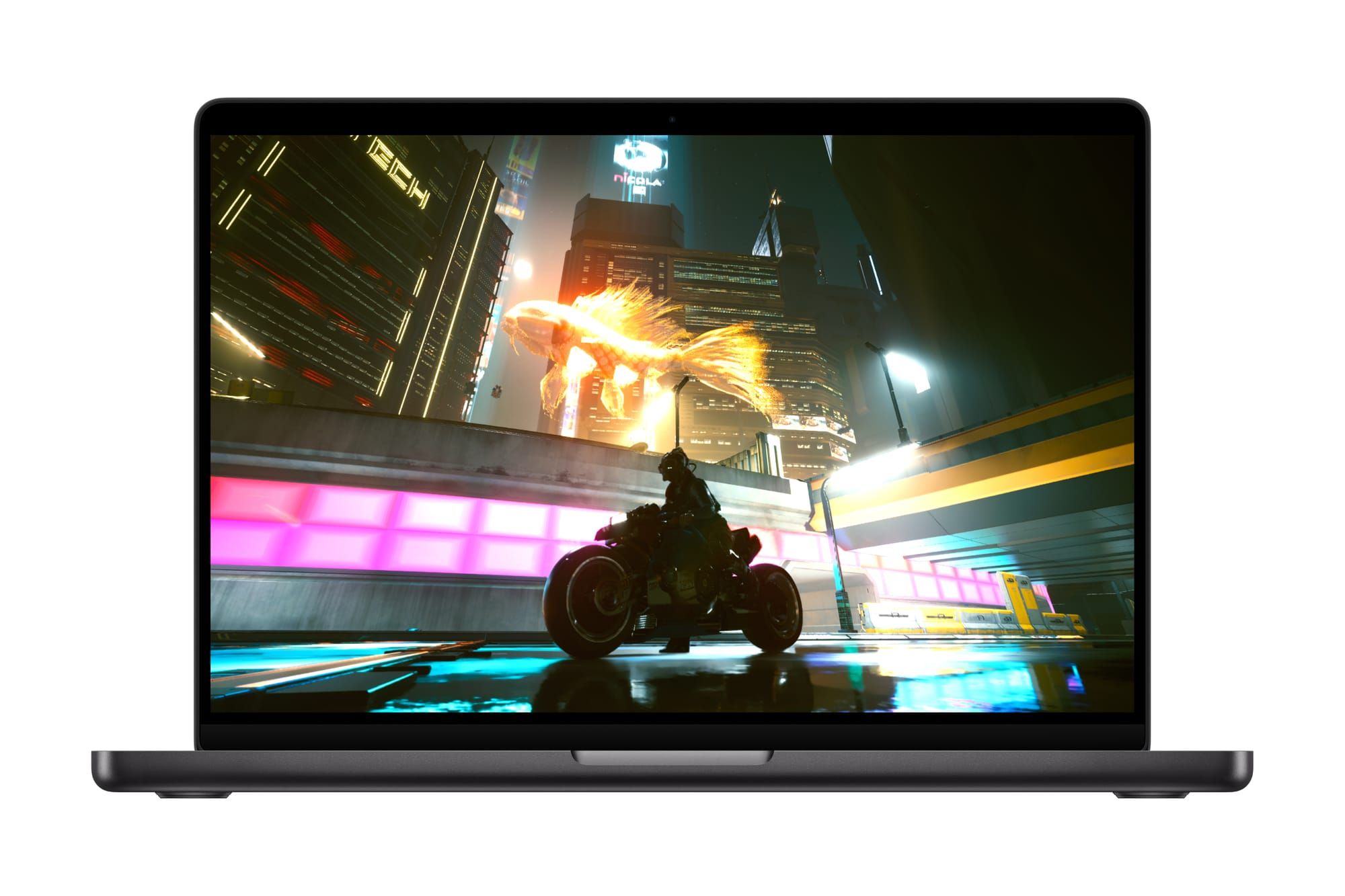
Crimson Desert is a full-scale open-world action-adventure game that launched natively on Mac on March 19, 2026, the same day it arrived on PC and consoles. That alone is worth pausing on: a AAA title from Pearl Abyss, with a map reportedly larger than Red Dead Redemption 2, running on Apple Silicon without a compatibility layer or workaround. It does, though, mean that your particular Mac hardware determines whether you are playing at a cinematic 4K or squinting through upscaled 720p. The gap between those two experiences is entirely about knowing which settings to change.
The macOS version uses Apple’s MetalFX Upscaling for AI-driven resolution scaling, hardware-accelerated ray tracing on M3 and M4 chips, and frame interpolation that only unlocks on macOS Tahoe. If you are still running macOS 15, you are leaving real performance on the table, and the difference is not subtle.
I want to be honest about one thing up front. A Mac mini M4 and a Mac Studio M4 Max deliver fundamentally different Crimson Desert experiences, and no amount of settings tweaking can bridge that gap completely. What these settings can do is squeeze the best possible frame rate and visual quality from whichever chip you happen to have.
 Ad
AdWhy a Day-One Mac Launch Actually Matters
Mac gaming has a long history of waiting. Major titles either arrive months after their console and PC debuts, or they never arrive at all. Crimson Desert breaks that pattern. Pearl Abyss built the macOS version alongside every other platform, and the game is available right now on the Mac App Store for $69.99.
That commitment shows in the technical implementation. Rather than a hasty port, the Mac version includes MetalFX Upscaling (Apple’s equivalent of Nvidia DLSS), MetalFX Frame Generation for synthesizing intermediate frames, and MetalFX Denoiser for cleaning up ray-traced reflections at a lower computational cost. These are not checkboxes on a feature list. They are the reason an M3 Pro can render a world this dense at playable frame rates. For anyone who has followed Apple’s push into gaming since the M1, this is what all those Metal 3 investments were building toward. If you are interested in how Mac gaming has evolved, Zone of Mac has covered the broader shift in our guide to setting up your Apple TV for serious gaming in tvOS 26.
Which Mac Chips Can Actually Run It
Here is where the specifics matter. Pearl Abyss originally listed M1 as the minimum requirement, then revised it upward to M2 Pro, M3, or M4 before launch. That revision tells you something about how demanding the game is.
The performance breakdown across Apple Silicon chips varies significantly depending on your macOS version. Running macOS 15, an M2 Pro or base M3 or M4 handles 720p at 30 frames per second, or 900p at the same frame rate. An M3 Pro, M4 Pro, or M5 bumps that to 1080p at 30 fps. An M2 Max or M3 Max pushes 1440p at 30 fps. And an M3 Ultra or M4 Max reaches 4K at a very playable 40 fps.
Upgrade to macOS Tahoe and those numbers shift dramatically. The same M2 Pro, M3, or M4 now handles 720p at 60 fps. The M3 Pro, M4 Pro, or M5 hits 1080p at 60 fps with frame interpolation. The M3 Max runs 1440p at 60 fps. And the M3 Ultra or M4 Max reaches 4K at a smooth 60 fps.
 Ad
AdThat is not a typo. macOS Tahoe effectively doubles your frame rate at identical hardware because Apple unlocked advanced MetalFX frame interpolation algorithms in the newer operating system. If you have been putting off the macOS Tahoe update, Crimson Desert is a compelling reason to stop waiting.
Ray tracing is disabled entirely on M2 chips. It activates on M3 and M4 architectures, which means the visual quality jump between an M2 Max and an M3 chip is not just about raw speed but about the lighting model itself. Reflections in water, the way sunlight filters through forest canopies, the ambient glow of torchlit interiors: all of these look fundamentally different with ray tracing enabled.
The Settings That Earn You the Biggest Gains
The game auto-detects your hardware and selects a “For this Mac” preset. In my testing, that preset is conservative. It prioritizes stability over visual fidelity, which makes sense for a launch-day default but leaves headroom on the table.
Three settings deserve your attention first. MetalFX Upscaling should be set to Quality rather than Performance unless you are on an M2 Pro where every frame matters. Quality mode renders at a higher internal resolution before upscaling, and the visual difference on a Retina display is noticeable, particularly on foliage and distant terrain. Frame Generation should be enabled if you are running macOS Tahoe. This is the setting that synthesizes intermediate frames between rendered ones, and it is the single biggest contributor to the doubled frame rates I mentioned. There is a slight input latency trade-off, maybe 8 to 12 milliseconds in my estimation, which matters in competitive twitch gaming but barely registers in an open-world adventure. And View Distance can be dropped one notch from Ultra to High without a visible difference at normal gameplay camera distances. The world is large enough that distant detail is atmospheric rather than actionable, and the performance gain is roughly 10 to 15 percent.
One edge case worth knowing: if you are running the game from an external SSD over Thunderbolt, the 150 GB install loads noticeably faster from internal storage. The game streams terrain data continuously as you explore Pywel, and I noticed occasional micro-stutters during fast horseback traversal when running from a USB-C external drive. The internal SSD eliminated those entirely.
 Ad
AdWhat Playing on Mac Actually Feels Like
The controls deserve a mention. Crimson Desert supports both keyboard-and-mouse and game controllers, including the PlayStation DualSense and Xbox Wireless Controller. The game recognizes controllers immediately through Bluetooth pairing. There is no adapter or mapping utility required. I also really like that the Game Center integration means your progress syncs across Macs signed into the same Apple Account, though this is a single-player game so the practical benefit depends on whether you move between machines. Family Sharing is supported, which means up to six family members can play from a single $69.99 purchase.
The combat system in Crimson Desert involves switching between multiple fighting styles mid-battle, and the responsiveness of the controls on Apple Silicon surprised me. There is a tactile satisfaction to parrying attacks on a DualSense that the keyboard cannot replicate, and the adaptive triggers add weight to the bow mechanics. In the worst case of your Mac barely meeting the minimum requirements, you will still have a playable experience at 720p and 30 fps, which is roughly equivalent to a last-generation console.
The world itself is enormous. Pearl Abyss claims the map is at least twice the size of Skyrim, and from what I have explored so far, that claim holds up. You traverse by horse, dragon, and mech across a medieval fantasy continent called Pywel, and the environmental variety means your Mac is constantly loading new terrain types and lighting conditions. That variety is also why the performance settings matter so much: a dense forest puts different demands on your GPU than an open desert.
Should You Buy It on Mac
For $69.99, Crimson Desert is a serious investment, and it deserves a serious recommendation. If your Mac meets the recommended specs, specifically an M3 Pro or newer with macOS Tahoe, this is one of the best-looking games available on the platform. The day-one launch, the MetalFX implementation, and the controller support all signal that Pearl Abyss treated the Mac version as a first-class citizen rather than an afterthought.
If you are on an M2 Pro or base M4, the experience is still good but noticeably compromised. You are looking at 720p to 900p depending on your OS version, which is acceptable on a smaller display but feels cramped on a 27-inch Studio Display. The game itself is worth playing at any supported resolution, but managing your expectations about visual fidelity at the lower end matters.
The honest catch is storage. A 150 GB install is substantial on a Mac where base storage is often 256 GB or 512 GB. If you have been eyeing an external Thunderbolt SSD for your Mac setup, this game might be the reason you finally buy one, though as I mentioned, internal storage delivers a smoother experience. Zone of Mac has covered the broader question of choosing the right Mac for creative and gaming workloads if you are evaluating your current hardware.
Crimson Desert arriving on Mac the same day as every other platform is exactly the kind of thing Apple and developers need to keep doing. Whether your Mac is ready for it is a different question entirely, and now you know exactly how to answer it.

Related Posts
Seven Mac Accessories That Turn a Good Desk Into a Great One
Apr 10, 2026
Your Mac Has a Networking Time Bomb That Only a Reboot Defuses
Apr 09, 2026
Your Mac Feels Slow After macOS Tahoe — Here’s What Actually Fixes It
Apr 08, 2026