

🎧 Listen to this article
Prefer to listen? An audio version of this article is available for accessibility and convenience.
The MacBook Neo and iPad Air M4 both start at $599, both launched the same week, and both run Apple Silicon. That is where the similarities end. The MacBook Neo gives you a full macOS Tahoe laptop with a built-in keyboard, 256 gigabytes of storage, and 16 hours of battery life. The iPad Air M4 gives you a touchscreen tablet with the faster Apple M4 chip, 12 gigabytes of RAM, and Apple Pencil Pro support — but only 128 gigabytes of storage and no keyboard unless you spend another $269.
Which one actually belongs in your bag depends on a question most comparison articles skip: what do you already own, and what gap are you filling?
I have been watching this price collision unfold since Apple announced both devices during its March 2026 event, and while the spec sheets look straightforward, the real decision is messier than either product page suggests.
 Ad
AdThe Spec Sheet Tells Half the Story
Here is what the numbers say at a glance. The iPad Air M4 carries the more powerful chip — an 8-core CPU with 9 GPU cores against the MacBook Neo's A18 Pro with its 6-core CPU and 5 GPU cores. Apple's M4 also packs 12 gigabytes of unified memory compared to the Neo's 8. On raw compute, the iPad Air wins convincingly.
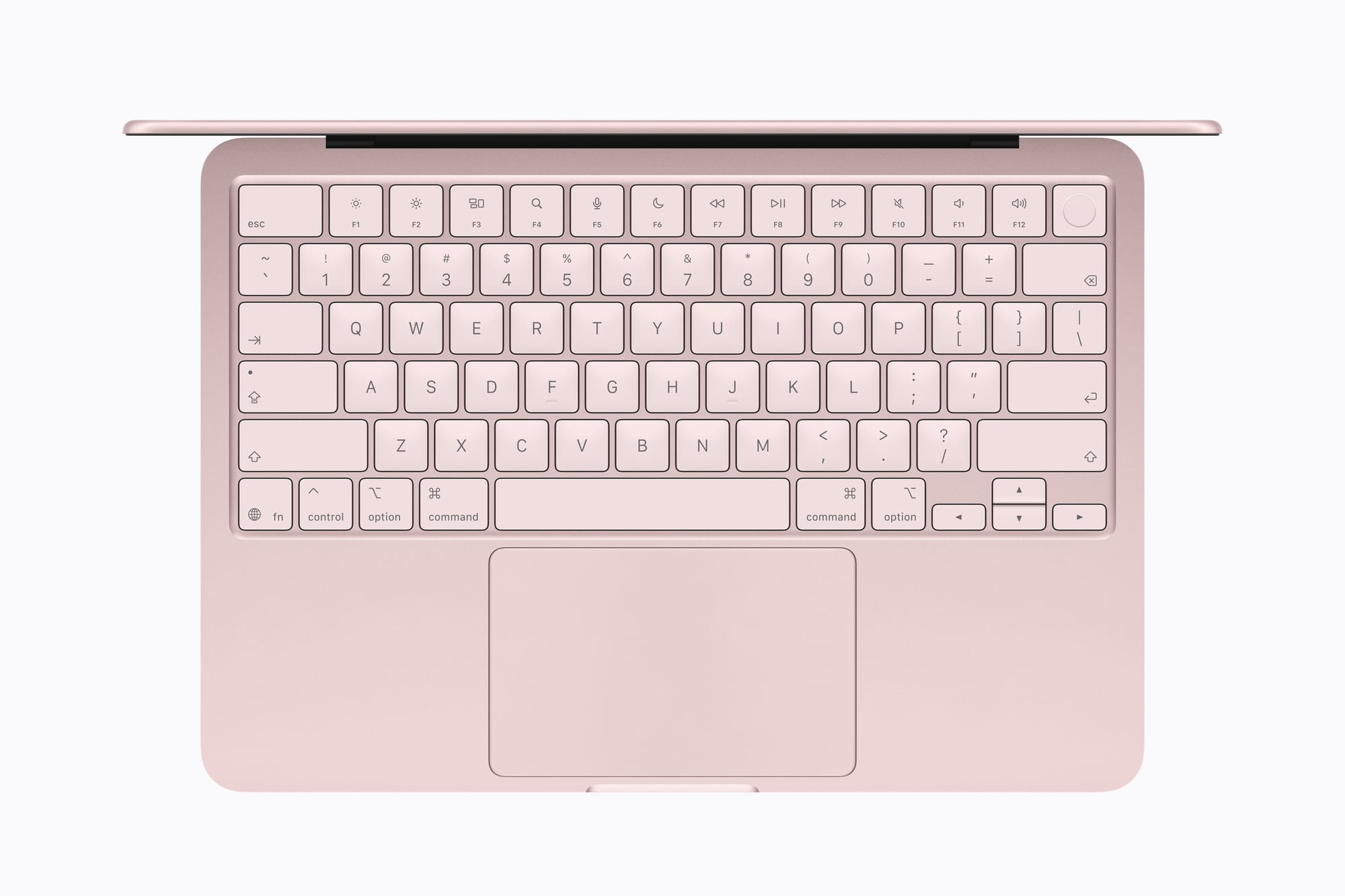
But the MacBook Neo fires back with double the base storage (256 gigabytes versus 128), six more hours of battery life, a larger 13-inch display, two USB-C ports instead of one, and a physical keyboard with a trackpad included in the box. The iPad Air's Magic Keyboard costs $269 for the 11-inch model and $319 for the 13-inch. Add an Apple Pencil Pro at $129 and your $599 tablet quietly becomes an $997 workstation. If you want to see how the Neo stacks up against its own sibling, we compared the MacBook Neo and MacBook Air M5 side by side.
That accessory math is the single biggest factor most buyers overlook. If you already own an iPad keyboard and pencil from a previous generation, the Air M4 is genuinely compelling at $599. If you are starting from scratch, the Neo is the better deal by a wide margin.
What the MacBook Neo Actually Gets Right
The MacBook Neo runs macOS Tahoe. That sounds obvious, but it matters more than any benchmark. macOS gives you overlapping windows, a real file system, full versions of apps like Microsoft Excel and Adobe Photoshop, and a Terminal for anyone who writes code. iPadOS has improved significantly — Stage Manager and the new windowing in iPadOS 26 are real — but file management still feels like it was designed by someone who has never needed to rename forty files at once.
The Neo's 16-hour battery life is not marketing inflation, either. Apple rates the MacBook Air M5 at the same figure and that number holds up under mixed use. For students who need a device that survives an entire lecture day without hunting for an outlet, this is a genuine advantage over the iPad Air's 10 hours.
The keyboard deserves a mention here too. The Neo ships with a full-size Magic Keyboard. The keys are not cramped. If you have typed on the recent MacBook Air, the feel is comparable — shallow travel, but with enough resistance that you are not bottoming out painfully on every keystroke. The base $599 model does omit Touch ID from the keyboard, which is a strange choice. You get Touch ID only if you step up to the $699 model with 512 gigabytes. The iPad Air, by contrast, includes Touch ID on the top button at every price point.
 Ad
AdWhere the iPad Air M4 Pulls Ahead
The M4 chip inside the iPad Air is not just faster on paper. It has real consequences for creative work. Nine GPU cores, hardware-accelerated ray tracing, and Apple's second-generation mesh shading pipeline make this tablet a legitimate tool for 3D rendering, video editing in LumaFusion or Final Cut Pro for iPad, and digital illustration in Procreate with the Apple Pencil Pro. The Neo's A18 Pro can handle light photo editing and document work, but sustained creative workflows will push its 8 gigabytes of RAM into swap faster than you expect.
Speaking of RAM: the iPad Air's 12 gigabytes matter for Apple Intelligence. On-device language models and generative AI features are increasingly memory-hungry. Apple Intelligence runs on both devices, but the Air's extra headroom could mean the difference between smooth local processing and noticeable lag two years from now when models get larger. If longevity is a priority, the iPad Air's memory advantage is worth thinking about.
The touchscreen and Apple Pencil Pro support are not minor perks, either. If your work involves handwritten notes, sketch annotations, markup on PDFs, or any kind of spatial input, the iPad Air does something the MacBook Neo physically cannot do. No amount of macOS capability replaces a stylus when you need to circle a detail on a blueprint or sign a document without printing it. We covered the iPad accessories that quietly replace a laptop — and the Pencil Pro is the headliner.
And the iPad Air connects to Wi-Fi 7 where available, while the MacBook Neo tops out at Wi-Fi 6E. Both have Bluetooth 6. The difference is marginal today but could matter in denser network environments over the next few years.
The Buyer Decision Most People Get Wrong
Here is where I think most comparisons go sideways. They frame this as a direct head-to-head, but the MacBook Neo and iPad Air M4 solve different problems for different people.
If this is your only computer — and for students, first-time Mac buyers, and anyone replacing a Chromebook, the Neo is the answer. You get a complete productivity machine with nothing else to buy. The $499 education price makes it the cheapest Mac Apple has ever sold. A full desktop operating system at that price is, frankly, difficult for any iPad to compete with regardless of specs.
If you already own a Mac and want a companion device, the iPad Air M4 becomes far more interesting. It fills the gap a laptop cannot: couch reading, handwritten notes in meetings, creative sketching, and a screen you can hand to someone without handing them your entire file system. The M4 chip means it will stay relevant for years.
If you do creative work — illustration, music production, video editing on the go — and you need touch input, the iPad Air is the only option here. The Neo cannot be a drawing tablet. It cannot run Apple Pencil. It is a laptop, and it does laptop things very well for $599, but it does not bend.
The 8 Gigabyte Question
I want to address this directly because it keeps coming up. The MacBook Neo has 8 gigabytes of unified memory with no upgrade path. Apple has shipped 8-gigabyte Macs since the M1 era and they have been adequate for web browsing, document editing, and light multitasking. But adequate is doing a lot of heavy lifting in that sentence. If you keep twenty browser tabs open while running Zoom and a Spotify stream — a normal Tuesday for most people — the Neo will manage, but it will not feel spacious. The iPad Air's 12 gigabytes with 120 gigabytes per second of memory bandwidth handles the same workload with more breathing room.
For anyone planning to keep this device for four or five years, the RAM gap is the single strongest argument in the iPad Air's favor.
At a Glance: MacBook Neo vs. iPad Air M4
Below is a side-by-side comparison of the key decision factors between Apple's two $599 devices.
| Spec | MacBook Neo | iPad Air M4 |
|---|---|---|
| Chip | A18 Pro (6C CPU, 5C GPU) | Apple M4 (8C CPU, 9C GPU) |
| RAM | 8 GB | 12 GB |
| Base Storage | 256 GB | 128 GB |
| Display | 13" Liquid Retina, 500 nits | 11" Liquid Retina, 500 nits |
| Battery | Up to 16 hours | Up to 10 hours |
| Keyboard | Included | $269 separate purchase |
| OS | macOS Tahoe | iPadOS 26 |
| Touch/Pencil | None | Touchscreen + Apple Pencil Pro |
| Total Cost (productivity) | $599 ready to work | $868+ with keyboard |
Accessibility Matters at This Price Point
Both devices at $599 serve a segment of buyers who may be choosing their first Apple computer. Thankfully, Apple builds extensive accessibility into both platforms. VoiceOver, Switch Control, and Voice Control work on macOS Tahoe and iPadOS 26 alike. The MacBook Neo's physical keyboard gives users with motor impairments a consistent, predictable input surface — keys do not shift or resize the way a software keyboard can. The iPad Air's touchscreen, meanwhile, offers Direct Touch typing and customizable touch accommodations that can adjust hold duration and ignore repeated touches. Both devices support display accommodations for low vision, including increased contrast, reduced transparency, and bold text.
One notable difference: the iPad Air supports AssistiveTouch gestures directly on the screen, which some users prefer over trackpad-based alternatives. If accessibility is a factor in your decision, Apple's Accessibility page for both the MacBook and iPad lines is worth reading before you order.
Would you pick the device with the better chip or the one with the better battery and built-in keyboard?

Related Posts
Apple Studio Display XDR Has the HDR That Most Mac Monitors Cannot Touch
Mar 06, 2026
Apple’s $599 MacBook Neo vs the MacBook Air M5
Mar 04, 2026
Your Mac Has a Hidden Repair Shop Built Into the Power Button
Mar 04, 2026