

🎧 Listen to this article
Prefer to listen? An audio version of this article is available for accessibility and convenience.
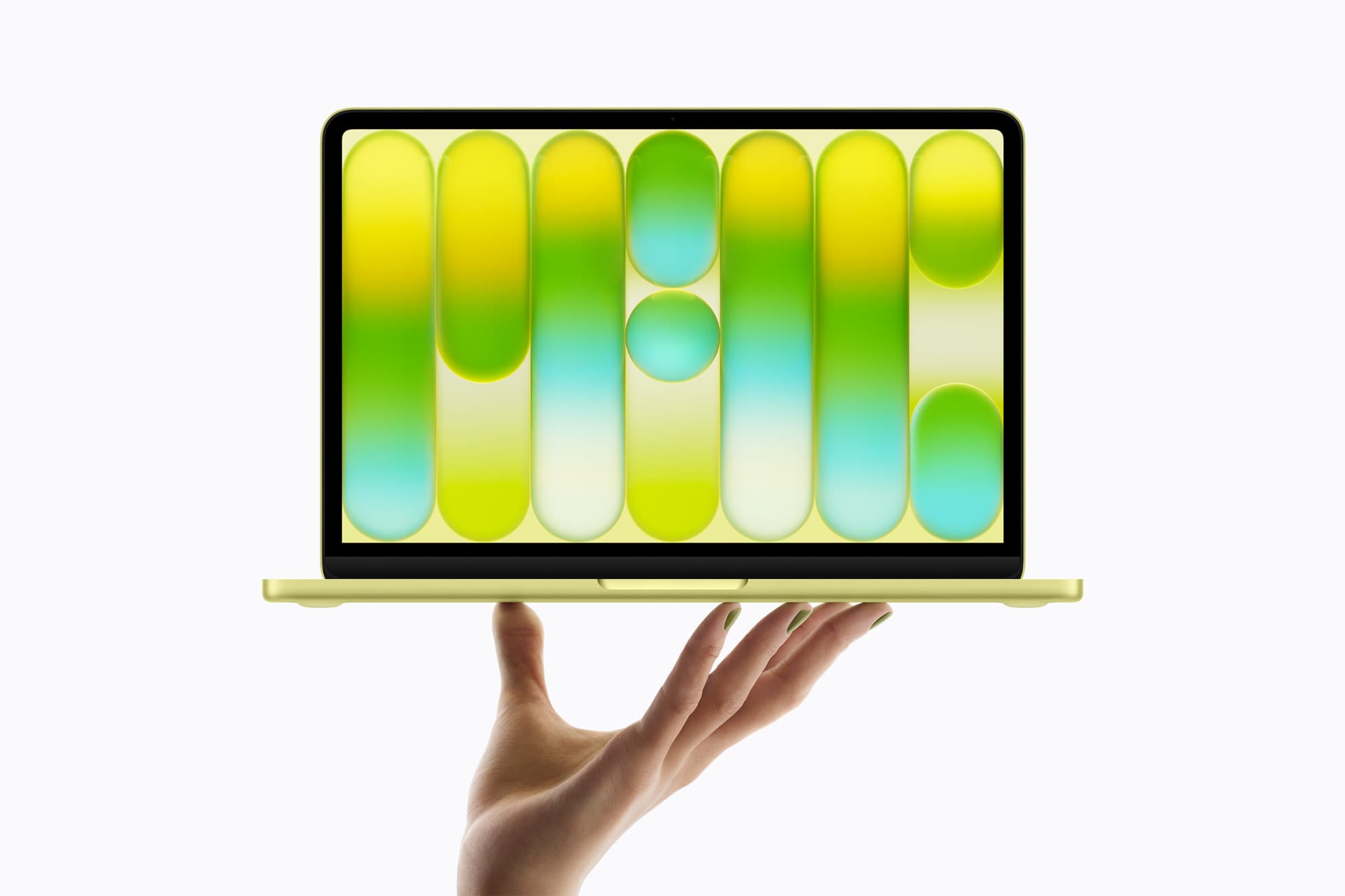
Apple just launched the MacBook Neo, a $599 entry-level MacBook powered by the A18 Pro chip, available in four colors and shipping March 11, 2026. That is the short version. The longer version is that Apple also announced the MacBook Air M5 yesterday, March 3, and both machines go on pre-order today, March 4, and ship the same day. Two brand-new MacBooks hitting shelves simultaneously at $599 and $1,099 creates a decision that is not as simple as “pick the cheap one” or “pick the powerful one.” The MacBook Neo borrows its silicon from Apple’s iPhone and iPad lines, runs fanless, weighs 2.7 pounds, and comes in Silver, Indigo, Blush, and Citrus. But it also ships with 8GB of unified memory, no MagSafe, no Thunderbolt, and the base model does not even include Touch ID. That last part is going to bother a lot of people, and it should.
Before you spend a dime, I want to walk you through exactly what the MacBook Neo gives you, exactly what it does not, and exactly where the MacBook Air M5 pulls ahead in ways that might matter more than you think. I wrote a breakdown of the A18 Pro chip rumors before this launch, and a good number of those predictions landed. But a few of the confirmed specs caught me off guard, and not all in a good way.
 Ad
Ad
What the MacBook Neo Actually Is
The MacBook Neo is Apple’s attempt to put a Mac in the hands of people who have been priced out of the Mac lineup for years. Students, first-time buyers, families buying a second computer for the house, teachers, retirees who want something reliable and lightweight. At $599 for the base model and $499 for education pricing, Apple is pricing this below where the MacBook Air has ever been. That is significant. The education price especially. A $499 Mac with Apple Silicon is something I did not expect to see in 2026, and I am glad Apple did it.
The machine itself runs a 13-inch Liquid Retina display at 2408 by 1506 resolution, 500 nits brightness, anti-reflective coating, and there is no notch. Apple went with iPad-style uniform bezels around the entire display, which gives it a cleaner look than any MacBook currently shipping. The A18 Pro chip inside brings a 6-core CPU with two performance cores and four efficiency cores, a 5-core GPU, and a 16-core Neural Engine. That Neural Engine number matters because it means the MacBook Neo can run Apple Intelligence features locally. For a $599 machine, that is a big deal.
Fanless design. Sixteen hours of battery life. Two USB-C ports. A 3.5mm headphone jack. A 1080p FaceTime camera. Dual microphones with beamforming and dual side-firing speakers that support Spatial Audio and Dolby Atmos. Wi-Fi 6E and Bluetooth 6. The whole package weighs 2.7 pounds and is built with 60% recycled materials, 90% recycled aluminum, and 100% recycled cobalt in the battery. Apple clearly wants this thing to sell in volume, and the environmental story is part of that pitch.
That matters.
Where the Trade-Offs Start to Sting
Here is where I need to be blunt, because some of these compromises are reasonable and some of them are just strange. The MacBook Neo ships with 8GB of unified memory. For web browsing, document editing, email, video calls, and running Apple Intelligence, 8GB is fine. Tight, but fine. The moment you try to run a couple of heavy apps simultaneously, maybe Xcode and Safari with thirty tabs, or a Zoom call while editing in Pages with a Numbers spreadsheet open, you are going to feel that ceiling. The MacBook Air M5 starts at 16GB, and that gap is going to show up in real-world use for anyone who pushes their machine even moderately hard.
Storage tiers are 256GB and 512GB. No option to configure higher. The Air M5 starts at 512GB and goes up to 4TB. If you store a lot of photos, music, or video locally, the Neo will fill up fast. iCloud can offset that, but iCloud costs money monthly, and not everyone wants their files sitting on a server somewhere.
 Ad
Ad
The USB-C Situation and One Baffling Decision
Both USB-C ports on the MacBook Neo are not created equal, and this is where Apple made a decision that genuinely baffles me. One port is USB 3 at 10 gigabits per second. The other is USB 2 at 480 megabits per second. USB 2. On a brand-new computer in 2026. That second port is essentially a charging port with the ability to connect very slow peripherals, and most people buying this machine are not going to realize the two ports behave differently until they plug an external drive into the wrong one and wonder why a 2GB file transfer is taking eight minutes instead of two seconds. Apple does not label the ports differently on the chassis. You just have to know, or look it up, or learn the hard way. That is a friction point that will absolutely burn someone, and I wish Apple had just made both ports USB 3.
No MagSafe charging either. You charge through one of those USB-C ports, which means when you are charging, you effectively have one usable port. The Air M5 has MagSafe plus Thunderbolt ports, keeping all your data ports free while charging. For a college student who needs to charge and plug in an external monitor at the same time? The Neo makes that a problem.
No Thunderbolt at all, actually. The Air M5 supports Thunderbolt for high-speed external storage, eGPUs, and professional docks. The Neo does not. For most people buying a $599 MacBook, Thunderbolt probably was never on their radar anyway. But if you were hoping to grow into this machine over time and add serious peripherals, you will hit a wall.
Touch ID: Who Gets It and Who Does Not
This one got me. The base $599 MacBook Neo does not include Touch ID. Only the $699 model with 512GB of storage gets the Magic Keyboard with Touch ID. The $599 model ships with a standard Magic Keyboard that requires you to type your password every single time you unlock your Mac, authorize an App Store purchase, or confirm an Apple Pay transaction. In 2026, gating biometric authentication behind a $100 upgrade is, in my honest opinion, a genuinely bad call by Apple. Touch ID is not a luxury feature. It is a security feature. It is an accessibility feature. And charging extra for it on the entry-level model sends the wrong message about who deserves convenient, secure access to their own computer.
I get it. Apple needed to create a price gap between the two Neo configurations to give people a reason to spend the extra hundred dollars. But they could have differentiated on storage alone. Putting Touch ID behind a paywall on the cheapest Mac feels like penny-pinching on a machine that is supposed to welcome new users into the ecosystem.
The MacBook Air M5: What $500 More Buys You
The MacBook Air M5 that Apple announced yesterday starts at $1,099 and occupies a completely different tier. The M5 chip brings a 10-core CPU, a 10-core GPU with ray tracing, 16GB of unified memory, and 512GB of base storage configurable up to 4TB. It runs Wi-Fi 7 through Apple’s new N1 chip, has Thunderbolt, has MagSafe, and squeezes 18 hours of battery life out of a fanless chassis. It comes in 13-inch and 15-inch sizes, and the color options are Sky Blue, Midnight, Starlight, and Silver. Education pricing drops to $999.
Is five hundred dollars a lot more? Yes. Does it buy you meaningfully more computer? Also yes. Double the RAM, double the base storage, faster ports, better wireless, MagSafe charging, and a chip that can handle sustained workloads that the A18 Pro simply was not designed for. The M5 is a laptop chip. The A18 Pro is a phone chip that Apple put in a laptop. Both work. One works harder. If you are someone who plans to keep this machine for five or six years, that headroom will matter around year three when apps get heavier and macOS demands more memory. My MacBook buying guide covers the full lineup if you want to see where both machines sit relative to the Pro models.
The following table compares the MacBook Neo and MacBook Air M5 across the specifications that matter most for your buying decision. Both machines ship March 11, 2026.
| Spec | MacBook Neo ($599/$699) | MacBook Air M5 ($1,099) |
|---|---|---|
| Chip | A18 Pro (6-core CPU, 5-core GPU) | M5 (10-core CPU, 10-core GPU, ray tracing) |
| Memory | 8GB unified | 16GB unified |
| Storage | 256GB or 512GB SSD | 512GB to 4TB SSD |
| Display | 13” Liquid Retina, 2408×1506, 500 nits | 13” or 15” Liquid Retina |
| Ports | 1× USB-C (USB 3), 1× USB-C (USB 2), headphone jack | Thunderbolt, MagSafe, headphone jack |
| Touch ID | $699 model only | Standard |
| Wi-Fi | Wi-Fi 6E, Bluetooth 6 | Wi-Fi 7 (N1 chip), Bluetooth 6 |
| Battery | 16 hours | 18 hours |
| Weight | 2.7 lbs | 2.7 lbs (13”) |
| Colors | Silver, Indigo, Blush, Citrus | Sky Blue, Midnight, Starlight, Silver |
| Education Price | $499 | $999 |
Who Should Buy Which Machine
The MacBook Neo at $599, or $499 for education, is the right machine for someone who needs a reliable, lightweight Mac for browsing, writing, streaming, light photo editing, video calls, and Apple Intelligence features. Students, older family members, anyone replacing a Chromebook or aging Windows laptop, and households that want a shared family computer. Get the $699 model. Seriously. The Touch ID and extra storage are worth it, and I would not recommend the base model to anyone who can stretch to the upgraded configuration.
The MacBook Air M5 at $1,099 is the right machine for someone who does real work on their laptop daily. Developers, designers, content creators, students in demanding programs, professionals who need to run multiple heavy apps, and anyone who wants a machine that will stay capable for five-plus years without feeling sluggish. The performance gap, the port quality, the memory, and the storage all justify the price difference if your workflow demands it.
Who should think twice about the Neo? Anyone who regularly transfers large files, uses external displays and drives simultaneously, or runs memory-intensive creative software. The 8GB memory and USB port limitations will show up fast in those scenarios.
Accessibility and the Touch ID Problem
The colorful design of the MacBook Neo, with Silver, Indigo, Blush, and Citrus options and matching lighter-shade Magic Keyboards, is genuinely appealing and makes the Mac lineup feel more personal. But the absence of Touch ID on the base model has a real accessibility dimension that goes beyond convenience. Users with motor impairments, arthritis, or conditions that make precise typing difficult rely on Touch ID to bypass password entry. Forcing those users to type a password repeatedly throughout the day, or to pay $100 more for biometric access, creates an unnecessary barrier. Apple has historically been strong on accessibility, and this is one spot where the cost-cutting conflicts directly with that reputation. If you are buying a MacBook Neo for someone with limited hand mobility, the $699 Touch ID model is not optional. It is essential.
Pre-Order, Shipping, and What to Do With Your Old Mac
Both the MacBook Neo and the MacBook Air M5 are available for pre-order today, March 4, 2026, and ship March 11, 2026. If you are trading in an older Mac, make sure you factory reset it properly before you hand it over. Apple’s trade-in values drop fast once new hardware launches, so do not sit on it if you are planning to sell or trade.
Four colors. $599 starting. A18 Pro silicon. No fan, no noise, no MagSafe, no Thunderbolt, and no Touch ID unless you pay more. The MacBook Neo is a real Mac at an unreal price, and the compromises are the kind you can live with or the kind that will drive you straight to the Air M5. Only you know which side of that line you are on.

Related Posts
Your Mac Has a Hidden Repair Shop Built Into the Power Button
Mar 04, 2026
Your Mac Is Stuck on an Old macOS Until You Run This Update
Mar 01, 2026
Your Mac Studio Runs AI Models the DGX Spark Cannot Touch — and Vice Versa
Feb 27, 2026