

🎧 Listen to this article
Prefer to listen? An audio version of this article is available for accessibility and convenience.
The Apple Watch Series 11 and Apple Watch Ultra 3 both run on Apple’s S10 chip and share every health sensor Apple currently ships, including hypertension monitoring and Sleep Score. The difference between a $399 watch and a $799 watch comes down to three things: how long you go between charges, how far you go from cell towers, and how much punishment your watch needs to survive.
I think most buyers fixate on the wrong specs when comparing these two. The Ultra 3 gets attention for its titanium case and 86-decibel siren, but the feature that actually changes your daily experience is battery life. Forty-two hours versus twenty-four. That gap determines whether you charge every night or every other night, and whether sleep tracking feels like a bonus or a battery tax.
If you have already looked at either model individually, Zone of Mac has a closer look at the Series 11 upgrades and an honest breakdown of the Ultra 3 changes. This comparison is about putting them side by side and figuring out which one matches how you actually use a watch.
 Ad
AdWhat they share (and why it matters less than you think)
Both watches run watchOS 26, use the same S10 chip, carry 64 gigabytes of storage, and offer 5G RedCap cellular connectivity. They share the third-generation optical heart sensor, the electrical heart sensor for ECG, blood oxygen measurement, temperature sensing for cycle tracking, and the new hypertension notification system that arrived with watchOS 26.
Thankfully, Apple did not gate any health features behind the Ultra price tier. If blood pressure trends or sleep apnea detection matter to you, both watches deliver them identically. The S10 chip handles on-device Siri processing and the double-tap gesture without stuttering on either model. I find it reassuring that Apple keeps the health stack consistent, because that is the one category where locking features behind a higher price would feel genuinely wrong.
The shared internals make this comparison simpler. You are not choosing between different brains. You are choosing between different bodies.
Battery life is the real dividing line
Apple rates the Series 11 at 24 hours and the Ultra 3 at 42 hours under normal use. Keep in mind that Apple’s 24-hour figure for the Series 11 now includes six hours of sleep tracking in its testing methodology, which makes the jump from the Series 10’s 18-hour claim look bigger than the real-world improvement actually is. The Ultra 3 genuinely lasts almost two full days without Low Power Mode, and stretches to 72 hours with it.
Where this matters most is overnight. If you want to track sleep and still have enough charge for a full next day, the Series 11 needs to sit on its charger for at least 15 to 20 minutes before bed or first thing in the morning. That charging window is short thanks to fast charging, but it is a daily ritual you cannot skip. The Ultra 3 handles a full day, a full night of sleep tracking, and most of the next day without touching the charger. That is a meaningfully different ownership experience.
For anyone who travels frequently or camps without reliable power, the Ultra 3’s 72-hour Low Power Mode is not a spec sheet curiosity. It is a genuine safety margin. The Series 11 tops out at 38 hours in Low Power Mode, which barely covers a single overnight camping trip if you start with a full charge.
GPS accuracy separates casual tracking from serious navigation
The Series 11 uses single-frequency L1 GPS. The Ultra 3 uses dual-frequency L1 plus L5 GPS with an advanced dual-antenna system. In practice, dual-frequency GPS corrects for signal bounce off buildings and tree canopy, which means the Ultra 3 records tighter, more accurate route maps during outdoor workouts.
For city running and neighborhood walks, you will not notice the difference. Single-frequency GPS is accurate enough. But if you run trails, cycle through wooded areas, or hike in canyons, the L5 signal on the Ultra 3 keeps your tracks honest where single-frequency watches wander. I think most casual fitness users overestimate how much GPS precision matters to them, while serious trail runners underestimate how much drift they tolerate on an L1-only watch.
One thing worth knowing: DC Rainmaker documented that the Ultra 3’s track running mode produced repeated incorrect lap distances of 1,580 meters in testing. The outdoor trail and street GPS performs well, but the specific track mode has a geometry issue Apple has not yet patched. If you run laps on a regulation track, that is a real edge case to watch for.
 Ad
AdSatellite messaging changes what “off the grid” means
The Ultra 3 can send and receive iMessages, SMS texts, and Find My location shares via satellite when no cellular or Wi-Fi signal is available. This is not Emergency SOS, which both models support through iPhone. This is actual two-way messaging from just the watch, no phone required, no cell tower needed. Apple includes this free for two years after activation.
The Series 11 does not have satellite communication hardware at all. If you leave your iPhone behind and lose cellular signal, your Series 11 is a fitness tracker and a clock until you reconnect. The Ultra 3 can still reach someone.
Satellite messaging is not instant. Messages can take 30 seconds to over a minute depending on your view of the sky, and you need to hold your wrist up with a clear line to the satellite. The experience feels closer to sending a message on a satellite phone than texting from your couch. But for hikers, backcountry skiers, and anyone who regularly leaves cell coverage, the ability to send a quick “I’m fine, running late” message from a bare wrist is something no other smartwatch offers right now.
A side-by-side look at the specs that matter most when choosing between Apple Watch Series 11 and Apple Watch Ultra 3.
| Feature | Series 11 (46mm) | Ultra 3 (49mm) |
|---|---|---|
| Starting Price | $399 | $799 |
| Battery (Normal Use) | 24 hours | 42 hours |
| GPS | Single-frequency (L1) | Dual-frequency (L1 + L5) |
| Display Brightness | 2,000 nits | 3,000 nits |
| Water Resistance | WR50M (50m) | WR100M (100m, scuba to 40m) |
| Satellite Messaging | No | Yes (free for 2 years) |
| Weight (lightest) | 36.9 g | 61.6 g |
| Action Button | No | Yes |
Size, weight, and the comfort question nobody asks
The Ultra 3 weighs 61.6 grams. The Series 11 in the 46mm aluminum GPS+Cellular configuration weighs 36.9 grams. That is a 67 percent weight difference on your wrist, and you feel it. The Ultra 3’s 49mm case also sits thicker at 12 millimeters compared to 9.7 millimeters for the Series 11, according to Apple’s official specifications.
During a workout, that extra weight and thickness barely register. But wearing the Ultra 3 at a desk all day, tucking it under a shirt cuff, or sleeping with it on your wrist is a different story. The Series 11 almost disappears. The Ultra 3 makes its presence known. Neither is uncomfortable, but one demands more wrist real estate than the other, and personal comfort tolerance varies wildly.
If you have smaller wrists, the Ultra 3 can look and feel imposing. Try it on before committing.
Durability is about your lifestyle, not your budget
The Ultra 3 earns its price in construction. Grade 5 aerospace titanium case, flat sapphire crystal display, WR100M water resistance rated for recreational scuba diving to 40 meters, and MIL-STD 810H certification for altitude, temperature extremes, and shock. The Ultra 3 spec sheet reads like a piece of expedition gear.
The Series 11 in aluminum uses Ion-X glass with a new ceramic coating that Apple says is twice as scratch-resistant as the Series 10. It is swimproof to 50 meters, which is more than enough for pool swimming and rain exposure. The titanium Series 11 gets sapphire crystal, but still lacks the Ultra’s deeper water resistance and military-grade shock testing.
I think the durability question is straightforward: if your watch regularly encounters rocks, salt water, extreme cold, or impact, the Ultra 3 is purpose-built for that. If your watch lives on your wrist at an office, a gym, and a grocery store, the Series 11 aluminum is more than durable enough. Paying $400 extra for titanium armor you never test is money spent on peace of mind, not practical need.
The display difference you notice outdoors
Both watches use Always-On Retina LTPO3 OLED displays with 1-nit minimum brightness. The Series 11 peaks at 2,000 nits. The Ultra 3 peaks at 3,000 nits. Indoors, both displays look identical. Outdoors in direct sunlight, the Ultra 3 is noticeably more readable. The extra thousand nits cut through glare in a way that makes checking your pace mid-run or reading a compass heading on a trail meaningfully easier.
The Ultra 3 also has 24 percent thinner bezels than the Ultra 2, which means slightly more screen area in the same 49mm case. The Series 11’s 46mm display is technically larger at 2.0 inches versus the Ultra 3’s 1.98 inches, but the Ultra 3’s flat sapphire crystal and minimal bezel make it feel bigger in use.
Who should pick the Series 11
The Series 11 is the right watch if you want every health feature Apple offers without paying for expedition hardware you do not need. It tracks workouts accurately for gym sessions, road running, and cycling. It handles Apple Pay, calls, texts, Siri, and all the watchOS 26 features. The cellular model gives you iPhone independence for daily errands. And at $399 for aluminum GPS, it costs half what the Ultra 3 commands.
It is also the better choice if you prefer a lighter, thinner watch that fits under shirt cuffs and feels invisible during sleep. If you are considering the cellular versus GPS decision, Zone of Mac has a full cellular vs GPS buying guide that walks through that choice for every current model.
Who should pick the Ultra 3
The Ultra 3 makes sense if at least two of these apply to you: you regularly lose cell service, you want multi-day battery without a charger, you need precision GPS for trail navigation, or your activities expose your watch to serious impact and water depth. The satellite messaging alone is a compelling reason if you hike or travel off-grid, because no other watch in any ecosystem offers that capability right now.
The Action Button is a small perk that becomes surprisingly useful once configured. Mapping it to start a workout, toggle a flashlight, or launch a Shortcut saves fumbling through menus with wet or gloved hands. It is a thoughtful compromise between simplicity and customization that the Series 11 simply does not offer.
Keep in mind that current street pricing has the Ultra 3 at $679 from retailers like Best Buy during sales, narrowing the gap with the titanium Series 11 at $699. At that price, the Ultra 3 is arguably the better value, since you get satellite messaging, dual-frequency GPS, longer battery, and the Action Button for $20 less than the titanium Series 11. That math shifts the decision for anyone already considering the premium tier.
Customizing your watch face across both models
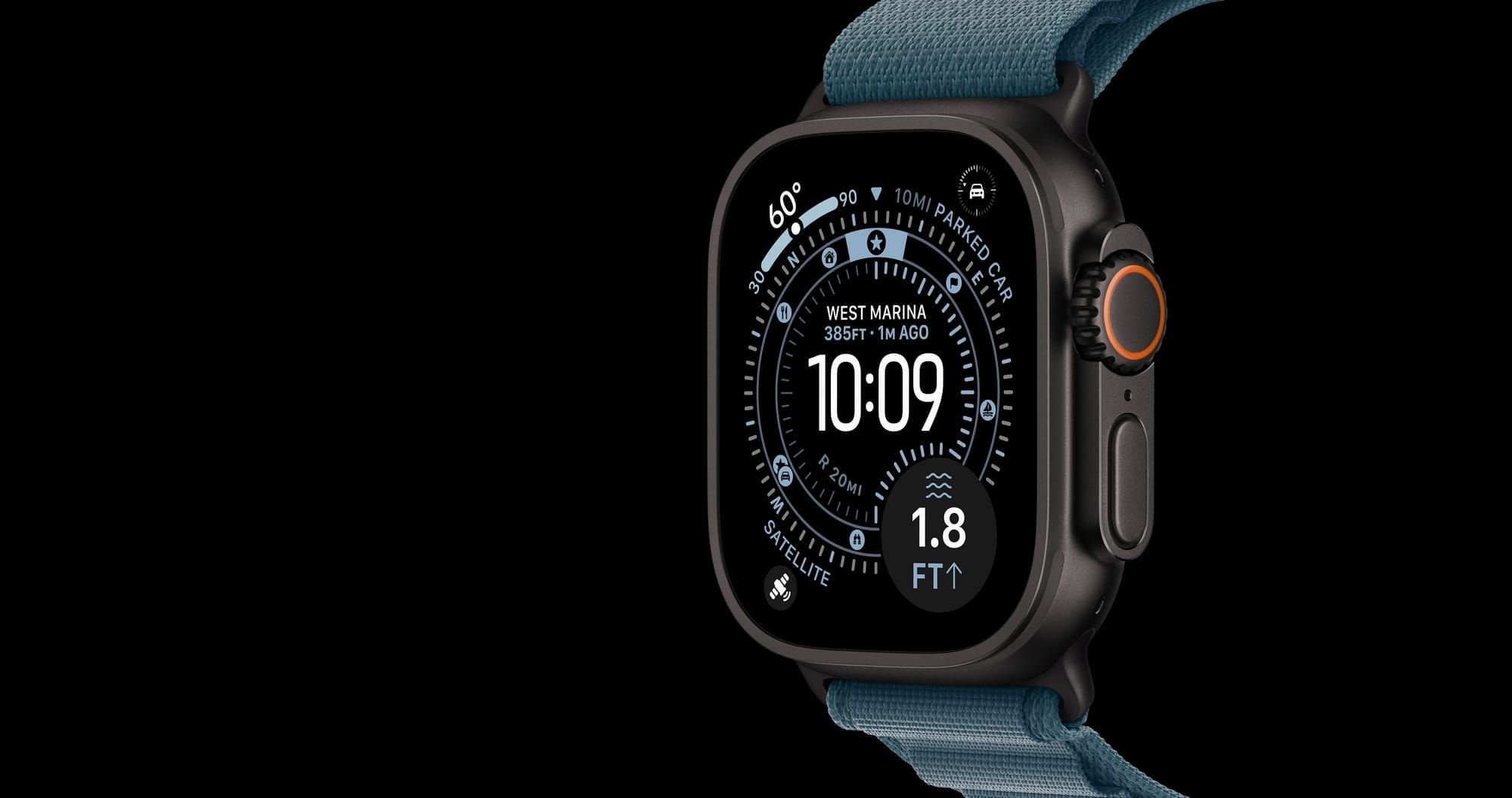
Both watches run the same watchOS 26 face customization system, including Modular Ultra, Snoopy, Palette, and the new Portraits face with depth effect. The Ultra 3 exclusively gets the Wayfinder face with its built-in compass and elevation data, which is designed for its larger display. Beyond that single exclusivity, every complication, face, and app runs identically on both watches.
The question is not which watch does more. They do the same things. The question is where you take your watch, how long you need it to last, and whether the scenarios that justify the Ultra 3’s price are part of your actual life or just aspirational. Be honest with yourself about that, and the right choice becomes obvious.

Related Posts
Build the Custom Apple Watch Face You Actually Want
Apr 06, 2026
Your Apple Watch Band Has a Cleaning Method Most Owners Skip
Apr 02, 2026
Your Apple Watch Has a Sleep System Most Owners Never Touch
Apr 02, 2026