

🎧 Listen to this article
Prefer to listen? An audio version of this article is available for accessibility and convenience.
You can buy every current Apple Watch in two configurations: GPS-only or GPS + Cellular. The GPS model does almost everything the Cellular model does, as long as your iPhone is nearby. The Cellular model lets you leave your phone behind and still make calls, send texts, stream music, and get emergency help from your wrist. That independence costs between $50 and $100 upfront, plus roughly $10 a month to your wireless carrier.
Here is the part that trips people up: most Apple Watch owners keep their iPhone within Bluetooth range for 90 percent of their day. That means the cellular radio sits idle while you pay for it every month. The real question is not "GPS or Cellular?" It is "Do I have a specific, recurring situation where my phone will not be with me?" If the answer is yes, cellular is worth every penny. If the answer is "maybe sometimes," you are probably better off saving $220 or more in the first year alone.
I am going to walk through every model, every cost, and every trade-off so you can make this call with confidence. No hedging, no "it depends" without telling you what it depends on.
What You Actually Get With Cellular
A GPS-only Apple Watch connects to your iPhone over Bluetooth. When your iPhone is nearby, the GPS model can do everything: calls, texts, notifications, Apple Pay, Siri, streaming music, app updates. The watch is borrowing your phone's cellular connection the whole time. Take your phone out of range and the GPS model loses all of that. It can still track workouts with onboard GPS, play music stored locally, and use downloaded maps. But it cannot phone anyone, text anyone, or stream anything.
A Cellular model has its own LTE radio and gets its own phone number (mirrored from your iPhone through your carrier). When you walk out the door without your phone, the Cellular model switches to its own connection and keeps working. Calls, texts, Siri, Apple Pay, notifications from apps that support it, music streaming over Apple Music or Spotify Premium. It is the same watch with the same chip, just with a radio that gives it independence.
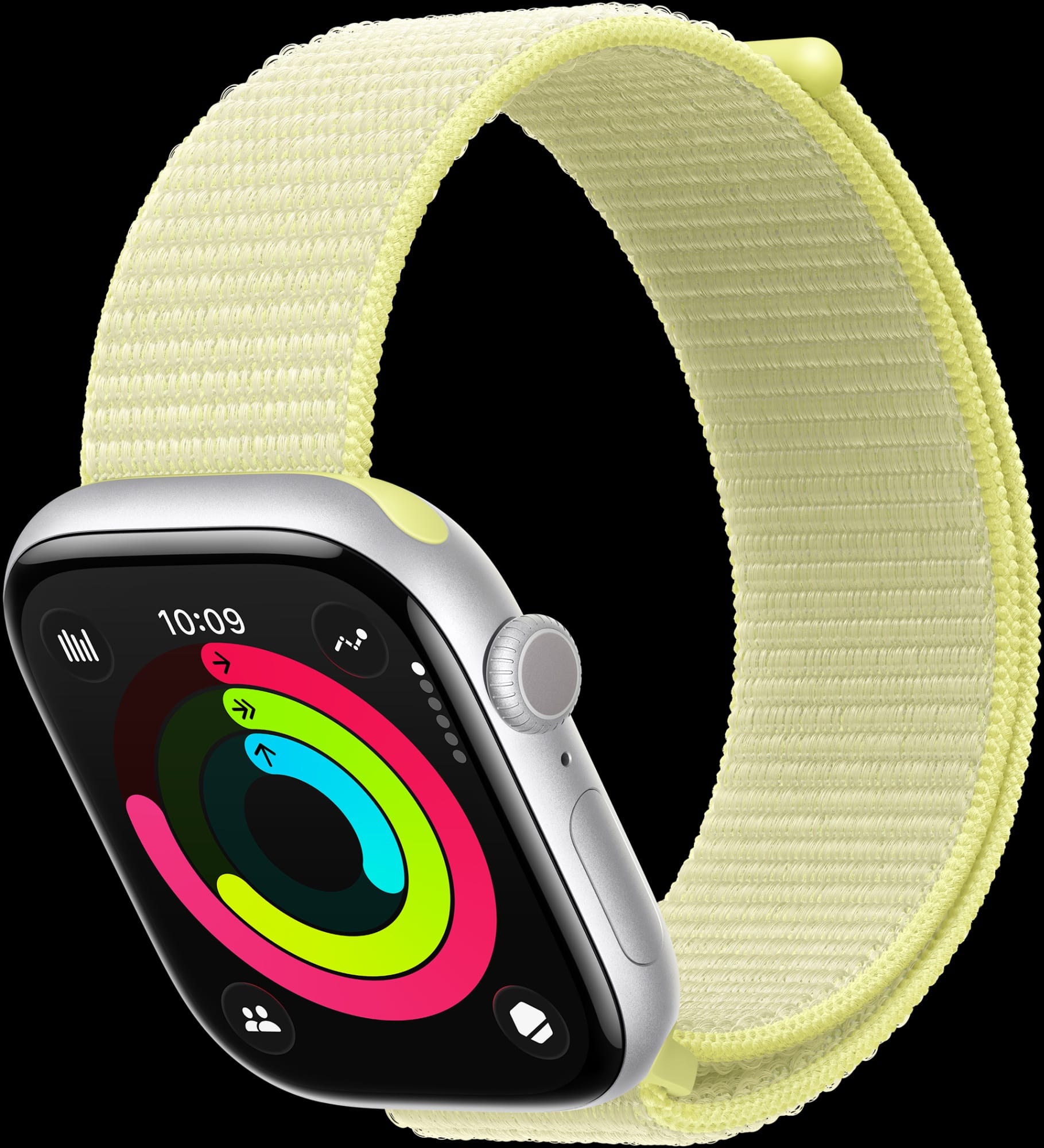
One thing that genuinely surprised me: Apple no longer marks the Cellular model with a red ring on the Digital Crown. Starting with Apple Watch Series 10 in 2024, the visual distinction disappeared entirely. The GPS and Cellular versions of the same model look, feel, and weigh within a gram of each other. The only way to tell them apart is in Settings, under General, then About.
Every Model and Every Price Right Now
Apple sells three watch lines in early 2026, and each handles the GPS-vs-Cellular split differently.
Apple Watch Series 11
The Series 11 is available in 42mm and 46mm sizes. Aluminum models come in both GPS ($399/$429) and GPS + Cellular ($499/$529). That is a flat $100 upcharge for cellular regardless of size. Titanium models, which start at $699, are cellular-only. If you want the premium material, you are getting cellular whether you planned on it or not. The aluminum GPS + Cellular model actually weighs about half a gram less than the GPS-only version, which is an odd quirk of the internal component layout. You will never notice it on your wrist.
Apple Watch SE 3
The SE 3 is the budget option, and it is better than "budget" suggests. It runs the S10 chip, has an Always-On display for the first time in the SE line, and comes in 40mm ($249) and 44mm ($279) sizes. Adding cellular costs just $50, making the 40mm Cellular model $299. That is the cheapest way to get a cellular Apple Watch, period. And if you are setting up an Apple Watch for a child or elderly parent through Apple's Family Setup, the SE 3 with Cellular is the entry point. Family Setup requires cellular. No exceptions.
Apple Watch Ultra 3
The Ultra 3 starts at $799 and only comes in cellular. No GPS-only option exists. That makes sense for its target audience: hikers, divers, endurance athletes who routinely leave their phones behind. The Ultra 3 also carries exclusive satellite emergency SOS, which works even without cellular or Wi-Fi coverage. If you want an Ultra, the cellular question is already answered for you.
The Monthly Carrier Cost Nobody Mentions in the Store
Here is where the real math lives. That $50 or $100 upcharge is a one-time cost. The carrier plan is forever. Every month, your wireless carrier charges you to add the Apple Watch to your phone number. The three big US carriers all land around $10 a month:
- AT&T NumberSync: $10.99 per month, plus around $3.49 in regulatory fees. Actual monthly cost is closer to $14.50. Activation fee: $35.
- Verizon Number Share: $10 per month. Drops to $5 if you are on a Get More Unlimited plan. Activation fee: $40.
- T-Mobile Paired DIGITS: $10 per month at standard rate. Can drop to $5 with Experience Beyond plans. Activation fee: $35.
Budget carriers offer cheaper alternatives. Visible (on Verizon's network) charges $5 a month with no activation fee. US Mobile charges $6.50. You can find Apple's full list of supported carriers on their site. Your iPhone and Apple Watch generally must be on the same carrier, which limits your options if you are locked into a specific plan.
Run the numbers over two years. A Series 11 Aluminum GPS + Cellular with an AT&T plan costs $499 + $35 activation + ($14.50 x 24 months) = $882. The GPS-only model is $399. That is a $483 difference over two years for the cellular convenience. On Visible, the math looks better: $499 + ($5 x 24) = $619, a $220 gap. Still real money, but more defensible if you will actually use it.
Battery Life: The Trade-Off That Actually Matters
Apple rates the Series 11 at 24 hours for both GPS and Cellular models. That number is technically accurate and practically misleading. Apple's test assumes the Cellular model spends 20 of those 24 hours connected to an iPhone over Bluetooth, using the LTE radio for only 4 hours. If you are wearing a Cellular model and leaving your phone behind for long stretches, expect 18 to 20 hours under moderate use.
Streaming music over LTE eats about 50 percent more power than playing locally stored tracks. A 45-minute outdoor run with GPS tracking and cellular music streaming drains the battery noticeably more than the same run with downloaded playlists. The SE 3 is more constrained at 18 hours rated, so cellular drain hits harder on that model.
The Ultra 3 is the exception. Its 42-hour battery (72 in Low Power Mode) means you barely notice the cellular overhead. I would not factor battery into the decision on an Ultra.
When Cellular Genuinely Changes Your Life
There are four scenarios where I think cellular is not just nice to have, but genuinely worth paying for. If you fit into any of these, stop debating and get the Cellular model.
You run, cycle, or swim without your phone. If you regularly do outdoor workouts and leave your iPhone at home or in the car, cellular lets you stream music, receive calls if your kid's school needs you, and — this is the big one — call emergency services if something goes wrong. A GPS-only watch cannot independently call 911. It needs your iPhone nearby or a Wi-Fi connection with Wi-Fi Calling enabled. That safety gap alone justifies the cost for serious outdoor athletes.
You are setting up a watch for a child or elderly parent. Family Setup is Apple's way of pairing an Apple Watch to a family member who does not own an iPhone. It requires a Cellular model. The SE 3 Cellular at $299 is the go-to here. Your kid gets location sharing, communication you control, and Schooltime mode. Your parent gets fall detection, emergency SOS, and Medical ID. There is no way to do this with a GPS-only watch.
You want genuine independence from your phone on weekends. I know people who leave their iPhone at home every Saturday and walk to the coffee shop, the farmers' market, the park with just their watch. They get their texts, can take calls, and pay with Apple Pay. If that freedom sounds like it would change how you spend your weekends, cellular delivers it.
You work somewhere that bans phones but allows watches. Certain workplaces, medical facilities, and secure environments prohibit phones but permit smartwatches. Cellular keeps you connected in those settings.
When GPS-Only Is the Smarter Pick
If your iPhone is within arm's reach for most of your day — which covers most people — the GPS model gives you the identical experience for $50 to $100 less upfront and zero monthly carrier cost. You still get every health sensor, every workout tracking feature, every notification, every app. The only thing you lose is the ability to do all of that when your phone is not nearby.
For gym workouts, the GPS model is perfectly fine. Your phone is in your locker or your bag, likely within Bluetooth range. For home use, same thing. Even for short runs around the neighborhood, many runners carry their phone anyway for safety or music.
Here is a practical test: think back over the last month. How many times did you leave your house without your iPhone for longer than an hour? If the answer is rarely or never, you do not need cellular. That $220-plus you save over two years buys a really nice band collection instead.
The Decision Made Simple
Start with what you already know about yourself. Do not buy cellular "just in case." That is the most expensive insurance policy in consumer tech, and most people never file the claim.
- Buy GPS-only if your iPhone is almost always nearby. You save money and lose nothing you will miss.
- Buy Cellular if you exercise without your phone, set up Family Setup, or want genuine phone-free freedom on weekends.
- Buy the Ultra 3 if you are an endurance athlete or adventurer. Cellular is included and the battery handles it without compromise.
One more thing worth knowing: if you buy GPS-only now and regret it later, you cannot upgrade to Cellular. The LTE radio is hardware. You would need a new watch. That is the only argument for buying Cellular when you are on the fence — but I would argue that spending $220 extra on a "maybe" is worse than buying a new watch in two years when you know for certain. If you are still unsure which Apple Watch runs the features you care about, our watchOS 26 compatibility guide breaks down exactly what each model supports.

Blaine Locklair
Founder of Zone of Mac with 25 years of web development experience. Every guide on the site is verified against Apple's current documentation, tested with real hardware, and written to be fully accessible to all readers.
follow me :
Related Posts
The Apple Watch Workout Settings That Quietly Change How You Train
Feb 28, 2026
Every Apple Watch That Runs watchOS 26 and the Features Each One Gets
Feb 24, 2026
Your Apple Watch Comes With a Free Gym You Might Be Ignoring
Feb 23, 2026