
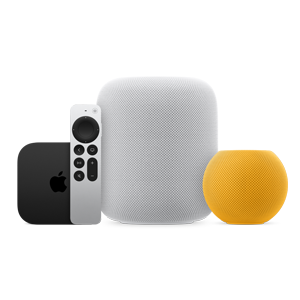

Storage wars hit different when the gap is only twenty bucks. The Apple TV 4K (3rd generation) comes in two versions: a 64GB Wi-Fi model at $129 and a 128GB Wi-Fi + Ethernet model at $149. For anyone who just wants to stream movies, shows, and live sports, the 64GB model does everything you need. Done. Grab it and go.
But here is where it gets interesting. That extra $20 does not just double your storage. It adds a Gigabit Ethernet port and Thread networking, which turns your Apple TV into a Thread Border Router for your smart home. So the real question is not "how much storage do I need?" The real question is "what else do I want this little box to do?"
 Ad
AdThe 64GB Model Covers More Ground Than You Think
Most people overestimate how much storage a streaming box actually uses. Why is that you may ask? Well for starters, apps on tvOS work nothing like apps on your iPhone. Apple caps tvOS app bundles at 4 GB max, and most streaming apps weigh between 100 and 400 MB each. Netflix, Disney+, Hulu, Paramount+, Apple TV+, Peacock, Max. Load them all. You have barely scratched the surface of 64 gigs.
The operating system and its caches do eat into that total. Screen savers, preview content, and system files all live on the drive. But tvOS manages this storage aggressively, offloading unused app data when space runs low and redownloading it when you open the app again. Persistent local storage per app caps out at a tiny 500 KB. The system is designed to keep itself lean.
I want to be clear about something. If you are a person who streams content and that is basically it, the 64GB Apple TV 4K is not the "budget option." It is the right option. Spending an extra twenty dollars for storage you will never fill is just buying peace of mind you do not actually need. Well, unless your plans involve gaming or smart home gear. Then keep reading.
Apple Arcade Changes the Math
Here is where the 128GB model starts making more sense. Apple Arcade games range from 200 MB for simple puzzle games up to a full 4 GB for titles with heavy graphics and assets. On top of that base download, each game can request up to 20 GB of additional on-demand resources. I mean think about it. Five or six graphically demanding Apple Arcade titles and you could be pushing past what 64GB comfortably holds after the system takes its share.
Now, are most people loading up their Apple TV with a half dozen AAA-style games? Probably not. But if you are someone who treats your Apple TV as a serious gaming setup, the 128GB gives you breathing room. Pair it with a PlayStation DualSense or Xbox controller and you have a legitimate casual gaming console sitting under your television for $149. That is hard to argue with.
A friction point worth mentioning: tvOS does not give you a simple way to see exactly how much storage each app is consuming. You can check overall storage in Settings > General > Manage Storage, but the breakdown is less detailed than what you get on an iPhone. You might not realize you are running low until the system starts silently removing cached game data, and then your next launch includes a long redownload.
The Ethernet Port Is the Sleeper Feature
| Feature | 64GB Wi-Fi ($129) | 128GB Wi-Fi + Ethernet ($149) |
|---|---|---|
| Storage | 64GB | 128GB |
| Chip | A15 Bionic (6-core CPU, 5-core GPU) | A15 Bionic (6-core CPU, 5-core GPU) |
| Wi-Fi | Wi-Fi 6 | Wi-Fi 6 |
| Ethernet | No | Gigabit Ethernet |
| Thread Networking | No | Yes (Thread Border Router) |
| Video Output | Dolby Vision, HDR10+, HDR10, HLG, 4K 60fps | Dolby Vision, HDR10+, HDR10, HLG, 4K 60fps |
| Audio | Dolby Atmos, Dolby Digital Plus 7.1 | Dolby Atmos, Dolby Digital Plus 7.1 |
| HDMI | HDMI 2.1 | HDMI 2.1 |
| Weight | 7.3 oz | 7.5 oz |
| HomeKit/Matter Hub | Yes | Yes |
Look at that table for a second. The hardware inside both models is identical. Same A15 Bionic chip. Same 6-core CPU, same 5-core GPU, same fanless design. Dolby Vision, HDR10+, Dolby Atmos, the works. The 128GB model weighs 0.2 ounces more because of the Ethernet hardware. That is the only physical difference besides the port itself.
So why does Ethernet matter on a streaming box? Well simply put, Wi-Fi 6 is fast but it is not always stable. Anyone who has dealt with buffering during a packed house on Super Bowl Sunday knows what I am talking about. Ethernet gives you a hardwired connection that does not care how many phones, tablets, and laptops are fighting for bandwidth on your network. If you set up your Apple TV for F1, MLS, and every live sport, a wired connection removes buffering from the conversation entirely.
Ethernet also matters for large app downloads. Downloading a 4 GB game over a congested Wi-Fi network can take significantly longer than pulling it over a direct cable. For households with multiple streamers using the same router, that wired connection keeps your Apple TV from competing with everyone else's traffic.
Thread Networking Is for the Smart Home Crowd
Here is the feature most people skip right past. The 128GB Apple TV 4K includes Thread networking, making it a Thread Border Router. Why does that matter? Thread is a low-power mesh networking protocol that smart home devices use to talk to each other. Sensors, locks, lights, switches. Thread lets these devices communicate directly without constantly routing through your Wi-Fi network.
Both Apple TV models work as HomeKit and Matter hubs. You can control your lights, check your doorbell camera, and run automations from either version. But only the 128GB model acts as a Thread Border Router, which means Thread-enabled devices in your home connect through it to form a mesh. Without a Thread Border Router, those devices fall back to Wi-Fi or Bluetooth, which means slower response times and more battery drain.
If you are building a HomeKit smart home from scratch, the $20 upgrade to get Thread support is a no-brainer. The Apple TV sits in your living room anyway, plugged in and always on. It is the perfect hub. Skipping Thread support to save twenty dollars when you are about to spend hundreds on smart home accessories would be, well, a strange choice.
Join The Inner Circle For Serious Apple Users
Exclusive Apple tips. Free to join.
Accessibility and Clarity
Both Apple TV 4K models run identical software with the same accessibility features. VoiceOver provides full screen reader support for navigating tvOS, including the App Store and all first-party apps. The Siri Remote (3rd generation) charges over USB-C, and its touch-enabled clickpad supports custom accessibility gestures configured through tvOS Settings.
Audio Descriptions work across supported content on both models, and closed captioning with full style customization is available systemwide. Switch Control and Voice Control are both supported for users with limited mobility. The physical remote itself has a distinct tactile button layout that makes navigation possible without looking at the remote.
One consideration: the Ethernet port on the 128GB model offers a reliability advantage for accessibility-dependent users. A dropped Wi-Fi connection during a VoiceOver-guided navigation session can be disorienting. A wired connection removes that variable entirely.
Quick-Action Checklist
- Streaming only, no gaming, no smart home plans: Get the 64GB Wi-Fi model at $129
- Apple Arcade gamer or plan to download more than 10 apps: Get the 128GB for the extra storage headroom
- Live sports viewer on a busy home network: Get the 128GB for the Ethernet port
- Building or expanding a smart home with Thread devices: Get the 128GB for the Thread Border Router
- Check your current Apple TV storage in Settings > General > Manage Storage before deciding

Related Posts
Apple TV+ Has Five Premieres This Month and Your Watchlist Needs All of Them
Mar 04, 2026
Every Apple HomeKit Device That Earns a Spot in Your Smart Home
Mar 03, 2026
Your HomePod Joins the Wrong Wi-Fi Network Until You Fix This One Setting
Mar 03, 2026