
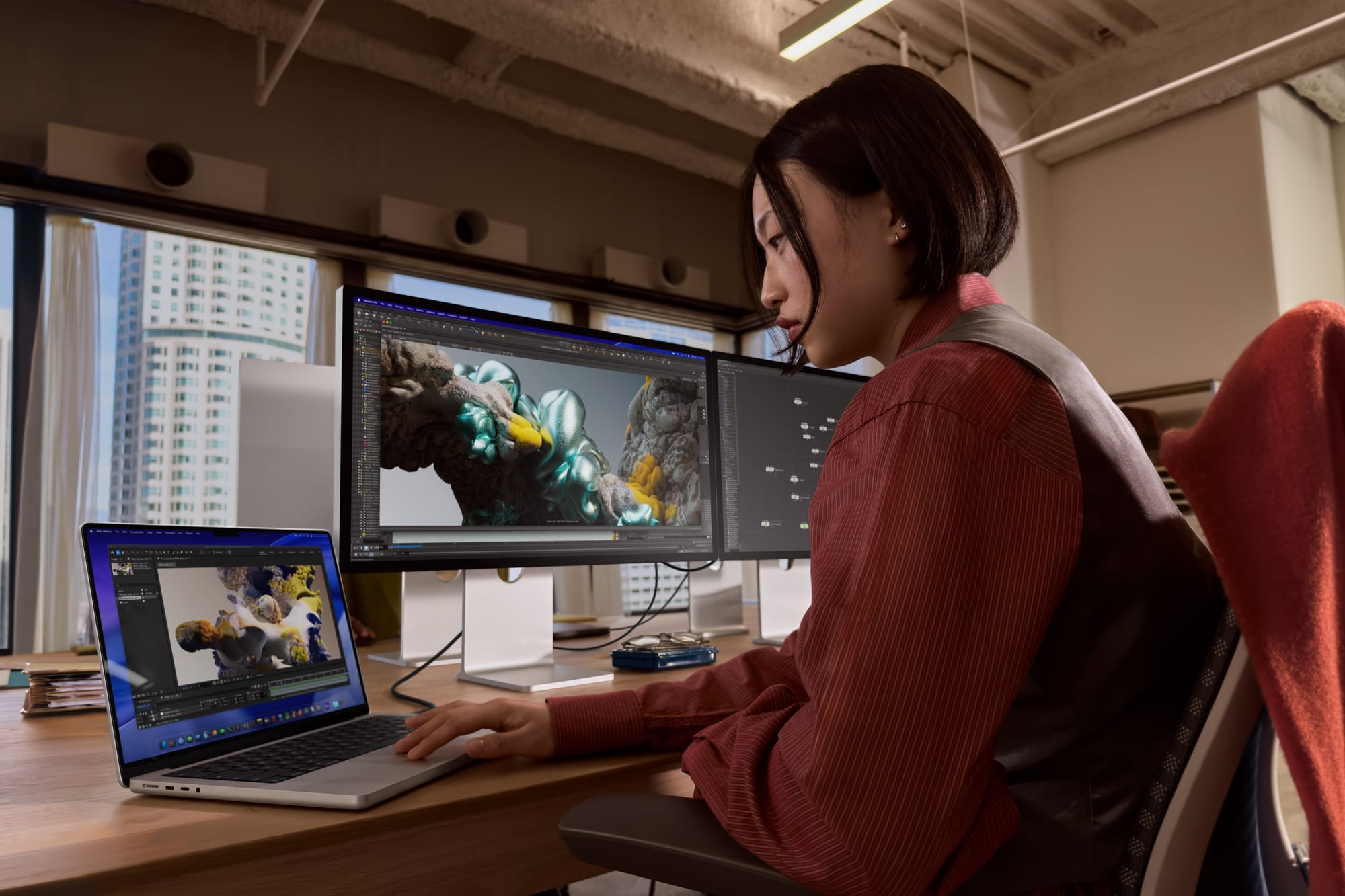

Apple just announced the Studio Display XDR, and it is exactly what a lot of us have been waiting on for years — a 27-inch mini-LED XDR monitor with 2,304 local dimming zones, 120Hz adaptive refresh, Thunderbolt 5, and a height-adjustable stand included in the box, starting at $3,299. That is a real sentence I just typed about a real Apple product. The Studio Display XDR takes the same XDR technology Apple put in the Pro Display XDR back in 2019 — the one that cost $4,999 before you even thought about a stand — and brings it down to a price point that still hurts but no longer feels insulting. You get 5K resolution at 5120x2880, P3 and Adobe RGB wide color gamuts, 1 billion colors, True Tone, 2,000 nits of peak HDR brightness, and a million-to-one contrast ratio. It ships March 11, 2026. But here is where I need you to slow down before you pull out your credit card, because Apple buried something in the fine print that matters a lot depending on which Mac you own — and I am going to get into that in a minute.
The $3,299 price tag is going to scare some people off, and honestly, it should make you think. This is not a casual purchase. But context matters here. The Pro Display XDR started at $4,999 and went up to $6,999 for the nano-texture version, and that was for a monitor with no stand — you had to buy the $999 Pro Stand or a $199 VESA adapter separately. Apple caught absolute hell for that. The Studio Display XDR ships with a tilt- and height-adjustable stand included at the base price, with 105mm of height range, and the nano-texture glass option only bumps the price to $3,599. Apple learned something. Took them long enough.
 Ad
AdWhat the Studio Display XDR Actually Gives You
Let me walk through what is inside this thing because the spec sheet is genuinely impressive when you lay it all out. The 27-inch panel runs at 5120x2880 — same resolution as the original Studio Display — but the backlight system is a completely different animal. Apple is using mini-LED with 2,304 local dimming zones, which means individual portions of the screen can go fully dark while other areas hit 2,000 nits of peak HDR brightness. SDR content gets up to 1,000 nits sustained. That is bright. Like, working-next-to-a-window-in-July bright.
The contrast ratio jumps to 1,000,000:1. For reference, the original Studio Display sits at 1400:1. That is not a typo and it is not a rounding error — it is a generational leap in what a 27-inch Apple monitor can do with dark content, shadow detail, and HDR video.
Color accuracy is where professionals are going to perk up. You get P3 wide color, Adobe RGB, and 16 reference modes that let you lock the display to specific color standards. Filmmakers, photographers, colorists, print designers — this is the kind of feature set that used to require a $5,000-plus reference monitor from someone like Sony or Flanders Scientific. Apple is not quite at that level of per-unit calibration, but for the vast majority of professional color work, this display is going to be more than enough.
The refresh rate is 120Hz with Adaptive Sync across a 47-120Hz range. Scrolling is smoother. Cursor movement is smoother. Timeline scrubbing in Final Cut or DaVinci Resolve feels more responsive. Once you have used a 120Hz display for daily work, going back to 60Hz feels like dragging your mouse through mud. I mean that.
Connectivity is Thunderbolt 5. One upstream TB5 port handles your Mac connection and delivers up to 140W of charging — enough to power a MacBook Pro 16-inch at full tilt without a separate charger. There is one downstream Thunderbolt 5 port and two USB-C ports running at 10Gb/s. The 12MP Center Stage camera is back with Desk View support, the six-speaker system now includes force-cancelling woofers with Spatial Audio and Dolby Atmos, and the three-microphone array uses directional beamforming. If you are doing video calls, this display handles all of it without any external accessories.
The whole thing weighs 18.7 pounds with the stand.
The 120Hz Catch That Apple Buried in the Fine Print
Here is the part that matters and the part Apple did not put in the headline. The Studio Display XDR requires macOS Tahoe 26.3.1 or later. Fine. But if you are running an M1, M2, or M3 Mac — any of them, including the M2 Ultra Mac Studio and the M3 Max MacBook Pro — you are limited to 60Hz on this display.
Read that again. Sixty hertz.
The full 120Hz Adaptive Sync experience requires an M4 chip or later. That means M4, M4 Pro, M4 Max, M4 Ultra, and presumably whatever comes next. If you just bought a Mac Studio with an M2 Ultra last year, or you are still rocking an M1 Max MacBook Pro that runs beautifully for everything you do, you can absolutely use this display — but you are not getting the headline feature. You are getting a gorgeous mini-LED 5K XDR monitor locked at 60Hz, which is still really good, but it is not the full experience Apple is advertising.
This is the kind of thing that should be in bold on the product page. It is not.
iPad support follows a similar pattern. The iPad Pro with M5 gets 120Hz over Thunderbolt. Every other iPad that can connect is capped at 60Hz. So if you were thinking about pairing this with an older iPad Pro as a secondary workflow, temper your expectations.
Why does this matter so much? Because $3,299 is a lot of money to spend on a display and then discover you are missing the feature that separates it most clearly from the $1,599 regular Studio Display. If you are currently choosing the right Mac Studio for your creative workflow, the chip generation you pick now determines whether this display runs at its full potential. That is a purchasing decision that connects directly to this monitor, and Apple should be louder about it.
 Ad
AdStudio Display vs Studio Display XDR
Apple also updated the regular Studio Display alongside this launch — it now gets Thunderbolt 5 connectivity and 96W charging at $1,599 — so the two monitors share a design language but sit in very different performance tiers. Here is how they compare.
The following table compares the key specifications of the updated Apple Studio Display and the new Apple Studio Display XDR across display technology, brightness, refresh rate, connectivity, and pricing.
| Feature | Studio Display ($1,599) | Studio Display XDR ($3,299) |
|---|---|---|
| Display Size | 27-inch 5K Retina | 27-inch 5K Retina XDR |
| Backlight | LED | Mini-LED, 2,304 local dimming zones |
| Brightness | 600 nits | 1,000 nits SDR / 2,000 nits peak HDR |
| Contrast Ratio | 1400:1 | 1,000,000:1 |
| Refresh Rate | 60Hz | 120Hz Adaptive Sync (47–120Hz) |
| Color | P3 wide color, True Tone | P3 + Adobe RGB, 1 billion colors, True Tone, 16 reference modes |
| Connectivity | Thunderbolt 5 (96W), 2x USB-C | Thunderbolt 5 (140W), 1x downstream TB5, 2x USB-C (10Gb/s) |
| Stand | Tilt-only (height-adjustable +$400) | Tilt- and height-adjustable included |
| Camera | 12MP Center Stage with Desk View | 12MP Center Stage with Desk View |
| Speakers | Six-speaker, Spatial Audio | Six-speaker, force-cancelling woofers, Spatial Audio, Dolby Atmos |
The $1,700 price gap is significant. But the performance gap is massive. The regular Studio Display is a fine monitor — good color, good resolution, good webcam. The Studio Display XDR is a professional reference-grade tool that happens to also be a really great everyday monitor. Those are not the same thing, and the jump in brightness, contrast, refresh rate, and color accuracy reflects that.
If you are shopping for a Mac right now and trying to figure out what pairs with what, our MacBook buying guide covers the laptop side of that equation. The short version: get an M4-generation machine if you want the full 120Hz experience with this display.
Accessibility and Clarity
This is the section I think a lot of tech coverage is going to skip, and that is a shame because the Studio Display XDR has some genuinely meaningful accessibility features baked in.
Start with brightness. At 1,000 nits sustained for SDR content, this is one of the brightest desktop monitors Apple has ever shipped. For users with low vision who need high-brightness displays to read text comfortably, that is a real, practical benefit. The old Studio Display topped out at 600 nits — usable, but not always enough in bright rooms or for people who need that extra punch to distinguish letterforms clearly. The jump to 1,000 nits sustained is substantial.
Then there is the contrast ratio. A million-to-one contrast means that dark UI elements against light backgrounds — and vice versa — have dramatically more separation. High contrast is one of the most basic and most important accessibility tools in computing, and the mini-LED local dimming system on this display delivers it at a level that the original Studio Display simply cannot match.
The 16 reference modes include a DICOM medical imaging preset, which is pending FDA clearance. DICOM is the standard for displaying medical images — X-rays, MRIs, CT scans — with precise grayscale accuracy. If Apple gets that clearance, the Studio Display XDR becomes a viable diagnostic display for radiologists and clinicians at a price point dramatically below dedicated medical monitors that can run $8,000 to $15,000. That is a niche feature, sure. But for the people who need it, it could be a massive deal.
VoiceOver compatibility carries over from the existing Studio Display, and macOS Tahoe continues to support full screen reader navigation with external displays. The 120Hz refresh rate also has accessibility implications that do not get talked about enough — smoother motion and reduced flicker can make a meaningful difference for users with certain vestibular or visual processing sensitivities, though results vary by individual.
Who Should Actually Buy This
Let me be blunt.
Do not buy the Studio Display XDR if you are running an M1, M2, or M3 Mac and you care about 120Hz. You will spend $3,299 and get a 60Hz experience. The display will look gorgeous — the HDR, the contrast, the color accuracy are all still there — but you are leaving the smoothness on the table, and that smoothness is a meaningful part of what your money is buying. If you are in that situation and you want the XDR image quality without the 120Hz, you need to go in with your eyes open and decide that the HDR and local dimming alone justify the price for you. For some people, they will. For others, the updated $1,599 Studio Display with Thunderbolt 5 is the smarter buy right now.
Do buy this display if you have an M4-generation Mac — or you are about to buy one — and you need a reference-quality monitor for creative or professional work. At $3,299 with the height-adjustable stand included, the Studio Display XDR is roughly half the price of what the Pro Display XDR cost at launch, and it matches or exceeds it in several specs. The 27-inch size is smaller than the Pro Display XDR’s 32 inches, and that tradeoff is going to matter to some people, particularly video editors who want maximum timeline real estate. But for photographers, designers, developers, and most video workflows, 27 inches at 5K is plenty.
Do buy this display if you are a medical professional waiting on that DICOM clearance and you are tired of paying five figures for a diagnostic monitor.
Do buy this display if you just want the best 27-inch monitor Apple makes and you are tired of waiting for them to make one. They finally did. Pre-orders opened March 4. It ships March 11, 2026.

Related Posts
Apple's Two $599 Devices Go Head to Head — and One Makes More Sense Than You Think
Mar 05, 2026
Apple’s $599 MacBook Neo vs the MacBook Air M5
Mar 04, 2026
Your Mac Has a Hidden Repair Shop Built Into the Power Button
Mar 04, 2026