

🎧 Listen to this article
Prefer to listen? An audio version of this article is available for accessibility and convenience.
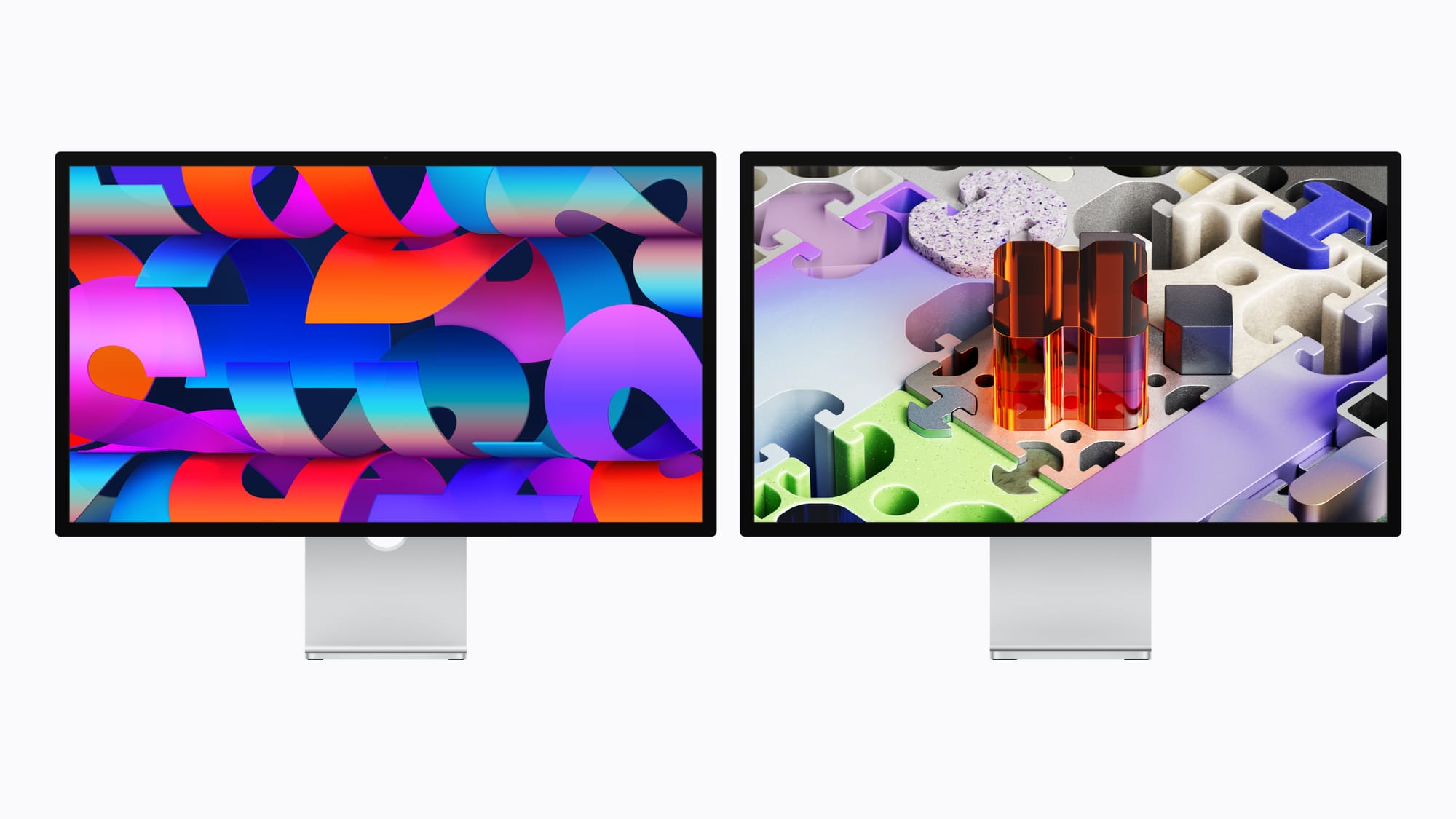
Apple’s Studio Display XDR is a 27-inch 5K mini-LED monitor with 2,000 nits of peak HDR brightness, 120Hz ProMotion, and Thunderbolt 5 — and it replaces the legendary Pro Display XDR at roughly half the price. That sounds like a straightforward upgrade story, but the compatibility fine print and the gap between the XDR and the cheaper refreshed Studio Display create real decision points that most of the launch coverage glossed over.
I spent the week digging into every spec sheet, compatibility note, and hands-on report I could find. Here is what actually matters if you are thinking about ordering one before the March 11 ship date.
 Ad
AdWhat 2,304 Dimming Zones Actually Get You
The headline feature is the mini-LED backlight with 2,304 local dimming zones. That is the technology that pushes peak HDR brightness to 2,000 nits while keeping SDR content at a comfortable 1,000 nits. For context, the original 2022 Studio Display topped out at 600 nits with no HDR support and no local dimming at all. The jump is dramatic.
Apple also brought ProMotion to an external display for the first time. The Studio Display XDR supports adaptive refresh rates from 47Hz to 120Hz, which means scrolling through long documents, editing video timelines, and navigating your desktop all feel noticeably smoother than 60Hz. If you have ever used a MacBook Pro with ProMotion and then plugged into a 60Hz external monitor, you already know how jarring that drop feels. The XDR eliminates it — with a catch.
The 120Hz Catch Apple Buries in the Footnotes
That catch is significant. The 120Hz refresh rate requires specific hardware. You need at least an M2 Pro, M2 Max, M2 Ultra, M3 Pro, M3 Max, M3 Ultra, or any M4 or M5 chip to drive the display at its full 120Hz. If your Mac has a base M1, M2, or M3 chip, the Studio Display XDR drops to 60Hz. That means a 2022 MacBook Air with M2 or a 2024 MacBook Air with M3 will not get the full ProMotion experience from this display. Apple buries this detail in the compatibility footnotes, and it is the single most important thing to check before you order.
Thunderbolt 5 Changes the Cable Math
The connectivity is the other standout. Two Thunderbolt 5 ports deliver up to 120 gigabytes per second of bandwidth. One port is upstream — that is where your Mac connects — and it delivers 140 watts of charging power through the included Thunderbolt 5 Pro cable. The second Thunderbolt 5 port is downstream, so you can daisy-chain another display or connect a fast external SSD without touching your Mac’s ports. Two additional USB-C ports at 10 gigabytes per second round out the back panel. For anyone building a clean desk setup, this port layout means one cable from your MacBook to the display handles power, video, and data.
That downstream Thunderbolt 5 port deserves special attention. You can daisy-chain a second Studio Display or Studio Display XDR off of it, which means a Mac Studio or MacBook Pro with a single Thunderbolt connection can drive two high-resolution monitors. This kind of setup used to require a dock or multiple cables running to the machine itself.
 Ad
AdIt Replaces a $5,000 Monitor — With Caveats
Apple quietly discontinued the Pro Display XDR alongside this launch. The $4,999 monitor that defined professional Apple displays since 2019 is gone. The Studio Display XDR does not match the Pro Display XDR on size — 27 inches versus 32 inches — but it matches or beats it on brightness, color accuracy, refresh rate, and price. The XDR starts at $3,299 for standard glass and $3,599 for the nano-texture option. That is roughly $1,700 less than the Pro Display XDR, and you get ProMotion and Thunderbolt 5 that the old model never had.
A side-by-side comparison of the Studio Display XDR, the refreshed Studio Display, and the discontinued Pro Display XDR across key buying criteria.
| Feature | Studio Display XDR | Studio Display (2026) | Pro Display XDR |
|---|---|---|---|
| Peak HDR Brightness | 2,000 nits | 600 nits (no HDR) | 1,600 nits |
| Refresh Rate | 120Hz ProMotion | 60Hz | 60Hz |
| Connectivity | Thunderbolt 5 (140W) | Thunderbolt 5 (96W) | Thunderbolt 3 |
| Starting Price | $3,299 | $1,599 | $4,999 (discontinued) |
Color Science Built for Real Workflows
The color science is built for professional workflows. The display covers P3 and Adobe RGB wide color gamuts from a single default preset, plus more than 80 percent of the Rec. 2020 color space for HDR video work. Apple includes 14 reference modes — including HDR Video (P3-ST 2084), Digital Cinema (P3-DCI), and a DICOM medical imaging preset with a Medical Imaging Calibrator that is pending FDA clearance. That DICOM mode is new territory for Apple. It positions the Studio Display XDR as a tool for diagnostic radiology, which no previous Apple display has attempted.
The built-in camera and audio system matches the refreshed standard Studio Display: a 12-megapixel Center Stage camera with Desk View support, a studio-quality three-microphone array with directional beamforming, and a six-speaker system with Spatial Audio and Dolby Atmos. The camera is a genuine improvement over the 2022 model’s notoriously soft 12-megapixel unit, though Apple has not published detailed sensor specs for the XDR’s camera module.
The Weight and Stand Situation
One detail that surprised me is the weight. The Studio Display XDR with its tilt-and-height-adjustable stand weighs 18.7 pounds. Without the stand, using the VESA mount adapter, it drops to 13.9 pounds. That stand allows 105 millimeters of height adjustment and tilts from minus 5 degrees to plus 25 degrees. It is a solid, well-built stand — but if you already own a monitor arm, the VESA option keeps the desk footprint minimal. The VESA mount uses a standard 100-by-100 millimeter pattern.
You need macOS Tahoe 26.3.1 or later to use the Studio Display XDR. Apple released that update on March 4, the same day pre-orders opened. If your Mac is still on an older version of macOS Tahoe, update before the display arrives or it will not be recognized. iPads running iPadOS 26.3.1 are also compatible, though only the M5 iPad Pro gets the full 120Hz output.
Is the $1,700 Premium Over the Standard Display Worth It
The question most people are actually asking is whether the $3,299 Studio Display XDR is worth the $1,700 premium over the $1,599 refreshed Studio Display. The standard model got Thunderbolt 5, the same camera and audio upgrades, and the same A19 chip — but it kept the 60Hz panel and does not have mini-LED or HDR. If your work involves color grading, photo editing, video production, or any task where HDR accuracy and high brightness matter, the XDR is the clear choice. If you mostly write code, browse the web, and handle business documents, the standard display at $1,599 delivers Thunderbolt 5 convenience without the HDR tax.
I want to be direct about one thing: the Studio Display XDR is not a perfect monitor. It is 27 inches. Plenty of professionals wanted a 32-inch replacement for the Pro Display XDR, and they did not get one. The 5K resolution is outstanding at this size, but if you need the physical screen real estate of a 32-inch panel, Apple does not currently have an answer for you. That gap feels deliberate — it leaves room for a future large-format display — but it is a real limitation right now.
The other friction point is the 60Hz fallback. If you buy this display expecting 120Hz and your Mac has a base M2 or M3 chip, you will be disappointed. Apple should have made the compatibility requirements more prominent in the marketing materials. Check your Mac’s chip before ordering. You can find it by clicking the Apple menu, selecting About This Mac, and reading the chip line. If it says “M2” or “M3” without “Pro,” “Max,” or “Ultra” after it, you are getting 60Hz. For a deeper understanding of how Apple Silicon tiers work across the Mac lineup, this guide to the M5 Pro and M5 Max MacBook Pro lineup breaks down the chip hierarchy.
For Mac owners looking to build a multi-monitor creative workstation, the daisy-chaining capability through Thunderbolt 5 changes the equation. A single Mac Studio M4 Max connected to one Studio Display XDR can daisy-chain to a second display, giving you a dual-monitor setup with a single cable running to the machine. That kind of simplicity used to cost thousands more in dock hardware and cable management. If you are setting up a Mac workspace from scratch, the article on building your dream Mac desk setup covers complementary peripherals and ergonomics worth considering alongside a display upgrade.
The Studio Display XDR ships March 11, 2026. Pre-orders are live now through Apple’s website and Apple Store locations. Education pricing starts at $3,199.

Related Posts
Your Mac Just Started Warning You About Apps That Will Stop Working
Mar 28, 2026
MacBook Pro M5 Pro vs M4 Pro: The Honest Buying Decision for 2026
Mar 26, 2026
Claude Can Work Your Mac While You Walk Away — Here’s What That Changes
Mar 26, 2026