

🎧 Listen to this article
Prefer to listen? An audio version of this article is available for accessibility and convenience.
You Already Know Refurbished Exists — Here’s Why Apple’s Version Is Different
Apple’s Certified Refurbished Store sells Macs that have been returned, tested, repaired with genuine Apple parts, and given a new battery and outer shell. You get a one-year limited warranty, the same one that ships with a brand-new Mac, and you can add AppleCare+ within 60 days of purchase. Savings run up to 15% off the original retail price.
That 15% sounds modest until you do the math on a MacBook Pro. A 14-inch MacBook Pro with Apple Silicon M4, 16 gigabytes of Unified Memory, and 512 gigabytes of storage retails for $1,599 new. The refurbished version? $1,359. That’s $240 back in your pocket for a machine that performs identically, ships with a fresh battery at zero cycles, and carries the same warranty. Why would you not at least look?
Well, most people don’t even know this store exists. Apple doesn’t exactly advertise it. There’s no giant banner on apple.com screaming “save money here.” You have to navigate to the Refurbished section buried under the main store, and even then the page layout looks intentionally muted compared to the flashy product launches. I think Apple wants you to buy new. But for anyone willing to scroll past the marketing, refurbished is where the smart money goes.
 Ad
AdWhat Actually Gets Replaced (and What Doesn’t)
Here’s where people get confused. Apple says every refurbished Mac goes through “rigorous refurbishment” with genuine replacement parts. But what does that actually mean?
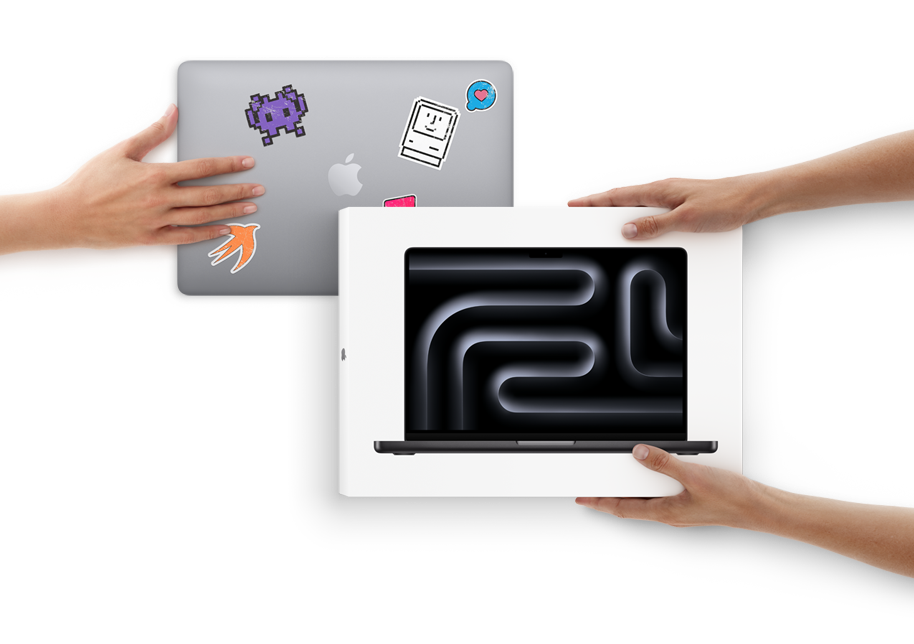
For Mac laptops like the MacBook Air and MacBook Pro, Apple replaces the battery and the outer shell. That’s significant — the battery is brand new with zero charge cycles, not a two-year-old cell that’s already lost 15% of its capacity. The outer shell replacement means you won’t find scuffs, dents, or scratches from a previous owner. The machine looks new because the parts you can see and touch are new.
For desktop Macs like the Mac mini, iMac, and Mac Studio, the battery isn’t a factor since they run on wall power. Apple still replaces any defective modules found during testing and cleans the exterior thoroughly. The internal components — the Apple Silicon chip, the Unified Memory, the SSD — are the original parts, tested to meet the same standards Apple uses for its Finished Goods quality checks on retail products.
So what doesn’t get replaced? The logic board, the display panel (on laptops), the speakers, the keyboard mechanism, and the SSD stay original unless testing finds a defect. That sounds like a compromise until you remember that Apple’s own testing uses the same burn-in procedures they run on new machines coming off the production line. If something fails, it gets swapped. If it passes, it ships.
 Ad
AdWhat’s Available Right Now
Apple’s refurbished inventory rotates constantly. As of March 2026, the store typically stocks recent-generation Macs alongside some previous-generation models at deeper discounts:
The following table compares current refurbished Mac models, typical savings, available chip options, and the primary reason to consider each one.
| Mac Model | Typical Refurb Savings | Available Chips | Why Consider It |
|---|---|---|---|
| MacBook Air 15-inch | $170–$180 | Apple Silicon M4 | Biggest screen, lightest Mac laptop |
| MacBook Pro 14-inch | $200–$270 | M4, M4 Pro | Best balance of power and portability |
| MacBook Pro 16-inch | $250–$470 | M4 Pro, M4 Max | Maximum performance for creative pros |
| Mac mini | $80–$130 | M4, M4 Pro | Smallest desktop Mac, massive value |
| iMac 24-inch | $130–$200 | M3, M4 | All-in-one with Retina display |
| Mac Studio | $200–$470 | M2 Max, M2 Ultra | Previous-gen pro desktop, steep discounts |
One thing to keep in mind: refurbished stock is limited. Popular configurations sell out fast, especially the base MacBook Air and Mac mini models where the dollar savings hit hardest relative to the price. Apple doesn’t announce restocks. You either check regularly or you miss it.
The Catch Nobody Mentions
The packaging. Refurbished Macs ship in a plain white box instead of the original retail packaging. All the standard accessories are included — the power adapter, the charging cable, any documentation — but you won’t get that satisfying Apple unboxing moment with the shrink wrap and the perfectly nested product tray.
For most people, that’s irrelevant. But if you’re buying a Mac as a gift, it’s worth knowing. The recipient will notice a plain white box instead of the signature packaging, and that matters to some people more than a $240 price difference. I mean, think about it — are you buying the box or the computer?
There’s also the return window. Apple gives you 14 days to return a refurbished Mac, the same as new purchases. AppleCare+ is available for purchase within 60 days. Those terms are identical to buying new from Apple, which is the entire point.
Refurbished vs. Third-Party: Why the Source Matters
Apple isn’t the only company selling refurbished Macs. Retailers like Back Market, Mac of All Trades, and Amazon Renewed offer refurbished MacBooks at 30 to 70 percent off retail — much steeper discounts than Apple’s 15%. So why would you pay more at Apple’s store?
The warranty and the battery. Third-party refurbishers don’t consistently replace the battery. Some do, some don’t. You might get a MacBook with 87% battery health and a 90-day warranty from a retailer you’ve never heard of. With Apple, every Mac laptop gets a new battery at zero cycles and a full one-year warranty backed by Apple itself, not a third-party seller.
Apple also uses its own diagnostic tools and quality standards during refurbishment. Third-party refurbishers reverse-engineer their own testing procedures, which range from thorough to questionable depending on the company. For a $1,500 computer, I’d rather have Apple’s engineers making the call on whether my logic board passes muster.
That said, if you’re buying a Mac for light use — email, browsing, document editing — and the budget is tight, third-party refurbished can make sense for older models. The risk is manageable on a $400 MacBook Air M1 in ways it isn’t on a $3,000 MacBook Pro M4 Max.
How to Actually Find the Best Deals
Apple’s Refurbished Store lives at apple.com/shop/refurbished/mac. You can filter by product type, processor, screen size, and price. Stock updates happen without notice, so checking every few days is the move if you’re targeting a specific configuration.
The education discount stacks differently. Apple’s Education Store (apple.com/us-edu/shop/refurbished) sometimes stocks refurbished Macs with additional savings on top of the standard refurbished pricing. Students, faculty, and staff with a valid .edu email can access these deals, and the savings compound in ways that make refurbished education pricing one of the best Mac deals available anywhere. If you’re eligible, you’d want to check the Apple Education Store pricing guide to understand how that works.
For anyone building out a new workstation from scratch, refurbished is where I’d start. A Mac mini M4 at $80 to $130 below retail paired with a good monitor gives you a complete desktop setup for less than the base MacBook Pro. The money you save on the Mac can go toward the display, keyboard, and dock that make the setup complete.
Quick-Action Checklist:
- Visit apple.com/shop/refurbished/mac and bookmark it
- Filter by the Mac model and chip generation you want
- Check stock every two to three days — popular configs sell fast
- Compare the refurbished price against current retail to confirm savings
- Add AppleCare+ within 60 days if you want extended coverage
- If you qualify for education pricing, check apple.com/us-edu/shop/refurbished first

Related Posts
Seven Mac Accessories That Turn a Good Desk Into a Great One
Apr 10, 2026
Your Mac Has a Networking Time Bomb That Only a Reboot Defuses
Apr 09, 2026
Your Mac Feels Slow After macOS Tahoe — Here’s What Actually Fixes It
Apr 08, 2026