

🎧 Listen to this article
Prefer to listen? An audio version of this article is available for accessibility and convenience.
You own Apple devices. You want a smart home. So the obvious choice is Apple HomeKit, right? Well, not always. Apple HomeKit and Google Home both support the Matter protocol in 2026, which means most new smart accessories work with either platform out of the box. The real question is not which platform controls more devices — it is which platform fits the way you actually live.
And that answer depends on something most comparison articles skip entirely: how much you trust your smart home data leaving your house.
 Ad
AdI want to be direct with you. If you are deep in the Apple ecosystem — iPhone, iPad, HomePod, Apple TV 4K — HomeKit is the stronger play for privacy and integration. But if you are mixing Android and Apple devices in the same household, or you just want the widest voice assistant reach, Google Home still has a legitimate edge in flexibility. Neither platform is perfect, and pretending otherwise would waste your time.
Here is how to figure out which one earns a permanent spot in your home.
What Apple HomeKit Gets Right (and Where It Stumbles)
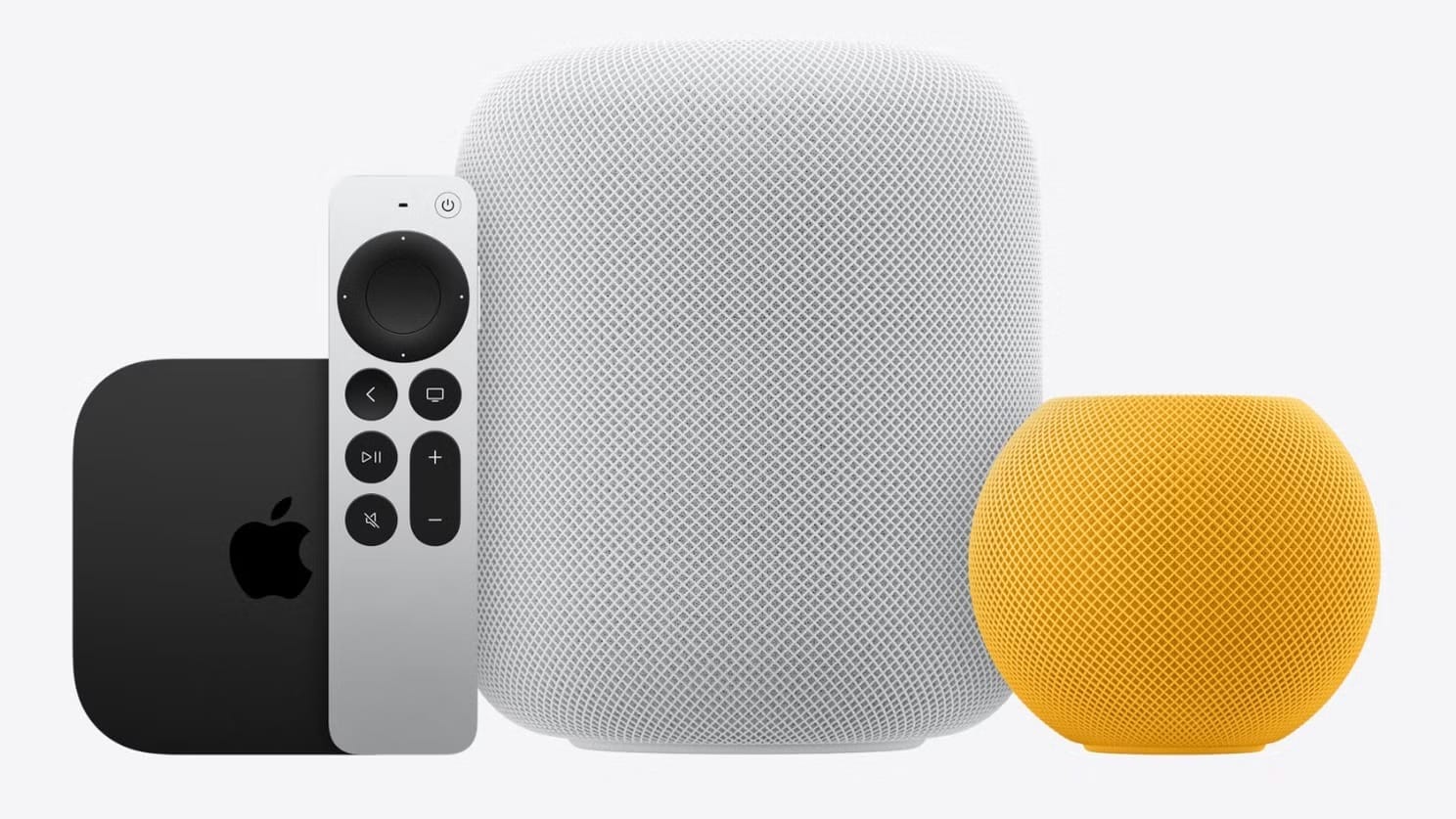
HomeKit’s biggest advantage is not flashy. It is boring in the best way: your smart home data stays local. When you set up a HomeKit Secure Video camera, the video feed gets analyzed on your Apple TV 4K or HomePod — right there on your home network — before encrypted clips upload to iCloud. Apple cannot see that footage. Your internet service provider cannot see it. The processing happens on a device you own, in a room you control.
That local-first architecture extends to automations, too. Your “Good Morning” scene that turns on the lights, starts the coffee maker, and adjusts the thermostat runs through your home hub without pinging a cloud server. If your internet goes down at 6 AM, your automation still fires. Try that with a cloud-dependent setup and you are making coffee in the dark.
But here is where HomeKit stumbles. Siri is not Google Assistant. Ask Siri to “turn off the kitchen lights” and it works perfectly. Ask Siri a follow-up question — “and what about the hallway?” — and it stares at you like you changed the subject. Google Assistant handles conversational chains naturally, letting you say “dim them to 20 percent” right after your first command without repeating the room name. That difference sounds small until you are juggling grocery bags and trying to voice-control three rooms at once.
The other friction point is the Home app itself. Apple redesigned it with the new Home architecture update that became mandatory on February 10, 2026, and the migration process was not seamless for everyone. Some users reported accessories dropping offline, automations breaking, and Thread devices taking hours to reconnect. If you survived that transition already, good news — the new architecture is genuinely faster. If you have not upgraded yet, well, you no longer have a choice.
What Google Home Gets Right (and What It Costs You)
Google Home wins on voice intelligence and it is not particularly close. Google Assistant understands context, handles multi-step requests, and answers follow-up questions without needing you to restart the conversation. For households where multiple people with different accents and speaking speeds use voice commands, Google’s natural language processing simply outperforms Siri today.
Device selection is wider, too. Google Home supports Matter devices plus its own Nest ecosystem of cameras, doorbells, thermostats, speakers, and displays. The Nest Hub acts as a visual command center — you see camera feeds, control devices with touch, and get visual confirmations that HomeKit’s speaker-only HomePod cannot match.
So what is the catch? Data collection. Google Home processes voice commands through Google’s cloud servers, and Google uses that data to improve its services. The company offers privacy controls — you can auto-delete recordings after 3 or 18 months, pause voice history entirely, or physically mute the microphone on Nest devices. But “offering controls” is different from “not collecting in the first place.” If you read Apple’s privacy white papers and Google’s, the philosophical gap is wide. Apple says your home data is yours. Google says your home data improves the experience for everyone.
That is a real tradeoff, not a marketing bullet point. Think about what matters more to you.
 Ad
AdThe Matter Protocol Changed Everything (Almost)
Here is the thing most people miss about the HomeKit vs Google Home conversation in 2026: Matter made it less important than it used to be. A Matter-certified smart plug, light bulb, lock, or thermostat works with both platforms simultaneously. You do not have to pick a team for your hardware anymore.
Where it still matters is the software layer — the app, the voice assistant, the automations, and the privacy model running underneath. Matter handles device communication. Apple or Google handles everything else.
Thread is the other piece worth understanding. Thread is the wireless protocol that lets low-power devices like sensors and switches communicate without Wi-Fi, creating a mesh network through your home. Both Apple and Google support Thread border routers — HomePod mini, Apple TV 4K, Nest Hub, and Nest WiFi Pro all serve as Thread border routers. The difference is that Apple baked Thread into HomeKit’s architecture from the start, while Google added it alongside existing protocols. In practice, both work. But HomeKit’s Thread devices tend to reconnect faster after a power outage because the mesh rebuilds through the hub without waiting for a cloud handshake.
Privacy Is Not a Feature — It Is the Whole Decision
I keep coming back to privacy because it genuinely separates these platforms more than any single feature. Here is what happens when you set up a smart camera on each platform:
Apple HomeKit Secure Video analyzes footage locally on your home hub. Encrypted clips upload to iCloud using end-to-end encryption. Apple has no decryption key. Your iCloud Plus subscription (starting at $0.99 per month for 50 gigabytes) covers one camera on the base plan, five cameras on the 200 gigabyte plan, and unlimited cameras on 2 terabyte and above.
Google Nest cameras process footage through Google’s cloud. The footage is encrypted in transit and at rest, but Google holds the encryption keys. Nest Aware subscriptions start at $8 per month for event-based recording or $15 per month for continuous 24/7 recording. Google can access this data if compelled by legal process — and unlike Apple’s end-to-end model, Google’s architecture allows this by design.
If privacy is your deciding factor, this comparison ends here. HomeKit wins, and it is not close.
At-A-Glance: Apple HomeKit vs Google Home in 2026
This table compares the four key attributes separating Apple HomeKit and Google Home as smart home platforms in 2026.
| Attribute | Apple HomeKit | Google Home |
|---|---|---|
| Voice Assistant | Siri — reliable basics, weak follow-ups | Google Assistant — natural language, multi-step |
| Privacy Model | Local processing + E2E iCloud encryption | Cloud processing, Google holds keys |
| Hub Options | HomePod, HomePod mini, Apple TV 4K | Nest Hub, Nest Hub Max, Nest Mini, Nest WiFi Pro |
| Camera Cost | From $0.99/mo (iCloud+ bundle) | From $8/mo (Nest Aware) |
Who Should Pick Apple HomeKit
You should go with HomeKit if your household is all-Apple. iPhones, iPads, Macs, Apple Watch — the tighter your ecosystem, the better HomeKit works. Cross-device handoff is seamless. You unlock your door with your Apple Watch using Home Key. You check camera feeds on your iPad. You ask Siri on your Mac to run a scene while you are working.
HomeKit also makes more sense if you care about long-term privacy. Apple’s business model does not depend on advertising revenue from your data, and that structural difference means privacy protections are not just features — they are incentives. Apple is financially motivated to protect your data because doing so sells hardware. That alignment matters.
And if you already own a HomePod or Apple TV 4K, you already have a home hub. There is no additional purchase required to start building your smart home. Plug in a Matter-compatible smart plug, open the Home app, scan the code, and you are running automations within minutes. You can explore more about building your first setup in our guide to building your first Apple HomeKit smart home from scratch.
Who Should Pick Google Home
Google Home earns its spot in households that are not exclusively Apple. If someone in your family uses Android, Google Home bridges that gap without forcing them onto a platform they did not choose. Shared homes with mixed devices are where Google shines.
If voice control is your primary interaction method, Google wins there too. The gap between Siri and Google Assistant for smart home commands is real, and it shows up every single day. If you are the type of person who talks to their smart home more than tapping the app, Google’s superior voice processing will save you frustration.
Google’s Nest Hub displays also fill a gap that Apple currently does not. A visual smart home controller sitting on your kitchen counter — showing camera feeds, recipes, weather, and device status — is genuinely useful in a way that Apple has not shipped yet. Apple is reportedly working on a HomePad smart display for later in 2026, but it does not exist on shelves today. For more Apple TV smart home possibilities, check out our article about transforming your Apple TV into a voice-controlled smart home hub.
The Practical Bottom Line
Think about it this way. Your smart home platform is not just a settings toggle — it is a long-term commitment that shapes how you interact with your house every day. Matter made the hardware decision easier. But the software, privacy, and voice assistant decisions are still yours to make.
If you are reading Zone of Mac, you are probably an Apple user. And for Apple users, HomeKit is the better default. The privacy model is stronger, the ecosystem integration is tighter, and Matter compatibility means you are not sacrificing device selection anymore. The weak spot is Siri, and Apple knows it — which is exactly why the rumored HomePad and next-generation Siri updates are gated on getting voice control right.
Pick the platform that matches how you actually use your home. Not the one with the longest spec sheet.

Related Posts
Home Assistant Turns Every Smart Device Into an Apple HomeKit Accessory
Apr 01, 2026
Apple Home Has Almost No Smoke Detectors. Do This Instead
Mar 30, 2026
Your Apple Home Is Missing Its Most Important Sensor
Mar 29, 2026