
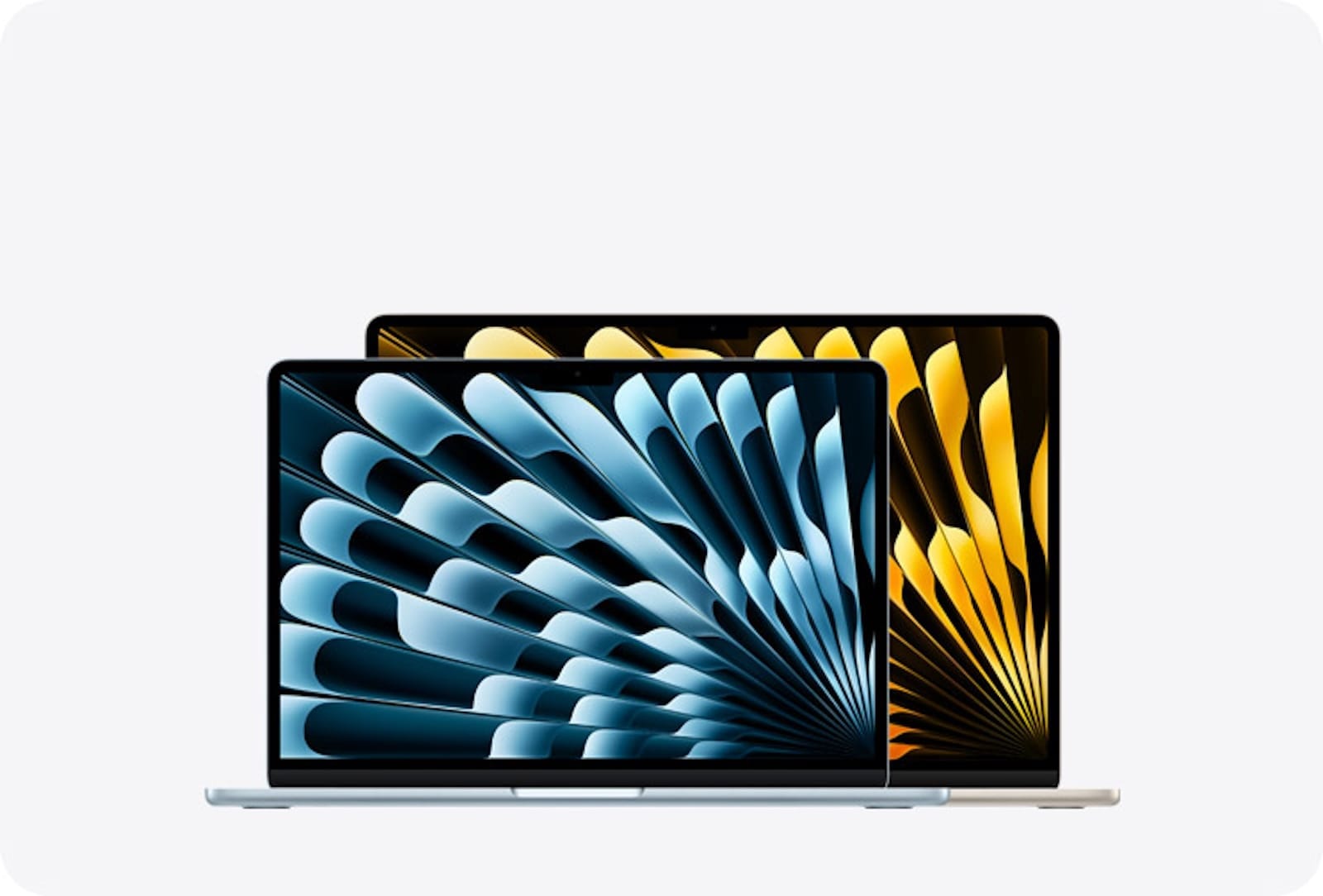

Apple is about to sell a MacBook for roughly $699. That alone is enough to make you do a double take, because the cheapest Mac laptop has cost $999 or more for years. The catch? This budget MacBook runs an iPhone chip, the Apple A18 Pro, instead of the M-series silicon that powers every other Mac in the lineup. That single decision changes everything about who this machine is for and what it can realistically handle on your desk.
I mean think about it. Apple could have just slapped an M2 in a cheaper shell and called it a day. Instead they went with a chip from the iPhone 16 Pro, which sounds wild until you realize it lets them hit a price point that the Mac has never touched before. But that price comes with trade-offs that most of the hype articles are glossing over, and you need to see those trade-offs clearly before March 4.
So here is every confirmed detail about the budget MacBook, the stuff that makes it genuinely exciting, and the specific compromises you should weigh before you hand over your credit card.
 Ad
Ad
What the Leaks and Code Actually Confirm
This is not a rumor roundup full of maybes. The budget MacBook, internally codenamed J700, showed up in macOS Tahoe 26.3 source code, which means Apple's own operating system already knows this machine exists. Mark Gurman at Bloomberg confirmed the timeline. Ming-Chi Kuo, whose supply chain accuracy record speaks for itself, nailed down the chip and screen size. Multiple independent sources converge on the same story.
The Apple A18 Pro chip is a 6-core CPU paired with a 6-core GPU and a 16-core Neural Engine, all built on Apple's second-generation 3nm process. It benchmarks at roughly 3,451 single-core and 8,572 multi-core on Geekbench. For context, the original Apple Silicon M1 chip scores around 2,400 single-core. So the A18 Pro is genuinely faster than the chip that made every Mac user rethink Intel. That is not nothing.
The display is a 12.9-inch LCD at 60Hz. No mini-LED, no ProMotion, no OLED. Standard LCD, the kind you would find on an iPad. Apple reportedly tested six color options: light yellow, light green, blue, pink, classic silver, and dark gray. Kuo expects four to ship: silver, blue, pink, and yellow. If those colors remind you of the current iMac palette, that is exactly the vibe Apple is going for.
Why an iPhone Chip in a Mac Is a Bigger Deal Than It Sounds
Every Mac laptop sold since late 2020 has used M-series Apple Silicon. The M1, M2, M3, M4. These chips were designed from the ground up for Mac workloads: sustained performance under load, Thunderbolt controller integration, support for large unified memory pools. The A18 Pro was designed for a phone. It sprints brilliantly for short bursts, but sustained workloads, the kind a laptop handles daily, are a different story.
The practical impact is this: you lose Thunderbolt entirely. The budget MacBook will have USB-C ports rated at 10Gbps, which is perfectly fine for a flash drive or a basic hub but cannot drive a Thunderbolt dock, a fast external SSD array, or a high-bandwidth eGPU setup. If your workflow involves docking your laptop into a full desk station with a Thunderbolt display, this machine will not do what you need. That is a hard boundary, not a minor inconvenience.
The RAM situation is the other question mark. macOS Tahoe 26.3 code references 8GB for the base model, and 8GB is the minimum Apple Intelligence requires. But here is the tension: every current Mac ships with 16GB as the floor. If Apple drops to 8GB to hit that $699 price, they are breaking their own precedent. For light browsing, email, and streaming, 8GB works. For running multiple creative apps or keeping dozens of Safari tabs alive, 8GB feels claustrophobic fast. If you are shopping for a MacBook that handles real work, I would encourage you to read through the full buying guide before making your decision.
Here is how the budget MacBook stacks up against the MacBook Air M4 on the specs that actually affect your daily experience:
| Feature | Budget MacBook (A18 Pro) | MacBook Air M4 |
|---|---|---|
| Starting Price | ~$699 | $999 |
| Chip | Apple A18 Pro (iPhone) | Apple M4 (Mac-native) |
| Display | 12.9-inch LCD, 60Hz | 13.6-inch Liquid Retina, 60Hz |
| RAM | 8GB (rumored) | 16GB |
| Ports | USB-C (10Gbps), no Thunderbolt | 2x Thunderbolt 4, MagSafe |
| External Displays | 1 max | 2 max |
Who Should Actually Buy This MacBook
Well, simply put: students, parents buying a kid's first laptop, and anyone whose Mac usage tops out at web browsing, document editing, light photo work, and streaming. That is a massive audience. Think about how many people spend a thousand dollars on a MacBook Air and never once push the M4 chip past 15 percent utilization. For those users, the $300 savings is real money that could go toward AppleCare, an external monitor, or a solid pair of AirPods.
The colorful aluminum body is a smart move, too. Apple learned from the iMac relaunch that color sells hardware to people who see their computer as furniture, not just a tool. A pink or blue MacBook sitting on a dorm room desk communicates something different than a silver slab, and that emotional pull moves units.
 Ad
Ad
Who Should Save Up for the MacBook Air Instead
Anyone who connects external drives regularly, needs Thunderbolt for audio interfaces or video capture hardware, runs memory-intensive apps like Logic Pro or Final Cut Pro, or plans to keep the machine for five or more years. The MacBook Air M4 is not just incrementally better; it operates on a different tier. Double the multi-core performance, double the RAM, native Thunderbolt, a bigger display. That $300 gap buys a fundamentally more capable computer.
And here is one thing nobody is discussing: resale value. Apple's M-series MacBooks hold their value like nothing else in the laptop market. A MacBook Air M2 still fetches $600 or more on the used market years after release. A budget MacBook with an iPhone chip and 8GB of RAM? We do not know how that depreciates, because nothing like it has existed before. If you eventually plan to trade up to a MacBook Pro, that resale trajectory matters.
March 4 Is Eight Days Away and the Leaks Are Accelerating
Apple sent media invitations for a special event on March 4, 2026. Gurman expects the budget MacBook alongside the M5 MacBook Air refresh and potentially two new Apple Studio Displays. The fact that macOS Tahoe 26.3 code already references the J700 model identifier tells you Apple is not scrambling to finish this thing. It is ready.
The name remains unconfirmed. Some analysts expect Apple to revive the standalone "MacBook" branding. Others predict "MacBook SE," borrowing the naming convention from the iPhone SE line. I would bet on just "MacBook." The SE branding implies a stripped-down version of an existing product, but this is not a lesser MacBook Air. It is a new product category positioned below the Air, and Apple will want the branding to feel fresh rather than compromised.
The Display Trade-Off That Barely Shows Up in the Spec Sheets
A 12.9-inch LCD at 60Hz sounds fine on paper. But compare it to the MacBook Air's 13.6-inch Liquid Retina display and you lose nearly a full inch of diagonal screen space. That matters more than you think when you are working with two windows side by side or reading a long document. The smaller panel also means tighter pixel density and likely lower peak brightness, though Apple has not confirmed brightness specs.
I will say this though: if you are coming from a Chromebook or a budget Windows laptop with a 14-inch 1080p TN panel, the budget MacBook's display will look gorgeous by comparison. Context shapes everything. Apple's "budget" screen is still better than most competitors' premium screens, and that is the sort of quiet advantage Apple counts on when pricing hardware.
Apple Intelligence on 8GB of RAM Feels Like a Gamble
Apple Intelligence launched with an 8GB minimum requirement because the on-device models need room to breathe alongside macOS and whatever apps you have open. On an iPhone with 8GB, that works because iOS is lean and apps unload aggressively from memory. macOS does not work that way. It keeps apps resident, caches heavily, and expects headroom.
Running Apple Intelligence features like Writing Tools, Image Playground, and the upgraded Siri on a Mac with 8GB total means the system will be juggling. Not crashing, but juggling. You will notice it in swap file activity, in the occasional pause when switching between a Keynote deck and Safari, in the fan kicking on during longer AI tasks. Apple's technical documentation for Apple Intelligence lists 8GB as the minimum, not the recommendation. That distinction matters if you plan to lean on these features daily.
What I Would Actually Do With $699 Right Now
If I were buying a MacBook for someone who checks email, streams lectures, writes papers, and FaceTimes their family, I would wait eight days and seriously consider this budget MacBook. For that usage pattern, the A18 Pro is overkill. The colors are fun. The price is right. Done.
If I were buying a MacBook for myself, for any kind of creative or professional work, I would add $300 and get the MacBook Air M4. The Thunderbolt ports alone justify the difference. The extra RAM justifies it twice. And the resale protection justifies it a third time.
The budget MacBook is not Apple admitting the Air is overpriced. It is Apple deciding that the Mac should reach people who would otherwise buy a Chromebook or a $500 Windows laptop and never look back. That is a different market, and Apple is finally showing up in it.

Related Posts
Apple’s $599 MacBook Neo vs the MacBook Air M5
Mar 04, 2026
Your Mac Has a Hidden Repair Shop Built Into the Power Button
Mar 04, 2026
Your Mac Is Stuck on an Old macOS Until You Run This Update
Mar 01, 2026