
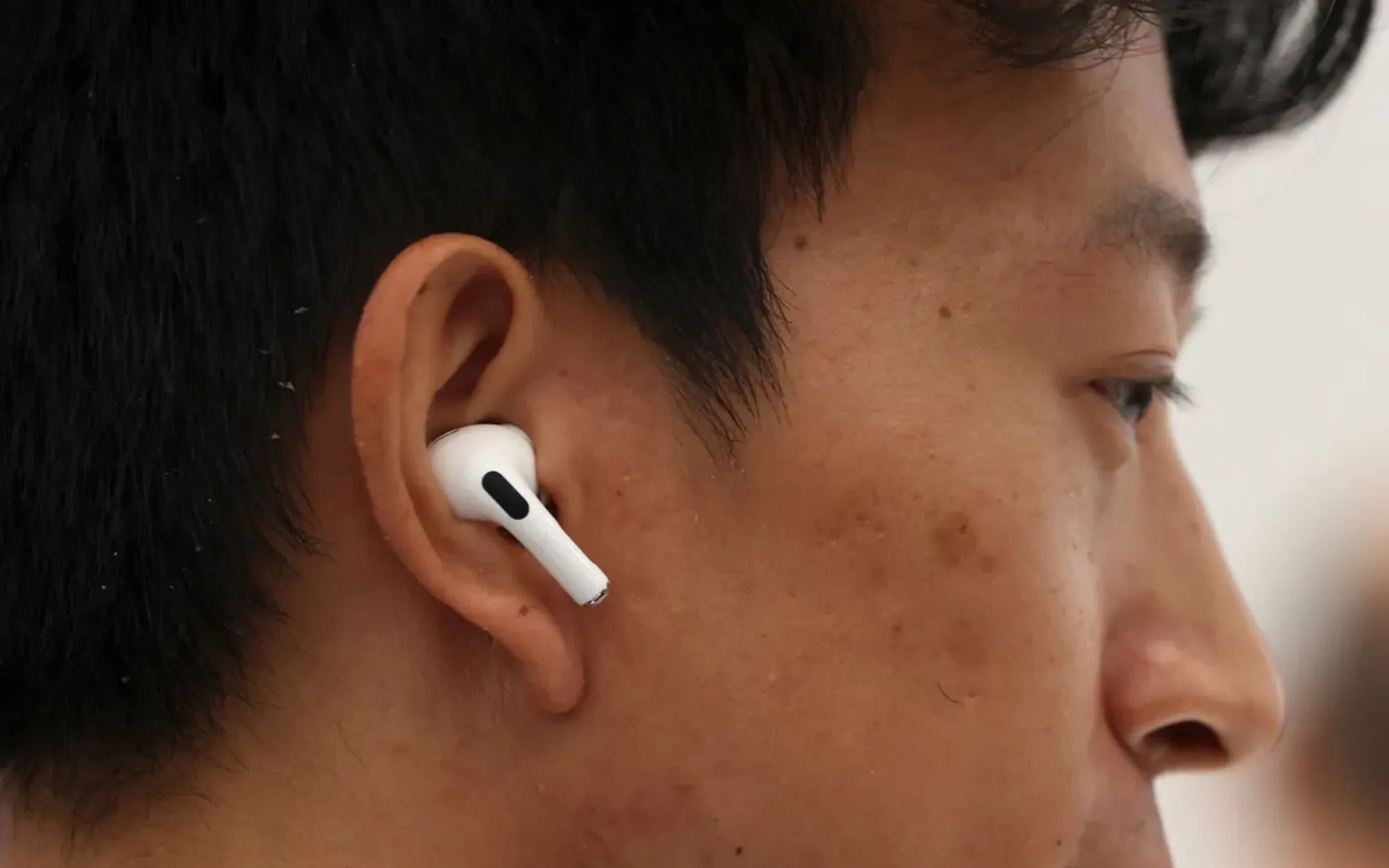
Conversation Awareness on AirPods Pro drops your music volume, reduces background noise, and amplifies nearby voices the instant it detects your speech. The problem is that it also triggers when you hum along to a song, clear your throat, cough, laugh, or sing a single lyric. The fastest fix: press and hold the stem of either AirPod. That forces an immediate return to your previous Listening mode and restores full volume in under a second.
That stem press works every time, but it treats the symptom. The false triggers keep coming back because Conversation Awareness relies on internal microphones that cannot reliably distinguish certain vocal sounds from actual speech. Whether the root cause is your ear tip seal, your environment, or the feature itself depends on which sounds are triggering it and how often. Diagnosing which cause applies to you is the difference between disabling a genuinely useful feature and keeping it active with zero interruptions.
What Makes Conversation Awareness Misfire
Conversation Awareness uses a pair of inward-facing microphones inside each AirPod to detect vibrations from your vocal cords. When those microphones pick up patterns consistent with human speech, the system shifts your AirPods toward Transparency mode, lowers media volume, and enhances voices in front of you. Apple's Adaptive Audio support documentation confirms the feature is available on AirPods Pro 2, AirPods Pro 3, and AirPods 4 with Active Noise Cancellation, and requires iOS 17 or later.
The flaw is in the detection threshold. Humming produces vocal cord vibrations that sit right at the boundary between speech and non-speech. Throat-clearing and coughing generate short, percussive bursts that the algorithm reads as the start of a sentence. Singing is the worst offender: sustained vocalization with pitch variation is almost indistinguishable from normal conversation to a microphone that is measuring vibration patterns rather than linguistic content.
A loose ear tip seal makes everything worse. When air leaks around the silicone tip, the inward-facing microphone picks up more ambient noise blended with your vocal vibrations. That muddied signal lowers the confidence threshold for speech detection, making the system more likely to trigger from sounds that a properly sealed AirPod would ignore. This is why two people with the same AirPods Pro model can have wildly different false-trigger rates. The ear tip fit is the variable.
The Instant Override When It Triggers Wrong
Press and hold the Force Sensor on the stem of either AirPod Pro for about two seconds. You will hear a chime, and your AirPods will snap back to whichever Listening mode you were using before Conversation Awareness activated. If you were in Active Noise Cancellation, you return to full ANC with your media volume restored. If you were in Adaptive mode, you return to Adaptive.
This works regardless of what triggered the false activation. It does not disable Conversation Awareness permanently. The feature remains on, ready to activate the next time it detects speech-like sound. Think of it as a manual "that was not a conversation" button. For occasional false triggers during a commute or gym session, this is enough. For persistent false triggers that happen multiple times per hour, you need a deeper fix.
Join The Inner Circle For Serious Apple Users
Exclusive Apple tips. Free to join.
How to Disable Conversation Awareness Completely
Open Control Center on your iPhone by swiping down from the top-right corner of the screen. With your AirPods in your ears and connected, touch and hold the volume slider. The slider expands into a larger audio panel. Tap the Conversation Awareness toggle to switch it off. The icon dims, and the feature is disabled until you manually re-enable it.
Alternatively, open Settings on your iPhone, tap the name of your connected AirPods near the top of the screen, scroll down to the Audio section, and tap the Conversation Awareness toggle to turn it off from there. Both methods produce the same result. The setting syncs across all devices paired to those AirPods, so disabling it on your iPhone also disables it when the AirPods connect to your iPad or Mac.
Disabling the feature entirely is the right call if your primary AirPods use case involves singing along to music, recording voice memos, or working alone where conversations are rare. If you want Conversation Awareness active for commuting or coworking but off during solo listening sessions, the faster Control Center toggle makes switching back and forth practical.
The Fix Most People Skip: Your Ear Tip Seal
Run the Ear Tip Fit Test before changing anything else. Open Settings, tap the name of your connected AirPods, and tap Ear Tip Fit Test. The test plays a short sound clip and analyzes the acoustic seal. A green checkmark next to each ear means the seal is good. A yellow indicator means the seal is not adequate, and you should try a different tip size.
Apple ships five silicone tip sizes with the AirPods Pro 3 (XS through XL) and four with AirPods Pro 2 (XS through L). Swap one size up or down and rerun the test. A surprising number of people are wearing the default medium tips when a small or large would seal significantly better. The fit test takes less than thirty seconds and is worth repeating any time you notice an increase in false triggers, because ear tips degrade and loosen over months of daily use.
There is a tactile tell that silicone tips sometimes cannot solve: if your AirPods shift perceptibly when you move your jaw, chew, or yawn, the silicone is not gripping the walls of your ear canal. You can pass the fit test and still have a marginal seal that works fine for music but creates just enough air leakage to confuse the Conversation Awareness microphones. Memory foam tips address this by compressing on insertion and then slowly expanding to fill the unique shape of your ear canal, creating a seal that does not break during jaw movement.
Affiliate disclosure: some links in this article are Amazon Associate links. If you buy through them, Zone of Mac may earn a small commission at no extra cost to you, and we only recommend products that genuinely bring value to your Apple setup.
Preventing False Triggers with a Better Ear Tip Seal
Comply TrueGrip MAX tips use heat-activated viscoelastic memory foam with a patented SmartSkin coating that resists moisture and earwax. You compress the foam between your fingers, insert the AirPod, and hold it in place for about fifteen seconds while the foam expands to match your ear canal. The result is a seal that conforms to curves and contours that silicone tips simply slide past. That tighter seal gives the inward-facing microphone a cleaner signal: your vocal cord vibrations come through clearly while ambient noise stays outside the seal. The speech detection algorithm receives higher-confidence data, which means it takes stronger vocal signals to cross the activation threshold. Humming, throat-clearing, and light coughing fall below that threshold more consistently.
The foam tips also stay put during workouts and head movement, which eliminates the micro-shifts that cause intermittent seal breaks. Comply makes separate versions for AirPods Pro Gen 1 and 2 versus AirPods Pro 3 because the tip dimensions differ between generations. Each pack includes three pairs in assorted S/M/L sizes with a removal tool. They fit inside the charging case without interference.


Pick up the Comply TrueGrip MAX for AirPods Pro Gen 1 and 2 here https://www.amazon.com/dp/B0F9YXSGHQ?tag=zoneofmac-20
Grab the Comply TrueGrip MAX for AirPods Pro 3 on Amazon https://www.amazon.com/dp/B0G16D44RJ?tag=zoneofmac-20
At-A-Glance: False Trigger Causes and Fixes
The following table compares the three most common causes of false Conversation Awareness triggers, how to identify which one affects you, and the specific fix for each.
| Cause | How to Identify | Fix |
|---|---|---|
| Loose or wrong-size ear tips | Ear Tip Fit Test shows yellow warning; AirPods shift during jaw movement | Resize silicone tips or switch to memory foam tips for a sealed fit |
| Vocal sounds (humming, singing, throat-clearing) | Volume drops when you vocalize alone, with no one around | Press and hold the stem to override; disable Conversation Awareness when singing |
| Dirty or obstructed microphones | Feature works inconsistently or triggers with delay | Clean microphone mesh with a dry, soft-bristled brush; check for debris or lint |
One More Cause: Dirty Microphones
Each AirPod has both outward-facing and inward-facing microphone ports covered by fine mesh. If that mesh collects pocket lint, earwax residue, or skin oil, the microphone signal degrades. Degraded signals produce noisier data, which lowers the speech detection confidence threshold in the same way a loose seal does. The fix is simple: use a dry, soft-bristled brush (a clean toothbrush works) to gently sweep across the microphone mesh. Do not use liquids, compressed air, or sharp objects. Apple's support documentation recommends a dry lint-free cloth for general cleaning. Build this into a weekly habit if you wear your AirPods daily.
Accessibility and Clarity
Conversation Awareness has a meaningful accessibility dimension. For users with hearing loss who rely on AirPods Pro as hearing aids through the Headphone Accommodations and Conversation Boost features, false triggers are more than an annoyance. An unexpected volume drop during an amplified conversation can cause a user to miss words entirely. Disabling Conversation Awareness while keeping Conversation Boost active (found under Settings, then Accessibility, then Audio and Visual, then Headphone Accommodations) is the recommended configuration for hearing aid users who experience false triggers.
VoiceOver fully reads the Conversation Awareness toggle in both Control Center and Settings, and the Ear Tip Fit Test provides audible results alongside the visual green and yellow indicators. The stem press-and-hold override is tactile and does not require looking at any screen, making it accessible for users with visual impairments. If you have set up your AirPods Pro for health tracking with workouts, note that Conversation Awareness may activate from heavy breathing during exercise, which is another scenario where disabling the feature during specific activities makes sense.
For cognitive accessibility, the Control Center toggle provides a single-tap on/off interaction with no nested menus or confirmation dialogs. The AirPods pairing process itself is similarly straightforward, requiring minimal steps to get connected across devices.
Quick-Fix Reference
- Volume drops when you hum or sing alone → Press and hold the stem to override instantly. Disable Conversation Awareness via Control Center before solo listening sessions.
- Volume drops randomly during commutes or walks → Run the Ear Tip Fit Test. Swap to a different silicone size or upgrade to Comply TrueGrip MAX foam tips for a sealed fit.
- Feature triggers erratically or with a noticeable delay → Clean the microphone mesh on both AirPods with a dry, soft-bristled brush. Check for lint or wax buildup.
- False triggers during exercise or heavy breathing → Disable Conversation Awareness before workouts. Re-enable after via Control Center.
- AirPods shift in your ears when you chew or move your jaw → Your silicone tips are the wrong size or material. Memory foam tips eliminate movement-based seal breaks.

Related Posts
Your AirPods Work with Android — Here’s What Apple Holds Back
Apr 10, 2026
Your AirPods Are Collecting Grime That’s Killing Your Sound
Apr 09, 2026
Your AirPods Have a FaceTime Trick That Changes Group Calls
Apr 02, 2026